Pipe Saddle Layout Calculator
다운로드: App Store

이 페이지는 앱이나 개발자의 공식 페이지가 아니며, 정보 제공 및 논평을 목적으로 작성된 독립 편집 간행물입니다. 명시적으로 달리 언급되지 않는 한, 해당 앱이나 개발자는 MWM, Apple, Google Play, 앱 퍼블리셔 또는 앱 개발자와 제휴, 보증, 후원, 승인 또는 공식적으로 연결되어 있지 않으며, 이 페이지의 어떤 내용도 해당 앱이 MWM의 서비스를 사용하여 개발되었음을 의미하지 않습니다. 모든 상표, 로고, 스크린샷 및 기타 콘텐츠는 해당 소유자의 자산입니다.

로고: Pipe Saddle Layout Calculator
다운로드: App Store

Pipe Saddle Layout Calculator

복잡한 삼각법과 수동 레이아웃 오류를 중단하세요. 모든 크기, 각도 또는 두께에서 완벽한 물고기 입 절단 및 파이프 교차를 위한 정확한 1:1 인쇄 가능한 템플릿을 생성하세요.

주요 수치

다운로드

80K+

사용자 평점

3.4/5

총 평가 수

0

개발사

Jean-Paul Lanaux

카테고리

Productivity

지원 언어

1

최신 버전

4.0.3

크기

0.8 MB

출시일

2012년 5월 15일
기능

전문적인 정밀도로 모든 조인트를 마스터하세요

배관공의 청색 도서의 디지털 진화. 시간을 절약하고 재료 낭비를 없애고 즉각적인 계산과 전체 크기 인쇄 가능한 템플릿으로 완벽한 절단을 얻으세요.

제로-수학 레이아웃

복잡한 삼각법과 수동 차트를 건너뛰세요. 주요 및 분기 파이프 사양을 입력하여 즉시 완벽한 물고기 입 및 코프 절단을 위한 정확한 오프셋 치수를 얻으세요.

감싸서 추적하는 템플릿

궁극의 현장 바로 가기. 표준 8.5x11 용지에 전체 크기 1:1 스케일 패턴을 생성하세요. 그냥 인쇄하고, 감싸고, 추적하여 수동 측정 없이 완벽한 핏을 얻으세요.

다음 스크린샷과 설명은 앱의 공식 스토어 목록에서 직접 가져온 것이며 앱 개발자의 자산입니다.

앱 스토어

스크린샷
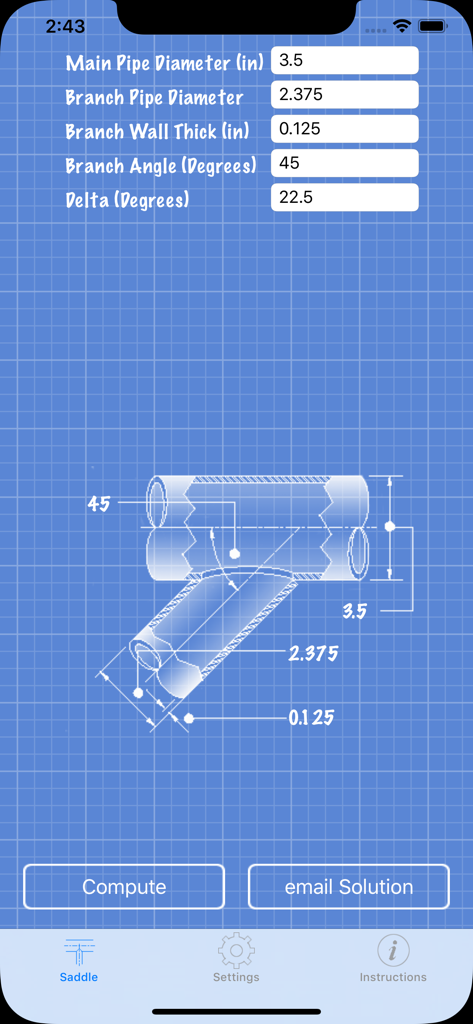
Pipe Saddle Layout Calculator - 파이프 새들 레이아웃 계산기 인터페이스, 청사진 다이어그램 및 파이프 치수 및 각도 입력 필드 표시
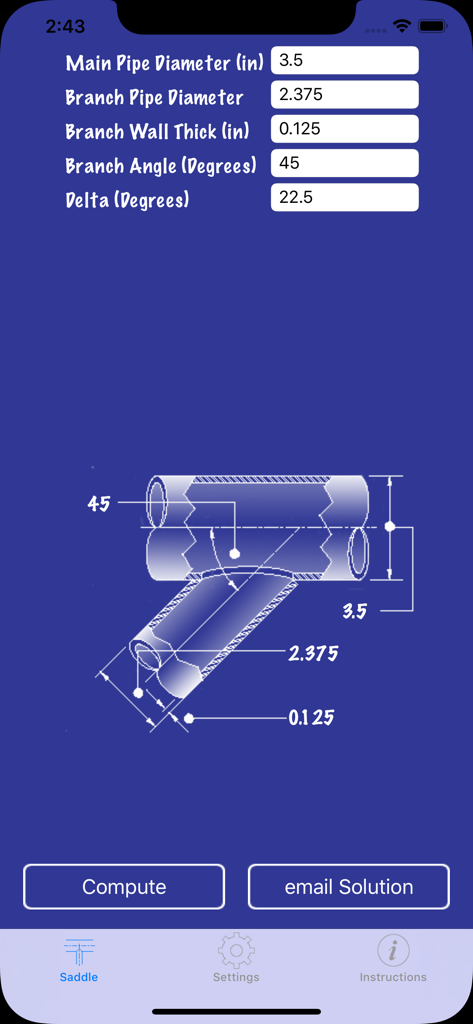
파이프 새들 레이아웃 계산기 인터페이스, 청사진 다이어그램 및 파이프 치수 및 각도 입력 필드 표시

Pipe Saddle Layout Calculator - 파이프 새들 레이아웃 계산기 인터페이스, 측정 입력 및 파이프 다이어그램 표시
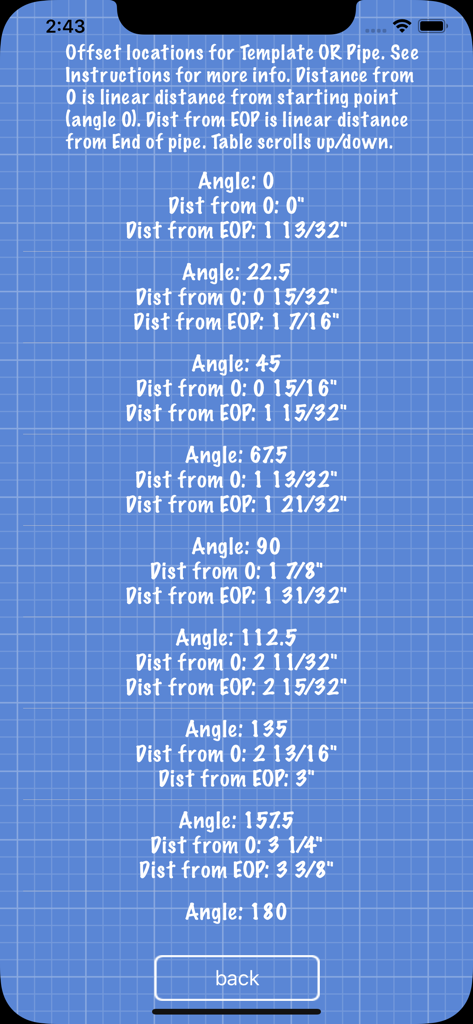
파이프 새들 레이아웃 계산기 인터페이스, 측정 입력 및 파이프 다이어그램 표시

Pipe Saddle Layout Calculator - 정확한 절단을 위한 파이프 새들 레이아웃 오프셋 위치 및 거리 측정 테이블.
정확한 절단을 위한 파이프 새들 레이아웃 오프셋 위치 및 거리 측정 테이블.

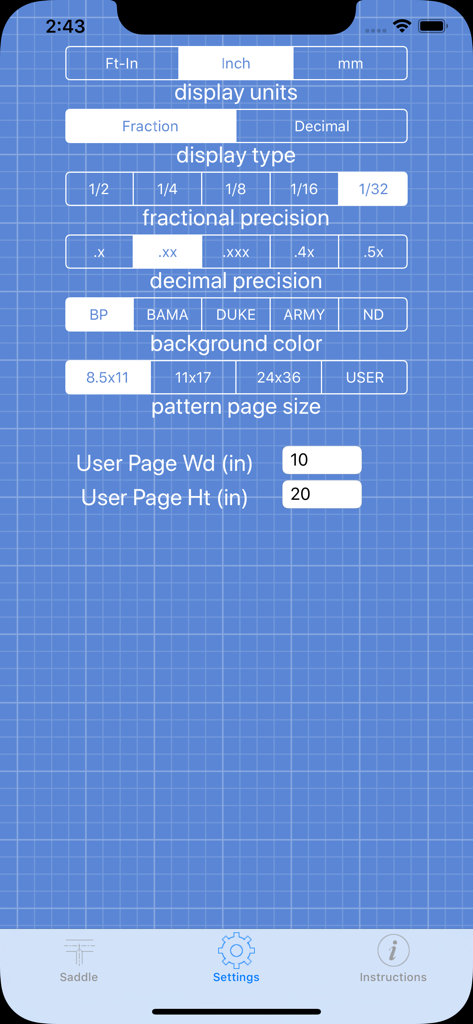
Pipe Saddle Layout Calculator - 단위 및 정밀도 설정을 보여주는 파이프 새들 레이아웃 계산기 앱의 설정 화면.
단위 및 정밀도 설정을 보여주는 파이프 새들 레이아웃 계산기 앱의 설정 화면.

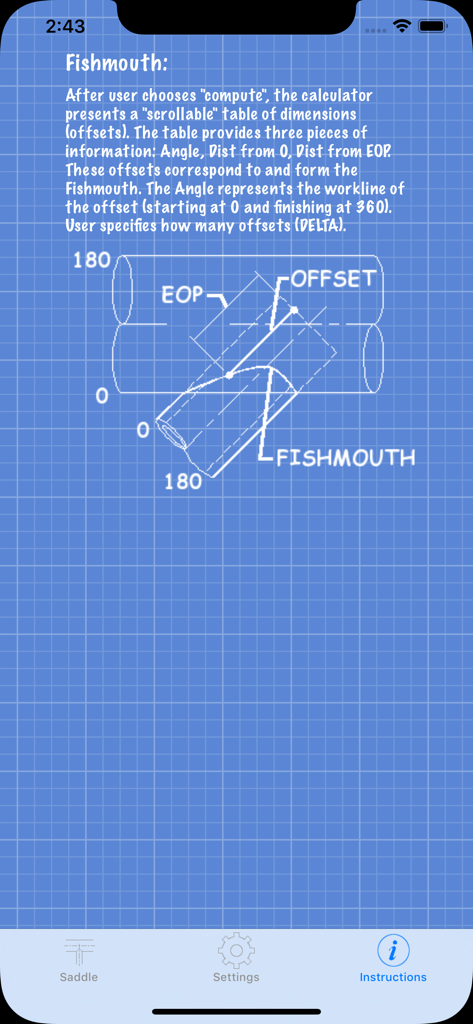
Pipe Saddle Layout Calculator - 청색 그리드 청사진 배경에 물고기 입 모양의 파이프 절단 다이어그램을 보여주는 지침 화면.
청색 그리드 청사진 배경에 물고기 입 모양의 파이프 절단 다이어그램을 보여주는 지침 화면.

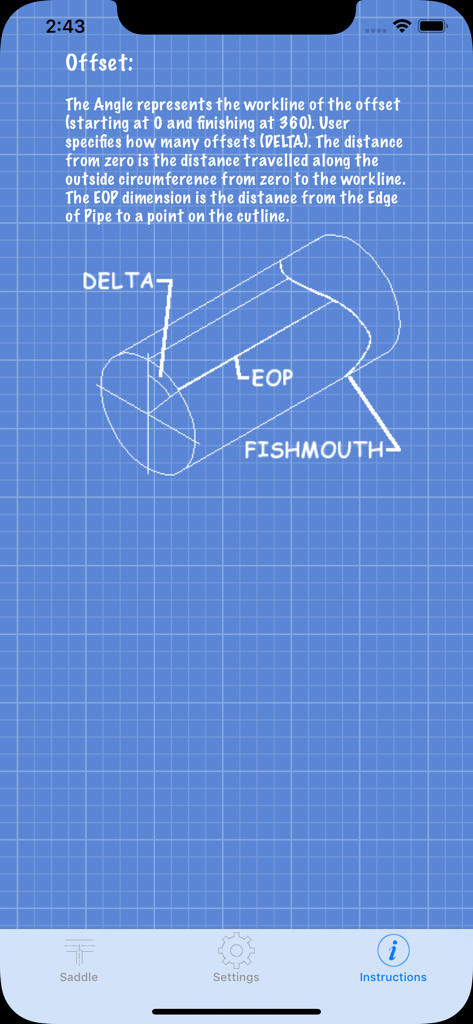
Pipe Saddle Layout Calculator - 파이프 물고기 입 절단을 위한 기술 청사진 다이어그램을 보여주는 지침 화면
파이프 물고기 입 절단을 위한 기술 청사진 다이어그램을 보여주는 지침 화면

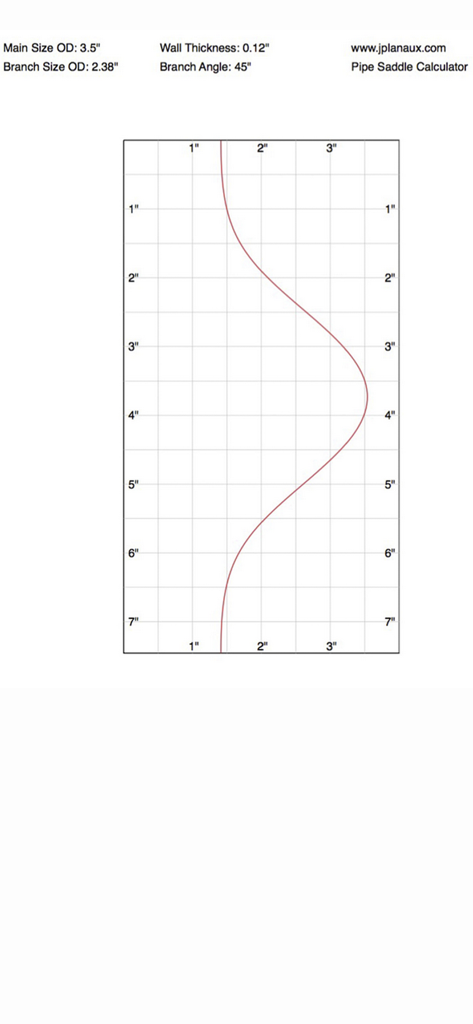
Pipe Saddle Layout Calculator - 정확한 45도 분기 절단을 위한 그리드 상의 파이프 새들 레이아웃 템플릿

정확한 45도 분기 절단을 위한 그리드 상의 파이프 새들 레이아웃 템플릿

설명

Pipe Saddle Layout Calculator is a iPhone app that provides the fitter with the points to make an accurate cut (fish mouth, cope, etc) for piping (cylinder to cylinder) intersections. This app is intended to be used by fitters, welders, fabricators, or anyone who needs to join two metal cylinders at any angle. Are you still carrying that blue book around? Pipe Saddle Layout Calculator is the modern piping blue book. Confused about how to layout cut lines for joining two pieces of pipe? If you are a pipe fabricator, welder, or fitter who needs to make perfect saddle cuts, then this app is for you. Forget books, calculators, compasses, ancient saddle layout procedures, laptops, expensive CAD programs, mathematics or internet access to figure out how to make that perfect saddle joint. Pipe Saddle Layout Calculator is easy. Pipe Saddle Layout Calculator provides the offset layout dimensions for that perfect pipe joint. This calculator works with any size pipe, any angle of intersection, and any wall thickness of pipe. User enters: main pipe, branch pipe, wall thickness (this app considers wall thickness, you don't want to leave too much metal, or take too much off) and branch angle. The calculator does the rest. This calculator produces an on the fly ordinate table of the offsets. The beauty of this app is that it also produces full size pattern templates, so you don't have to measure and layout all of the work points. Now you can print out your pipe pattern templates for any size and any angle intersection. This version outputs patterns configured for an 8.5 X 11 (everyone has access to one of these), 11 X 17, and 24 X 36 printer sizes. So with this app and a 8.5 X 11 printer, the user can still produce any size pipe coping pattern. The calculator is very versatile. Presently input and output is US based imperial and/or metric. Output is feet, or feet and inches, decimal or fractions (to 1/32"). This app has been updated to support metric solutions. User can control how much cut line accuracy he/she wants by setting how many control points are desired (infinite amount, user can get 8 control points, i.e. every 45 degrees or 360 control points, i.e every degree, or more). Most books only give 8 or 16 control points. This app allows an infinite amount. For example, a 2" pipe needs fewer control points than a 48".

Download

다운로드: App Store

이 페이지는 앱이나 개발자의 공식 페이지가 아니며, 정보 제공 및 논평을 목적으로 작성된 독립 편집 간행물입니다. 명시적으로 달리 언급되지 않는 한, 해당 앱이나 개발자는 MWM, Apple, Google Play, 앱 퍼블리셔 또는 앱 개발자와 제휴, 보증, 후원, 승인 또는 공식적으로 연결되어 있지 않으며, 이 페이지의 어떤 내용도 해당 앱이 MWM의 서비스를 사용하여 개발되었음을 의미하지 않습니다. 모든 상표, 로고, 스크린샷 및 기타 콘텐츠는 해당 소유자의 자산입니다.








