Pixaki 4 Pro

Pixaki 4 Pro

다운로드: App Store
로고: Pixaki 4 Pro

Pixaki 4 Pro: iPad용 데스크톱급 픽셀 아트 및 애니메이션

인디 게임 개발자 및 디지털 아티스트를 위한 최고의 스튜디오입니다. 소파와 책상 사이의 격차를 해소하는 전문가 워크플로를 통해 픽셀 단위로 완벽한 스프라이트, 아이소메트릭 월드 및 복잡한 애니메이션을 제작하세요.

다운로드: App Store

개발사

Rizer Creative Ltd

카테고리

Graphics & Design

다운로드

105K+

사용자 평점

4.0/5

총 평가 수

300

지원 언어

1

픽셀 단위 완벽 정밀도

이 인터페이스를 사용하는 105K+ 명의 사용자.

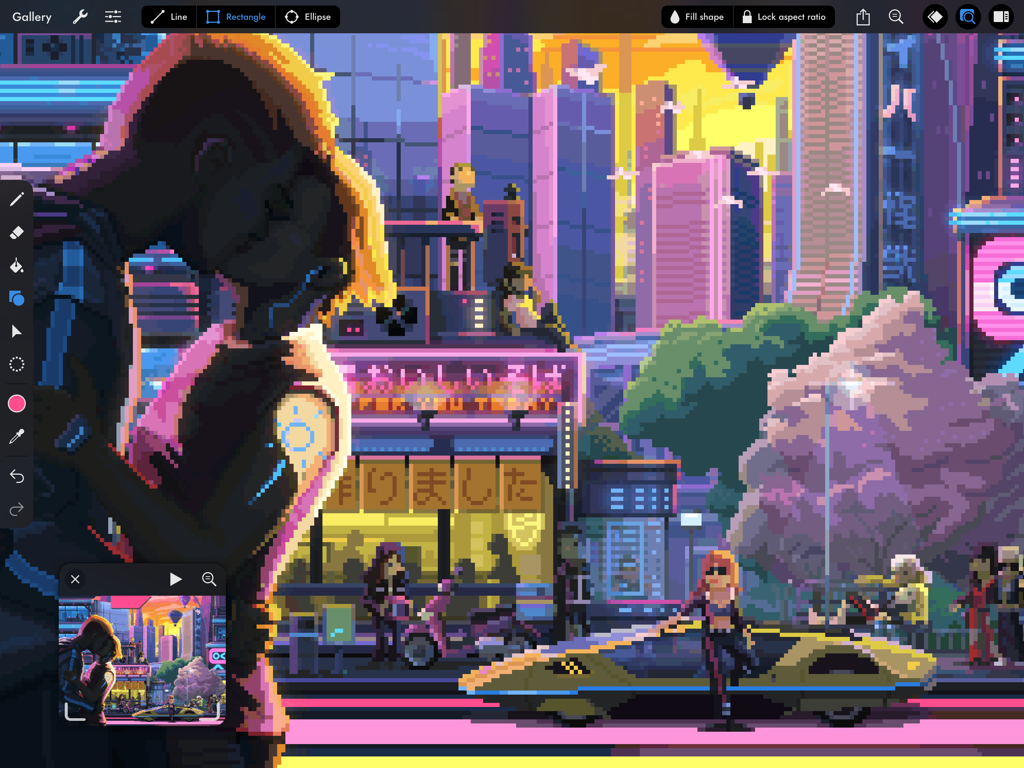
Pixaki 4 Pro iPad 인터페이스 내에서 상세한 사이버펑크 도시 픽셀 아트 일러스트레이션
Pixaki 4 Pro iPad 인터페이스 내에서 상세한 사이버펑크 도시 픽셀 아트 일러스트레이션

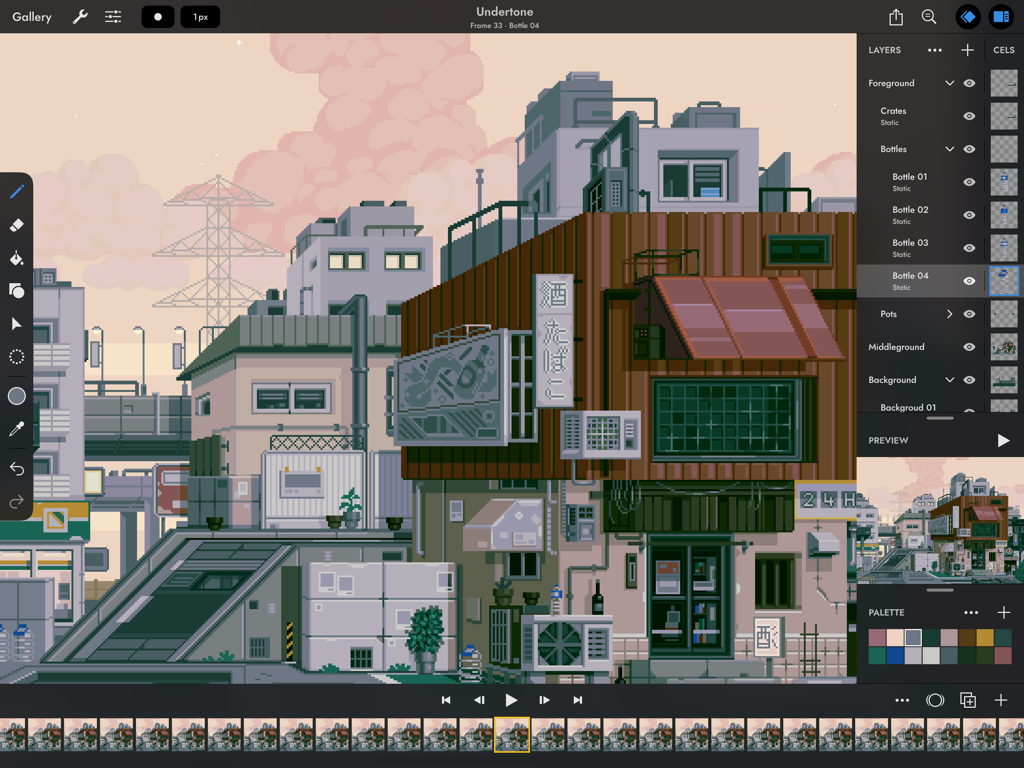
Pixaki 4 Pro 앱 인터페이스가 iPad에 표시되며 상세한 픽셀 아트 도시 풍경과 애니메이션 타임라인을 보여줍니다.
Pixaki 4 Pro 앱 인터페이스가 iPad에 표시되며 상세한 픽셀 아트 도시 풍경과 애니메이션 타임라인을 보여줍니다.

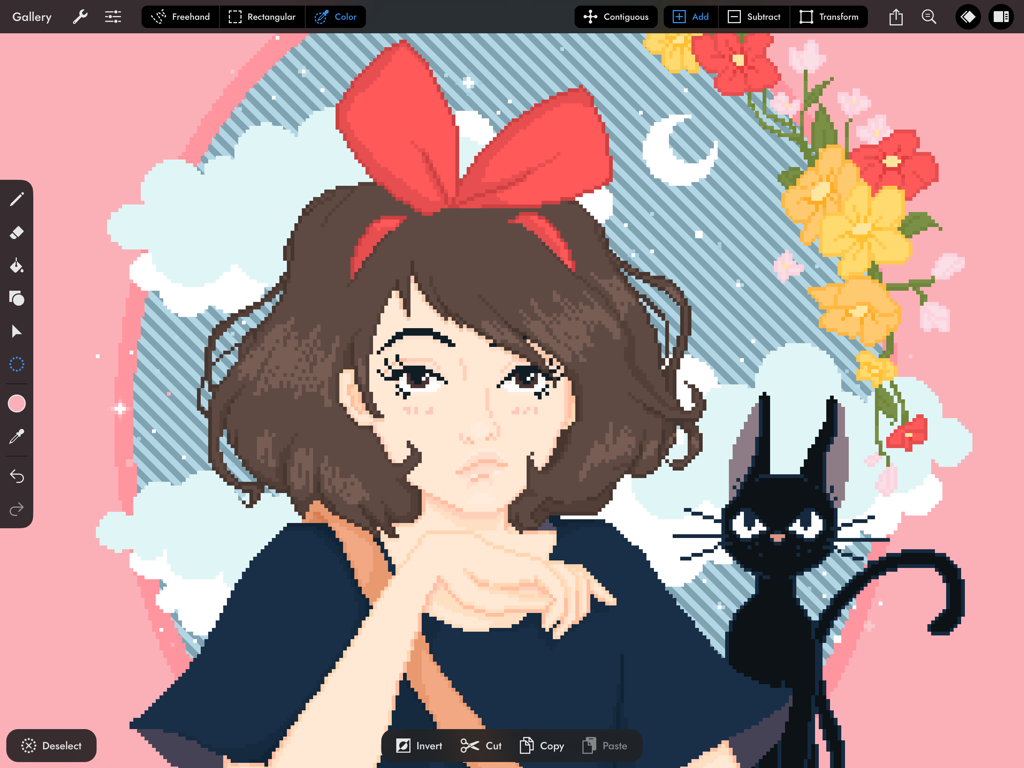
Pixaki 4 Pro 앱 인터페이스에 소녀와 검은 고양이의 픽셀 아트 일러스트레이션이 표시됩니다.
Pixaki 4 Pro 앱 인터페이스에 소녀와 검은 고양이의 픽셀 아트 일러스트레이션이 표시됩니다.

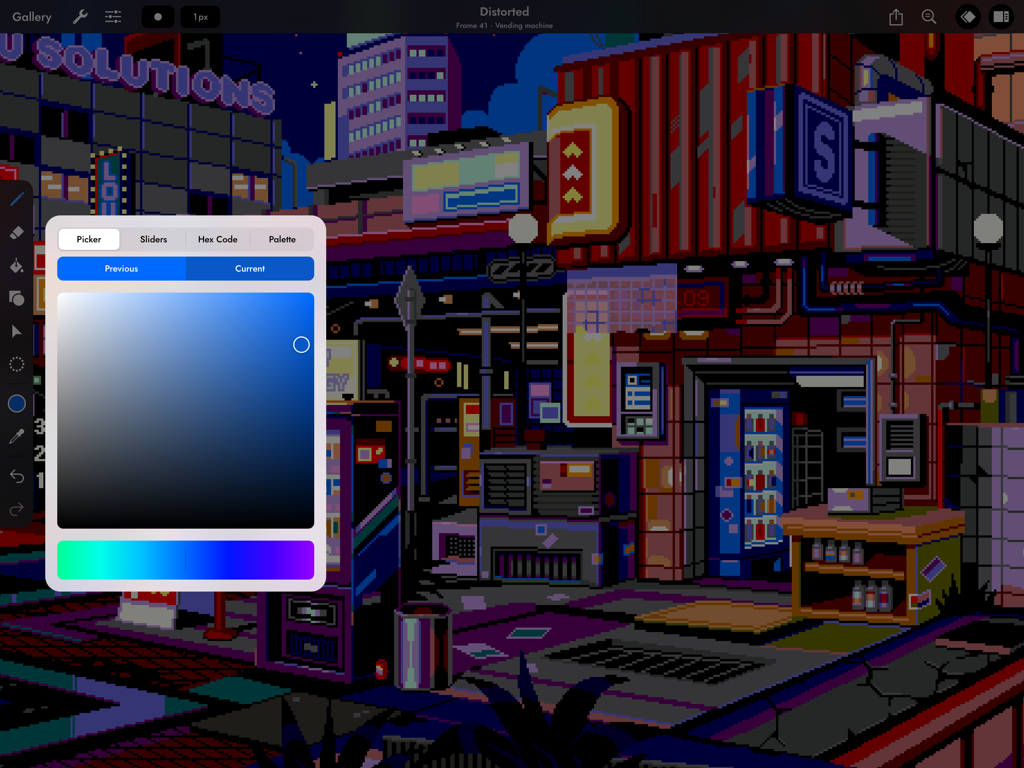
iPad에서 Pixaki 4 Pro 색상 선택 도구를 사용하여 만든 사이버펑크 픽셀 아트 도시 장면.
iPad에서 Pixaki 4 Pro 색상 선택 도구를 사용하여 만든 사이버펑크 픽셀 아트 도시 장면.

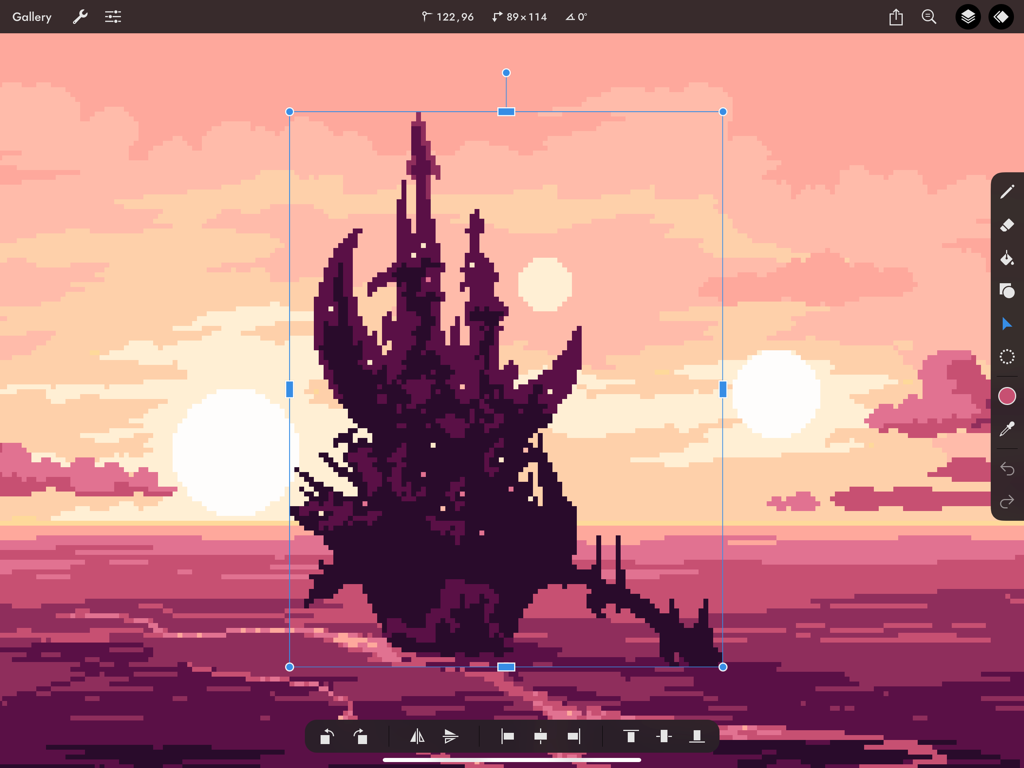
어두운 픽셀 아트 성이 iPad의 Pixaki 4 Pro에서 변환 도구를 사용하여 분홍색 석양 배경에 대해 크기가 조정되고 있습니다.
어두운 픽셀 아트 성이 iPad의 Pixaki 4 Pro에서 변환 도구를 사용하여 분홍색 석양 배경에 대해 크기가 조정되고 있습니다.

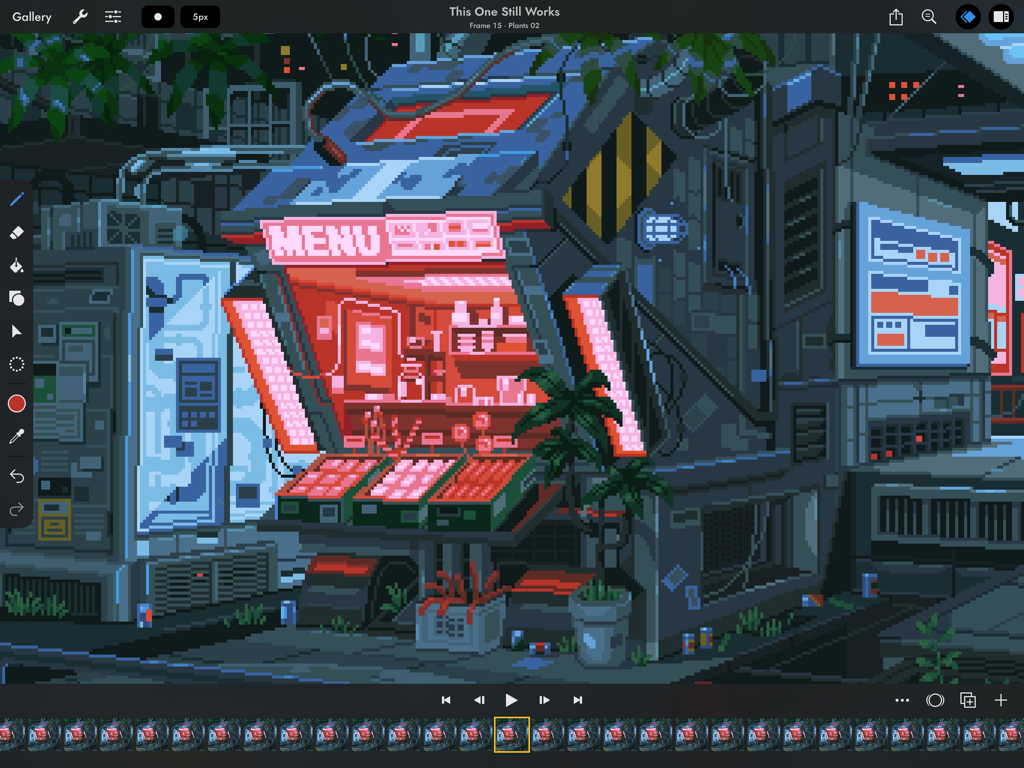
Pixaki 4 Pro의 픽셀 아트 애니메이션 인터페이스에는 사이버펑크 상점 앞면이 특징입니다.

Pixaki 4 Pro의 픽셀 아트 애니메이션 인터페이스에는 사이버펑크 상점 앞면이 특징입니다.

어디서든 프로 수준의 픽셀 아트

이 앱을 돋보이게 하는 도구, 105K+ 명의 사용자가 선택.

✏️

픽셀 단위 완벽 드로잉

현대 게임 디자인에 맞춰진 스마트한 픽셀 단위 페인팅 및 전용 아이소메트릭 선 도구를 사용하여 완벽하게 깔끔한 선을 만드세요.

🎞️

고급 애니메이션 레이어

스크럽 가능한 타임라인, 프레임 간 공유 레이어, 부드러운 전환을 위한 전문적인 양파 껍질 렌더링으로 복잡한 모션을 마스터하세요.

📂

데스크톱급 통합

기본 Aseprite 및 Photoshop 지원과 게임 엔진용 사용자 지정 스프라이트 시트 내보내기를 통해 장치 간에 손쉽게 이동하세요.

앱 소개

에 대해 알아야 할 모든 것 Pixaki 4 Pro.

설명

Pixaki is the best pixel art app for iPad. It packs a whole load of features into a clean, modern interface, and it works great with Apple Pencil. So now you can make game sprites on the couch, animated backgrounds on your commute, or music videos in the park. DRAWING • Pixel perfect painting mode automatically removes double pixels when doing line art. • Round, square, and matrix dither brushes. • Line tool, which can be locked to isometric angles. • Rectangle and ellipse tools. LAYERS OF ANIMATION • Layers are shared across the whole project, which means every layer has its own timeline. • Static image layers for background and foreground elements that are the same on every frame. • 18 layer blend modes. • Rename layers. • Reorder layers and frames by using drag and drop. • Scrubbable timeline. • Advanced onion skin options. • Select multiple layers or frames at once to quickly make bulk adjustments. • Use high resolution reference layers to pixel over your sketches and photos. COLOR • Four color selection modes: a square picker with an infinitely scrolling hue slider, sliders for HSB and RGB, hex code input, and the project palette. • Eyedropper to sample any color from the canvas. • Bucket fill, with contiguous or discontiguous options. • Color replace across the whole project. SELECTION • Freehand, rectangular, and color selection. • Use the active selection as a mask. • Cut or copy the selected pixels and paste them to any app that supports pasting images. TRANSFORM • Move without needing to select. Position the image on or off the canvas without clipping. • Scale uniformly up and down, or squash and stretch. • Rotate by any angle. • Flip horizontally and vertically. IMPORT & EXPORT • Import any static image, or a GIF. • Import and export Aseprite documents (requires iPadOS 13 ore newer). • Import and export Photoshop documents (PSDs). • Use magnification when sharing to upscale without the results looking blurry. • Export as a single image or image sequence as PNG, TIFF, or JPEG-2000. • Export animated images as GIF or APNG. • Export QuickTime movies with H264 or HEVC codecs. • Export as a sprite sheet, with configurable columns. Screenshot artwork by Genuine Human, waneella, Chelsea Faust, and rachels_ham. Find out more at pixaki.com.

최신 버전

4.6

크기

29.4 MB

출시일

2020년 12월 18일

픽셀 단위 완벽 워크플로 마스터하기

iPad에서 차세대 게임을 구축하는 수천 명의 전문 크리에이터 및 인디 개발자 대열에 합류하세요. 오늘 Pixaki 4 Pro를 다운로드하세요.

다운로드: App Store

App information, icons, screenshots, and descriptions displayed on this page are sourced from the Apple App Store and are the property of their respective developers. Download estimates and rankings are based on MWM's proprietary models and may not reflect actual figures. This page is provided for informational and analytical purposes only.

Believe this page infringes your intellectual property? File a dispute