
이 페이지는 앱이나 개발자의 공식 페이지가 아니며, 정보 제공 및 논평을 목적으로 작성된 독립 편집 간행물입니다. 명시적으로 달리 언급되지 않는 한, 해당 앱이나 개발자는 MWM, Apple, Google Play, 앱 퍼블리셔 또는 앱 개발자와 제휴, 보증, 후원, 승인 또는 공식적으로 연결되어 있지 않으며, 이 페이지의 어떤 내용도 해당 앱이 MWM의 서비스를 사용하여 개발되었음을 의미하지 않습니다. 모든 상표, 로고, 스크린샷 및 기타 콘텐츠는 해당 소유자의 자산입니다.

Pixquare - Pixel Art Studio
이 앱은 당신의 손끝에서 디지털 세상을 조작하는 능력을 부여합니다. 단순한 픽셀이 아니라, 당신의 비전을 현실로 만드는 힘을 얻게 됩니다.
다운로드
250k+사용자 평점
총 평가 수
3.6K개발사
카테고리
Graphics & Design지원 언어
14최신 버전
2.67.0크기
58.7 MB출시일
2023년 6월 13일전문 테크 분석가가 평가한 핵심 기능
Pixquare - Pixel Art Studio 앱 분석
Aseprite 파일 호환성
이 앱은 Aseprite 파일 가져오기 및 내보내기를 지원하여 데스크톱 워크플로우와의 원활한 통합을 제공합니다.
고급 레이어 및 타임라인 시스템
이 도구는 애니메이션 및 복잡한 아트워크 관리에 최적화된 레이어 및 타임라인 패널을 갖추고 있어, 멀티셀렉션, 레이어 그룹화, 어니언 스킨 및 클리핑 마스크 기능을 제공합니다.
다재다능한 드로잉 도구
사용자는 스프레이, 픽셀 완벽, 압력 감지 브러시, 윤곽선, 디더링, 사용자 정의 브러시 등 다양한 유형의 브러시와 도형, 선, 선택 도구를 사용하여 정밀하게 픽셀 아트를 제작할 수 있습니다.
타일셋/타일맵 시스템
이 앱은 게임 개발에 필수적인 타일셋 및 타일맵 시스템을 제공하여 사용자가 게임 자산을 효율적으로 생성하고 관리할 수 있게 해줍니다.
Apple Pencil 완벽 지원
이 앱은 Apple Pencil의 제스처, 압력 감지 및 터치 거부를 완벽하게 지원하여 iPad 및 iPhone 사용자에게 자연스럽고 정밀한 그리기 경험을 선사합니다.
사용자 정의 가능한 직관적인 UI
이 도구는 사용자 친화적이며 높은 사용자 정의가 가능한 UI를 제공하여, 왼쪽 모드 및 맞춤형 테마를 지원함으로써 모든 사용자의 워크플로우를 최적화합니다.
다양한 파일 내보내기 옵션
사용자는 PNG, GIF, MOV 및 스프라이트 시트 등 다양한 형식으로 작업을 내보낼 수 있으며, 레이어, 프레임, 크기 및 애니메이션 옵션을 유연하게 설정할 수 있습니다.
컬러 팔레트 관리 및 생성
이 앱은 Lospec에서 팔레트를 저장/불러오고, 가져오기/내보내기하며, 컬러 그라디언트 생성기를 포함하는 고급 컬러 팔레트 관리 기능을 제공하여 사용자가 색상 스키마를 효과적으로 제어할 수 있도록 돕습니다.
자주 묻는 질문
에 대해 알아야 할 모든 것 Pixquare - Pixel Art Studio
What is Pixquare?
Pixquare is a top-rated pixel art editor for iPads and iPhones, designed for beginners and professionals. It offers a simple interface and rich toolset for creating game assets, animations, and pixel art doodles.
Can users create animations with Pixquare?
Yes, Pixquare supports animation creation. It features an optimized layer/timeline panel, frame tagging, onion skin, and clipping mask capabilities specifically designed for animating pixel art.
Does Pixquare support both iPad and iPhone devices?
Yes, Pixquare supports both iPad and iPhone devices. This allows artists to create pixel art flexibly across their Apple mobile ecosystem.
What file formats can Pixquare import and export?
Pixquare supports Aseprite file import and export. It also allows GIF importing and exports to PNG, GIF, MOV, and Sprite sheet formats. Users can also import photos and files as reference layers.
Does Pixquare require a subscription?
No, Pixquare does not require a subscription. It operates on a "buy once" model, providing free updates forever after a single purchase.
Can I customize the user interface and themes in Pixquare?
Yes, Pixquare offers a highly customizable and intuitive UI, including a left-hand mode. It also supports custom themes, allowing users to personalize their workspace.
Is Pixquare suitable for creating game development assets?
Yes, Pixquare is suitable for creating game development assets. It includes features like a Tileset/Tilemap system and the ability to export sprite sheets, which are essential for game design.
Does Pixquare provide support for Apple Pencil?
Yes, Pixquare fully supports Apple Pencil. It includes features such as gestures, pressure sensitivity, and touch rejection to enhance the drawing experience.
Does Pixquare offer timelapse recording?
Yes, Pixquare provides automatic timelapse recording. This feature allows artists to document their creative process from start to finish.
What versatile tools are available in Pixquare for pixel art?
Pixquare offers versatile tools like various brushes (spray, pixel perfect, pressure sensitivity), eraser, move, line, shape, and selection tools. It also includes color management, shading, and advanced options like color replacement and text.
다음 스크린샷과 설명은 앱의 공식 스토어 목록에서 직접 가져온 것이며 앱 개발자의 자산입니다.
앱 스토어
스크린샷

이 앱은 픽셀 아트 레이어를 효율적으로 관리할 수 있도록 지원하며, 여러 레이어를 확인하고 개별 레이어의 가시성 및 불투명도(55%로 표시된)를 조절하는 기능을 제공합니다.
정교한 레이어 관리

이 앱은 깔끔하고 직관적인 인터페이스를 자랑하며, 사용자는 측면 패널에서 다양한 브러시 및 지우개 도구에 쉽게 접근하여 픽셀 아트를 생성할 수 있습니다.
직관적인 사용자 인터페이스
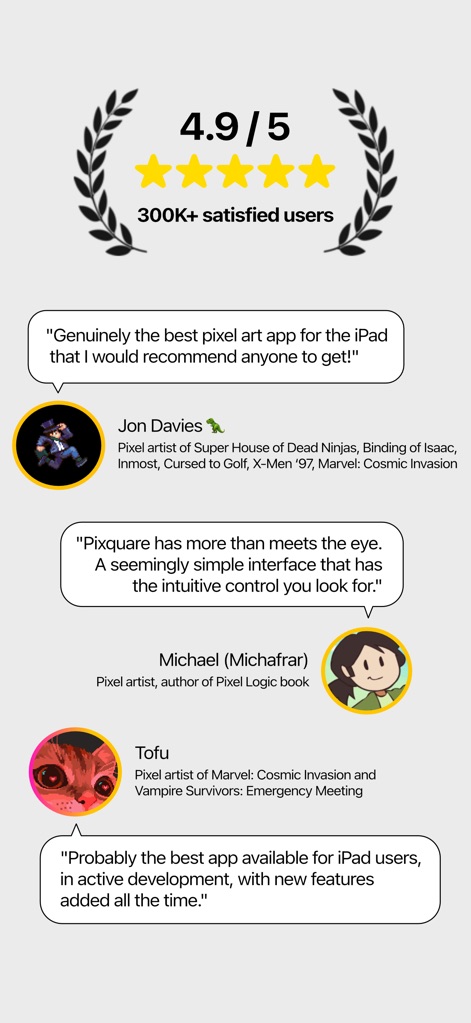
이 앱은 30만 명 이상의 만족한 사용자로부터 4.9/5점의 높은 평가를 받았으며, Jon Davies 및 Michael과 같은 유명 픽셀 아티스트들의 긍정적인 평가를 통해 그 우수성을 입증합니다.
아티스트들의 극찬
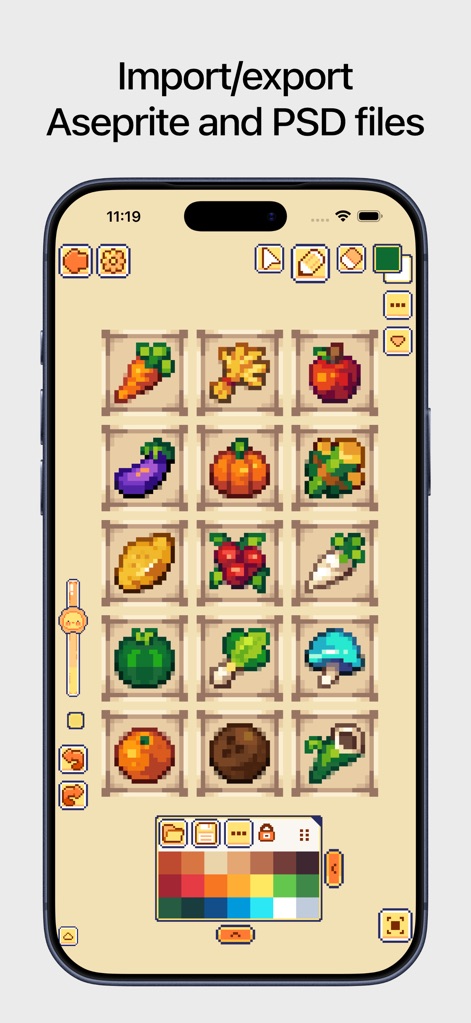
이 도구는 다양한 픽셀 아트 애셋을 편집하는 데 사용될 수 있으며, 하단의 팔레트에서 다양한 색상 옵션을 선택하고 상단의 파일 아이콘을 통해 Aseprite 파일 가져오기 및 내보내기를 지원합니다.
유연한 파일 호환성

이 앱은 캐릭터 애니메이션 작업을 위한 고급 타임라인 패널을 제공하여, 여러 프레임 간의 움직임을 정교하게 제어하고 레이어와 프레임(1, 2, 3, 4, 5번)을 관리할 수 있습니다.
애니메이션 타임라인
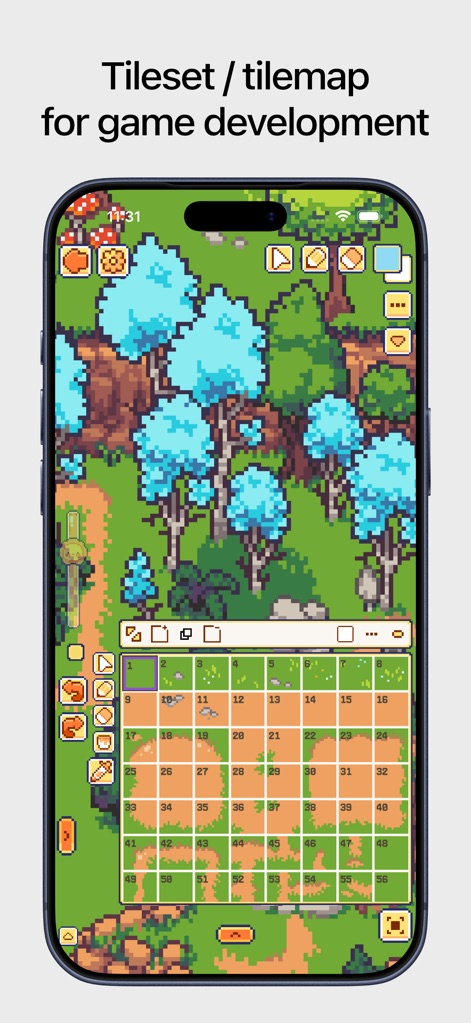
이 도구는 게임 개발을 위한 타일셋 및 타일맵 시스템을 통합하여, 사용자가 격자 형태로 구성된 캔버스에서 개별 타일(1부터 50번까지 번호가 매겨진)을 효율적으로 배치하고 관리할 수 있도록 돕습니다.
타일셋/타일맵 시스템
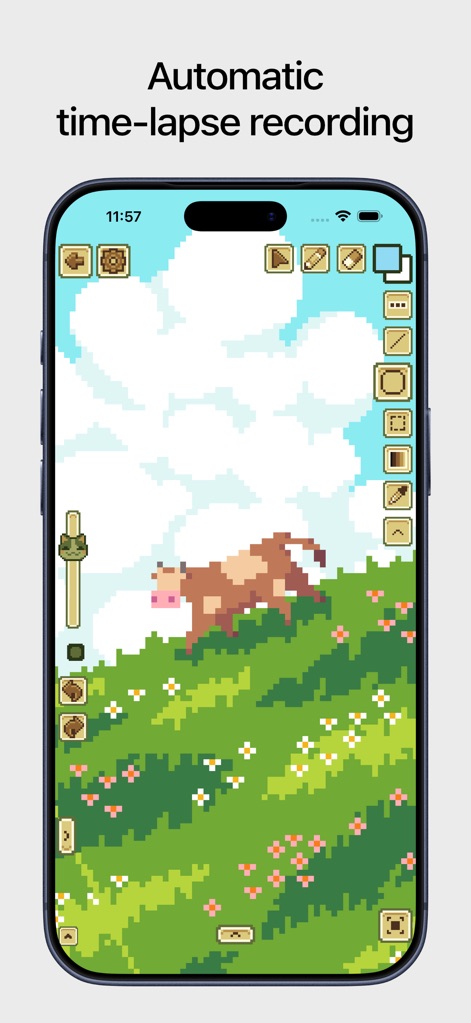
이 앱은 픽셀 아트 작업 과정을 자동으로 타임랩스로 기록하여 창작 과정을 쉽게 공유할 수 있도록 하며, 이는 깨끗한 UI와 최소화된 도구 패널을 통해 직관적인 작업 흐름을 제공합니다.
자동 타임랩스 기록
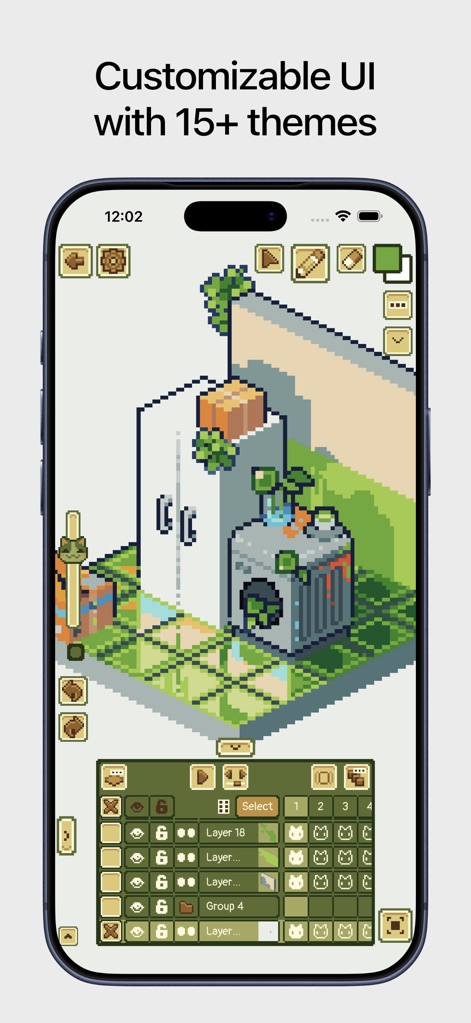
이 도구는 사용자가 15가지 이상의 테마 중에서 선택하여 UI를 맞춤 설정할 수 있도록 지원하며, 다양한 레이어 관리 옵션과 그룹화된 레이어(Group 4)를 통해 복잡한 아트워크를 효율적으로 구성할 수 있습니다.
맞춤형 UI 테마
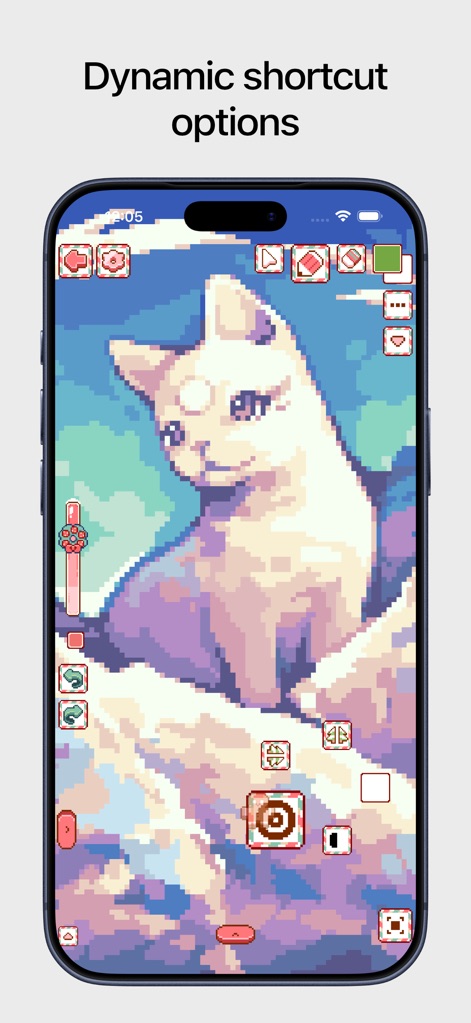
이 앱은 사용자가 작업 효율성을 높일 수 있도록 다이내믹 단축키 옵션을 제공하며, 캔버스 중앙에 나타나는 원형 도구 선택 패널을 통해 브러시 및 다른 도구에 빠르게 접근할 수 있습니다.
다이내믹 단축키 옵션
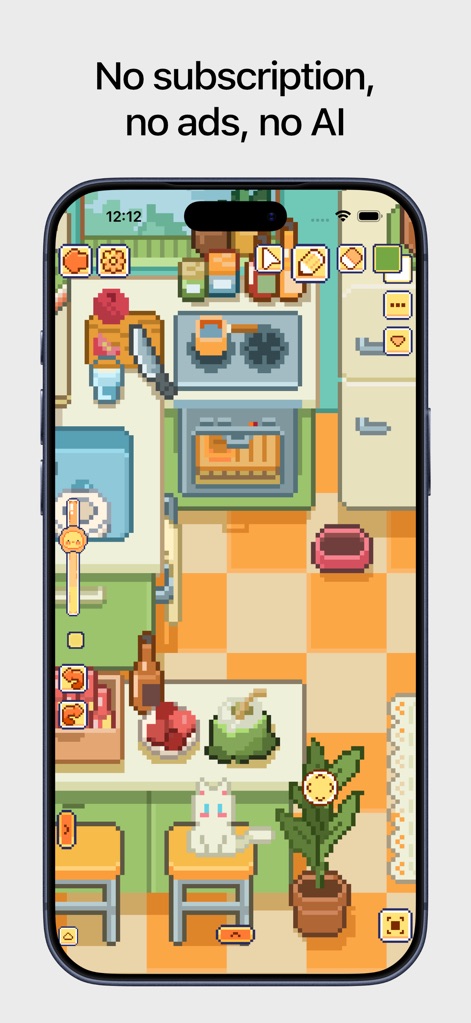
이 앱은 구독료 없이 모든 기능을 제공하며 광고나 AI 개입 없이 순수한 창작 환경을 보장합니다. 이는 사용자가 깔끔하고 집중된 UI 환경에서 픽셀 아트를 자유롭게 제작할 수 있도록 돕습니다.
구독료 없는 경험
설명
Download



이 페이지는 앱이나 개발자의 공식 페이지가 아니며, 정보 제공 및 논평을 목적으로 작성된 독립 편집 간행물입니다. 명시적으로 달리 언급되지 않는 한, 해당 앱이나 개발자는 MWM, Apple, Google Play, 앱 퍼블리셔 또는 앱 개발자와 제휴, 보증, 후원, 승인 또는 공식적으로 연결되어 있지 않으며, 이 페이지의 어떤 내용도 해당 앱이 MWM의 서비스를 사용하여 개발되었음을 의미하지 않습니다. 모든 상표, 로고, 스크린샷 및 기타 콘텐츠는 해당 소유자의 자산입니다.