
이 페이지는 앱이나 개발자의 공식 페이지가 아니며, 정보 제공 및 논평을 목적으로 작성된 독립 편집 간행물입니다. 명시적으로 달리 언급되지 않는 한, 해당 앱이나 개발자는 MWM, Apple, Google Play, 앱 퍼블리셔 또는 앱 개발자와 제휴, 보증, 후원, 승인 또는 공식적으로 연결되어 있지 않으며, 이 페이지의 어떤 내용도 해당 앱이 MWM의 서비스를 사용하여 개발되었음을 의미하지 않습니다. 모든 상표, 로고, 스크린샷 및 기타 콘텐츠는 해당 소유자의 자산입니다.


Pixelcut AI Photo Editor
당신은 더 이상 평범한 이미지에 갇히지 않습니다. 이 앱은 당신에게 디지털 영역을 재정의할 권한을 부여합니다.
다운로드
25M+사용자 평점
총 평가 수
786.7K개발사
카테고리
Graphics & Design지원 언어
18최신 버전
0.44.4크기
160.2 MB출시일
2020년 11월 3일효율적인 시각 콘텐츠 제작을 위한 핵심 도구
'Pixelcut AI Photo Editor' 주요 기능 분석
AI 배경 제거
이 앱은 어떤 사진이나 비디오에서든 즉시 배경을 제거할 수 있습니다. 사용자가 제품, 인물 또는 복잡한 머리카락 부분의 배경을 손쉽게 분리하고, 다른 색상이나 AI 생성 배경으로 교체하여 전문적인 결과물을 얻을 수 있도록 돕습니다.
일괄 편집기
이 도구는 최대 100장의 사진을 한 번에 일괄 편집할 수 있는 기능을 제공합니다. 사용자는 단 한 번의 탭으로 전체 카탈로그의 배경을 제거하고, 색상을 변경하며, 크기를 조정할 수 있어 전자상거래 판매자에게 혁신적인 효율성을 선사합니다.
AI 모델 및 가상 착용
이 앱은 AI 생성 모델에 제품을 전시하고, 의류를 가상으로 착용시켜볼 수 있는 기능을 제공합니다. 사용자가 촬영 스튜디오나 모델 없이도 사실적인 AI 광고, 사용자 생성 콘텐츠 비디오, 또는 브랜드의 라이프스타일 이미지를 단 몇 초 만에 제작하여 시간과 비용을 절약할 수 있도록 합니다.
매직 지우개
이 기능은 단 한 번의 스와이프로 사진에서 원치 않는 개체, 사람, 텍스트 또는 워터마크를 제거할 수 있습니다. 사용자는 흐릿함 없이 깨끗하고 자연스러운 결과를 얻어, 마치 원래 없었던 것처럼 이미지를 보정할 수 있습니다.
AI 배경 생성
이 도구는 어떤 사진에도 멋진 AI 배경을 생성할 수 있습니다. 사용자는 제품을 대리석 상판에 놓거나, 자신을 해변에 배치하거나, 상상하는 모든 장면을 만들어내어 시각적으로 매력적인 콘텐츠를 제작할 수 있습니다.
AI 이미지 및 비디오 생성기
이 앱은 텍스트 프롬프트로부터 놀라운 이미지와 비디오를 생성할 수 있는 기능을 갖추고 있습니다. 사용자는 Nano Banana, Veo, Sora와 같은 강력한 AI 모델을 활용하여 아이디어를 몇 초 만에 시각적 콘텐츠로 전환할 수 있습니다.
이미지 업스케일러
이 기능은 어떤 사진이든 품질 저하 없이 선명하고 고해상도로 만들 수 있습니다. 사용자는 저해상도 이미지를 되살리거나, 오래된 추억을 복원하고, 흐릿한 사진을 수정하여 전문적인 결과물을 얻을 수 있습니다.
디자인 템플릿
이 앱은 소셜 게시물, 제품 목록, 썸네일 등을 위한 수천 개의 기성 디자인 템플릿을 제공합니다. 사용자가 전문적인 디자인 기술 없이도 빠르고 쉽게 매력적인 시각 콘텐츠를 만들 수 있도록 지원합니다.
자주 묻는 질문
에 대해 알아야 할 모든 것 Pixelcut AI Photo Editor
Can Pixelcut AI Photo Editor remove backgrounds from images?
Yes, Pixelcut AI Photo Editor features a precise background remover that instantly creates a transparent background. Users can then change it to an AI-generated background or a solid color.
Does Pixelcut AI Photo Editor generate AI backgrounds?
Yes, Pixelcut AI Photo Editor includes an AI background generator. Users can change photo backgrounds to various AI-generated scenes, such as a kitchen counter or a beach.
How does the Magic Eraser tool work in Pixelcut AI Photo Editor?
The Magic Eraser in Pixelcut AI Photo Editor removes unwanted objects from photos with a swipe. This feature cleans up pictures without creating blurry messes, making objects disappear completely.
What features are included with a Pixelcut Pro membership?
A Pixelcut Pro membership offers unlimited instant background removals, hundreds of templates, fonts, overlays, and backdrops. These resources are updated monthly to enhance creative projects.
Does a Pixelcut Pro subscription auto-renew?
Yes, a Pixelcut Pro subscription auto-renews at the end of each term (monthly or yearly) unless cancelled 24 hours in advance. The fee charges to your iTunes account upon purchase.
Can Pixelcut AI Photo Editor add white backgrounds to images?
Yes, Pixelcut AI Photo Editor can quickly replace backgrounds with a white background or any other color. Users can also choose from over 2 million backgrounds.
Can I add shadows to images using Pixelcut AI Photo Editor?
Yes, Pixelcut AI Photo Editor allows users to easily add AI shadows to products after changing backgrounds. This gives images a professional and polished appearance.
Does Pixelcut AI Photo Editor support batch editing?
Yes, Pixelcut AI Photo Editor includes a batch edit feature. Users can apply various background options like transparent, white, or color, and add shadows or reflections to multiple items simultaneously.
Can Pixelcut AI Photo Editor create ghost mannequins?
Yes, Pixelcut AI Photo Editor provides a feature to create ghost mannequins. This allows users to display clothing items with a hollow or invisible mannequin effect for e-commerce.
Does Pixelcut AI Photo Editor have a feature to expand photos?
Yes, Pixelcut AI Photo Editor includes a feature to expand photos. Users can extend image borders, providing more canvas space for creative adjustments and compositions.
다음 스크린샷과 설명은 앱의 공식 스토어 목록에서 직접 가져온 것이며 앱 개발자의 자산입니다.
앱 스토어
스크린샷
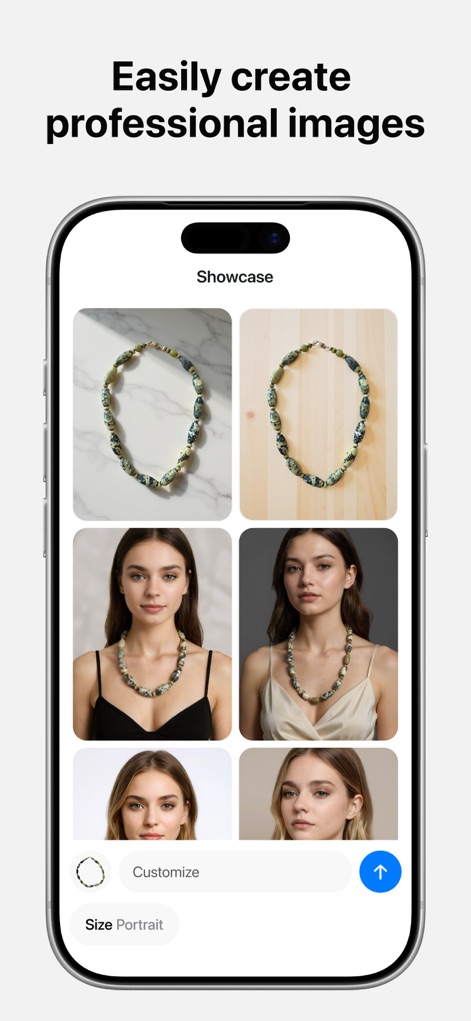
사용자는 이 도구를 통해 제품의 다양한 배경과 AI 모델 착용 모습을 손쉽게 연출할 수 있습니다.
AI 모델 착용샷
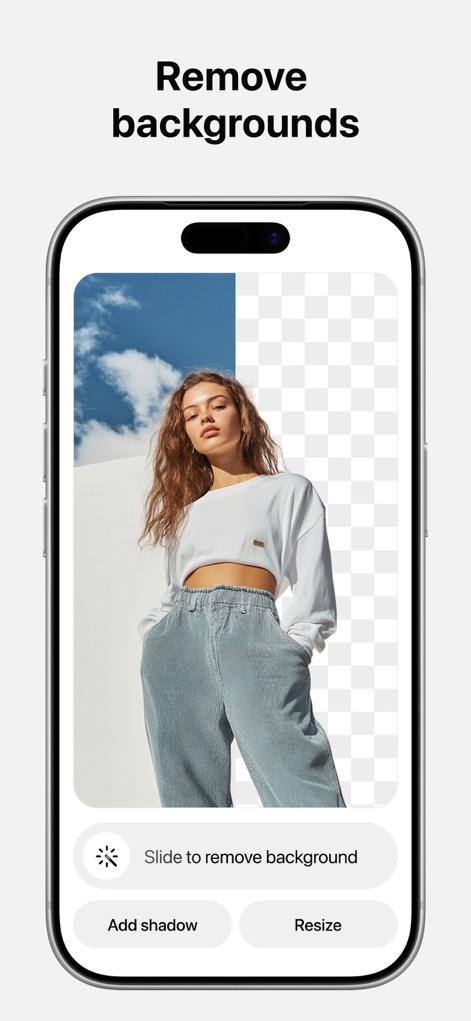
이 앱은 인물 이미지의 배경을 즉시 제거하여 깔끔한 투명 배경을 생성합니다.
배경 제거 마법

사용자는 제품 이미지에 어울리는 다양한 AI 생성 배경을 적용하여 시각적 매력을 더할 수 있습니다.
AI 배경 생성
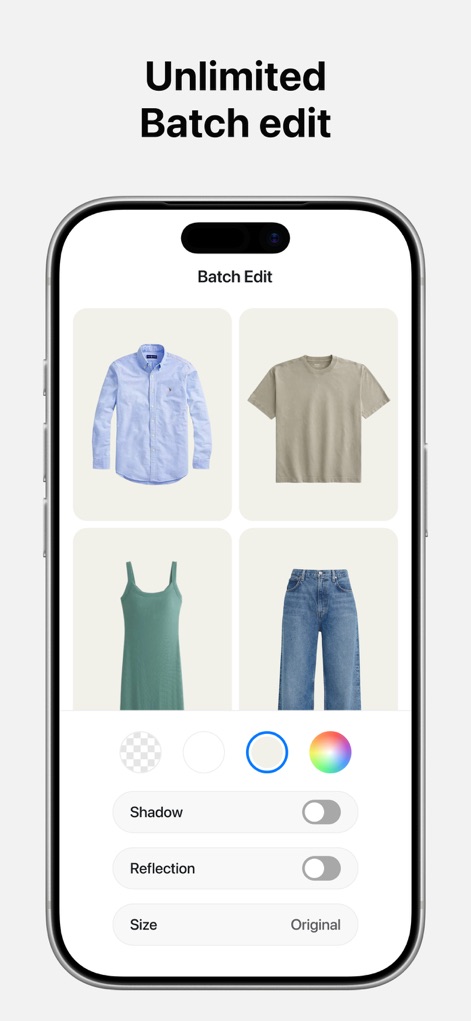
이 도구는 여러 제품 이미지를 한 번에 처리하여 그림자 및 크기 조정 옵션을 일괄 적용할 수 있습니다.
일괄 편집 효율
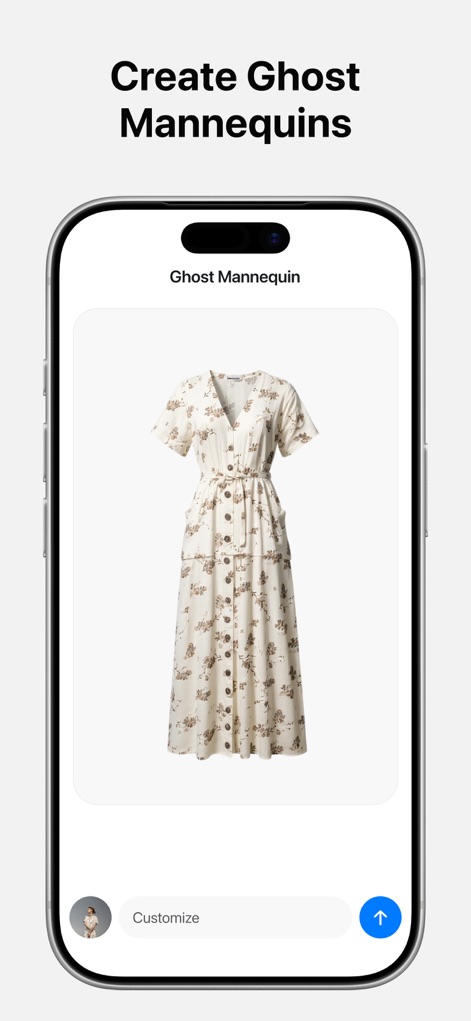
사용자는 의류 제품 사진에서 마네킹을 제거하여 전문적인 마네킹 없는 연출 효과를 얻을 수 있습니다.
고스트 마네킹

이 앱은 동일 의류를 여러 AI 모델에 가상으로 피팅하여 다양한 스타일을 미리 볼 수 있게 합니다.
가상 피팅 체험
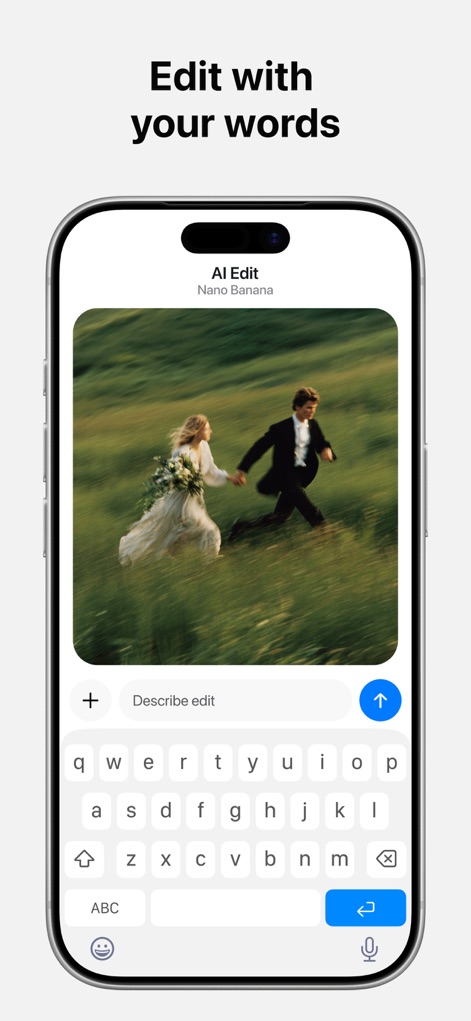
사용자는 자연어 명령을 입력하여 이미지 내용 변경과 같은 복잡한 편집을 쉽게 수행할 수 있습니다.
텍스트로 편집
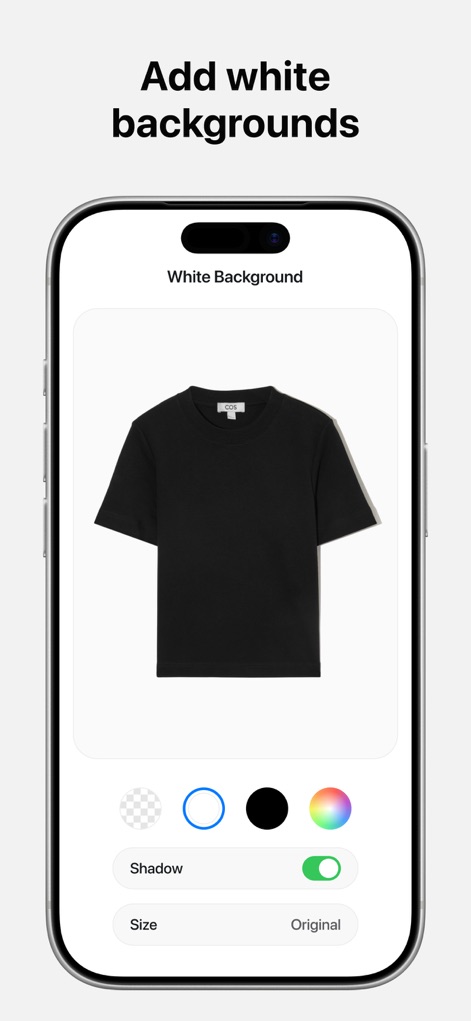
이 도구는 단일 제품 이미지를 순백색 배경 위에 배치하여 상품의 가시성을 높입니다.
깔끔한 흰 배경
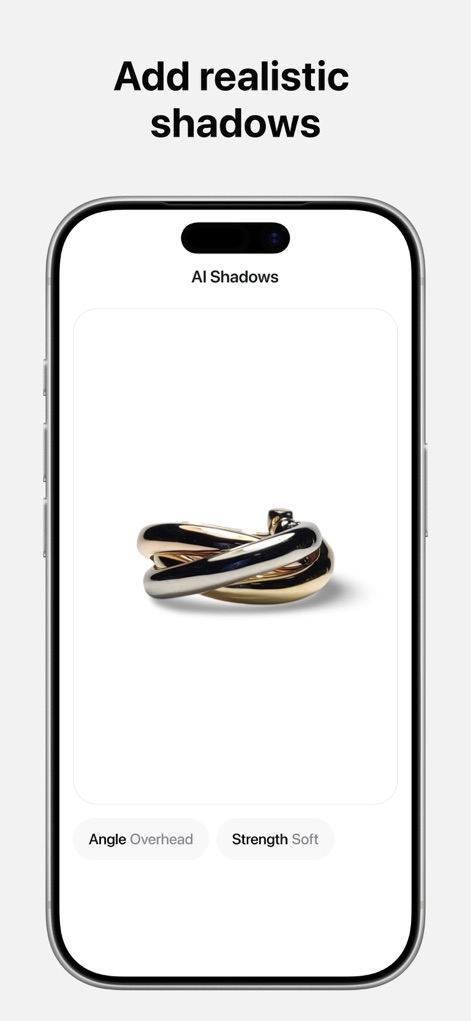
이 앱은 제품의 입체감을 살리는 사실적인 그림자를 추가하고, 그림자 각도 및 강도 조절이 가능합니다.
사실적인 그림자
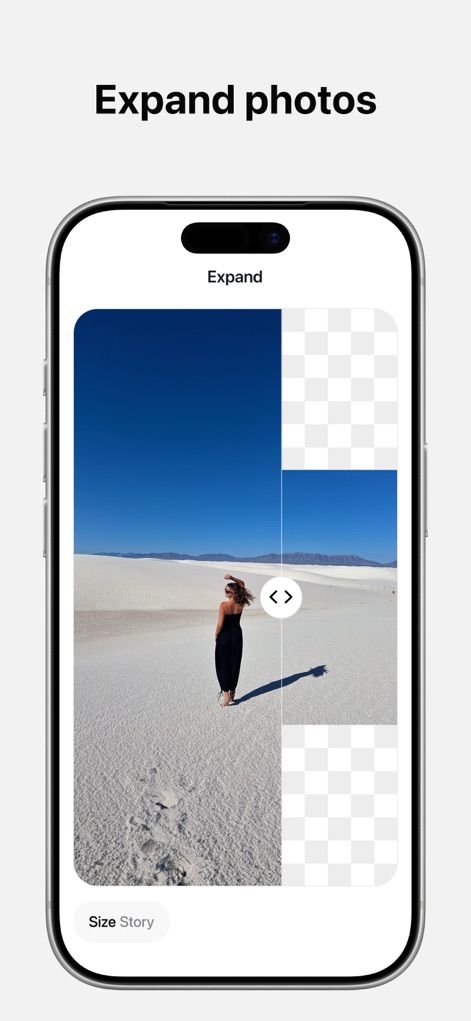
사용자는 기존 이미지 영역을 인공지능 기반 확장 기능을 통해 자연스럽게 넓힐 수 있습니다.
사진 영역 확장
설명
Download
비슷한 앱
유사한 기능과 사용자 경험을 가진 앱

EPIK - AI Photo & Video Editor
SNOW Corporation

Citrus: AI 1 Tap Perfect Photo
Wemagine.ai LLP

SnapEdit: Photo Editor AI
SilverAI Joint Stock Company

Background Eraser 〜 Stickers
handyCloset Inc.

PhotoScan by Google Photos
Google LLC

Magic Eraser - Remove Object
Creatix Technology Global Limited

Magic Eraser Background Editor
Honk Honk Punch Pty Ltd

ProKnockOut-Cut Paste Photos
Shenzhen Qianhai Happy Tour Network Technology Co., Ltd.

Background Eraser - Remove BG*
SHANTANU PTE. LTD.
이 페이지는 앱이나 개발자의 공식 페이지가 아니며, 정보 제공 및 논평을 목적으로 작성된 독립 편집 간행물입니다. 명시적으로 달리 언급되지 않는 한, 해당 앱이나 개발자는 MWM, Apple, Google Play, 앱 퍼블리셔 또는 앱 개발자와 제휴, 보증, 후원, 승인 또는 공식적으로 연결되어 있지 않으며, 이 페이지의 어떤 내용도 해당 앱이 MWM의 서비스를 사용하여 개발되었음을 의미하지 않습니다. 모든 상표, 로고, 스크린샷 및 기타 콘텐츠는 해당 소유자의 자산입니다.