PrinterShare Premium
다운로드: App Store

이 페이지는 앱이나 개발자의 공식 페이지가 아니며, 정보 제공 및 논평을 목적으로 작성된 독립 편집 간행물입니다. 명시적으로 달리 언급되지 않는 한, 해당 앱이나 개발자는 MWM, Apple, Google Play, 앱 퍼블리셔 또는 앱 개발자와 제휴, 보증, 후원, 승인 또는 공식적으로 연결되어 있지 않으며, 이 페이지의 어떤 내용도 해당 앱이 MWM의 서비스를 사용하여 개발되었음을 의미하지 않습니다. 모든 상표, 로고, 스크린샷 및 기타 콘텐츠는 해당 소유자의 자산입니다.

로고: PrinterShare Premium
다운로드: App Store

PrinterShare Premium

전문가들이 PDF, 문서, 웹 페이지를 Wi-Fi에 연결된 주변 프린터 또는 원격 데스크톱 공유 프린터로 iPhone 또는 iPad에서 직접 인쇄할 수 있는 안정적인 솔루션입니다.

주요 수치

다운로드

353K+

사용자 평점

3.0/5

총 평가 수

700

개발사

Dynamix Software

카테고리

Productivity

지원 언어

26

최신 버전

4.1

크기

47.2 MB

출시일

2010년 5월 27일
기능

하드웨어 업그레이드 없이 전문가 수준의 인쇄

모든 소스, 모든 프린터에서 안정적인 하드 복사본이 필요한 전문가를 위해 설계된 강력한 인쇄 솔루션으로 모바일 워크플로를 강화하세요.

범용 프린터 연결

AirPrint의 제약을 벗어나세요. Wi-Fi 또는 데스크톱 콘솔을 통해 구형 '주력' 프린터로 직접 인쇄하여 값비싼 하드웨어 업그레이드 비용을 절약하세요.

글로벌 원격 인쇄

커피숍에서든 전국 어디에서든 사무실 프린터로 계약서나 문서를 보내세요. 도착하면 하드 복사본이 귀하 또는 팀을 기다리고 있을 것입니다.

다음 스크린샷과 설명은 앱의 공식 스토어 목록에서 직접 가져온 것이며 앱 개발자의 자산입니다.

앱 스토어

스크린샷
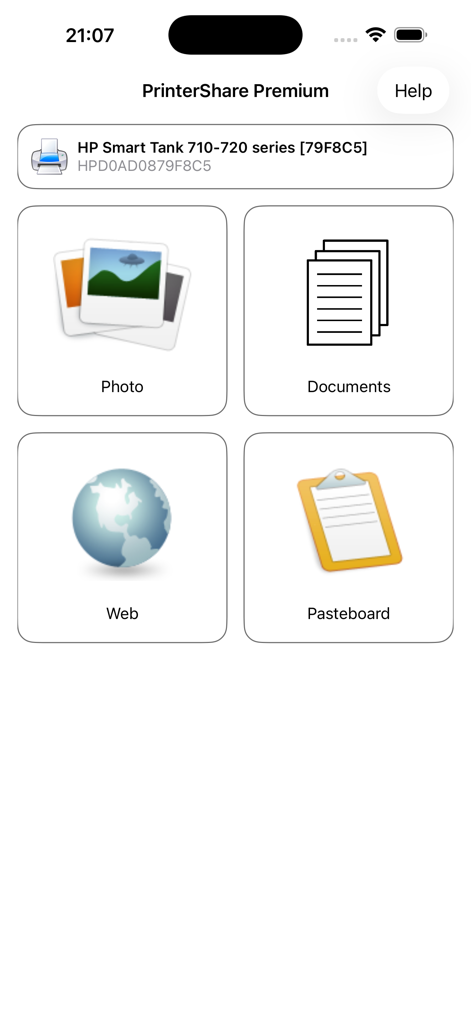
PrinterShare Premium - PrinterShare Premium 앱 인터페이스, 사진 문서 웹 페이지 및 클립보드 콘텐츠 인쇄 옵션 표시
PrinterShare Premium 앱 인터페이스, 사진 문서 웹 페이지 및 클립보드 콘텐츠 인쇄 옵션 표시

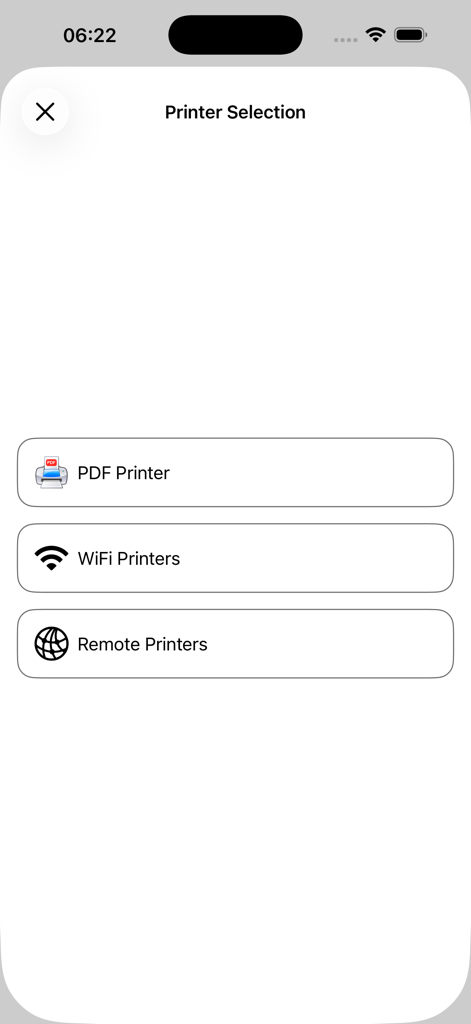
PrinterShare Premium - PrinterShare Premium 앱의 프린터 선택 화면, PDF Wi-Fi 및 원격 프린터 옵션 포함
PrinterShare Premium 앱의 프린터 선택 화면, PDF Wi-Fi 및 원격 프린터 옵션 포함

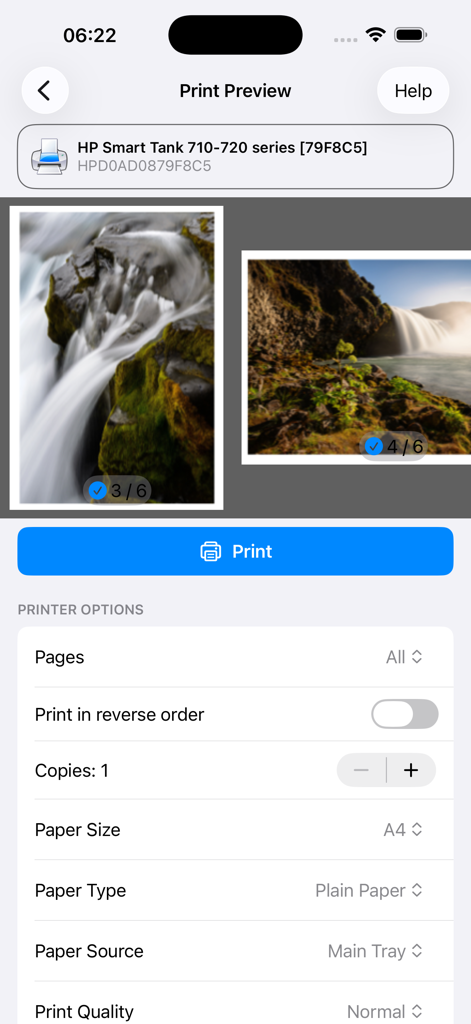
PrinterShare Premium - PrinterShare Premium 인쇄 미리 보기, 사진 선택 및 프린터 구성 옵션 표시

PrinterShare Premium 인쇄 미리 보기, 사진 선택 및 프린터 구성 옵션 표시

설명

With PrinterShareTM you can print photos, contacts, and web pages. Many other apps, including Mail, Safari and Notes, allow you to copy something and then paste it into PrinterShare for printing. FEATURES Using paid PrinterShare app you can print the following content: - Photos and images; - Web pages; - PDF documents; - Content copied to clipboard (using Paste to Print); - Content shared from other apps using the Action button. You can print via: - Wi-Fi (using a Wi-Fi Direct printer or using a Wi-Fi router as a middleman); - PC or Mac (if your printer is shared using PrinterShare Console desktop client); USING PRINTERS Printing on Nearby wireless printers Most of the Wi-Fi printers are detected automatically. PrinterShare can print on such printers directly in case they are supported by the app. Here is the list of printers supported by PrinterShare app: https://printershare.net/help-mobile-supported.sdf If your printer is not among supported, you can print as well using the PrinterShare Console desktop app. As long as your printer available from a Windows or Mac computer, you can print via the Console. To use it, download the PrinterShare Console software on that computer from www.printershare.com . PrinterShare app installed on your mobile device will find printers shared via the Console automatically. However, please note that your printer should be connected to the same Wi-Fi network to which your mobile device is connected. Remote printing via the Internet Also, you can print on printers located anywhere in the world via the Internet. This will require the same Console software installed on the computer at the receiving end, and a PrinterShare Console account registered. Complimentary 100 pages for Remote Printing under the same account. MORE INFO Please visit printershare.net for more information on printing with PrinterShare app

Download

다운로드: App Store

이 페이지는 앱이나 개발자의 공식 페이지가 아니며, 정보 제공 및 논평을 목적으로 작성된 독립 편집 간행물입니다. 명시적으로 달리 언급되지 않는 한, 해당 앱이나 개발자는 MWM, Apple, Google Play, 앱 퍼블리셔 또는 앱 개발자와 제휴, 보증, 후원, 승인 또는 공식적으로 연결되어 있지 않으며, 이 페이지의 어떤 내용도 해당 앱이 MWM의 서비스를 사용하여 개발되었음을 의미하지 않습니다. 모든 상표, 로고, 스크린샷 및 기타 콘텐츠는 해당 소유자의 자산입니다.








