RescueTime
RescueTime
다운로드: App Store

이 페이지는 앱이나 개발자의 공식 페이지가 아니며, 정보 제공 및 논평을 목적으로 작성된 독립 편집 간행물입니다. 명시적으로 달리 언급되지 않는 한, 해당 앱이나 개발자는 MWM, Apple, Google Play, 앱 퍼블리셔 또는 앱 개발자와 제휴, 보증, 후원, 승인 또는 공식적으로 연결되어 있지 않으며, 이 페이지의 어떤 내용도 해당 앱이 MWM의 서비스를 사용하여 개발되었음을 의미하지 않습니다. 모든 상표, 로고, 스크린샷 및 기타 콘텐츠는 해당 소유자의 자산입니다.


로고: RescueTime
다운로드: App Store

RescueTime

고성과자를 위한 지능형 동반자. 강력한 데스크톱 앱과 페어링하여 시간을 마스터하고, 방해를 차단하며, 데이터 기반 통찰력과 안내된 집중 세션을 통해 일일 심층 작업 목표를 달성하세요.

주요 수치

다운로드

6K+

사용자 평점

1.9/5

총 평가 수

100

개발사

RescueTime, Inc

카테고리

Productivity

지원 언어

1

최신 버전

3001

크기

36.0 MB

출시일

2022년 11월 3일
기능

집중력을 되찾고 하루를 마스터하세요

원활한 크로스 플랫폼 경험으로 생산성을 전환하세요. 모바일 장치를 데스크톱 어시스턴트와 페어링하여 방해 요소를 제거하고 심층 작업 목표를 달성하세요.

안내된 집중 세션

모바일 방해 요소를 무음으로 설정하고 컴퓨터와 동기화하여 가장 중요한 작업에 대한 중단 없는 흐름 상태를 유지하세요.

스마트 생산성 비서

데스크톱 작업과 모바일 습관 간의 격차를 해소하는 실시간 알림과 개인화된 일일 목표를 받으세요.

다음 스크린샷과 설명은 앱의 공식 스토어 목록에서 직접 가져온 것이며 앱 개발자의 자산입니다.

앱 스토어

스크린샷
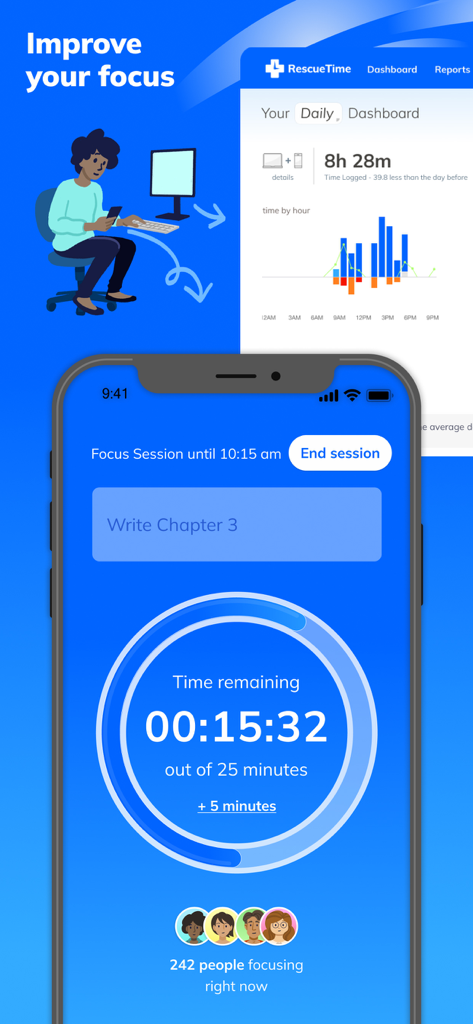
RescueTime - 휴대폰의 집중 세션 타이머와 컴퓨터 화면의 생산성 대시보드를 보여주는 RescueTime 앱 인터페이스
휴대폰의 집중 세션 타이머와 컴퓨터 화면의 생산성 대시보드를 보여주는 RescueTime 앱 인터페이스

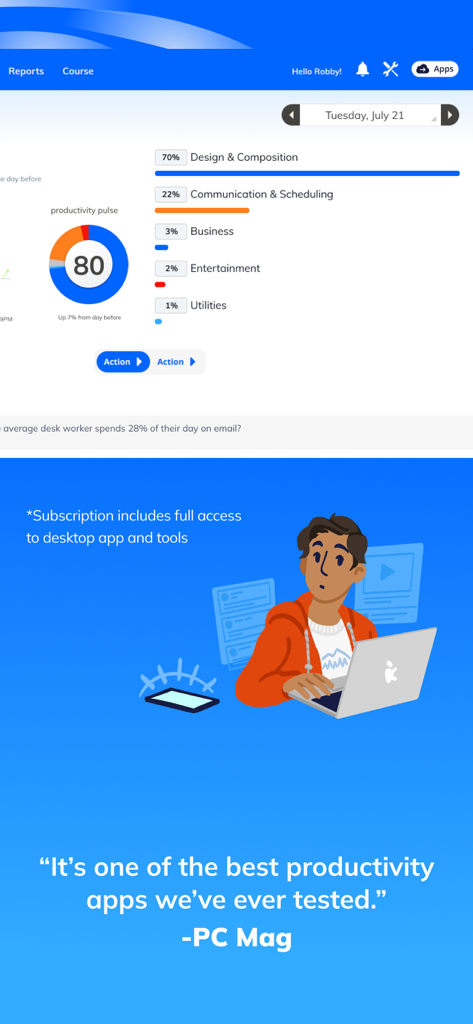
RescueTime - PC Mag의 찬사 인용구와 함께 시간 분석 및 생산성 펄스 점수 80점을 보여주는 RescueTime 대시보드.
PC Mag의 찬사 인용구와 함께 시간 분석 및 생산성 펄스 점수 80점을 보여주는 RescueTime 대시보드.

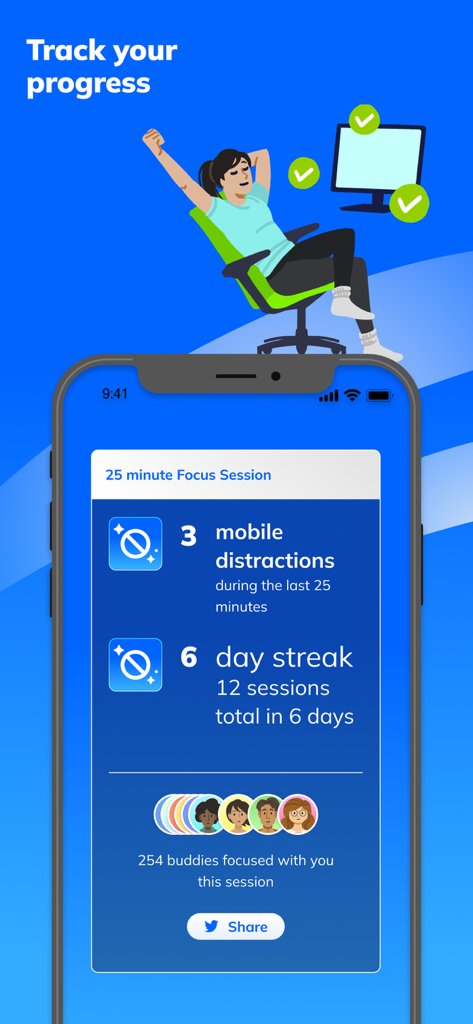
RescueTime - 방해 요소 수와 일일 연속 기록 정보가 포함된 25분 집중 세션 요약을 보여주는 RescueTime 앱 인터페이스
방해 요소 수와 일일 연속 기록 정보가 포함된 25분 집중 세션 요약을 보여주는 RescueTime 앱 인터페이스

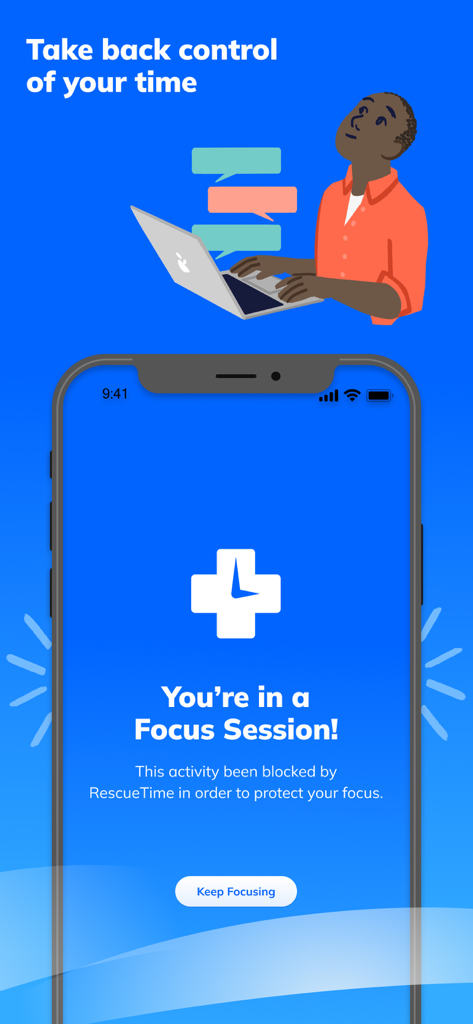
RescueTime - 작업 집중을 보호하기 위해 활성 집중 세션을 표시하는 RescueTime 모바일 앱

작업 집중을 보호하기 위해 활성 집중 세션을 표시하는 RescueTime 모바일 앱

설명

**RescueTime for iOS is designed to pair with our powerful desktop time management app.** Over the past 14 years, RescueTime has helped 2.5 million people understand how they spend their time, block distractions, and focus on the work they want to get done. Once you download the app on your iPhone or iPad, we’ll send you instructions on how to set up the RescueTime Desktop Assistant. MOBILE FEATURES: >> Guided Focus Sessions Take back control of your time with guided Focus Sessions. Choose what you want to work on, set a timer, and RescueTime will guide prevent you from being distracted by your phone or distracting apps or websites on your computer. >> Assistant The RescueTime Assistant pairs with our desktop app and gives you a personal daily Focus Work goal and automatically keeps track as you work on your computer. You can also track time spent focusing and enter offline time from your phone. >> Total Privacy Location data is stored locally on your device and never shared. YOUR RESCUETIME DESKTOP ACCOUNT: RescueTime’s desktop app is a powerful desktop time tracker and productivity tool that shows you the exact time you’ve spent on websites, apps, meetings, communication tools, and gives you breakdowns of time spent on Focus Work and Personal time. (Note: Due to Apple restrictions RescueTime can’t track your time spent on apps and websites on your phone.) >> Real-Time Nudges to Stay Focused We’ll send you quick messages when you get distracted and help guide you back to focus. >> Weekly Reports Track your progress over time and build a better phone habit! >> Support, Privacy, and More You have total control over what RescueTime tracks and when. If you have any questions, our support team is here to help. Just send an email to support@rescuetime.com. >>Terms of Service This app offers optional in-app purchases with auto-renewing monthly and annual subscriptions. For more information about our terms of service, go here: https://www.rescuetime.com/tos

Download

다운로드: App Store

이 페이지는 앱이나 개발자의 공식 페이지가 아니며, 정보 제공 및 논평을 목적으로 작성된 독립 편집 간행물입니다. 명시적으로 달리 언급되지 않는 한, 해당 앱이나 개발자는 MWM, Apple, Google Play, 앱 퍼블리셔 또는 앱 개발자와 제휴, 보증, 후원, 승인 또는 공식적으로 연결되어 있지 않으며, 이 페이지의 어떤 내용도 해당 앱이 MWM의 서비스를 사용하여 개발되었음을 의미하지 않습니다. 모든 상표, 로고, 스크린샷 및 기타 콘텐츠는 해당 소유자의 자산입니다.








