SafeFolder - File Manager
다운로드: App Store

이 페이지는 앱이나 개발자의 공식 페이지가 아니며, 정보 제공 및 논평을 목적으로 작성된 독립 편집 간행물입니다. 명시적으로 달리 언급되지 않는 한, 해당 앱이나 개발자는 MWM, Apple, Google Play, 앱 퍼블리셔 또는 앱 개발자와 제휴, 보증, 후원, 승인 또는 공식적으로 연결되어 있지 않으며, 이 페이지의 어떤 내용도 해당 앱이 MWM의 서비스를 사용하여 개발되었음을 의미하지 않습니다. 모든 상표, 로고, 스크린샷 및 기타 콘텐츠는 해당 소유자의 자산입니다.


로고: SafeFolder - File Manager
다운로드: App Store

SafeFolder - File Manager

숨겨진 저장소에서 문서를 정리, 미리보기 및 보호하세요. WiFi를 통해 파일을 전송하고 모든 것을 100% 로컬로 유지하세요. 서버, 클라우드 없이 모바일 오피스를 위한 완벽한 개인 정보 보호를 제공합니다.

주요 수치

다운로드

2K+

사용자 평점

4.9/5

총 평가 수

0

개발사

明伟 陈

카테고리

Productivity

지원 언어

10

최신 버전

3.0.8

크기

3.7 MB

출시일

2018년 1월 23일
기능

모바일 개인 정보 보호를 완벽하게 제어하세요

서버, 클라우드 위험, 제한 없이 전문적인 정리와 강력한 로컬 저장소를 결합한 올인원 파일 관리자입니다.

군사 등급 개인 저장소

암호화되고 암호로 보호된 공간에 민감한 계약 및 개인 미디어를 보관하세요. 다른 사람에게는 완전히 보이지 않습니다.

즉각적인 WiFi 데스크톱 동기화

케이블은 잊으세요. 로컬 네트워크의 컴퓨터 웹 브라우저를 통해 iPhone 파일을 직접 업로드, 다운로드 및 관리하세요.

다음 스크린샷과 설명은 앱의 공식 스토어 목록에서 직접 가져온 것이며 앱 개발자의 자산입니다.

앱 스토어

스크린샷
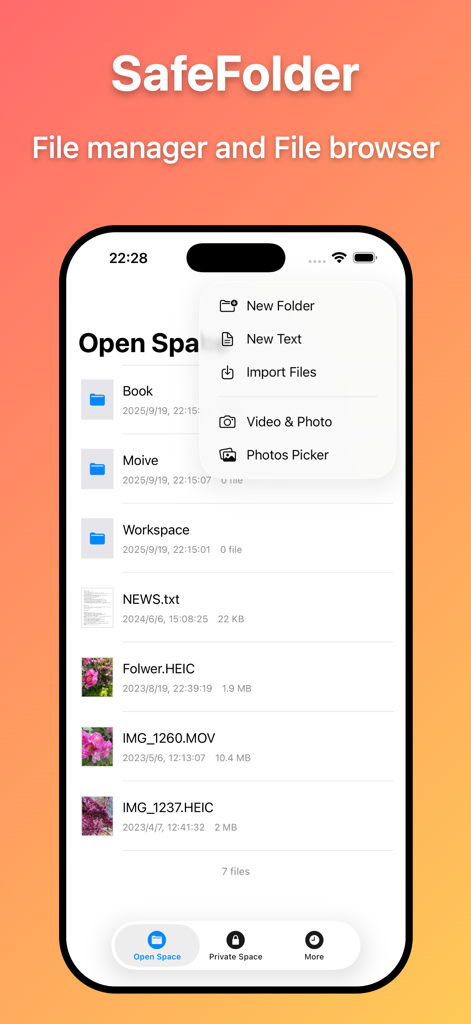
SafeFolder - File Manager - 정리된 파일과 폴더를 보여주는 SafeFolder 앱 인터페이스. 새 미디어 및 문서 가져오기 메뉴 포함.
정리된 파일과 폴더를 보여주는 SafeFolder 앱 인터페이스. 새 미디어 및 문서 가져오기 메뉴 포함.

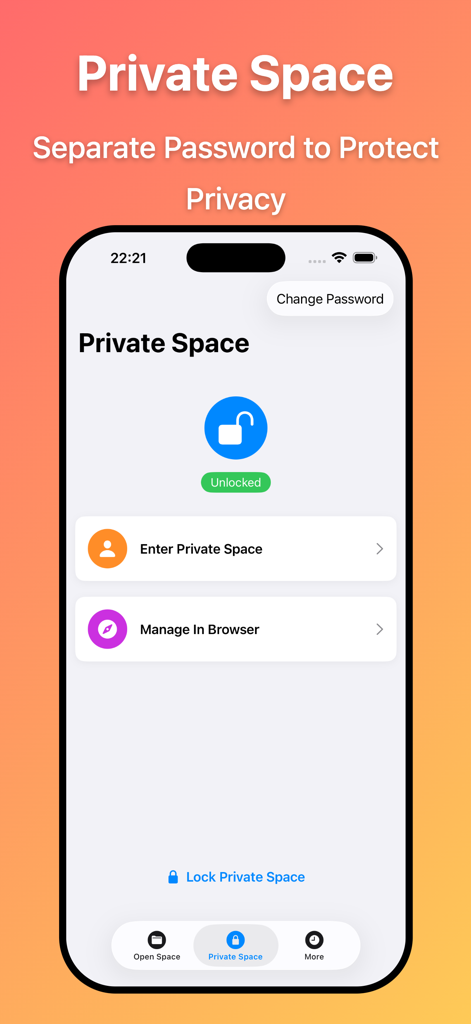
SafeFolder - File Manager - 암호 보호 기능이 있는 개인 공간 인터페이스를 보여주는 SafeFolder 앱 화면
암호 보호 기능이 있는 개인 공간 인터페이스를 보여주는 SafeFolder 앱 화면

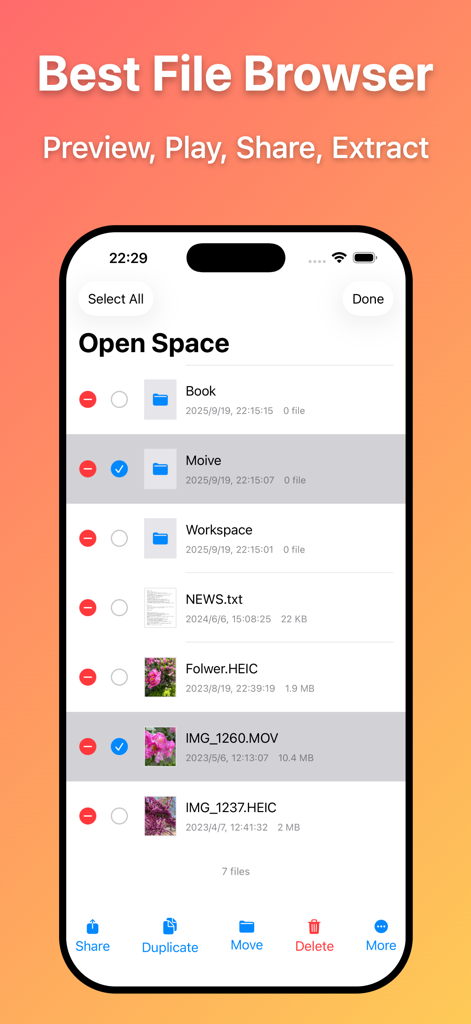
SafeFolder - File Manager - 관리 옵션이 있는 파일 및 폴더 목록을 보여주는 SafeFolder 파일 관리자 앱 인터페이스
관리 옵션이 있는 파일 및 폴더 목록을 보여주는 SafeFolder 파일 관리자 앱 인터페이스

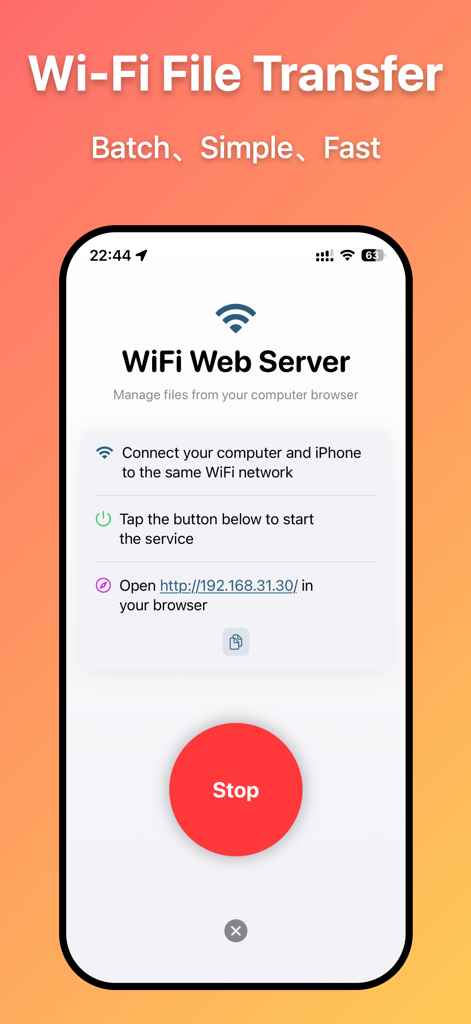
SafeFolder - File Manager - 컴퓨터에서 무선으로 파일을 관리하기 위한 WiFi 파일 전송 화면을 보여주는 SafeFolder 모바일 앱.

컴퓨터에서 무선으로 파일을 관리하기 위한 WiFi 파일 전송 화면을 보여주는 SafeFolder 모바일 앱.

설명

SafeFolder App can turn your iPhone into a portable folder, and it's also an all-round file manager and file browser. 【Main Features】 - Powerful File Manager SafeFolder provides powerful file management capabilities. You can store various documents, images, audio, videos and other files in the App. Supports sorting by name, type, time, etc., and supports file sharing, moving, copying, pasting, encrypted compression, decompression, etc. - Private Space to Protect Your Private Files Private Space is a completely independent hidden storage space in the App. To enter Private Space, you must verify an independent access password to ensure that private files are not seen by others. - WiFi File Management Connect your iPhone to a WiFi hotspot, open "WiFi File Browser", and you can upload, download, edit, delete and perform other operations on files in the computer browser, making it easy to manage files. - Document Preview, Media Playback, File Compression Supports preview and viewing of various formats of documents such as word, ppt, pdf, etc., and supports audio and video playback. Supports file decompression, and you can set an independent password for each compressed file to ensure file security. - Privacy and Security The App does not need to interact with the server, and all files are securely stored in the local App, which is safe and reliable. 【Contact and Feedback】 Email: ch@kanchuan.com Website: https://kanchuan.com/safefolder

Download

다운로드: App Store

이 페이지는 앱이나 개발자의 공식 페이지가 아니며, 정보 제공 및 논평을 목적으로 작성된 독립 편집 간행물입니다. 명시적으로 달리 언급되지 않는 한, 해당 앱이나 개발자는 MWM, Apple, Google Play, 앱 퍼블리셔 또는 앱 개발자와 제휴, 보증, 후원, 승인 또는 공식적으로 연결되어 있지 않으며, 이 페이지의 어떤 내용도 해당 앱이 MWM의 서비스를 사용하여 개발되었음을 의미하지 않습니다. 모든 상표, 로고, 스크린샷 및 기타 콘텐츠는 해당 소유자의 자산입니다.








