SafeInCloud 1

SafeInCloud 1

다운로드: App Store
로고: SafeInCloud 1

SafeInCloud 1: 완전한 데이터 주권을 갖춘 안전한 비밀번호 관리

디지털 보안을 완벽하게 제어하세요. 암호화된 데이터베이스를 자체 클라우드에 저장하고, 모든 기기에서 동기화하고, 구독 피로 없이 프리미엄 기능을 즐기세요.

개발사

SAFEINCLOUD SAS

카테고리

Productivity

다운로드

342K+

사용자 평점

4.8/5

총 평가 수

11K+

지원 언어

33

한눈에 보는 보안

이 인터페이스를 사용하는 342K+ 명의 사용자.

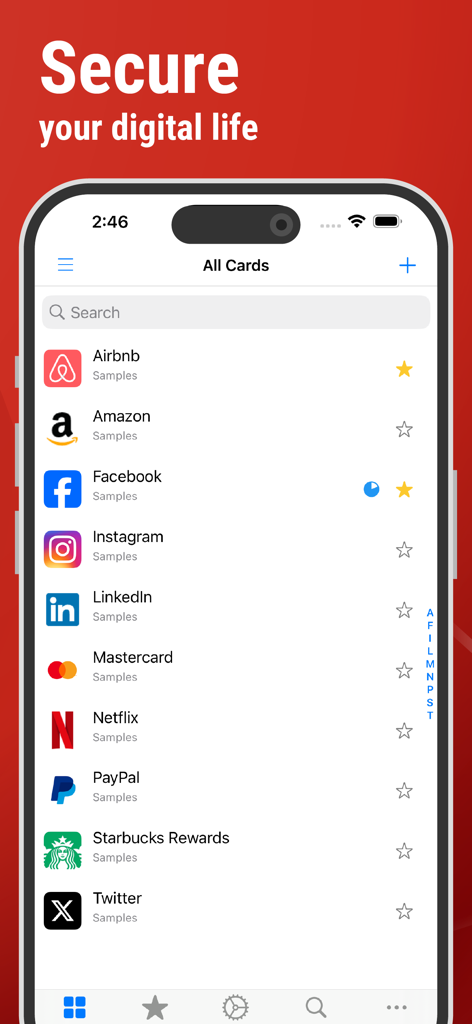
SafeInCloud 앱 인터페이스에 iPhone의 다양한 계정에 대한 안전한 비밀번호 카드 목록이 표시됩니다.
SafeInCloud 앱 인터페이스에 iPhone의 다양한 계정에 대한 안전한 비밀번호 카드 목록이 표시됩니다.

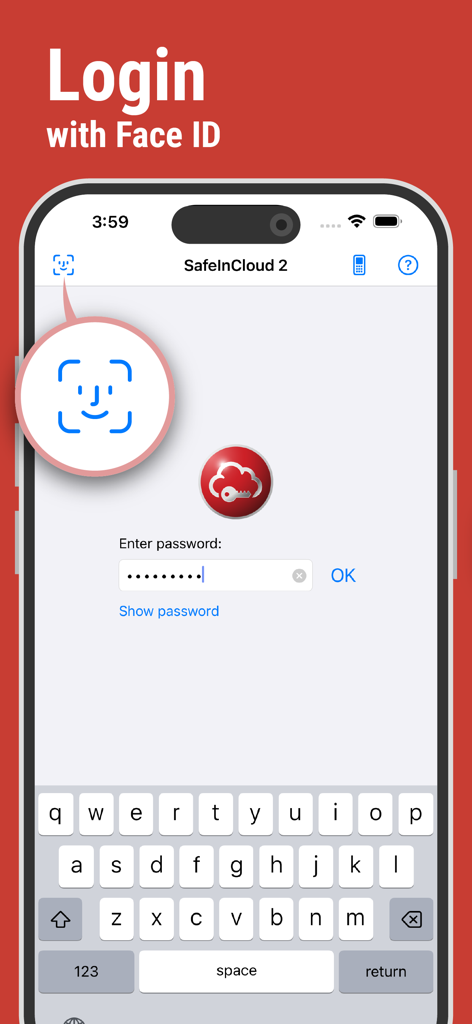
SafeInCloud 비밀번호 관리자 로그인 화면에 iPhone의 Face ID 생체 인식 인증이 표시됩니다.
SafeInCloud 비밀번호 관리자 로그인 화면에 iPhone의 Face ID 생체 인식 인증이 표시됩니다.

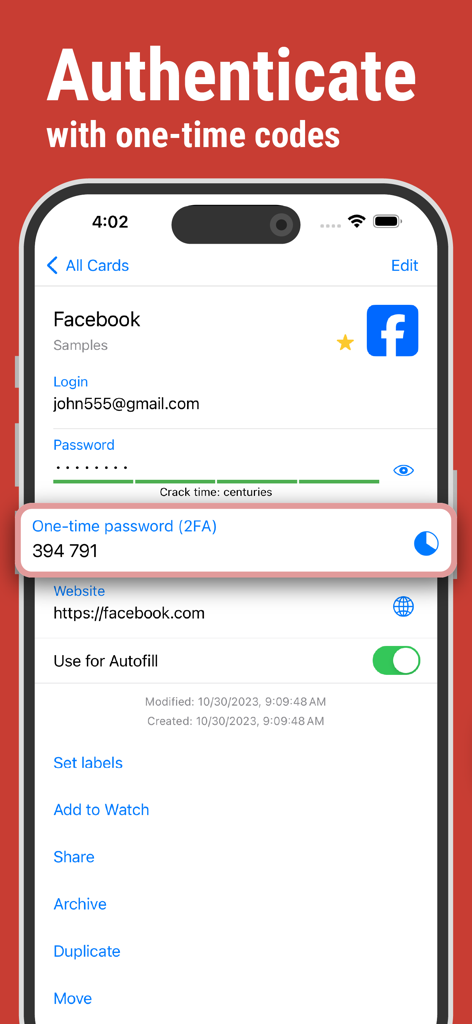
SafeInCloud 앱 화면에 계정 인증을 위한 2FA 일회용 코드가 표시됩니다.
SafeInCloud 앱 화면에 계정 인증을 위한 2FA 일회용 코드가 표시됩니다.

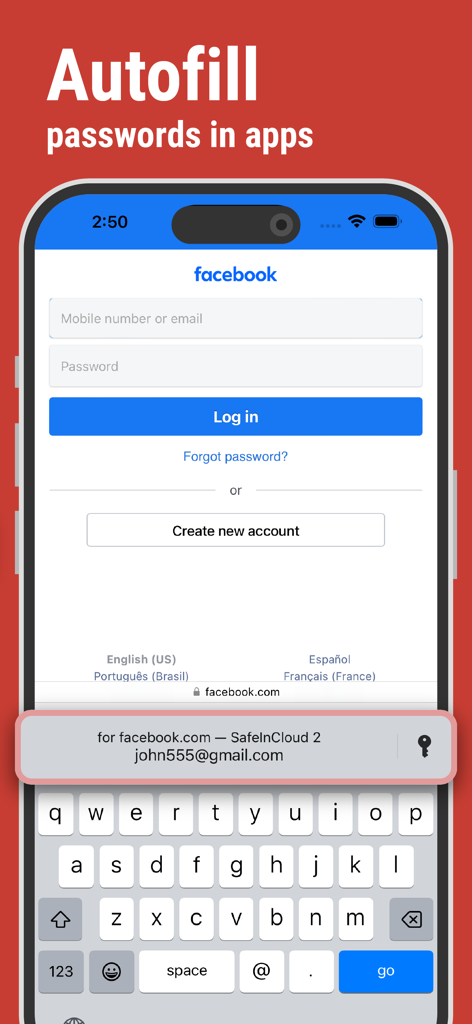
SafeInCloud 비밀번호 관리자가 iPhone에서 로그인 자격 증명을 자동 채우고 있습니다.
SafeInCloud 비밀번호 관리자가 iPhone에서 로그인 자격 증명을 자동 채우고 있습니다.

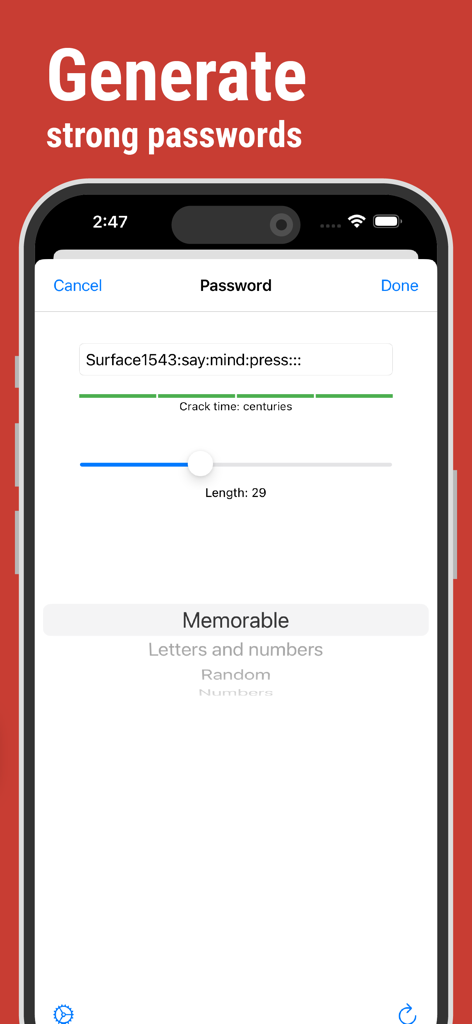
강력하고 기억하기 쉬운 비밀번호를 생성하고 예상되는 해독 시간 분석 기능을 제공하는 SafeInCloud 앱 인터페이스.
강력하고 기억하기 쉬운 비밀번호를 생성하고 예상되는 해독 시간 분석 기능을 제공하는 SafeInCloud 앱 인터페이스.

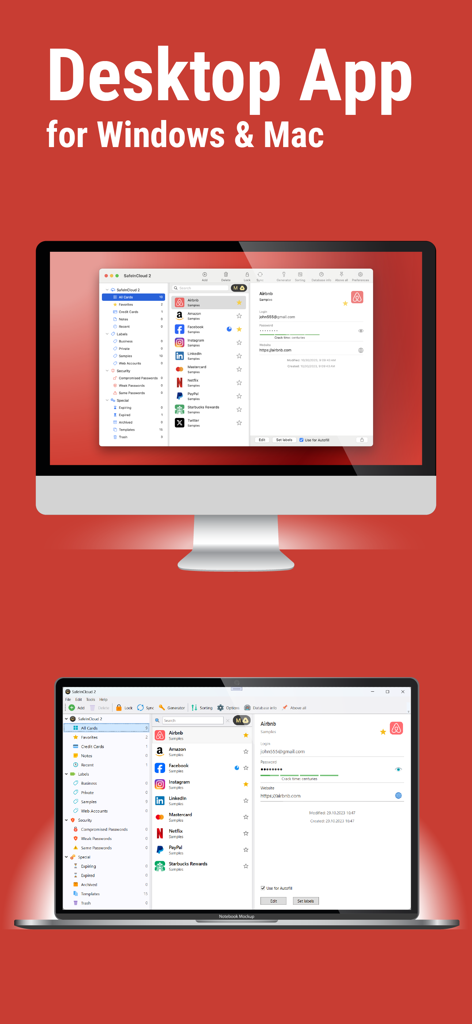
Mac 및 Windows 컴퓨터에 표시되는 SafeInCloud 비밀번호 관리자 데스크톱 애플리케이션 인터페이스.

Mac 및 Windows 컴퓨터에 표시되는 SafeInCloud 비밀번호 관리자 데스크톱 애플리케이션 인터페이스.

타협 없는 보안

이 앱을 돋보이게 하는 도구, 342K+ 명의 사용자가 선택.

🛡️

완전한 데이터 주권

귀하의 데이터는 당사 서버에 절대 보관되지 않습니다. 자체 iCloud, Google Drive 또는 개인 NAS를 통해 암호화된 금고를 동기화하세요.

마찰 없는 생산성

Face ID 및 Touch ID로 즉시 로그인하세요. Windows 및 Mac용 무료 데스크톱 앱을 사용하여 번개처럼 빠른 데이터 입력을 경험하세요.

🔐

군사 등급 AES-256

정부에서 사용하는 업계 표준 암호화로 안심하세요. 귀하의 개인 정보는 귀하만이 읽을 수 있습니다.

앱 소개

에 대해 알아야 할 모든 것 SafeInCloud 1.

설명

SafeInCloud Password Manager allows you to keep your logins, passwords, and other private info safe and secure in an encrypted database. You can synchronize your data with another phone, tablet, Mac or PC via your own cloud account. KEY FEATURES ◆ Easy to Use ◆ Strong Encryption (256-bit Advanced Encryption Standard) ◆ Cloud Synchronization (iCloud, Google Drive, Dropbox, OneDrive, NAS, WebDAV) ◆ Login with Touch ID & Face ID ◆ Autofill in Apps ◆ Apple Watch App ◆ Password Strength Analysis ◆ Password Generator ◆ Free Desktop App (Windows, Mac) ◆ Automatic Data Import ◆ Cross-Platform EASY TO USE Try it yourself and enjoy an easy-to-use yet powerful user interface. STRONG ENCRYPTION Your data is always encrypted on a device and in a cloud with a strong 256-bit Advanced Encryption Standard (AES). This algorithm is used by the U.S. Government for protection of a top secret information. AES is also widely adopted worldwide and became the de facto encryption standard. CLOUD SYNCHRONIZATION Your database is automatically synchronized with your own cloud account. Thus you can easily restore your entire database from a cloud to a new phone or computer (in case of a loss or an upgrade). Your phone, tablet and computer are also automatically synchronized between each other via a cloud. LOGIN WITH TOUCH ID & FACE ID You can instantly unlock SafeInCloud with a fingerprint on devices with Touch ID. You can also unlock SafeInCloud by face recognition using Face ID technology. AUTOFILL IN APPS You can autofill login and password fields into any app on your phone directly from SafeInCloud. You don't need to copy and paste them manually. APPLE WATCH APP You can put some selected cards on your wrist to easily access them on the run. These could be your credit card PINs, door and locker codes. PASSWORD STRENGTH ANALYSIS SafeInCloud analyses your password strengths and shows a strength indicator next to each password. The strength indicator displays an estimated crack time for a password. All cards with weak passwords are marked with a red sign. PASSWORD GENERATOR The password generator helps you generating random and secure passwords. There is also an option to generate memorable, but still strong passwords. FREE DESKTOP APP Download a free Desktop application for Windows or Mac OS from www.safe-in-cloud.com to be able access your database on your computer. The Desktop application also makes data entry and editing fast and easy using a hardware keyboard. AUTOMATIC DATA IMPORT The Desktop application can automatically import your data from another password manager. You don't need to manually reenter all your passwords.

최신 버전

25.1.0

크기

60.5 MB

출시일

2014년 1월 15일

디지털 보안을 완벽하게 제어하세요

군사 등급 암호화를 위해 구독 피로를 버린 342,000명 이상의 사용자와 함께하세요. 지금 다운로드하여 암호화된 데이터베이스를 자체 클라우드로 동기화하고 모든 기기에서 완전한 데이터 주권을 누리세요.

다운로드: App Store

App information, icons, screenshots, and descriptions displayed on this page are sourced from the Apple App Store and are the property of their respective developers. Download estimates and rankings are based on MWM's proprietary models and may not reflect actual figures. This page is provided for informational and analytical purposes only.

Believe this page infringes your intellectual property? File a dispute