Scanner App. JPG, Photo to PDF

Scanner App. JPG, Photo to PDF

다운로드: App Store다운로드: Google Play
로고: Scanner App. JPG, Photo to PDF

Scanner App: 즉각적인 PDF 스캔 및 서명을 위한 전문 모바일 오피스

영수증, 계약서, 메모를 고품질 PDF로 바꾸는 1천만 명 이상의 전문가들과 함께하세요. OCR, 디지털 서명 및 클라우드 동기화가 손쉽게 가능합니다.

개발사

Municorn Limited

카테고리

Business

다운로드

10M+

사용자 평점

4.8/5

총 평가 수

136K+

지원 언어

13

주머니 속의 정밀함

이 인터페이스를 사용하는 10M+ 명의 사용자.

자동 가장자리 감지 기능이 있는 문서 스캔 인터페이스를 보여주는 iPhone 화면
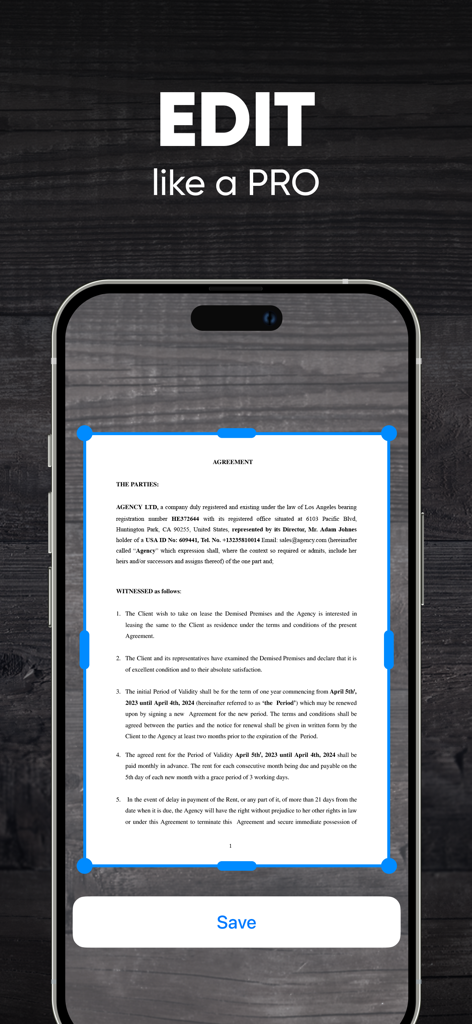
자동 가장자리 감지 기능이 있는 문서 스캔 인터페이스를 보여주는 iPhone 화면

법률 문서에 대한 자동 가장자리 감지 기능이 있는 Scanner App 인터페이스를 보여주는 스마트폰
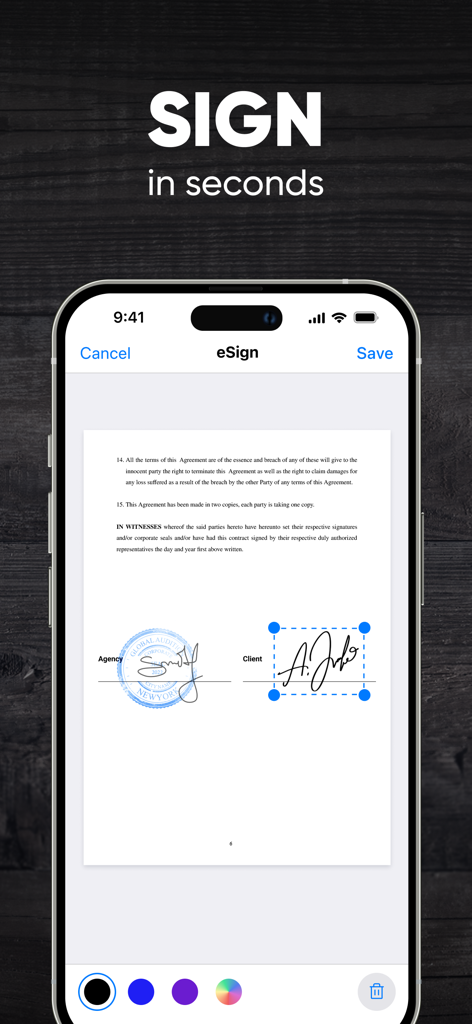
법률 문서에 대한 자동 가장자리 감지 기능이 있는 Scanner App 인터페이스를 보여주는 스마트폰

Scanner App 내에서 계약서의 디지털 서명 기능을 보여주는 iPhone 화면
Scanner App 내에서 계약서의 디지털 서명 기능을 보여주는 iPhone 화면

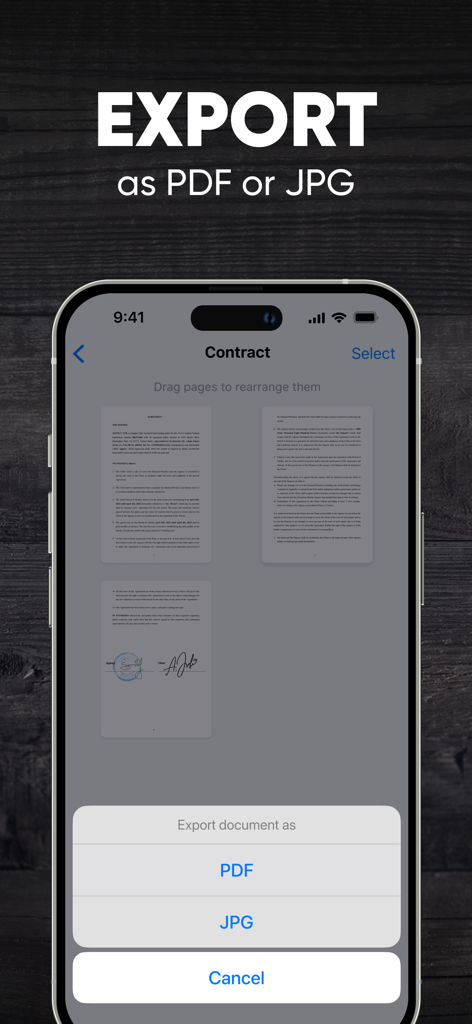
스캔한 계약서를 PDF 또는 JPG로 내보내는 옵션을 보여주는 Scanner App 화면
스캔한 계약서를 PDF 또는 JPG로 내보내는 옵션을 보여주는 Scanner App 화면

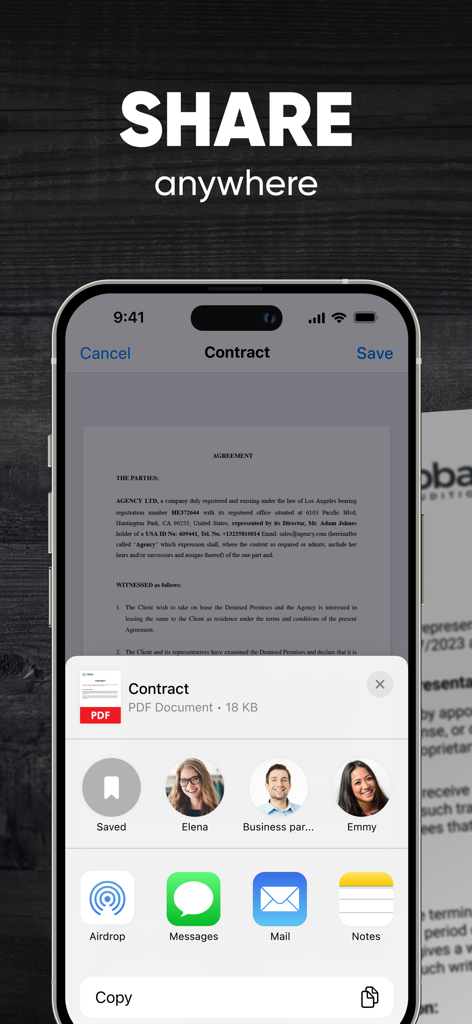
이메일 및 메시징 옵션으로 스캔한 PDF 계약서의 공유 메뉴를 보여주는 스마트폰
이메일 및 메시징 옵션으로 스캔한 PDF 계약서의 공유 메뉴를 보여주는 스마트폰

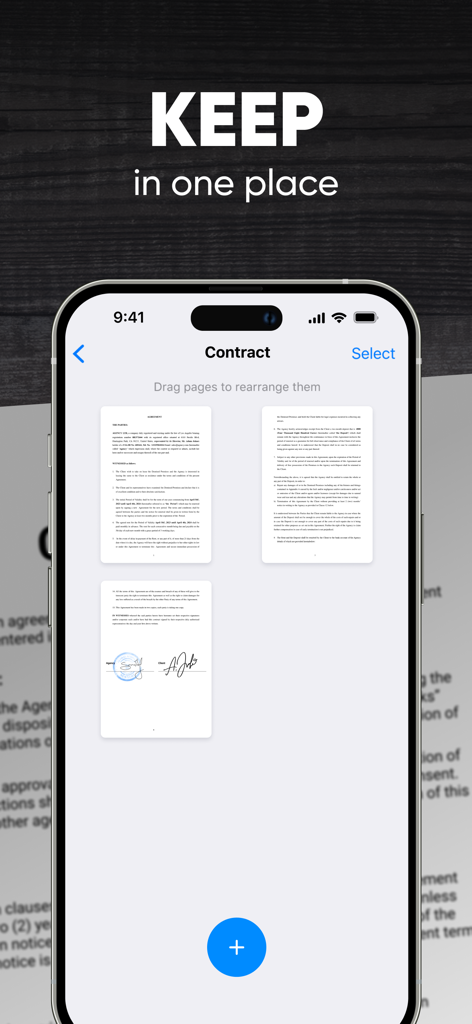
스마트폰에서 디지털 서명이 포함된 다중 페이지 계약서를 보여주는 Scanner App 인터페이스.

스마트폰에서 디지털 서명이 포함된 다중 페이지 계약서를 보여주는 Scanner App 인터페이스.

종이 없는 워크플로우에 필요한 모든 것

이 앱을 돋보이게 하는 도구, 10M+ 명의 사용자가 선택.

즉각적인 전문가 수준의 스캔

자동 가장자리 감지 및 색상 보정을 통해 영수증과 문서가 한 번의 탭으로 완벽하게 보이도록 하여 수동 편집 시간을 절약해 줍니다.

✍️

몇 초 만에 서명 및 전송

Google Drive, Dropbox 및 iCloud와의 완벽한 통합과 보안 디지털 서명을 통해 어디서든 계약서 및 NDA를 최종 확정하세요.

🔍

AI 기반 텍스트 인식

고급 OCR을 사용하여 필기 및 인쇄된 텍스트를 검색 가능한 PDF로 변환하여 세금 시즌 및 전문 기록 관리를 손쉽게 만듭니다.

앱 소개

에 대해 알아야 할 모든 것 Scanner App. JPG, Photo to PDF.

설명

Transform your iPhone or iPad into a versatile mobile scanner with the Scanner App, PDF Editor now equipped with powerful PDF converter features, including Optical Character Recognition (OCR) and Handwriting Recognition. Scanning services near me - easily scan, edit, save, and share documents, receipts, business cards, notes, and books as high-quality PDF or JPG files. Whether you need to convert to PDF, create PDFs from photos, turn a picture into a PDF, or extract text with OCR, this app has you covered. Choose between automatic or manual image capturing modes, and enhance your scans with edge detection, optimization, and color corrections. Key Features: - Scan premium quality PDFs or JPGs. Document scanner. - Convert images to PDF effortlessly. - Use a PDF Editor. - Capture documents quickly with automatic or manual modes. - Enhance scans with edge detection, OCR, and handwriting recognition. - Use a digital signature easily anywhere. - Save multi-page documents efficiently. - Seamlessly integrate with cloud services like iCloud, Dropbox, Evernote, Yandex Disk, Box, OneDrive, Google Drive, and more. No need for an Internet connection – all your scans are stored locally on your device. Say farewell to traditional office scanners and to a print scan - embrace one of the best scanner app for iPhone for your daily business needs! Capture HIGH-QUALITY images How to scan on iPhone? Scanner App ensures optimal image converter quality with automatic document edge identification. Convert QUICKLY How to create a pdf on iPhone? Experience lightning-fast scanning with Scanner App – scan a document to PDF in just one tap. Scan ANYTHING Scanner App is your go-to solution for scanning all types of documents. Sign docs ANYWHERE Create your digital e signature and easily sign documents anywhere. Convert to SHARE Effortlessly share your scanned documents anywhere, making collaboration a breeze. How to send pdf to email and more? Share and upload scanned documents to cloud services like iCloud, Dropbox, Evernote, Yandex Disk, Box, OneDrive, or Google Drive with ease. Discover the ultimate PDF maker in the palm of your hand with the Scanner App! Subscription plans: - 1-week subscription with a 3-day trial version for $5.99 - 1-month subscription for $9.99 - 12-month subscription for $39.99 Note: Prices may vary by location. Subscription auto-renewal information: — A free trial period is available. — Payment will be charged to your iTunes account upon confirmation of purchase. — Your free trial subscription will automatically renew to a paid subscription unless auto-renew is turned off at least 24-hours before the end of the free trial period. — The subscription will automatically renew unless auto-renew is turned off at least 24-hours before the end of the current subscription. — The account will be charged for renewal within 24-hours before the end of the current subscription. The cost depends on the selected plan. — Users can manage their subscriptions, and auto-renewal can be turned off by going to the user’s Account Settings after purchase. — Any unused portion of the free trial will be forfeited when the user purchases a subscription. Privacy Policy: https://scanner.biz/privacy/ Terms of Use: https://scanner.biz/terms/ For any questions or inquiries, please contact us at support@scanz.app.

최신 버전

2.5.2

크기

81.0 MB

출시일

2018년 8월 24일

주머니 속에 모든 사무실을 휴대할 준비가 되셨나요?

몇 초 만에 고품질 PDF를 스캔, 서명 및 동기화하는 1천만 명의 전문가들과 함께하세요. 스캐너를 찾는 것을 멈추고 이동 중에 거래를 성사시키세요.

다운로드: App Store다운로드: Google Play
FAQ

자주 묻는 질문

에 대해 알아야 할 모든 것 Scanner App. JPG, Photo to PDF

Scanner 앱으로 문서를 스캔하려면 어떻게 해야 하나요?

예, Scanner 앱은 iPhone 또는 iPad를 모바일 스캐너로 변환합니다. 자동 또는 수동 모드를 사용하여 최적의 이미지 품질과 가장자리 식별로 문서를 빠르게 캡처할 수 있습니다.

Scanner 앱은 이미지를 PDF로 변환하나요?

예, Scanner 앱은 이미지를 PDF로 쉽게 변환합니다. 사진에서 PDF를 만들고, 사진을 PDF로 변환하고, 문서를 직접 PDF 형식으로 스캔할 수 있습니다.

Scanner 앱에 광학 문자 인식(OCR) 기능이 있나요?

예, Scanner 앱에는 광학 문자 인식(OCR) 및 필기 인식 기능이 포함되어 있습니다. 이러한 강력한 기능을 통해 사용자는 스캔한 문서에서 텍스트를 추출할 수 있습니다.

사용자는 Scanner 앱 내에서 디지털 방식으로 문서에 서명할 수 있나요?

예, Scanner 앱을 사용하면 사용자가 디지털 서명을 쉽게 만들고 적용할 수 있습니다. 애플리케이션 내에서 언제든지 문서에 직접 서명할 수 있습니다.

문서 공유를 위해 Scanner 앱은 어떤 클라우드 서비스와 통합되나요?

Scanner 앱은 iCloud, Dropbox, Evernote, Yandex Disk, Box, OneDrive 및 Google Drive와 원활하게 통합됩니다. 사용자는 스캔한 문서를 이러한 서비스에 쉽게 업로드하고 공유할 수 있습니다.

Scanner 앱을 사용하려면 인터넷 연결이 필요한가요?

아니요, Scanner 앱을 사용하려면 인터넷 연결이 필요하지 않습니다. 모든 스캔한 문서는 기기에 로컬로 저장되어 오프라인에서도 기능을 사용할 수 있습니다.

Scanner 앱에 사용할 수 있는 구독 요금제는 무엇인가요?

Scanner 앱은 여러 구독 요금제를 제공합니다. 3일 체험 기간이 포함된 1주일 구독은 5.99달러, 1개월 구독은 9.99달러, 12개월 구독은 39.99달러입니다.

Scanner 앱은 무료 평가판 기간을 제공하나요?

예, Scanner 앱은 무료 평가판 기간을 제공합니다. 이 평가판은 종료 24시간 전에 자동 갱신을 해제하지 않으면 유료 구독으로 자동 갱신됩니다.

Scanner 앱은 다중 페이지 문서를 저장할 수 있나요?

예, Scanner 앱은 다중 페이지 문서를 효율적으로 저장합니다. 사용자는 여러 페이지를 스캔하여 단일 문서로 구성할 수 있습니다.

App information, icons, screenshots, and descriptions displayed on this page are sourced from the Apple App Store and are the property of their respective developers. Download estimates and rankings are based on MWM's proprietary models and may not reflect actual figures. This page is provided for informational and analytical purposes only.

Believe this page infringes your intellectual property? File a dispute