Scannero: fast scan to PDF&JPG
다운로드: App Store

이 페이지는 앱이나 개발자의 공식 페이지가 아니며, 정보 제공 및 논평을 목적으로 작성된 독립 편집 간행물입니다. 명시적으로 달리 언급되지 않는 한, 해당 앱이나 개발자는 MWM, Apple, Google Play, 앱 퍼블리셔 또는 앱 개발자와 제휴, 보증, 후원, 승인 또는 공식적으로 연결되어 있지 않으며, 이 페이지의 어떤 내용도 해당 앱이 MWM의 서비스를 사용하여 개발되었음을 의미하지 않습니다. 모든 상표, 로고, 스크린샷 및 기타 콘텐츠는 해당 소유자의 자산입니다.

로고: Scannero: fast scan to PDF&JPG
다운로드: App Store

Scannero: fast scan to PDF&JPG

아이폰을 고성능 모바일 오피스로 변환하세요. 문서를 손쉽게 스캔하고, OCR로 텍스트를 추출하고, 100% 로컬 저장소와 생체 인식 보안으로 파일을 관리하세요.

주요 수치

다운로드

27K+

사용자 평점

4.7/5

총 평가 수

300

개발사

MESH ROOM LAB, S.L.

카테고리

Productivity

지원 언어

10

최신 버전

2.8

크기

70.8 MB

출시일

2021년 11월 12일
기능

모바일 워크플로우를 향상시키세요

아이폰을 고성능 휴대용 오피스로 만드세요. Scannero는 속도, 정확성, 그리고 절대적인 개인 정보 보호에 중점을 둔 전문가 수준의 문서 관리 기능을 제공합니다.

완벽한 개인 정보 보호 제어

민감한 문서는 기기를 절대 벗어나지 않습니다. 100% 로컬 저장소와 Face ID 보호 기능으로 서버 없이, 위험 없이 당신의 데이터를 소유하세요.

AI 기반 OCR 텍스트 추출

실제 페이지를 즉시 편집 가능한 텍스트로 변환하세요. 계약서 및 영수증에서 데이터를 추출하여 한 번의 탭으로 Word 또는 검색 가능한 PDF 파일로 내보낼 수 있습니다.

다음 스크린샷과 설명은 앱의 공식 스토어 목록에서 직접 가져온 것이며 앱 개발자의 자산입니다.

앱 스토어

스크린샷
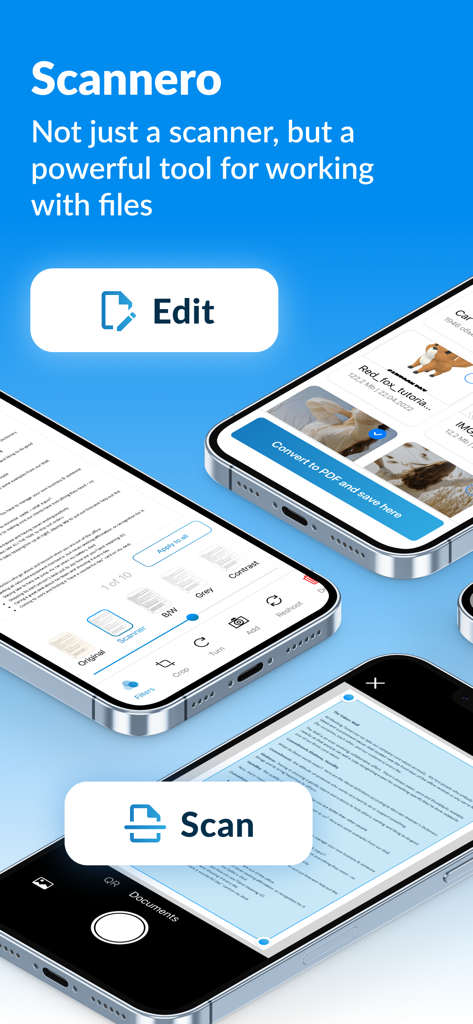
Scannero: fast scan to PDF&JPG - Scannero 앱 인터페이스가 아이폰에 문서 스캔, 편집, PDF 변환 기능 등을 보여줍니다.
Scannero 앱 인터페이스가 아이폰에 문서 스캔, 편집, PDF 변환 기능 등을 보여줍니다.

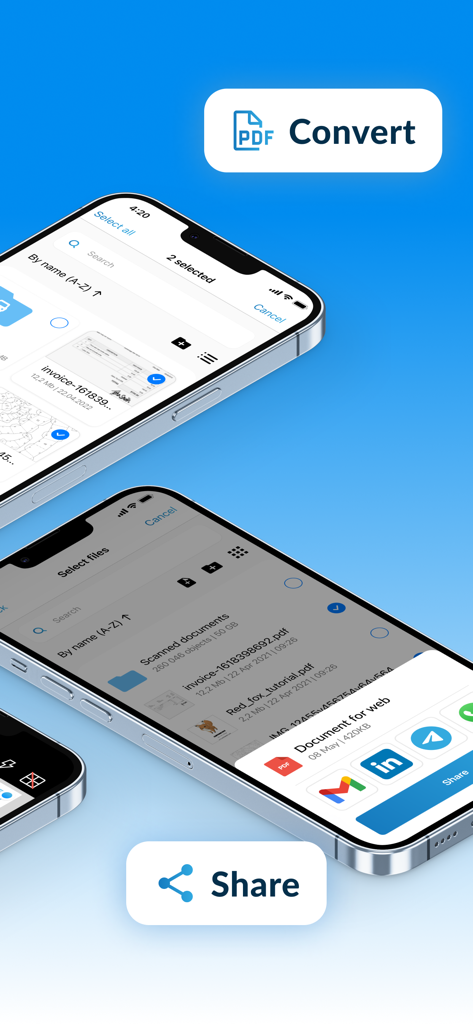
Scannero: fast scan to PDF&JPG - Scannero 앱 인터페이스가 아이폰에서 PDF로 문서 변환 및 공유 기능을 보여줍니다.
Scannero 앱 인터페이스가 아이폰에서 PDF로 문서 변환 및 공유 기능을 보여줍니다.

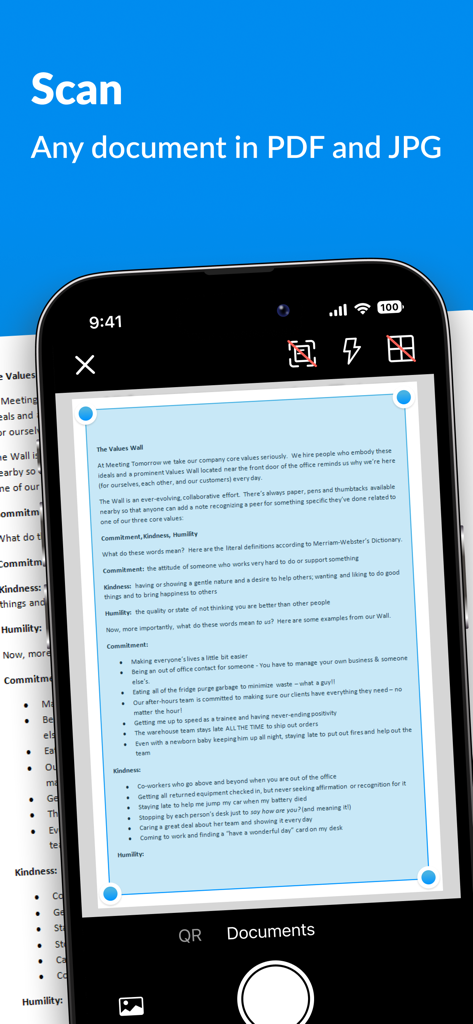
Scannero: fast scan to PDF&JPG - 아이폰 화면이 Scannero 앱으로 종이 문서를 스캔하는 것을 보여주며 자동 테두리 감지 기능이 있습니다.
아이폰 화면이 Scannero 앱으로 종이 문서를 스캔하는 것을 보여주며 자동 테두리 감지 기능이 있습니다.

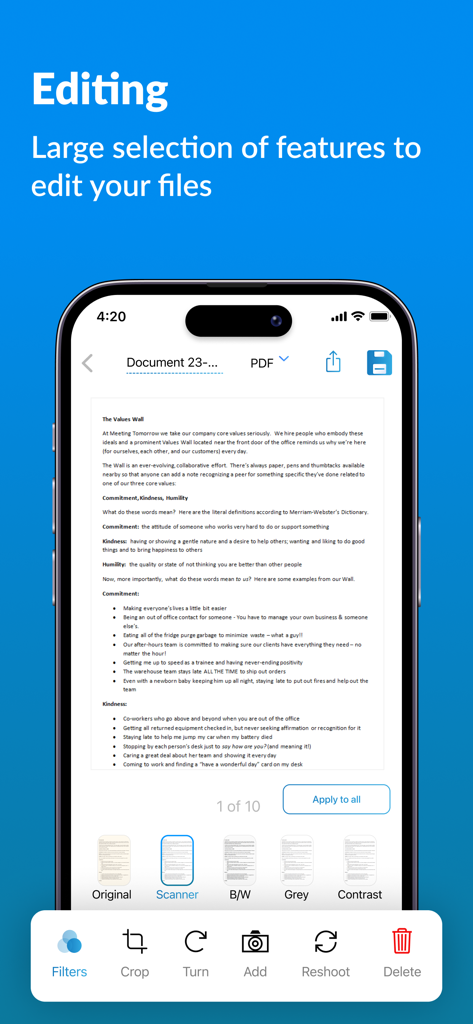
Scannero: fast scan to PDF&JPG - Scannero 앱의 인터페이스가 아이폰 화면에서 문서 편집 도구와 필터를 보여줍니다.
Scannero 앱의 인터페이스가 아이폰 화면에서 문서 편집 도구와 필터를 보여줍니다.

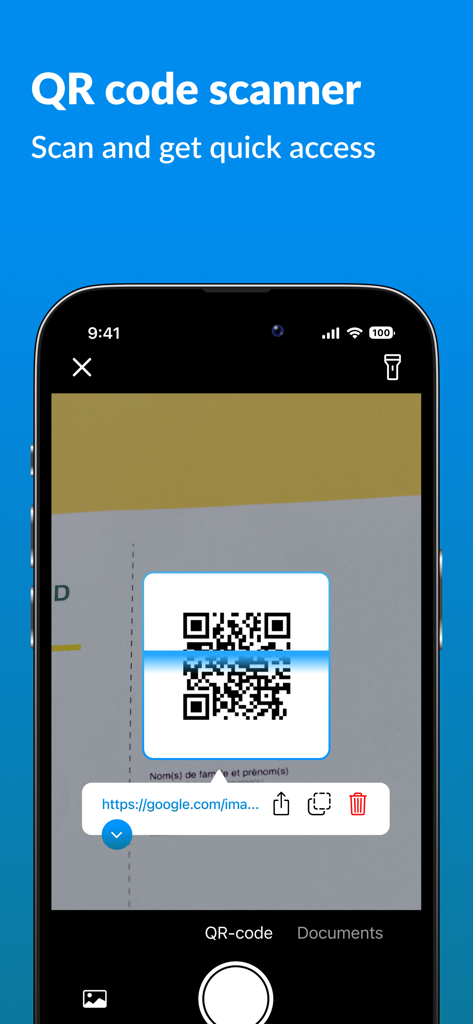
Scannero: fast scan to PDF&JPG - Scannero 모바일 앱 인터페이스가 아이폰에서 QR 코드를 스캔합니다.
Scannero 모바일 앱 인터페이스가 아이폰에서 QR 코드를 스캔합니다.

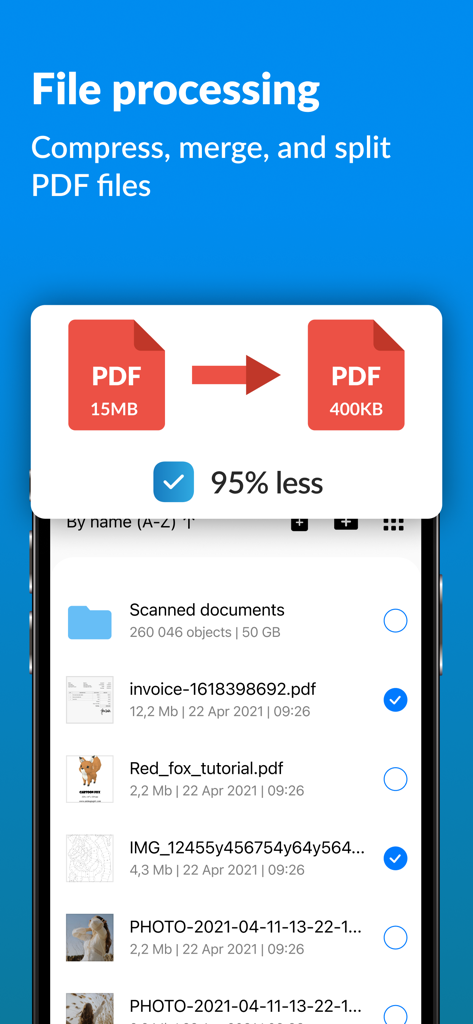
Scannero: fast scan to PDF&JPG - Scannero 앱 화면이 15MB의 PDF 파일을 95% 크기 축소하여 400KB로 압축하는 것을 보여줍니다.
Scannero 앱 화면이 15MB의 PDF 파일을 95% 크기 축소하여 400KB로 압축하는 것을 보여줍니다.

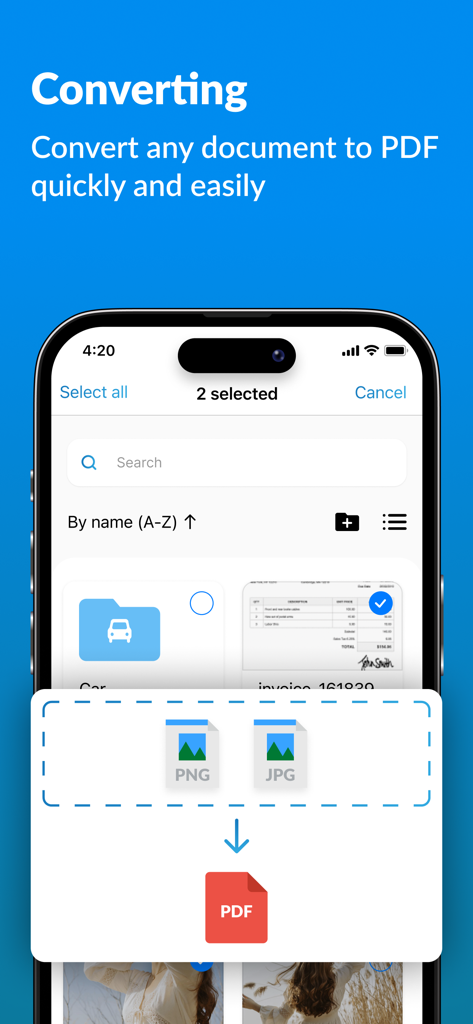
Scannero: fast scan to PDF&JPG - 아이폰 화면이 Scannero 앱 인터페이스에서 JPG 및 PNG 이미지를 PDF 파일로 변환하는 것을 보여줍니다.
아이폰 화면이 Scannero 앱 인터페이스에서 JPG 및 PNG 이미지를 PDF 파일로 변환하는 것을 보여줍니다.

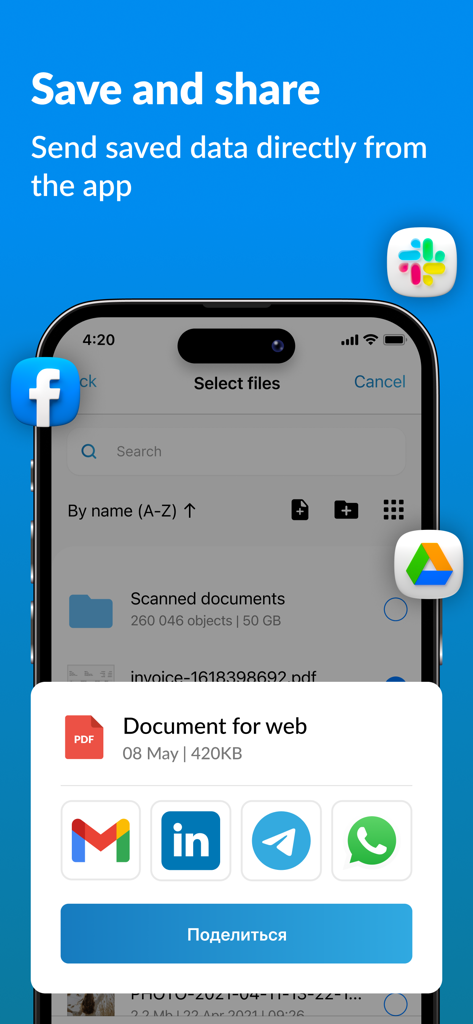
Scannero: fast scan to PDF&JPG - 모바일 앱 인터페이스가 Gmail, LinkedIn, WhatsApp을 통해 스캔된 PDF 문서를 저장하고 공유하는 옵션을 보여줍니다.
모바일 앱 인터페이스가 Gmail, LinkedIn, WhatsApp을 통해 스캔된 PDF 문서를 저장하고 공유하는 옵션을 보여줍니다.

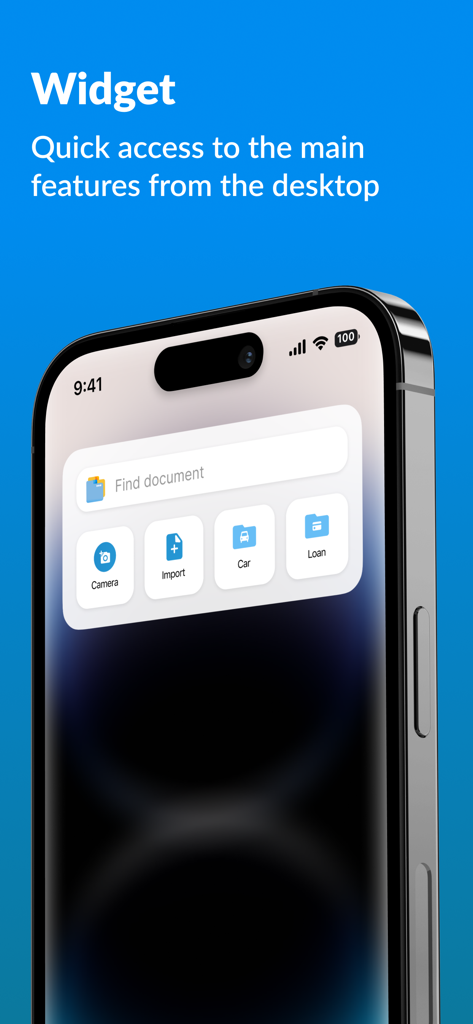
Scannero: fast scan to PDF&JPG - 빠른 문서 스캔 및 검색을 위한 Scannero 앱 위젯이 아이폰 화면에 표시됩니다.

빠른 문서 스캔 및 검색을 위한 Scannero 앱 위젯이 아이폰 화면에 표시됩니다.

설명

More than just a scanner, it's a robust tool for handling files! Scannero is an app that simplifies scanning, editing, converting, and storing documents. EFFORTLESSLY MANAGE YOUR FILES From scanning and editing to converting files to PDF format, our app streamlines the entire process, ensuring efficient and hassle-free file management. CONVENIENT DOCUMENT STORAGE AND SEARCH No more hassle - all your documents are easily accessible! Scannero assists you in scanning, editing, organizing into folders, and swiftly locating copies of any document, saving you from wasting an entire hour searching for the one you need. 100% PRIVACY We prioritize your privacy by ensuring that all file data is exclusively stored on your device, and only you have access to them - no servers involved. BLACK-AND-WHITE MODE Create documents as if they were scanned on a normal black-and-white scanner. The black-and-white mode allows to create documents with white paper background and contrasting black text. Turn your phone's camera into a professional scanner with Scannero! MULTIPAGE PDF SCANNING Effortlessly scan single or multipage documents to PDF using our built-in scanner. With the document capture function, the process becomes even faster and more convenient. The power of a document scanner right in your pocket! TEXT RECOGNITION (OCR) Instantly extract text from your scans and images. Convert documents into editable text and export as Word (.docx) or create searchable PDFs with an embedded text layer — perfect for receipts, contracts, and other printed documents. DOCUMENT PROTECTION Secure your documents by setting up app login with your passcode, Touch ID, or Face ID. In case you forget your passcode, you can easily restore access via email. OFFLINE ACCESS TO DOCUMENTS With all your documents stored locally on your device, you can access them even without an internet connection. This proves especially handy when you need your documents in places with no mobile or internet connectivity. ICLOUD SYNC For added protection, enable iCloud sync to store copies of your documents in the cloud. This feature ensures convenient access to your files from all your other Apple devices. EXPORT AND IMPORT OF ANY FILES Our app supports essential file formats, including JPEG, PNG, PDF, DOC, DOCX, XLS, XLSX, and ZIP. Secure storage and swift scanning of your documents, all in one comprehensive app! Terms of use: https://www.apple.com/legal/internet-services/itunes/dev/stdeula/

Download

다운로드: App Store

이 페이지는 앱이나 개발자의 공식 페이지가 아니며, 정보 제공 및 논평을 목적으로 작성된 독립 편집 간행물입니다. 명시적으로 달리 언급되지 않는 한, 해당 앱이나 개발자는 MWM, Apple, Google Play, 앱 퍼블리셔 또는 앱 개발자와 제휴, 보증, 후원, 승인 또는 공식적으로 연결되어 있지 않으며, 이 페이지의 어떤 내용도 해당 앱이 MWM의 서비스를 사용하여 개발되었음을 의미하지 않습니다. 모든 상표, 로고, 스크린샷 및 기타 콘텐츠는 해당 소유자의 자산입니다.








