이 페이지는 앱이나 개발자의 공식 페이지가 아니며, 정보 제공 및 논평을 목적으로 작성된 독립 편집 간행물입니다. 명시적으로 달리 언급되지 않는 한, 해당 앱이나 개발자는 MWM, Apple, Google Play, 앱 퍼블리셔 또는 앱 개발자와 제휴, 보증, 후원, 승인 또는 공식적으로 연결되어 있지 않으며, 이 페이지의 어떤 내용도 해당 앱이 MWM의 서비스를 사용하여 개발되었음을 의미하지 않습니다. 모든 상표, 로고, 스크린샷 및 기타 콘텐츠는 해당 소유자의 자산입니다.
Screen Mirroring Cast to TV
웹 비디오, 사진, 음악을 iPhone에서 Roku, Fire TV, Chromecast 또는 모든 스마트 TV로 고화질 및 실시간으로 손쉽게 스트리밍하세요.
iPhone과 집안의 모든 스마트 장치 사이의 간극을 메우도록 설계된 올인원 캐스팅 솔루션으로 완전한 자유를 경험하세요.
범용 호환성
Apple-to-Everything 간극을 메우세요. 단일 앱에서 Roku, Fire TV, Chromecast 및 스마트 TV로 즉시 전송하세요.
통합 웹 캐스팅
웹에서 비디오를 찾았나요? 내장 브라우저를 사용하여 제한된 네이티브 앱을 우회하고 온라인 콘텐츠를 TV로 직접 스트리밍하세요.
다음 스크린샷과 설명은 앱의 공식 스토어 목록에서 직접 가져온 것이며 앱 개발자의 자산입니다.
앱 스토어
스크린샷
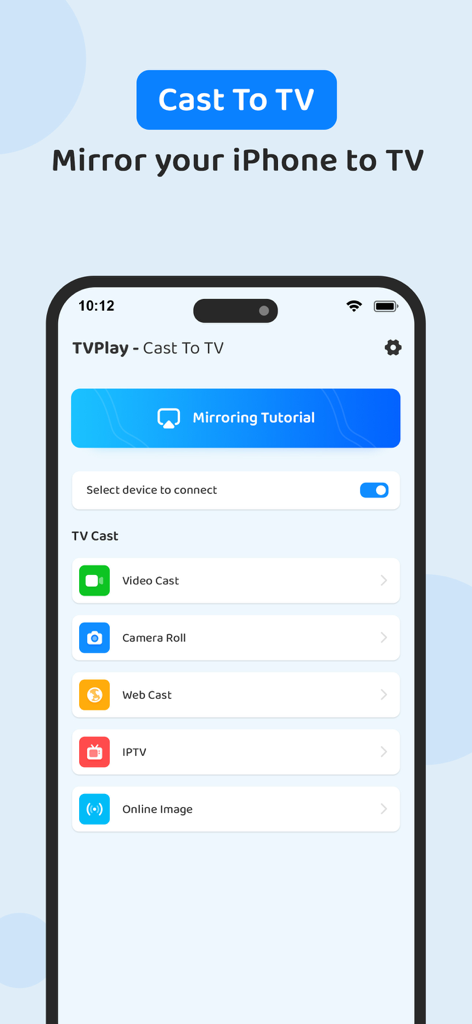
비디오 캐스팅 및 화면 미러링 옵션을 보여주는 iPhone의 TVPlay 화면 미러링 앱 사용자 인터페이스
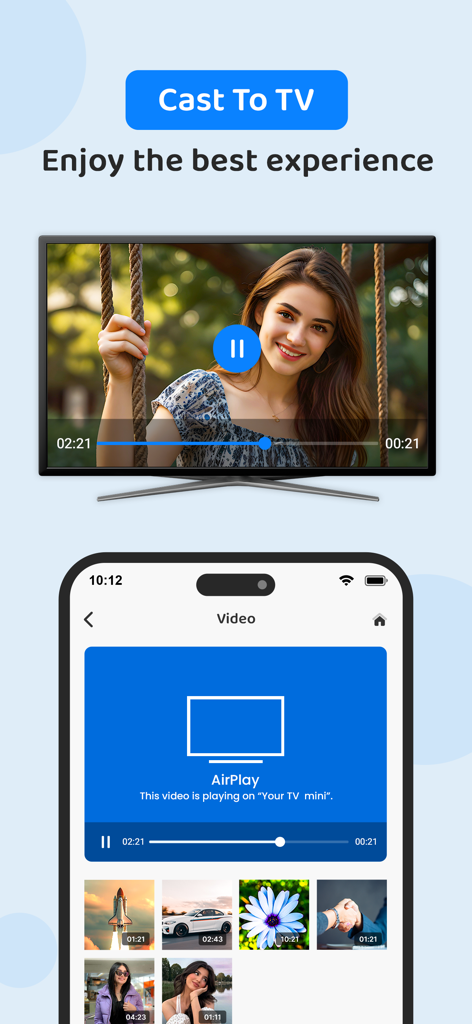
TVPlay 앱을 사용하여 스마트 TV로 전송 중인 iPhone 화면
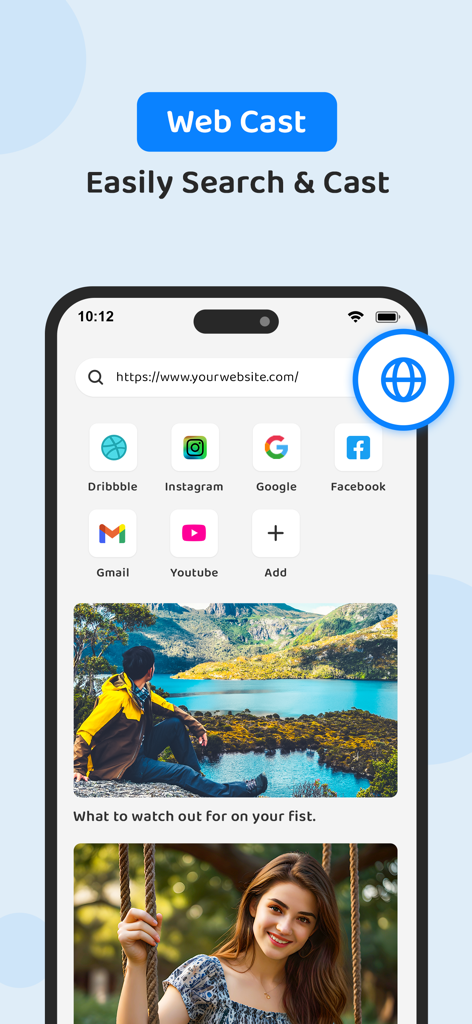
iPhone에서 TV로 온라인 비디오를 전송하기 위한 내장 웹 브라우저 인터페이스
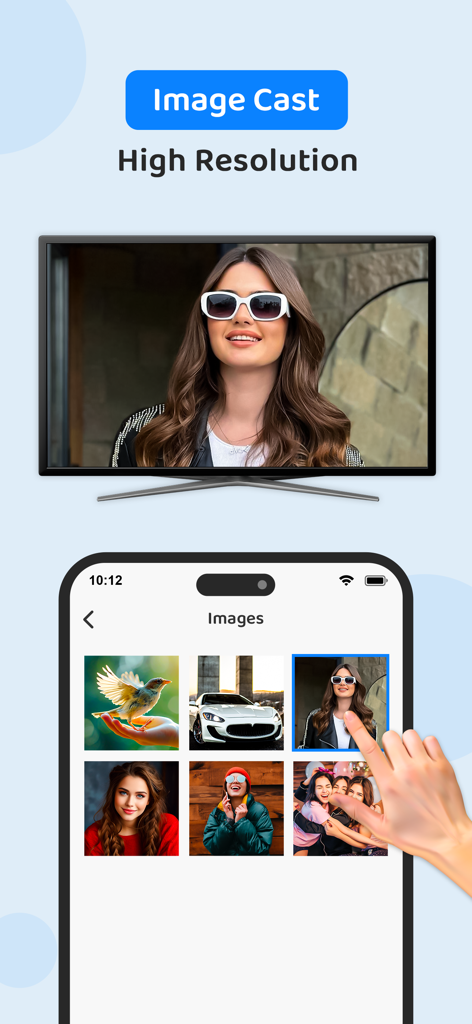
TVPlay 앱을 사용하여 스마트 TV로 여성의 고해상도 사진을 전송하는 iPhone 화면
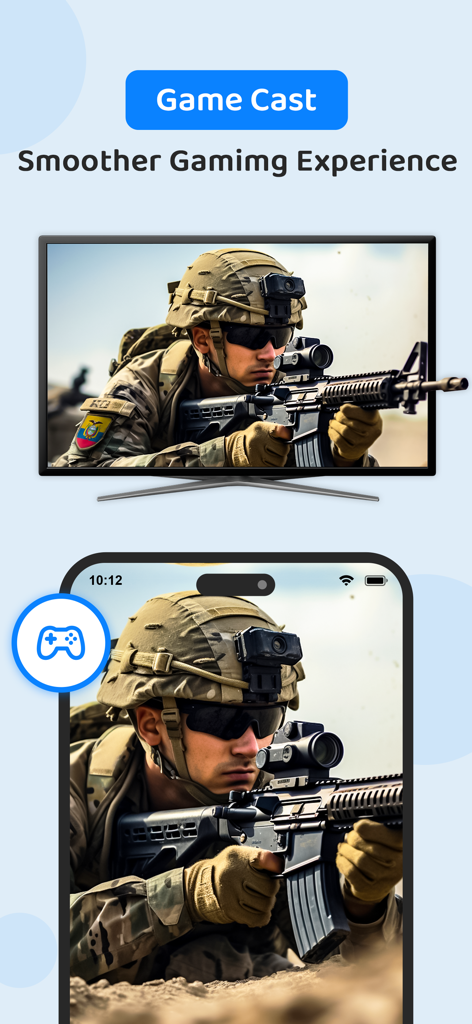
대형 스마트 TV로 전송 중인 iPhone 화면의 군사 액션 게임
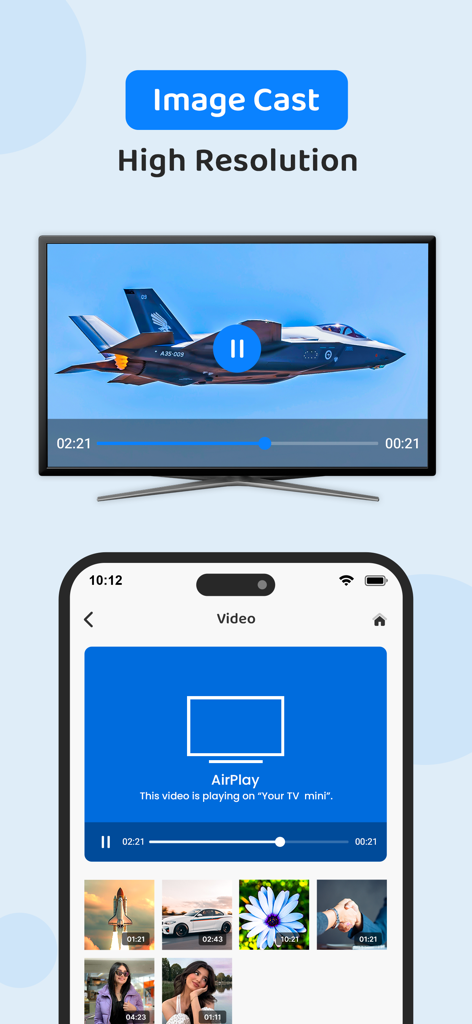
스마트 TV 화면으로 제트기 고해상도 이미지를 전송하는 iPhone 사용자 인터페이스
설명
TVPlay - Cast to TV, helps you cast a small phone screen to big TV screen in high quality and real-time speed. You can easily access all types of media files, including mobile games, photos, music, videos & E-books on the big screen.
With the TV play app, you can cast to TV and make screen share with your family or friends in simple steps.
Cast to TV enables you to cast online videos and all local videos, music and images to TV, Chromecast, Roku, Amazon Fire Stick or Fire TV, Xbox, Apple TV or other DLNA Devices. Cast to TV and stream videos & movies on TV now!
Features:
• Easy to control TV with phone: pause, volume, forward/rewind, previous/next etc.
Cast videos to tv.
• Local playback for videos.
• Auto search for available cast devices & streaming device.
• Identify video, audio, photo files on your device automatically.
• Inbuilt browser for web video cast.
• Add local video, local audio to Play Queue.
• Play media in shuffle, loop, repeat mode.
• Design for video cast, music cast & photo slideshow cast.
All Cast in One. With Cast to TV, you can cast to:
• Chromecast
• Smart TVs: Samsung, LG, Sony, Hisense, Xiaomi, Panasonic, etc.
• Xbox One and Xbox 360
• Amazon Fire TV and Cast to Fire Stick
• Apple TV and Airplay
• Roku, Roku Stick and Roku TVs
• Other DLNA receivers
• Coming soon: Kodi, IPTV etc.
If you want to cast video from phone to tv, you’d better try Cast to TV - Cast to Chromecast.
Cast to Roku
Easy to connect and cast to Roku. You can cast videos and music to Roku without limitations. Fast forward and backward can provide you with an excellent experience for watching movies. Just search videos from your favorite website and cast to Roku now!
Cast to Chromecast
Cast local video, photo slideshow, and music from phone to Chromecast easily and fast. Cast to Chromecast, Fire TV and other smart TVs with no feature limited. Cast web video to Chromecast, and enjoy the best experience of watching videos.
Cast to Apple TV
Cast both local files and online videos to Apple TV with the airplay function. Cast to Apple TV with the remote control to adjust the video progress and volume.
Stream to TV From Phone
With Cast to TV, you can stream videos to tv from phone without limitation. It helps you instantly stream videos, music and photos to your Smart TV, Chromecast, Amazon Fire Stick, etc.
Stream to tv from phone is very dependent on Wi-Fi network and streaming device. Please make sure that your phone and streaming device is connected with the same Wi-Fi. And the format of the media is supported by streaming device. If you have troubles when you stream to tv or cast to Chromecast, you can try to reboot the Wi-Fi router and streaming device.
Get unlimited access to all premium features of TVPlay by
Subscribe Monthly TVPlay Pro at $1.99 and Yearly TVPlay Pro at $9.99 to use ads free versions of the premium app which can cancel anytime.
• Privacy Policy: https://sites.google.com/view/anandnaidu-pp
• Terms of Service: https://sites.google.com/view/anandnaidu-tou
Best way to cast your phone screen to TV.
이 페이지는 앱이나 개발자의 공식 페이지가 아니며, 정보 제공 및 논평을 목적으로 작성된 독립 편집 간행물입니다. 명시적으로 달리 언급되지 않는 한, 해당 앱이나 개발자는 MWM, Apple, Google Play, 앱 퍼블리셔 또는 앱 개발자와 제휴, 보증, 후원, 승인 또는 공식적으로 연결되어 있지 않으며, 이 페이지의 어떤 내용도 해당 앱이 MWM의 서비스를 사용하여 개발되었음을 의미하지 않습니다. 모든 상표, 로고, 스크린샷 및 기타 콘텐츠는 해당 소유자의 자산입니다.