Screen Time - AppStops

Screen Time - AppStops

다운로드: App Store
로고: Screen Time - AppStops

AppStops: 깊은 집중을 위한 가장 강력한 앱 차단기

엄격한 스크린 타임 도구로 한계를 속이는 것을 멈추세요. '무시' 버튼도, 월간 구독도 없습니다. 단 한 번의 구매로 완전한 디지털 규율을 확보하세요.

다운로드: App Store

개발사

Yoshiharu Yamada

카테고리

Productivity

다운로드

800

사용자 평점

4.0/5

총 평가 수

0

지원 언어

3

한눈에 보는 집중력

이 인터페이스를 사용하는 800 명의 사용자.

AppStops의 '나만의 방식으로 앱 제한' 텍스트를 보여주는 마케팅 스크린샷
AppStops의 '나만의 방식으로 앱 제한' 텍스트를 보여주는 마케팅 스크린샷

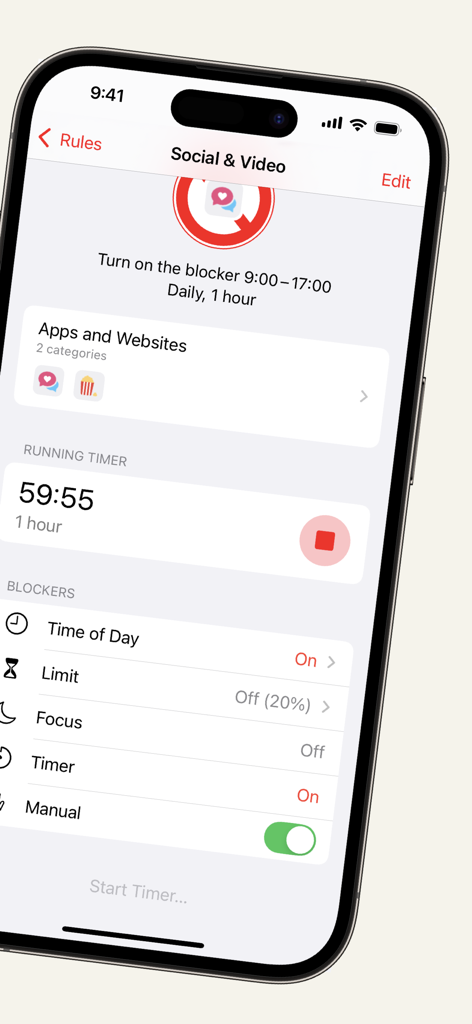
AppStops 앱 인터페이스가 소셜 및 비디오 앱을 차단하기 위한 실행 타이머를 보여줌.
AppStops 앱 인터페이스가 소셜 및 비디오 앱을 차단하기 위한 실행 타이머를 보여줌.

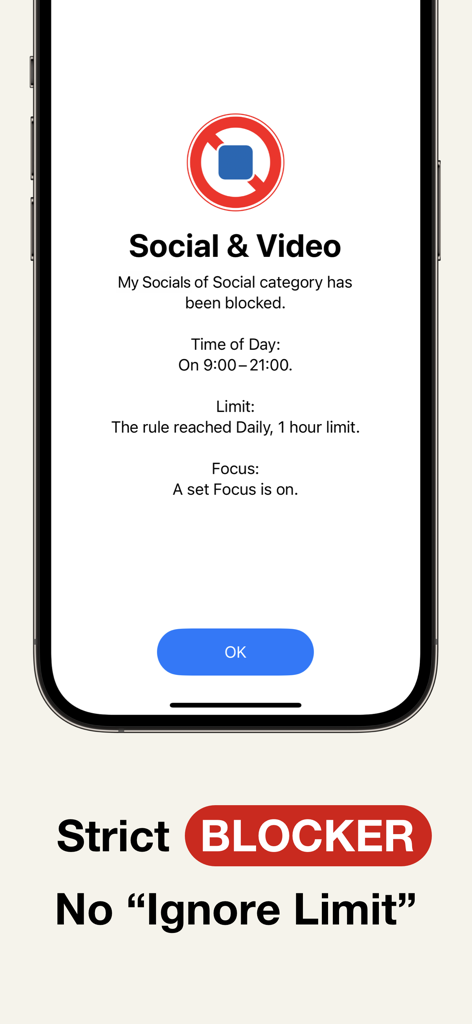
AppStops 엄격한 차단 화면으로 소셜 및 비디오 앱을 무시 한도 버튼 없이 차단
AppStops 엄격한 차단 화면으로 소셜 및 비디오 앱을 무시 한도 버튼 없이 차단

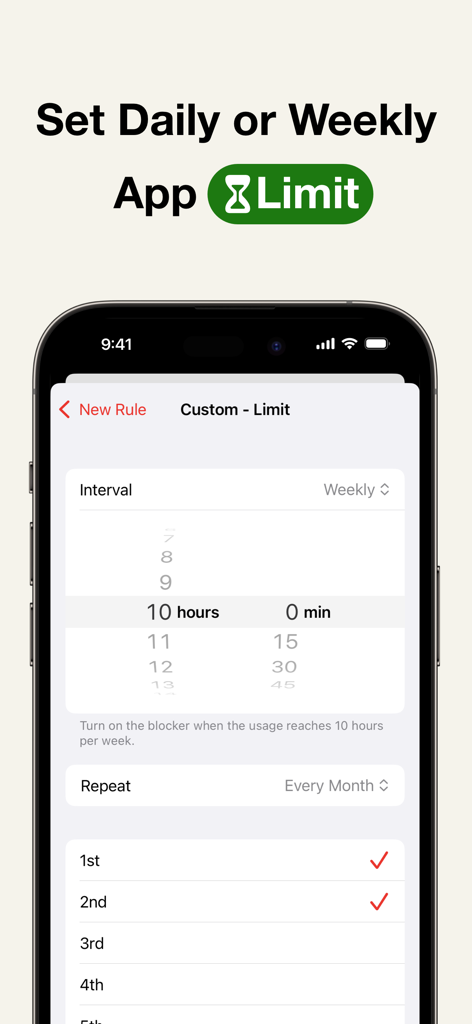
AppStops에서 일별 또는 주별 앱 사용량 제한 설정
AppStops에서 일별 또는 주별 앱 사용량 제한 설정

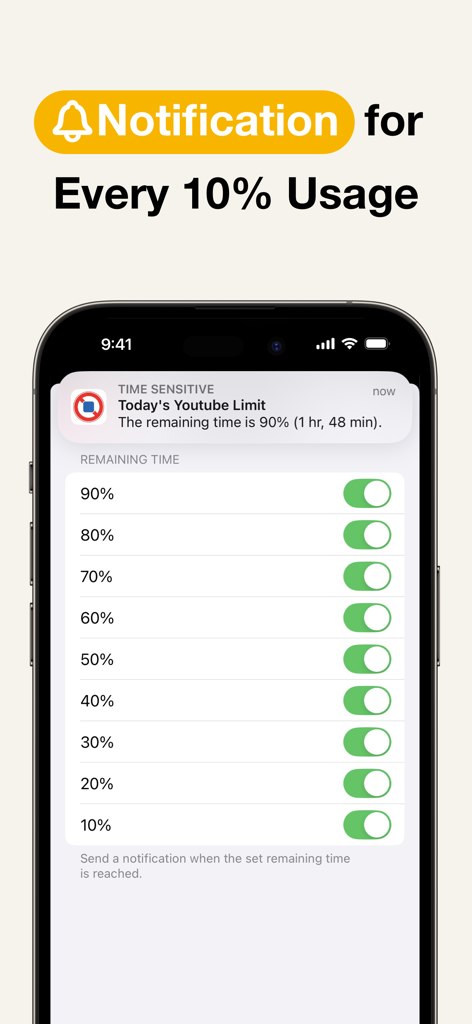
남은 앱 사용량을 10% 단위로 추적하는 AppStops 알림 설정이 표시된 iPhone 화면
남은 앱 사용량을 10% 단위로 추적하는 AppStops 알림 설정이 표시된 iPhone 화면

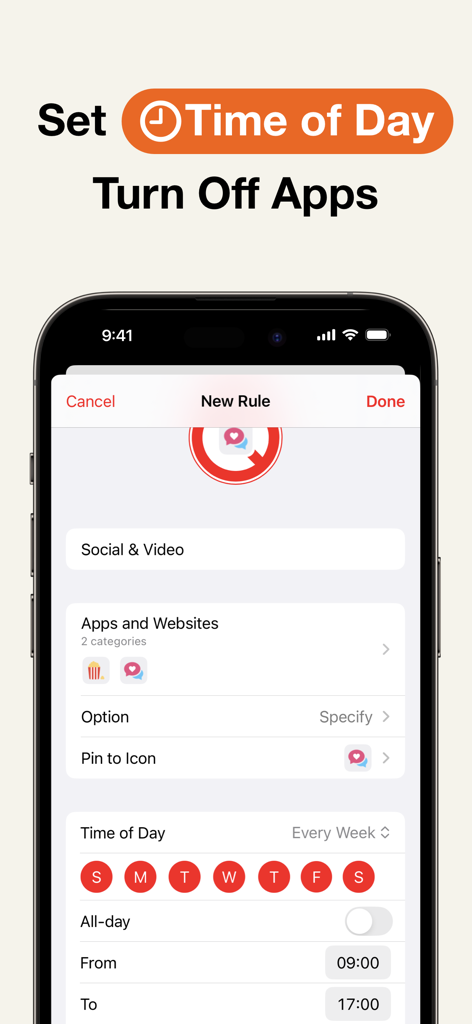
특정 시간 동안 소셜 및 비디오 앱을 끄는 시간 기반 규칙 설정을 위한 AppStops 인터페이스
특정 시간 동안 소셜 및 비디오 앱을 끄는 시간 기반 규칙 설정을 위한 AppStops 인터페이스

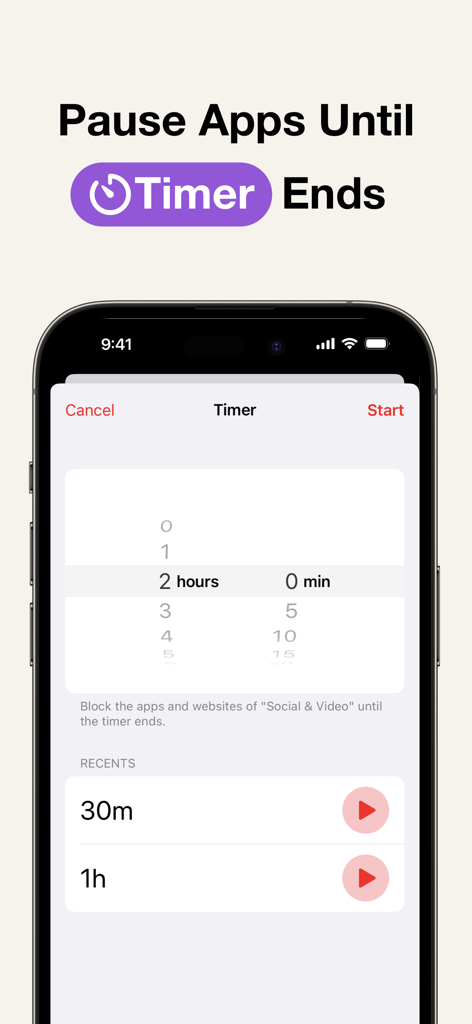
AppStops 앱 인터페이스 스크린샷으로 집중력을 유지하기 위해 특정 시간 동안 앱과 웹사이트를 일시 중지하는 타이머 기능 표시
AppStops 앱 인터페이스 스크린샷으로 집중력을 유지하기 위해 특정 시간 동안 앱과 웹사이트를 일시 중지하는 타이머 기능 표시

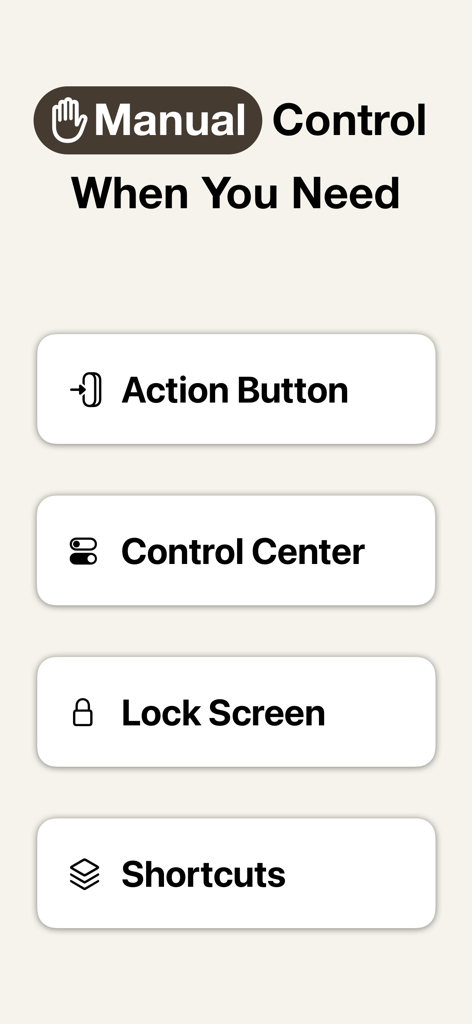
iPhone의 액션 버튼, 제어 센터, 잠금 화면 및 단축키 통합을 보여주는 AppStops의 수동 제어 옵션
iPhone의 액션 버튼, 제어 센터, 잠금 화면 및 단축키 통합을 보여주는 AppStops의 수동 제어 옵션

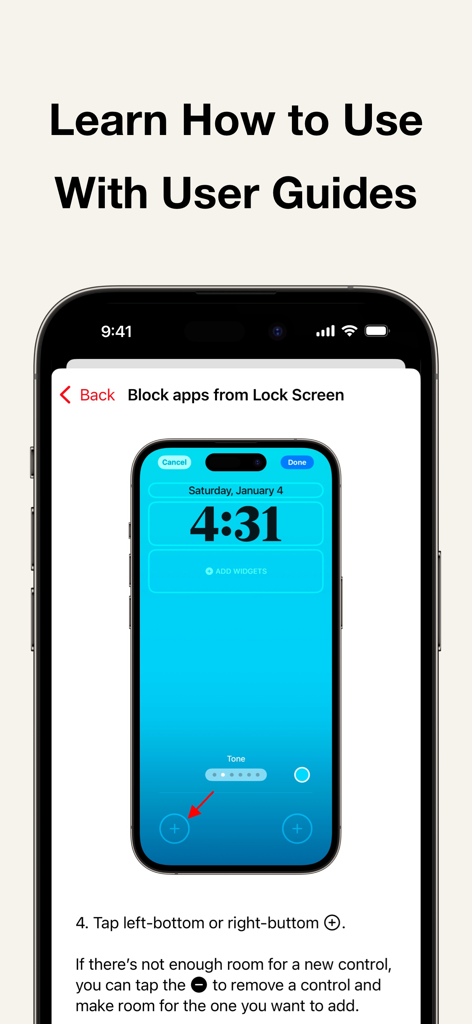
iPhone 잠금 화면에 AppStops 차단 컨트롤을 추가하는 방법을 설명하는 사용자 가이드

iPhone 잠금 화면에 AppStops 차단 컨트롤을 추가하는 방법을 설명하는 사용자 가이드

타협 없는 제어로 시간을 되찾으세요

이 앱을 돋보이게 하는 도구, 800 명의 사용자가 선택.

🔒

엄격하고 속임수 없는 차단

'한도 무시' 버튼은 허용되지 않습니다. 경계를 설정하면 가장 방해가 되는 앱을 강력하게 잠가서 지킬 수 있도록 도와줍니다.

🏷️

구독 피로감 제로

생산성 도구를 평생 소유하세요. 간단한 일회성 구매로 전체 기능에 액세스하세요. 월별 요금, 숨겨진 비용 없이 완전한 소유권을 누리세요.

🚀

네이티브 iOS 18 최적화

액션 버튼, 제어 센터 또는 단축키를 통해 워크플로우를 강화하세요. 이미 사용 중인 기술로 즉시 집중 세션을 시작하세요.

앱 소개

에 대해 알아야 할 모든 것 Screen Time - AppStops.

설명

AppStops is a powerful tool to control your phone use. Based on your rules, it blocks all app actions except closing. It’s a one-time purchase—no subscriptions, no hidden fees. Just a simple tool you can rely on forever. ▼ Features • Strict blocking screen with no “Ignore Limit” button. • Block apps while in Focus Mode, e.g., “No entertainment apps during Work Mode.” • Set daily or weekly app limits, e.g., “Social apps limited to 1 hour per day.” • Usage time notifications, e.g., “20% (12 min) of today’s social app time remaining.” • Time-based app restrictions, e.g., “No video apps from 9 AM to 5 PM.” • Temporary app blocking with a timer, e.g., “Focus on studying for the next 90 minutes.” • Manually block apps via Control Center (*1), Action Button (*2), Lock Screen (*3), or Shortcuts app. ▼ User Guide The app includes user guides with images and texts for all rules, so you can use it with confidence. ▼ If You Need to Urgently Disable App Blocking By uninstalling the AppStops app, you can regain access to blocked apps and websites. If uninstalling does not disable the block (a rare occurrence due to OS issues), please reinstall the AppStops app and go to Settings App > Screen Time > APPS WITH SCREEN TIME ACCESS, then toggle off the switch for AppStops. ------------------------------------------------------------ *1: Control Center is available on iOS 18 or later *2: Action Button is available only on devices with an Action Button running iOS 18 or later. *3: Lock Screen control is available only on iPhone devices running iOS 18 or later. ※ The system screen for selecting apps and web domains may crash sometimes. While you can avoid crashes by following the steps outlined in the Help section, please be aware of this issue before making your purchase. Terms of Use https://yoshiharustudio.com/appstops/terms-of-use.html Privacy Policy https://yoshiharustudio.com/appstops/privacy-policy.html Specified Commercial Transaction Act https://yoshiharustudio.com/appstops/specified-commercial-transactions-act.html

최신 버전

1.3.3

크기

10.6 MB

출시일

2024년 11월 11일

구독 없이 둠스크롤링을 영원히 멈추세요

실제로 효과가 있는 일회성 구매로 집중력 혁명에 동참하세요. '한도 무시' 버튼도, 숨겨진 수수료도 없습니다. 순수한 생산성만 당신의 손안에 있습니다.

다운로드: App Store

App information, icons, screenshots, and descriptions displayed on this page are sourced from the Apple App Store and are the property of their respective developers. Download estimates and rankings are based on MWM's proprietary models and may not reflect actual figures. This page is provided for informational and analytical purposes only.

Believe this page infringes your intellectual property? File a dispute