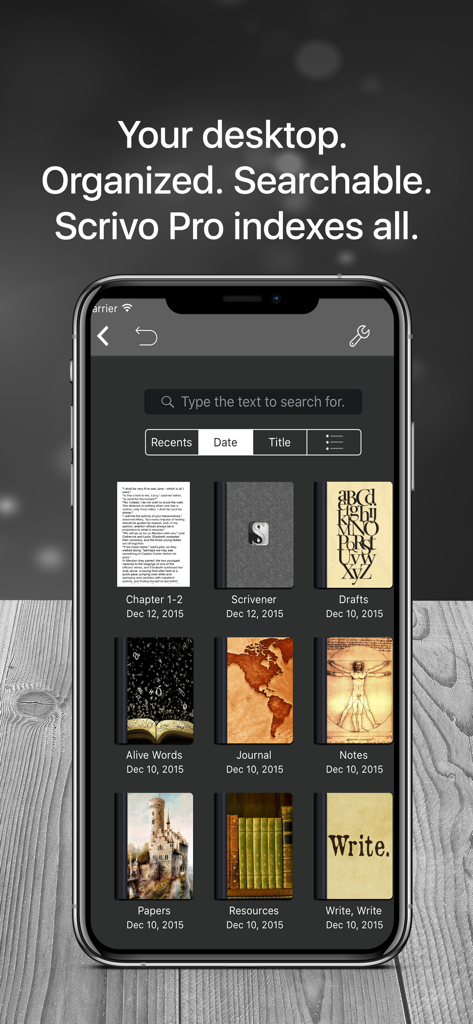
정리된 집필 프로젝트와 노트북의 검색 가능한 라이브러리를 보여주는 Scrivo 3 모바일 앱 인터페이스
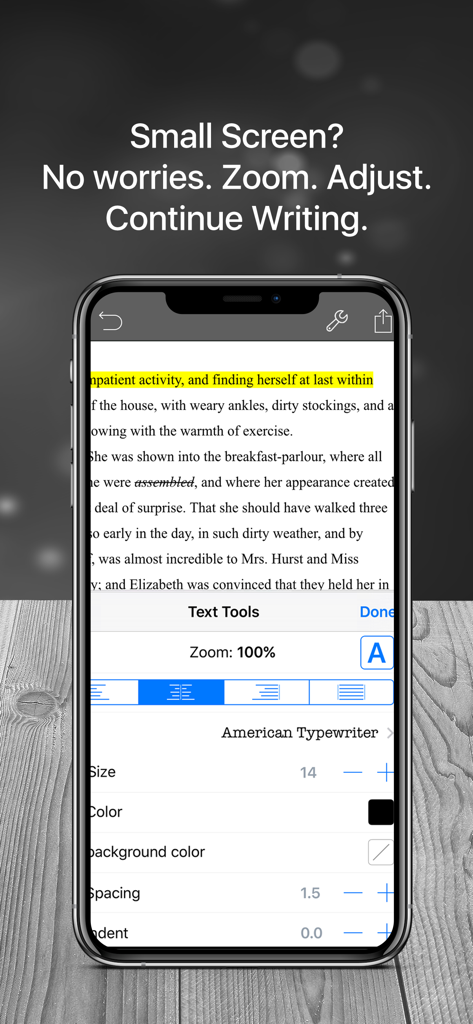
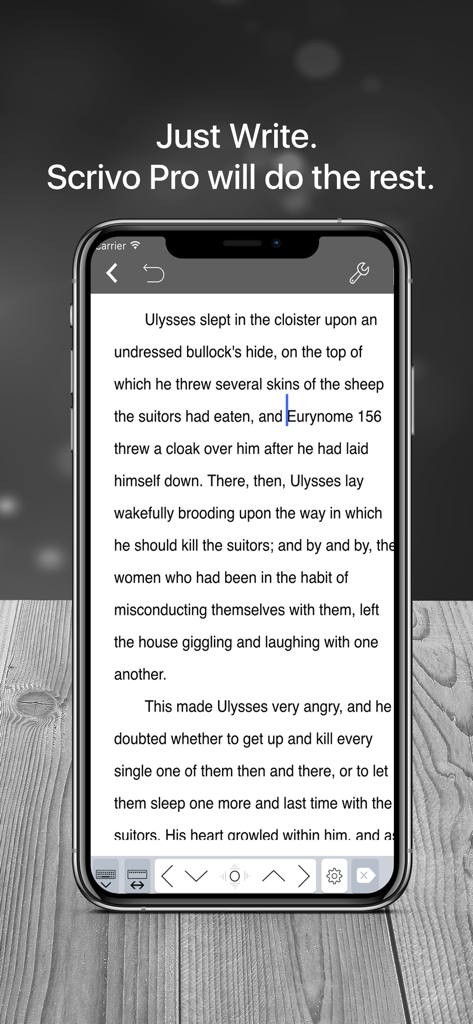
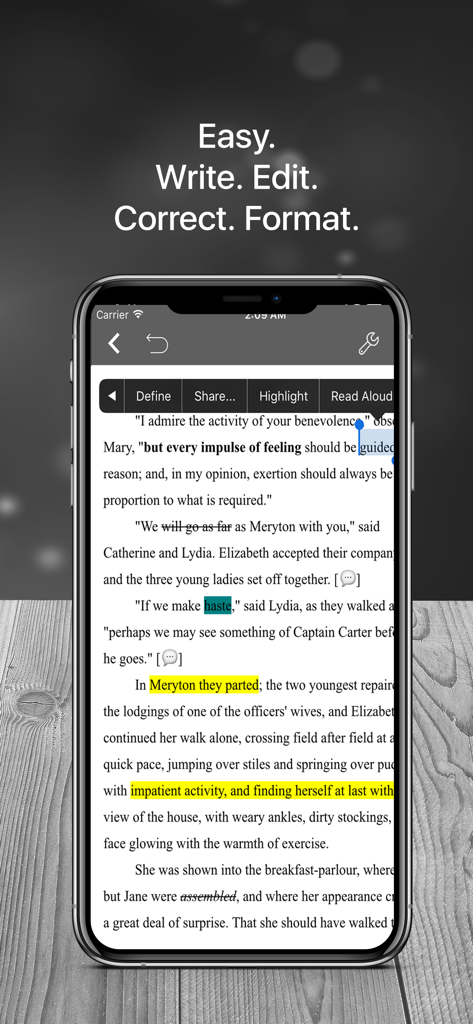
확대, 글꼴 크기, 정렬 등 작가를 위한 텍스트 서식 옵션을 보여주는 iPhone의 Scrivo 3 앱
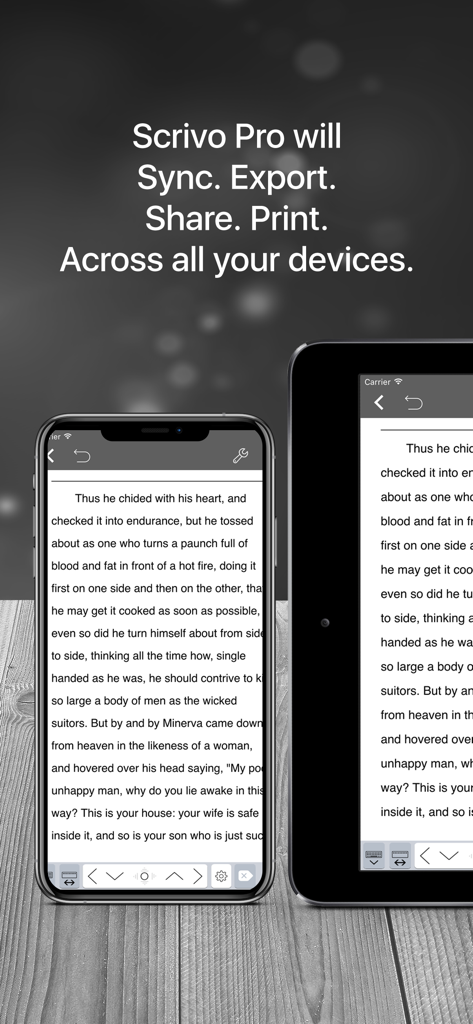
여러 기기 간의 원고가 완벽하게 동기화되는 모습을 보여주는 iPhone 및 iPad의 Scrivo 3 집필 앱
진지한 작가들을 위한 최고의 모바일 스튜디오
이 앱을 돋보이게 하는 도구, 256K+ 명의 사용자가 선택.
🔄
완벽한 Scrivener 통합
모든 기기에서 원고를 최신 상태로 유지하는 완벽한 iCloud 및 Dropbox 동기화 기능으로 이동 중에도 바인더, 코르크 보드, 인덱스 카드를 모두 확인하세요.
🖋️
방해 없는 몰입 작업
디지털 소음을 제거하고 현재 문단에만 집중할 수 있도록 설계된 타자기 모드와 야간 모드로 몰입의 단계에 진입하세요.
📚
통합 연구 및 계획
내장된 PDF 리더와 문서 스캐너로 복잡한 프로젝트를 관리하고, 초안과 참고 자료를 나란히 놓고 확인하세요.
앱 소개
에 대해 알아야 할 모든 것 Scrivener Companion - Scrivo 3.
설명
"Even if you don't use Scrivener, Scrivo Pro is a useful and powerful writing and editing tool. But, if you do use Scrivener, you'll appreciate the user interface and design" ***** iMore.com
“The other great advantage is that I can work in Scrivo Pro without an internet connection...” ***** Writeorconsequences.com
App featured by Apple on the "Best apps for writers" collection!
You have a story to tell, article to publish, class notes to take, whether it’s today’s journal entry, tomorrow’s thesis or a future bestseller novella. Scrivo Pro can help you organize your writing, research, generate ideas, and remove distractions so you can focus on the most important thing: writing.
Scrivo Pro is more than an innovative, fast and reliable writing app designed for anyone who writes. This is a writing workspace for your iOS devices and a great Scrivener (compatible) and Ulysses companion on your Mac or Windows computer.
If you are a Scrivener 2 or Scrivener 3 user on your computer, Scrivo Pro will open your projects (binder and cork-board with index cards) and seamlessly sync them via iCloud or Dropbox.
+ WRITE. FORMAT
· Write Everywhere: Use Scrivo Pro as an stand-alone writing app even if you don’t have a computer or you are offline in the wilds
· Typewriter: Distraction-Free mode that keeps only the paragraph you’re typing at the center of the screen, letting you focus on what you’re writing
· Night mode to help you writing at night
· Create rich text format (RTF) and advanced Markdown (MD) documents
· Our Markdown engine supports the standard syntax but it has been extended to include very useful extra markups: tables, footnotes, lists, images, links, highlight, strikethrough, superscript and MathML
· Advanced RTF formatting: Highlight, strikethrough, subscript/superscript, alignment, line spacing, first-line indent, page breaks, footnotes, comments, text & paper color
· Find and replace
· Pinch to zoom text
· Insert special symbols arrows, parentheses, maths, bullets/stars, GPS location, etc.
· Over 30 languages typing support including Japanese, Chinese, Arabic & Hebrew
· Extra keys: tab, forward delete, cursor up/down/left/right, etc.
· Set your own custom keyboard buttons to your commonly-used keys, text snippets or hard to reach characters
· Define margins, headers/footers, paper sizes, MLA and APA style format
· Live counters: characters, words, sentences, words per sentence & reading time
· Text to Speech for proofreading
· Dictation lets you speak text instead of typing
+ ORGANIZE. STRUCTURE. FIND
· Organize your work in unlimited notebooks, folders and subfolders
· Sync projects between Scrivo and Scrivener via Dropbox or iCloud
· Design the cover of your notebooks
· Create projects in a tree-like structure: Sections, Drafts, Folders, Chapters, Research, etc.
· Full-text search your library of documents and projects
+ RESEARCH. SCAN. PDF LIBRARY
· Full PDF reader and manager included for reference files, ebooks, articles, resources, papers, etc.
· New eBook (ePub) reader
· Use the camera of your iPad/iPhone to scan documents, notes, recipes, tickets, etc. as PDF
· Use split-screen and multitasking side by side with other apps while writing
+ SHARE. EXPORT
· Import/Export from iCloud, Dropbox, Box, WebDAV and Google Drive support
· Export, share and print your documents to multiple formats like RTF, Markdown, PDF, ePub, HTML, RTFD, TXT etc.
· Zip folders/notebooks and email them as an attachment
+ BE SAFE. PROTECT YOUR WORK
· Protect your work with an app security passcode
· Protect any folder or project with a passcode
· Automatic Backups
Privacy Policy
http://www.noteswriter.com/Kairoos_Privacy_Policy.html
EULA
https://www.apple.com/legal/internet-services/itunes/dev/stdeula/
최신 버전
8.1.2
크기
282.1 MB
출시일
2015년 12월 22일
당신의 다음 베스트셀러가 탭 한 번 거리에 있습니다
25만 명 이상의 작가들과 함께하세요. Scrivener 프로젝트를 동기화하고 iPad를 전문가용 무소음 집필 스튜디오로 변신시키세요.
FAQ
자주 묻는 질문
에 대해 알아야 할 모든 것 Scrivener Companion - Scrivo 3
Scrivo Pro는 무엇인가요?
Scrivo Pro는 iOS 기기를 위해 설계된 혁신적인 글쓰기 및 편집 앱입니다. 포괄적인 글쓰기 작업 공간으로 기능하며, 사용자가 방해받지 않는 환경에서 글쓰기를 정리하고, 조사하고, 아이디어를 생성할 수 있도록 합니다.
Scrivo Pro는 Scrivener 프로젝트와 호환되나요?
네, Scrivo Pro는 Scrivener 2 및 Scrivener 3와 완벽하게 호환됩니다. 사용자는 바인더와 코르크보드를 포함한 Scrivener 프로젝트를 열고 iCloud 또는 Dropbox를 통해 원활하게 동기화할 수 있습니다.
Scrivo Pro를 오프라인으로 사용할 수 있나요?
네, Scrivo Pro는 독립적인 글쓰기 애플리케이션으로 인터넷 연결 없이 사용할 수 있습니다. 이 기능을 통해 사용자는 오프라인 상태에서도 어디서든 글을 쓸 수 있습니다.
Scrivo Pro는 어떤 서식 옵션을 제공하나요?
Scrivo Pro는 풍부한 텍스트 형식(RTF) 및 고급 마크다운(MD)을 포함한 광범위한 서식 옵션을 제공합니다. 강조, 취소선, 아래 첨자/위 첨자, 정렬, 줄 간격, 사용자 정의 텍스트/종이 색상 등의 기능이 포함됩니다.
Scrivo Pro는 글쓰기 프로젝트를 어떻게 구성하나요?
Scrivo Pro는 무제한 노트북, 폴더, 하위 폴더로 작업을 구성하는 데 도움을 줍니다. 사용자는 섹션, 초안, 장 및 조사를 위한 트리와 같은 구조로 프로젝트를 만들고 전체 텍스트 검색을 활용할 수 있습니다.
Scrivo Pro는 문서에 대한 보안 기능을 제공하나요?
네, Scrivo Pro에는 사용자 작업을 보호하기 위한 보안 기능이 포함되어 있습니다. 앱 보안 암호, 암호를 사용하여 개별 폴더 또는 프로젝트를 보호하는 기능, 자동 백업 기능을 제공합니다.
Scrivo Pro는 어떤 문서 형식으로 내보낼 수 있나요?
네, Scrivo Pro는 RTF, Markdown, PDF, ePub, HTML, RTFD, TXT와 같은 다양한 형식으로 문서를 내보낼 수 있습니다. 사용자는 문서를 공유하고 인쇄할 수도 있습니다.
Scrivo Pro에는 어떤 조사 도구가 있나요?
Scrivo Pro에는 전체 PDF 리더 및 관리자, 전자책(ePub) 리더, 기기 카메라를 사용하여 문서를 PDF로 스캔하는 기능이 포함되어 있습니다. 또한 조사를 위한 분할 화면 멀티태스킹을 지원합니다.
App information, icons, screenshots, and descriptions displayed on this page are sourced from the Apple App Store and are the property of their respective developers. Download estimates and rankings are based on MWM's proprietary models and may not reflect actual figures. This page is provided for informational and analytical purposes only.
Believe this page infringes your intellectual property? File a dispute