Search by Image for Safari
다운로드: App Store

이 페이지는 앱이나 개발자의 공식 페이지가 아니며, 정보 제공 및 논평을 목적으로 작성된 독립 편집 간행물입니다. 명시적으로 달리 언급되지 않는 한, 해당 앱이나 개발자는 MWM, Apple, Google Play, 앱 퍼블리셔 또는 앱 개발자와 제휴, 보증, 후원, 승인 또는 공식적으로 연결되어 있지 않으며, 이 페이지의 어떤 내용도 해당 앱이 MWM의 서비스를 사용하여 개발되었음을 의미하지 않습니다. 모든 상표, 로고, 스크린샷 및 기타 콘텐츠는 해당 소유자의 자산입니다.


로고: Search by Image for Safari
다운로드: App Store

Search by Image for Safari

30개 이상의 검색 엔진의 힘을 활용하여 사실을 확인하고, 사진을 추적하거나, 더 나은 쇼핑 거래를 찾으세요. iPhone, iPad 및 Mac 전반에 원활하게 통합됩니다.

주요 수치

다운로드

11K+

사용자 평점

2.1/5

총 평가 수

0

개발사

Armin Sebastian

카테고리

Productivity

지원 언어

1

최신 버전

8.4.0

크기

3.9 MB

출시일

2021년 1월 28일
기능

시각적 지능으로 웹을 마스터하세요

30개 이상의 검색 엔진을 동시에 쿼리하는 전문가 수준의 Safari 확장 기능으로 리서치 및 쇼핑에 힘을 실어주세요.

즉시 모든 것 확인

모든 이미지의 출처를 찾아 허위 정보를 퇴치하고 전문 저널리스트처럼 디지털 소스를 확인하세요.

더 똑똑하게 쇼핑하세요

제품 및 가구를 즉시 식별하세요. 단 한 번의 탭으로 글로벌 마켓플레이스를 검색하여 최적의 가격을 찾으세요.

다음 스크린샷과 설명은 앱의 공식 스토어 목록에서 직접 가져온 것이며 앱 개발자의 자산입니다.

앱 스토어

스크린샷
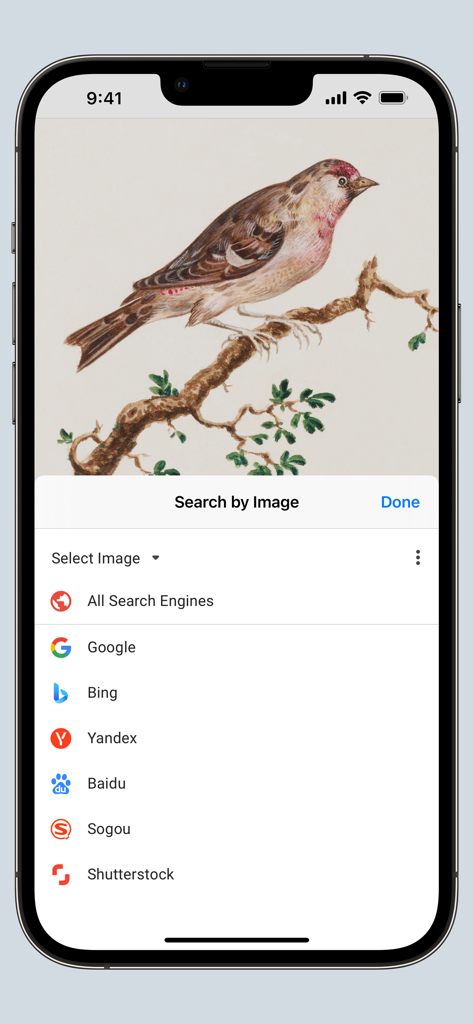
Search by Image for Safari - 다양한 검색 엔진을 보여주는 iPhone의 이미지 검색 Safari 확장 기능 메뉴
다양한 검색 엔진을 보여주는 iPhone의 이미지 검색 Safari 확장 기능 메뉴

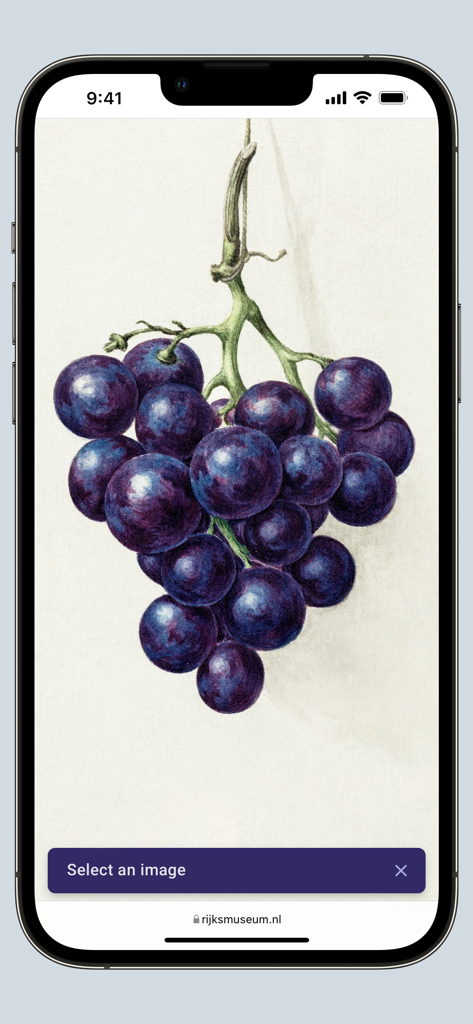
Search by Image for Safari - 웹사이트의 식물 포도 그림을 이미지 검색하여 확인하기 위해 선택하는 iPhone 화면의 이미지 검색 Safari 확장 기능
웹사이트의 식물 포도 그림을 이미지 검색하여 확인하기 위해 선택하는 iPhone 화면의 이미지 검색 Safari 확장 기능

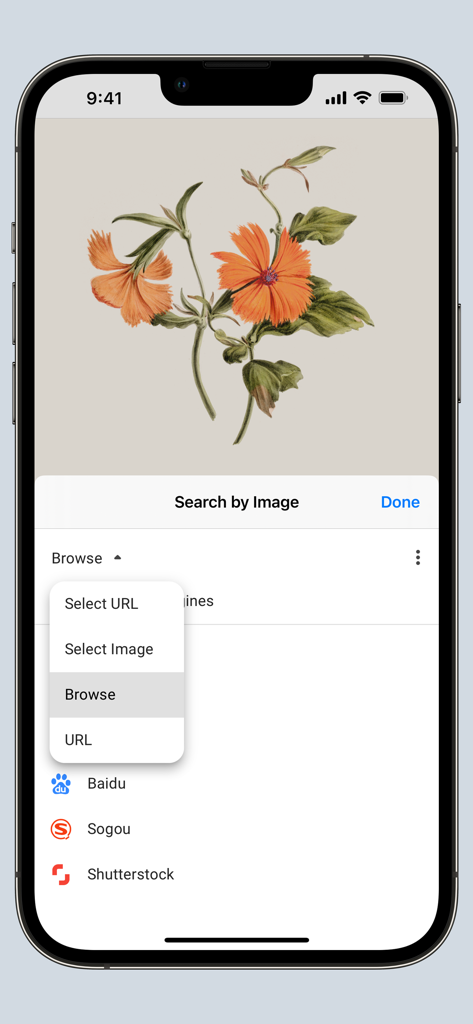
Search by Image for Safari - 이미지 또는 이미지 URL을 선택하는 옵션이 있는 Safari 확장 기능의 이미지 검색 메뉴
이미지 또는 이미지 URL을 선택하는 옵션이 있는 Safari 확장 기능의 이미지 검색 메뉴

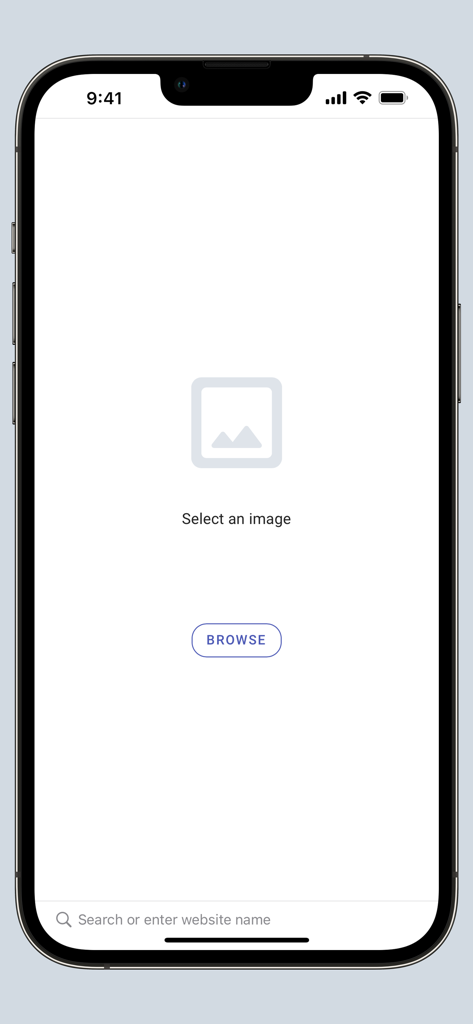
Search by Image for Safari - 탐색 및 이미지 선택 화면을 보여주는 iPhone의 Safari용 이미지 검색 앱 인터페이스
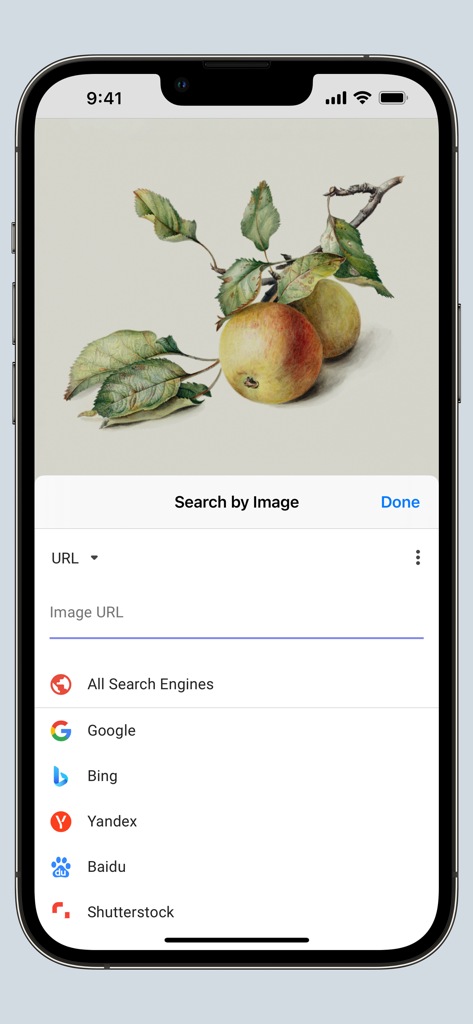
탐색 및 이미지 선택 화면을 보여주는 iPhone의 Safari용 이미지 검색 앱 인터페이스

Search by Image for Safari - iPhone에서 검색 엔진 옵션이 있는 Safari용 이미지 검색 앱 인터페이스
iPhone에서 검색 엔진 옵션이 있는 Safari용 이미지 검색 앱 인터페이스

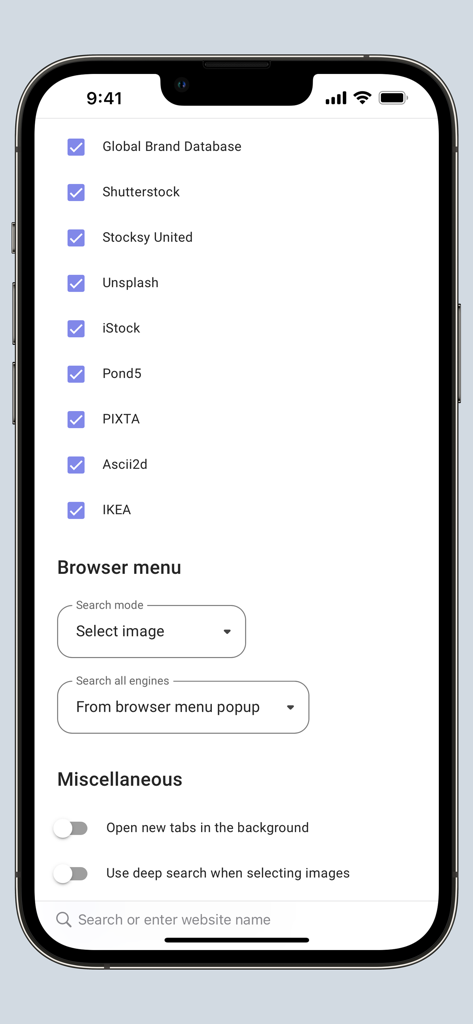
Search by Image for Safari - 검색 엔진 옵션 및 브라우저 구성을 보여주는 Safari용 이미지 검색 확장 기능의 설정 화면

검색 엔진 옵션 및 브라우저 구성을 보여주는 Safari용 이미지 검색 확장 기능의 설정 화면

설명

Search by Image is a powerful browser extension for Safari that makes effortless reverse image searches possible, and comes with support for more than 30 search engines, such as Google, Bing, Yandex, Baidu and TinEye. Search by Image is an open source project made possible thanks to a community of awesome supporters. By purchasing the extension on the App Store, you help support the continued development of the extension. The extension helps journalists and researchers verify the authenticity of images, and assists in the identification of false information on social media. Search by Image is also popular among photographers, helping artists explore how their work is shared on the web, while shoppers find it valuable for discovering similar products at discounted prices. The extension enables you to search for images from the browser menu with the help of a diverse set of reverse image search engines, which can be toggled and reordered from the extension's options. Visit the wiki for the full list of supported search engines. https://github.com/dessant/search-by-image/wiki/Search-engines PRO TIPS: • Search with an image by sharing it from Files or Photos. • Tap the Share button in the extension modal to extract an image from a web page and share it to other apps, such as Messages or Notes. You may choose to allow the extension to run on every website, or grant access to the current website before a search. When you grant access only to the current website, access must also be granted to each search engine in order to view search results. Images positioned at the selected area are detected regardless of how they were embedded in the page. The extension also supports searching with images from your device, and images from private sites. A handful of search modes are offered that serve different use cases. The search mode can be configured from the extension's options. Search modes: • Select URL: select an image on the page and search with the image URL. This is the default search mode. • Select image: select an image on the page and search with the image file. This search mode is preferred for sites which do not allow the direct linking of images, such as private sites. • Browse: search with an image from your device. Pasting images from the clipboard is also supported. • URL: search with an image URL. Reviews are not monitored for bug reports, please visit the support page to report issues and submit feature requests.

Download

다운로드: App Store

이 페이지는 앱이나 개발자의 공식 페이지가 아니며, 정보 제공 및 논평을 목적으로 작성된 독립 편집 간행물입니다. 명시적으로 달리 언급되지 않는 한, 해당 앱이나 개발자는 MWM, Apple, Google Play, 앱 퍼블리셔 또는 앱 개발자와 제휴, 보증, 후원, 승인 또는 공식적으로 연결되어 있지 않으며, 이 페이지의 어떤 내용도 해당 앱이 MWM의 서비스를 사용하여 개발되었음을 의미하지 않습니다. 모든 상표, 로고, 스크린샷 및 기타 콘텐츠는 해당 소유자의 자산입니다.








