Signature Creator: Signing app

Signature Creator: Signing app

다운로드: App Store
로고: Signature Creator: Signing app

서명 생성기: 서명 앱 – 즉시 서명, 전송 및 계약 완료

프린터를 버리고 종이 없는 생활을 시작하세요. iPhone 또는 iPad에서 전문적인 손글씨 서명을 만들고, 문서를 스캔하고, PDF에 즉시 서명하세요.

개발사

CRECODE IT PROFESSIONALS (Private) Limited

카테고리

Productivity

다운로드

1K+

사용자 평점

4.0/5

총 평가 수

0

지원 언어

33

간편함을 경험하세요

이 인터페이스를 사용하는 1K+ 명의 사용자.

서명을 그리거나 자동 생성하거나 스캔하는 옵션이 있는 Signature Maker 앱 대시보드
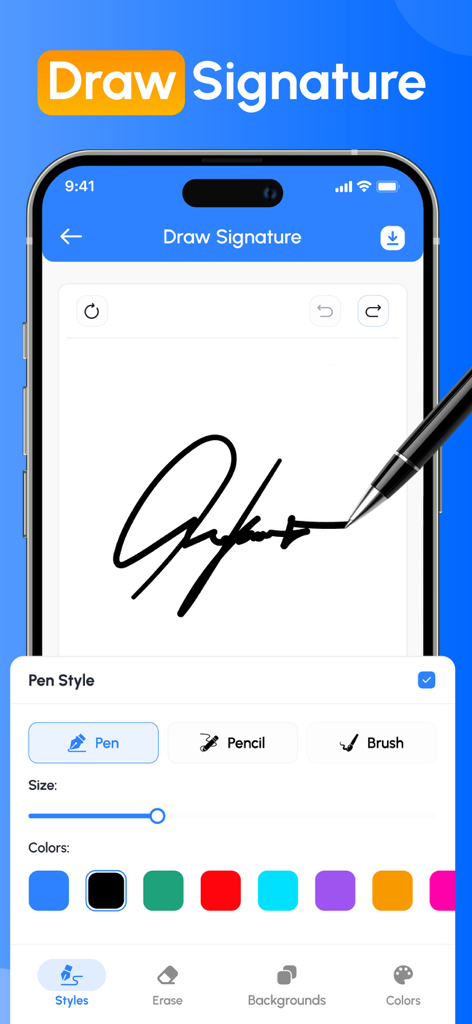
서명을 그리거나 자동 생성하거나 스캔하는 옵션이 있는 Signature Maker 앱 대시보드

사용자 정의 가능한 펜 스타일과 색상으로 손글씨 서명을 그리고 있는 모바일 앱 화면
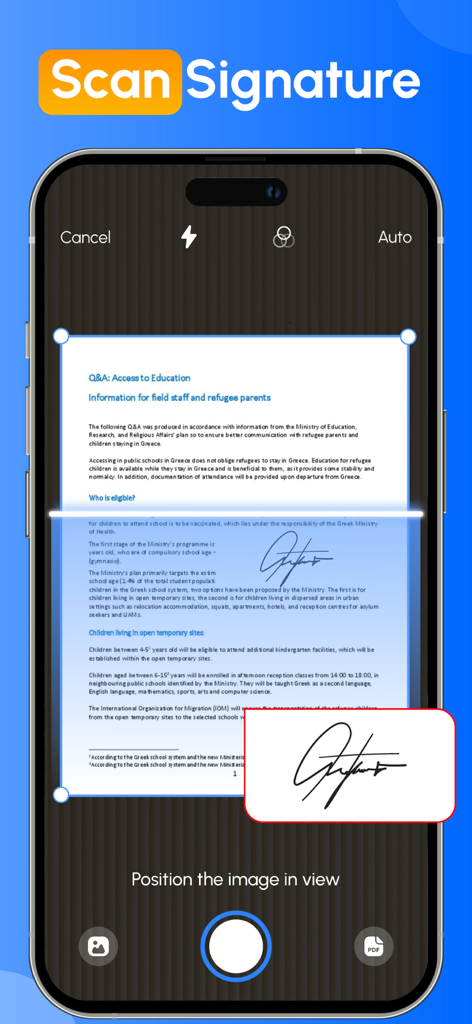
사용자 정의 가능한 펜 스타일과 색상으로 손글씨 서명을 그리고 있는 모바일 앱 화면

종이 문서에서 손글씨 서명을 스캔하는 카메라를 사용하고 있는 스마트폰 화면
종이 문서에서 손글씨 서명을 스캔하는 카메라를 사용하고 있는 스마트폰 화면

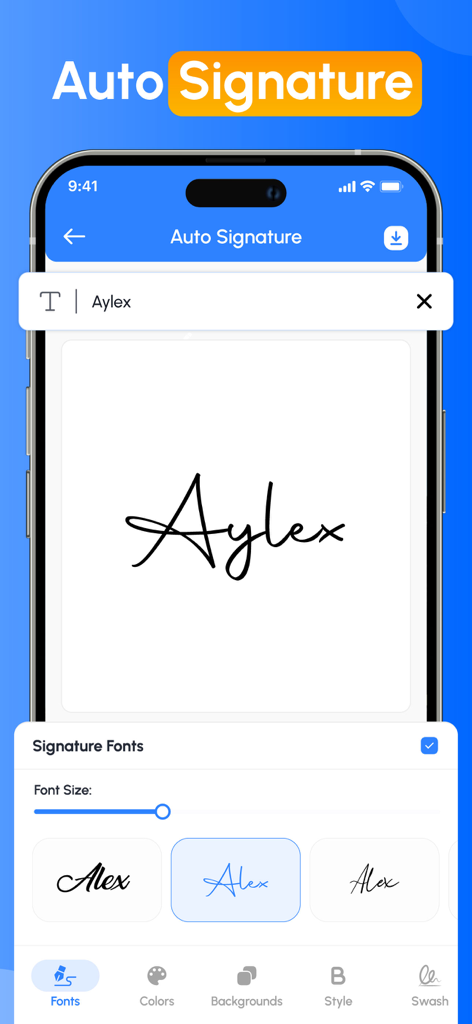
자동 서명을 만들기 위한 다양한 손글씨 폰트 스타일을 보여주는 Signature Creator 앱의 인터페이스
자동 서명을 만들기 위한 다양한 손글씨 폰트 스타일을 보여주는 Signature Creator 앱의 인터페이스

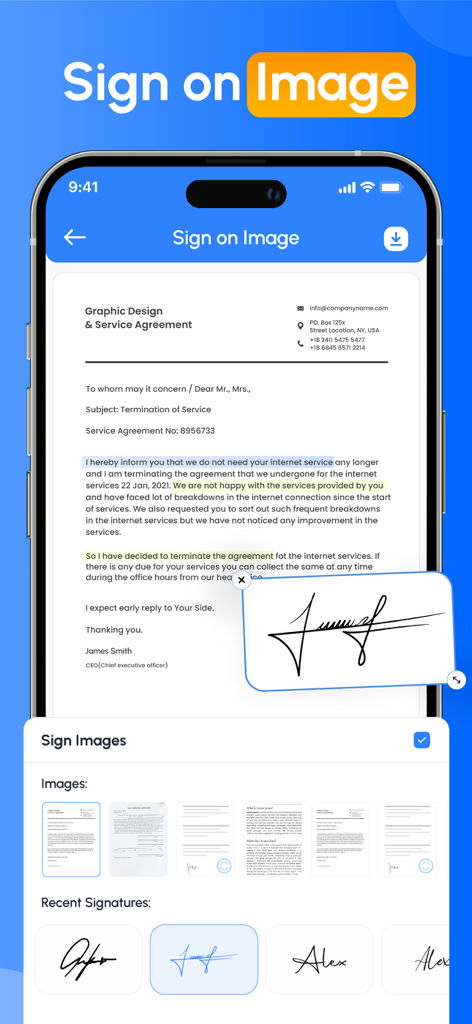
문서에 적용된 전문 서비스 계약서와 디지털 손글씨 서명을 표시하는 스마트폰 인터페이스
문서에 적용된 전문 서비스 계약서와 디지털 손글씨 서명을 표시하는 스마트폰 인터페이스

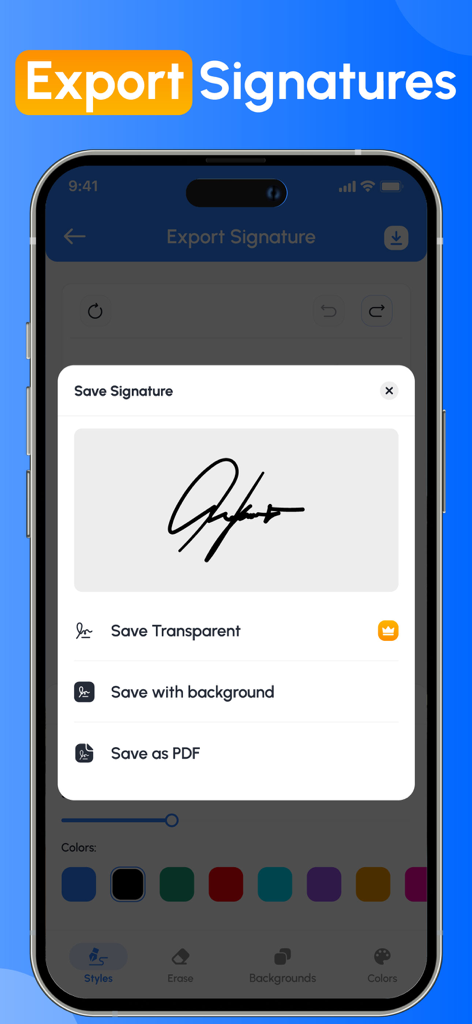
투명 이미지, 배경 포함 또는 PDF로 디지털 서명을 저장하는 옵션을 보여주는 Signature Creator 앱의 인터페이스
투명 이미지, 배경 포함 또는 PDF로 디지털 서명을 저장하는 옵션을 보여주는 Signature Creator 앱의 인터페이스

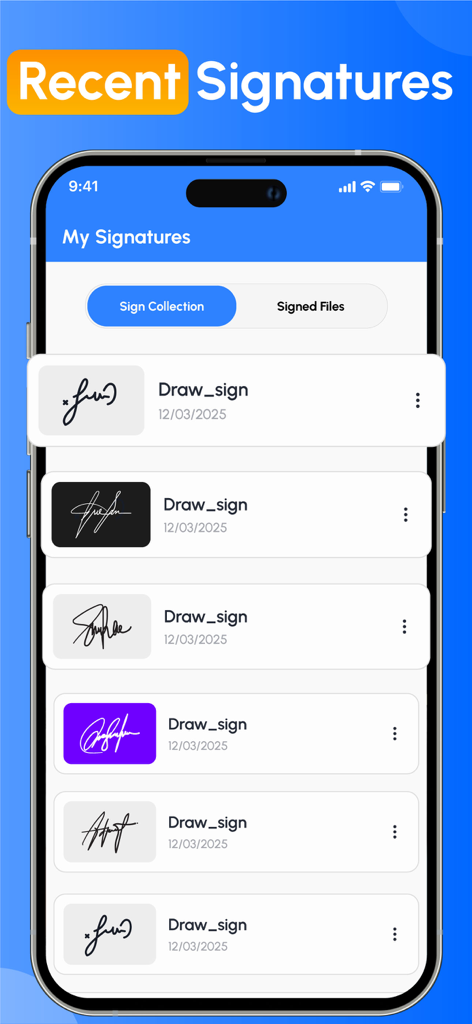
Signature Creator 앱 인터페이스 내에서 다양한 스타일과 배경색으로 저장된 디지털 서명 목록.

Signature Creator 앱 인터페이스 내에서 다양한 스타일과 배경색으로 저장된 디지털 서명 목록.

현대 전문가를 위한 손쉬운 서명

이 앱을 돋보이게 하는 도구, 1K+ 명의 사용자가 선택.

즉각적인 원터치 서명

손가락이나 Apple Pencil로 화면에서 직접 계약서 및 양식에 서명하여 거래를 더 빨리 완료하세요. 별도의 하드웨어가 필요 없습니다.

✍️

사용자 정의 전문 브랜딩

조절 가능한 스타일과 색상으로 고유한 디지털 서명을 디자인하여 서명이 당신만큼 전문적으로 보이도록 하세요.

📁

스캔 및 어디서든 재사용

손글씨 서명을 안전하게 스캔하고 모든 PDF, 클라우드 문서 및 사무 워크플로에서 즉시 사용할 수 있도록 저장하세요.

앱 소개

에 대해 알아야 할 모든 것 Signature Creator: Signing app.

설명

Forget the hassle of printing, scanning, and complicated e signature app processes! With the Signature Maker app, you can sign any document file in just a few clicks, easy and stress-free. Just tap or click to sign with your finger. Easily add your e signature app, dates, and any other text to your document, then instantly create a signed PDF that's ready to share or store. No more paperwork, no more delays, just a quick and secure signature at your fingertips. This app provides the user with the easiest way to sign PDF or document without the need of any physical paper and pen.signature creator & Signature Maker app gives you all the features you need for your everyday signature needs. Key Features of Sign Maker App - Create handwritten signatures with a custom autograph editor - Scan your signature directly from your device camera. - Auto-sign your document by just entering your name in the text box provided. - Customise your signature with unique backgrounds to make it more enhanced. - Adjust colour, size, rotation and style to design the perfect digital signature. - Save your official signature to reuse in multiple Documents. Simplify your workflow with Fill by reusing commonly used signatures or text. Customise your signature text for quick access. See How Signature Maker Works to Simplify Your Life - Import documents from your device. - Add a e signature app to your given document. - Save your file and share it wherever you want This document and PDF signer saves your valuable time. It is also very useful for users who want to create their own digital signature using the autograph signature creator tool. Want to build your own electronic signature feature, this is the perfect solution for anyone who needs a reliable e-signature tool. Apart from this, this app also allows you to reuse your old signature. Our Benefits ◉ Create your name in style and sign it in your personal or professional document. ◉ Sign your official contracts with just a single tap on your mobile screen. ◉ Create your own signature without the need for pen or paper Just scan, fill out any form, sign, and send quickly to others. ◉ Transfer files to multiple recipients in a variety of ways, such as direct downloads of files in other formats, or sharing folders. ◉ The Signature Maker app gives you the flexibility to share your completed files when needed. ◉ Invites Your Families, Friends or colleagues to fill & sign document files in seconds. Close your important deals with the easiest and fastest process that requires a signature. Get things done quickly, safely and hassle-free, so you can focus on what matters most. From personal autographs to professional document signing, the app offers everything you need. You can also import the related image of your signature creator into a PDF or document file using the Signature Maker app. Download the Signature Maker app now! And easily create your own electronic signatures and easily share signed documents on all social media platforms. Privacy policy: https://crecode.uk/privacy-policy/ Terms of use: https://crecode.uk/terms-of-use/

최신 버전

1.7

크기

26.8 MB

출시일

2025년 6월 2일

다음 중요한 계약에 서명할 준비가 되셨나요?

프린터를 영원히 버리고 수천 명의 전문가들과 함께 즉시 서명, 전송 및 성공을 경험하세요. 지금 Signature Maker를 다운로드하고 어디서든 비즈니스를 계속 진행하세요.

다운로드: App Store

App information, icons, screenshots, and descriptions displayed on this page are sourced from the Apple App Store and are the property of their respective developers. Download estimates and rankings are based on MWM's proprietary models and may not reflect actual figures. This page is provided for informational and analytical purposes only.

Believe this page infringes your intellectual property? File a dispute