Simple Shifts
Simple Shifts
다운로드: App Store

이 페이지는 앱이나 개발자의 공식 페이지가 아니며, 정보 제공 및 논평을 목적으로 작성된 독립 편집 간행물입니다. 명시적으로 달리 언급되지 않는 한, 해당 앱이나 개발자는 MWM, Apple, Google Play, 앱 퍼블리셔 또는 앱 개발자와 제휴, 보증, 후원, 승인 또는 공식적으로 연결되어 있지 않으며, 이 페이지의 어떤 내용도 해당 앱이 MWM의 서비스를 사용하여 개발되었음을 의미하지 않습니다. 모든 상표, 로고, 스크린샷 및 기타 콘텐츠는 해당 소유자의 자산입니다.


로고: Simple Shifts
다운로드: App Store

Simple Shifts

도착하는 순간 자동으로 출퇴근 처리되는 간편한 지오펜싱. 구독도, 광고도 없이, 월별 수수료 없이 근무, 송장, 메모를 관리하는 더 스마트한 방법입니다.

주요 수치

다운로드

0

사용자 평점

1.0/5

총 평가 수

0

개발사

16088163 Canada Inc.

카테고리

Productivity

지원 언어

1

최신 버전

2.2

크기

4.1 MB

출시일

2025년 8월 17일
기능

바쁜 일상을 위한 간편한 추적

수동 기록에 시간 낭비는 그만하세요. Simple Shifts는 스마트 지오펜싱과 구독료 없이 하루 일과를 자동화합니다.

자동 지오펜싱

다시는 출근 기록을 잊지 마세요. 배터리 효율적인 기술로 직장에 들어서는 순간 자동으로 근무 시간을 추적합니다.

영원한 구독 무료

월별 요금, 숨겨진 비용, 광고가 전혀 없습니다. 현대적인 시간제 근로자를 위해 특별히 설계된 전문 도구를 소유하세요.

다음 스크린샷과 설명은 앱의 공식 스토어 목록에서 직접 가져온 것이며 앱 개발자의 자산입니다.

앱 스토어

스크린샷
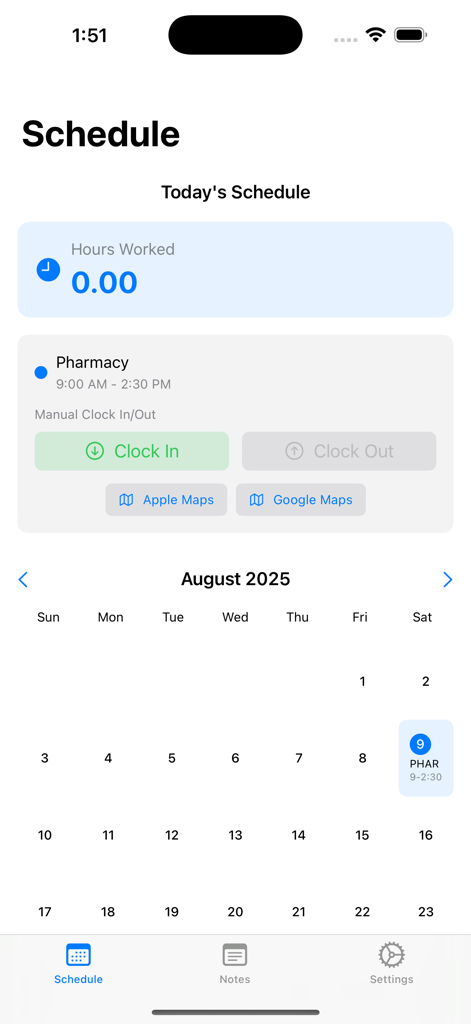
Simple Shifts - Simple Shifts 앱 인터페이스가 달력과 수동 출퇴근 버튼이 있는 근무 일정표를 보여줍니다.
Simple Shifts 앱 인터페이스가 달력과 수동 출퇴근 버튼이 있는 근무 일정표를 보여줍니다.

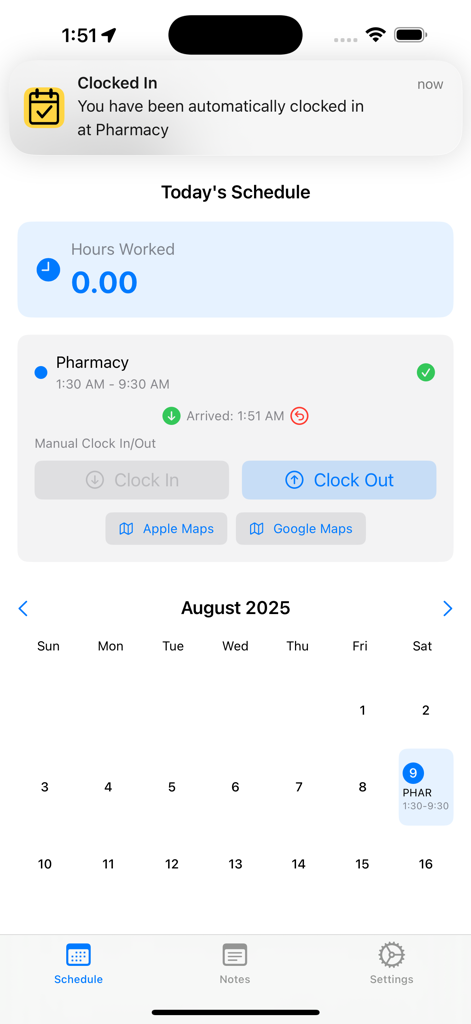
Simple Shifts - Simple Shifts 앱 인터페이스가 자동 출근 알림과 오늘의 근무 일정을 보여줍니다.
Simple Shifts 앱 인터페이스가 자동 출근 알림과 오늘의 근무 일정을 보여줍니다.

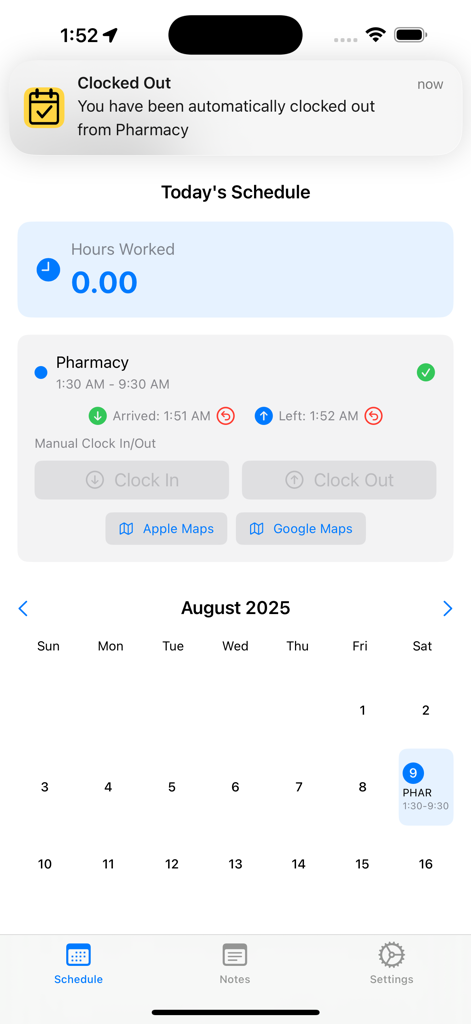
Simple Shifts - Simple Shifts 앱 화면이 자동 퇴근 알림과 도착 및 출발 시간이 있는 일정을 보여줍니다.
Simple Shifts 앱 화면이 자동 퇴근 알림과 도착 및 출발 시간이 있는 일정을 보여줍니다.

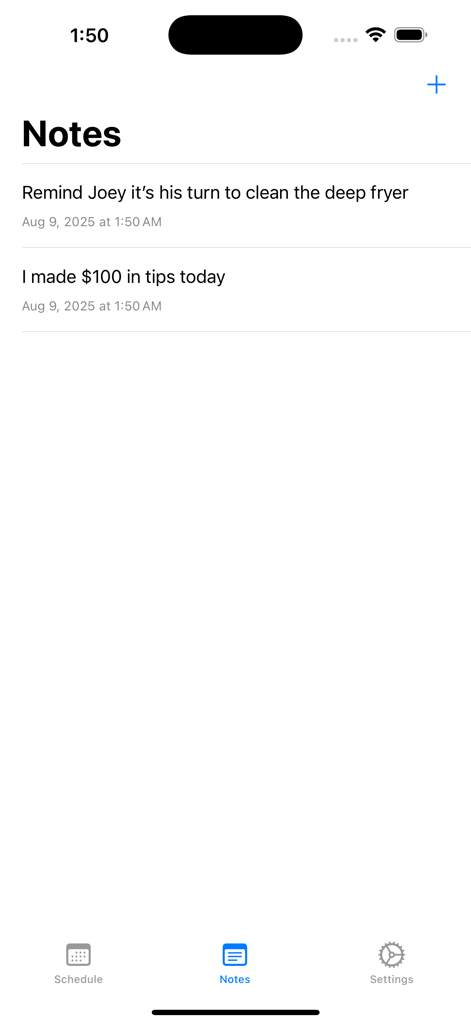
Simple Shifts - Simple Shifts 앱의 메모 화면에 근무 알림 및 팁 기록이 표시됩니다.
Simple Shifts 앱의 메모 화면에 근무 알림 및 팁 기록이 표시됩니다.

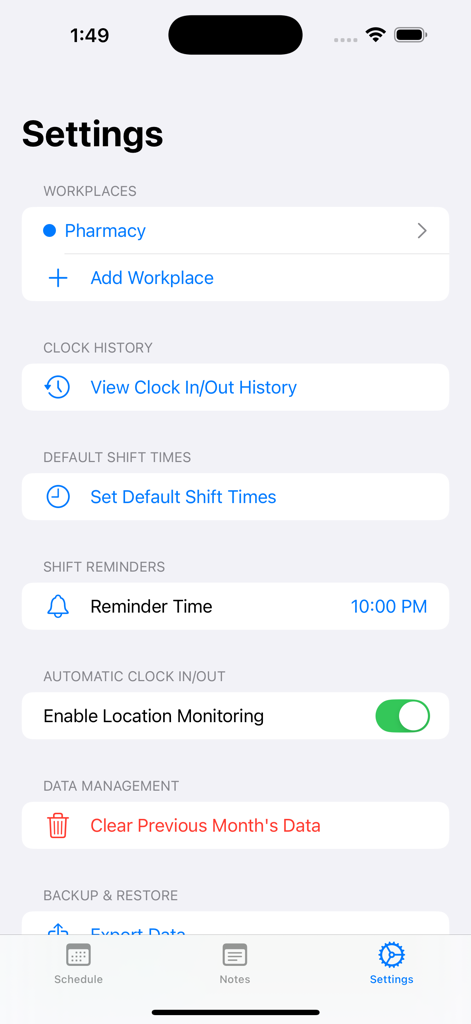
Simple Shifts - Simple Shifts 앱의 설정 화면에 근무지 관리 및 자동 출퇴근 옵션이 표시됩니다.
Simple Shifts 앱의 설정 화면에 근무지 관리 및 자동 출퇴근 옵션이 표시됩니다.

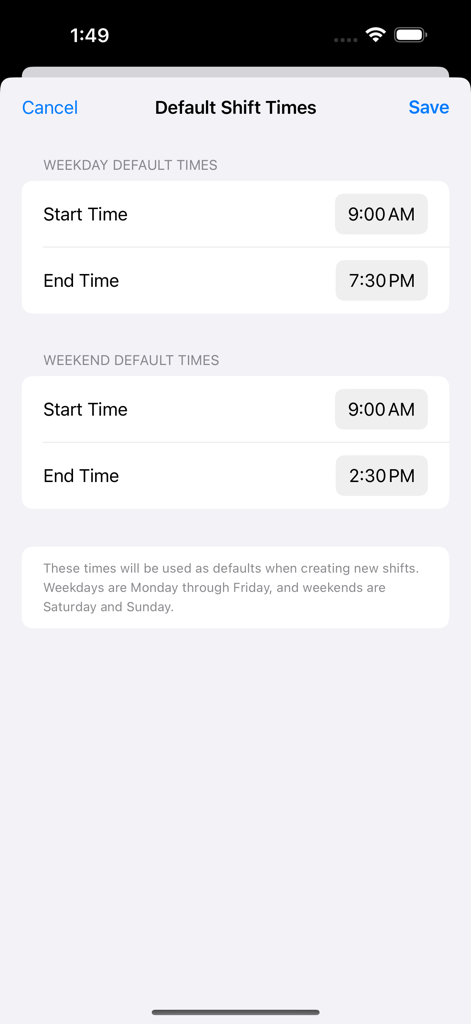
Simple Shifts - Simple Shifts 앱의 기본 근무 시간 설정 화면에 주중 및 주말 시작 및 종료 시간 설정이 표시됩니다.
Simple Shifts 앱의 기본 근무 시간 설정 화면에 주중 및 주말 시작 및 종료 시간 설정이 표시됩니다.

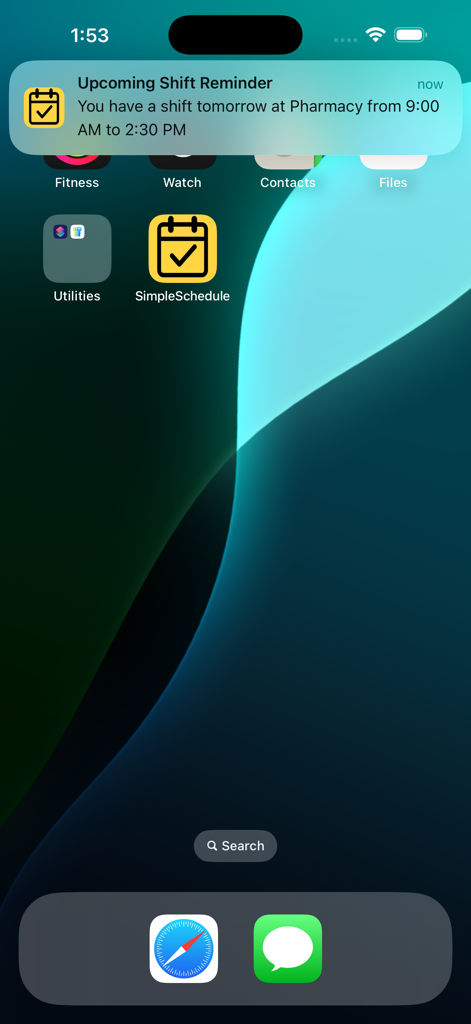
Simple Shifts - Simple Shifts의 근무 알림이 있는 iPhone 홈 화면

Simple Shifts의 근무 알림이 있는 iPhone 홈 화면

설명

Easily track your hours with automatic clock in and out when arriving and leaving work! Simple Shifts is for anyone who wants to effortlessly keep track of their work hours. No subscriptions and ad-free! On the Schedule tab, simply tap and hold on any day of the week to add the start and end times of your shift along with your workplace. It will be entered into the calendar and you'll be reminded of your shift the day before the shift starts. When you arrive for your shift, you will be automatically clocked in upon your arrival and you will be automatically clocked out upon your departure for accurate hour calculations - just make sure to enter your work's address accurately in the Settings tab (see below) and that Location Access is set to ALWAYS in iPhone's Settings The Notes tab provides an opportunity to make shift notes before, during, and after shifts to refer to later on if needed. The newly added Invoice History tab allows you to view a list of invoices previously submitted. The Settings tab is where you have control over several aspects of the app: 1. You can enter multiple workplaces and their addresses (as well as abbreviations which appear on the calendar) 2. Clock in/out history 3. Default shift times so that you don't have to keep entering the same time over and over again on the calendar 4. Shift reminder time. You will be reminded of your upcoming shift at this time a day before the shift starts. 5. Location Monitoring - This must be turned on and Location Access in iPhone's Setting menu must be set to ALWAYS in order for automatic clock in and out to work properly. 6. Clear previous months' shifts. 7. You can manually import and export data for use later on. Please note that this app uses GPS and that Location Access must be set to ALWAYS for automatic clock in and clock out to work. If you prefer, you can disable it and manually clock in and manually clock out. This app does not use constant GPS live location tracking. It uses geofencing which only activates the GPS once the boundary to your workplace is crossed. This ensures minimal battery impact, even when running in the background. This app automatically uploads data to iCloud. This makes it easy to switch to new devices while keeping all your data. You also don't have to worry if your app gets accidentally deleted. You also have the option of manually saving your data anywhere you like.

Download

다운로드: App Store

이 페이지는 앱이나 개발자의 공식 페이지가 아니며, 정보 제공 및 논평을 목적으로 작성된 독립 편집 간행물입니다. 명시적으로 달리 언급되지 않는 한, 해당 앱이나 개발자는 MWM, Apple, Google Play, 앱 퍼블리셔 또는 앱 개발자와 제휴, 보증, 후원, 승인 또는 공식적으로 연결되어 있지 않으며, 이 페이지의 어떤 내용도 해당 앱이 MWM의 서비스를 사용하여 개발되었음을 의미하지 않습니다. 모든 상표, 로고, 스크린샷 및 기타 콘텐츠는 해당 소유자의 자산입니다.








