Sketch Pad 3
Sketch Pad 3
다운로드: App Store

이 페이지는 앱이나 개발자의 공식 페이지가 아니며, 정보 제공 및 논평을 목적으로 작성된 독립 편집 간행물입니다. 명시적으로 달리 언급되지 않는 한, 해당 앱이나 개발자는 MWM, Apple, Google Play, 앱 퍼블리셔 또는 앱 개발자와 제휴, 보증, 후원, 승인 또는 공식적으로 연결되어 있지 않으며, 이 페이지의 어떤 내용도 해당 앱이 MWM의 서비스를 사용하여 개발되었음을 의미하지 않습니다. 모든 상표, 로고, 스크린샷 및 기타 콘텐츠는 해당 소유자의 자산입니다.

로고: Sketch Pad 3
다운로드: App Store

Sketch Pad 3

종이 법률 용지를 가볍고 방해 없는 작업 공간으로 교체하세요. 복잡함을 버리고 학습 곡선 없이 스케치, 메모, 생각 정리를 시작하세요.

주요 수치

다운로드

215K+

사용자 평점

3.9/5

총 평가 수

2K+

개발사

Catalystwo Limited

카테고리

Productivity

지원 언어

2

최신 버전

3.9.10

크기

27.2 MB

출시일

2011년 4월 20일
기능

iPad를 파워 패드로 변환하세요

종이 낭비를 줄이세요. Sketch Pad 3는 시각적으로 생각하고 빠르게 행동해야 하는 바쁜 전문가와 크리에이터를 위해 설계된 방해 없는 환경을 제공합니다.

즉각적인 시각적 캡처

마찰 없는 도구와 아이디어와 함께 성장하는 무제한 캔버스로 영감이 떠오르는 순간 스케치를 시작하세요.

스마트 워크플로우 통합

알람을 스케치에 할당하고 생각을 프로젝트별 폴더로 정리하여 노트와 작업 간의 격차를 해소하세요.

다음 스크린샷과 설명은 앱의 공식 스토어 목록에서 직접 가져온 것이며 앱 개발자의 자산입니다.

앱 스토어

스크린샷
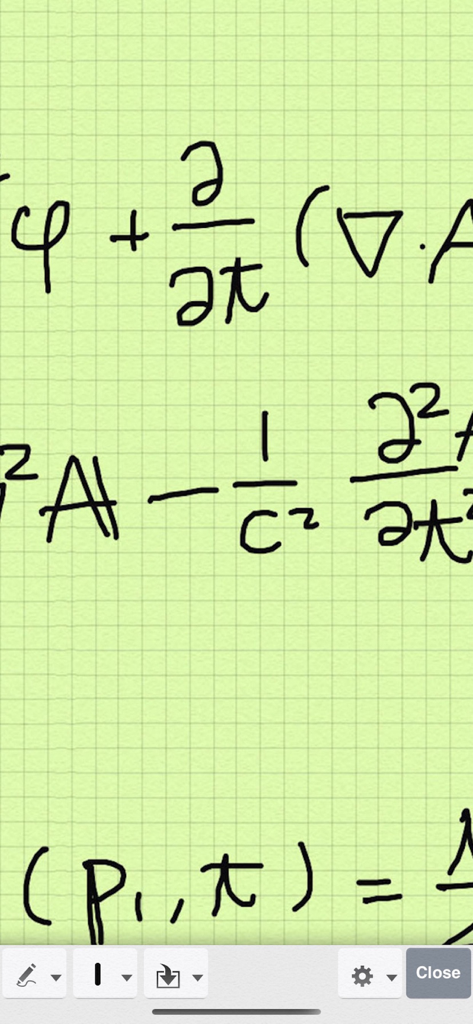
Sketch Pad 3 - Sketch Pad 3 디지털 메모장 앱의 녹색 그리드 배경에 손으로 쓴 수학 공식
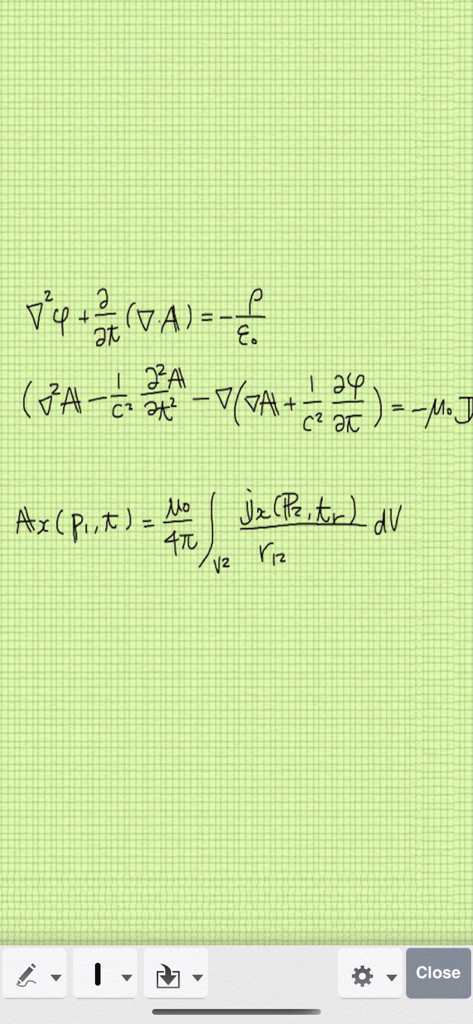
Sketch Pad 3 디지털 메모장 앱의 녹색 그리드 배경에 손으로 쓴 수학 공식

Sketch Pad 3 - 녹색 디지털 그리드 종이 배경에 손으로 쓴 물리학 방정식

녹색 디지털 그리드 종이 배경에 손으로 쓴 물리학 방정식

설명

Thank you for all your support. Sketch Pad has now been downloaded more than 1,200,000 times Best app ever - Love it … by Syd-a-ney Excellent app. Very useful…. by Fettner Very useful for taking notes with the addition of adding pictures to them… by J Allard Best notes application EVER!….. by KunovicIvan Best doodle app... simple and intuitive. This one is excellent… by Macnd62478 Are you artistic or creative? Use Sketch Pad 3 on your iPad to: .... doodle, sketch or draw .... write lists or memos .... jot down notes during lectures .... share your inspirational thoughts with friends (Also available on iPhone and iPod touch) Sketch Pad doesn't waste precious paper and is quick, simple and fun from pre-school to retirement. Use your finger as a pen and choose: .... 3 pen-stroke sizes. .... 7 colors for iPad (4 for iPhone/iPod touch) .... erase all or portions of your drawing or list if you make a mistake or change your mind. .... unlimited edits of pen-strokes with undo and redo functions. .... zoom in/ zoom out simply by pinching in any mode, or double tap in scroll mode. .... cut and paste. .... drag stroke. Sketch Pad automatically saves your work on closing the application so you can instantly continue next time you open Sketch Pad. *** FEATURES *** - Unlimited canvas size - Trackpad for easy scrolling - Customizable grid lines - Customizable background colour - Smooth line with rounded ends - Organizing document folders - Export to Twitter, Evernote, Google docs, Picasa, Dropbox, PDF, Air-Printing compatible printer, other apps, email, photo library and Mac. - Flag a sketch or note - Assign Alarm to a sketch or note - Palm Rest (ideal for stylus users)... Fully adjustable for either right handed or left handed users (iPad only) - Two finger scrolling in writing mode - Zooming in/out by double tapping in browse mode - Zooming by pinching gesture can also be selectable *** TIPS *** Use two fingers and swipe the screen to scroll in Pen mode. Use Palm Rest so you don't get unwanted imprints. ==== *** Because of bugs in iOS 5, iPad 3rd generation with Retina Display model requires free upgrade to iOS 6 to use this app. It works correctly on other devices with iOS 5. You don't have to upgrade to iOS 6 if you are not using iPad 3. iCloud sync function is no longer supported from v3.7. Floating toolbar feature has been removed from v3.7. Version 3.6.1 had a bug in which ** free ** version crashed. (c) iStokcphoto 2833639

Download

다운로드: App Store

이 페이지는 앱이나 개발자의 공식 페이지가 아니며, 정보 제공 및 논평을 목적으로 작성된 독립 편집 간행물입니다. 명시적으로 달리 언급되지 않는 한, 해당 앱이나 개발자는 MWM, Apple, Google Play, 앱 퍼블리셔 또는 앱 개발자와 제휴, 보증, 후원, 승인 또는 공식적으로 연결되어 있지 않으며, 이 페이지의 어떤 내용도 해당 앱이 MWM의 서비스를 사용하여 개발되었음을 의미하지 않습니다. 모든 상표, 로고, 스크린샷 및 기타 콘텐츠는 해당 소유자의 자산입니다.








