이 페이지는 앱이나 개발자의 공식 페이지가 아니며, 정보 제공 및 논평을 목적으로 작성된 독립 편집 간행물입니다. 명시적으로 달리 언급되지 않는 한, 해당 앱이나 개발자는 MWM, Apple, Google Play, 앱 퍼블리셔 또는 앱 개발자와 제휴, 보증, 후원, 승인 또는 공식적으로 연결되어 있지 않으며, 이 페이지의 어떤 내용도 해당 앱이 MWM의 서비스를 사용하여 개발되었음을 의미하지 않습니다. 모든 상표, 로고, 스크린샷 및 기타 콘텐츠는 해당 소유자의 자산입니다.
Snippety - Snippets Manager
스마트 자리 표시자와 AI 통합으로 반복적인 입력을 자동화하세요. 단 한 번의 일회성 구매로 iPhone, iPad 및 Mac 전체에서 개인 라이브러리를 동기화하세요. 구독은 필요하지 않습니다.
주요 수치
다운로드
5K+
사용자 평점
4.8/5
총 평가 수
100
개발사
Wojciech Kulik
카테고리
Productivity
지원 언어
1
최신 버전
9.1.47
크기
28.0 MB
출시일
2020년 9월 8일
기능
효율성을 높이세요
시간을 소중히 여기는 전문가를 위한 궁극의 툴킷입니다. 반복적인 입력을 자동화하고, AI의 힘을 활용하며, 모든 Apple 생태계에서 워크플로우를 동기화하세요.
즉각적인 텍스트 확장
전용 Snippety 키보드를 사용하여 짧은 키워드를 전체 템플릿, 코드 블록 또는 이메일로 즉시 전환하세요.
통합 AI 어시스턴트
앱을 전환하지 않고 모든 텍스트 필드에서 직접 전문적인 답변을 작성하고, 오타를 수정하고, 텍스트를 요약하세요.
다음 스크린샷과 설명은 앱의 공식 스토어 목록에서 직접 가져온 것이며 앱 개발자의 자산입니다.
앱 스토어
스크린샷
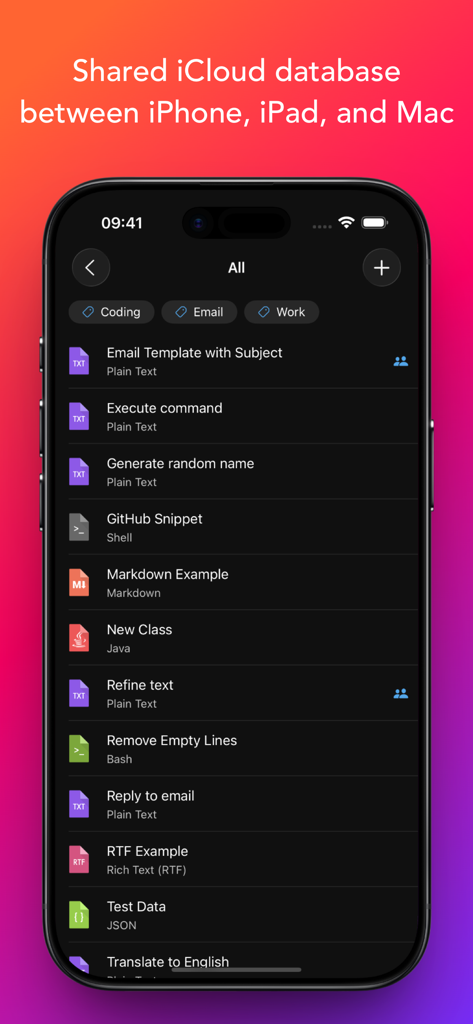
Snippety 앱이 iCloud 동기화 헤더가 있는 텍스트 및 코드 조각 목록을 표시하는 iPhone.
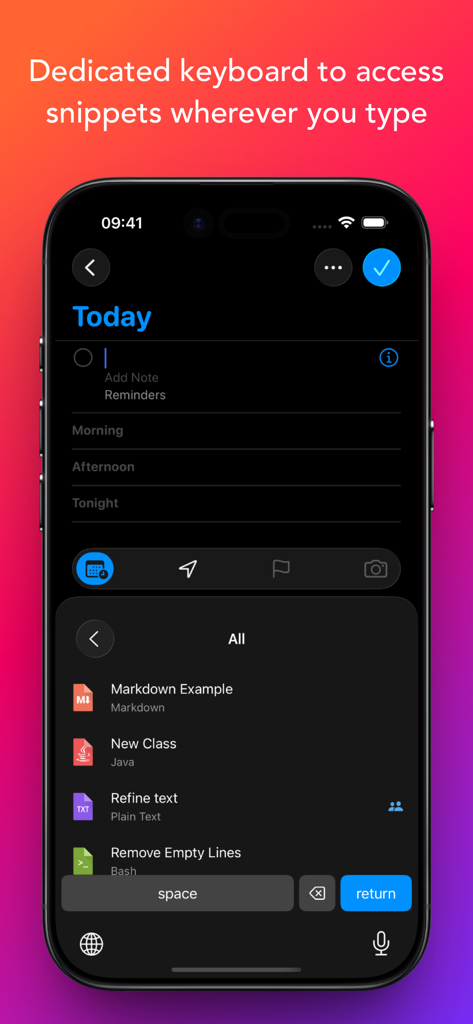
Snippety 사용자 지정 키보드가 쉬운 삽입을 위해 저장된 조각 목록을 표시하는 iPhone 스크린샷
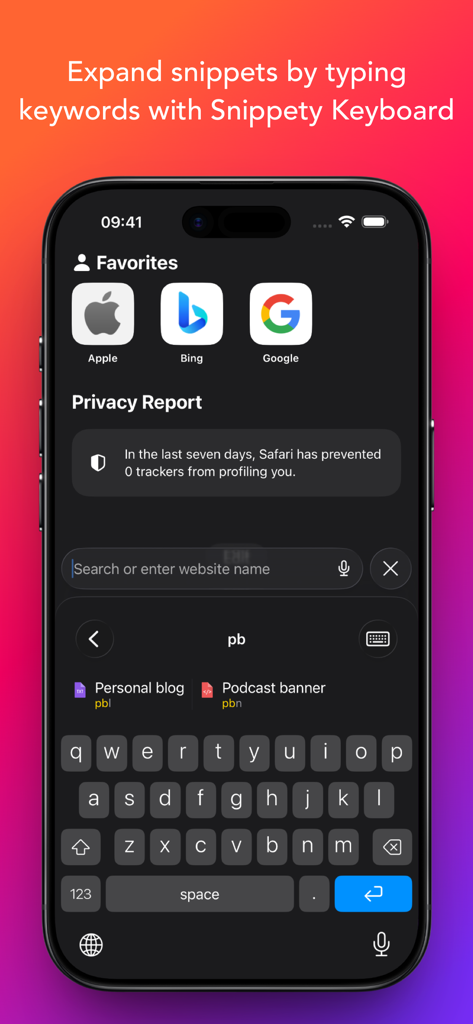
Snippety 사용자 지정 키보드가 짧은 키워드를 입력하여 조각을 확장하는 것을 보여주는 iPhone 화면
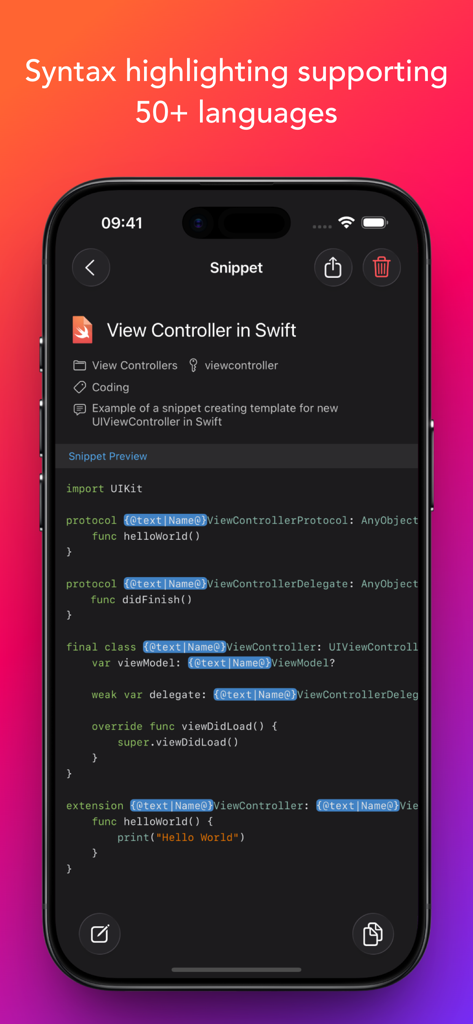
Snippety 앱이 iPhone에서 구문 강조 표시가 있는 Swift 코드 조각을 표시합니다.
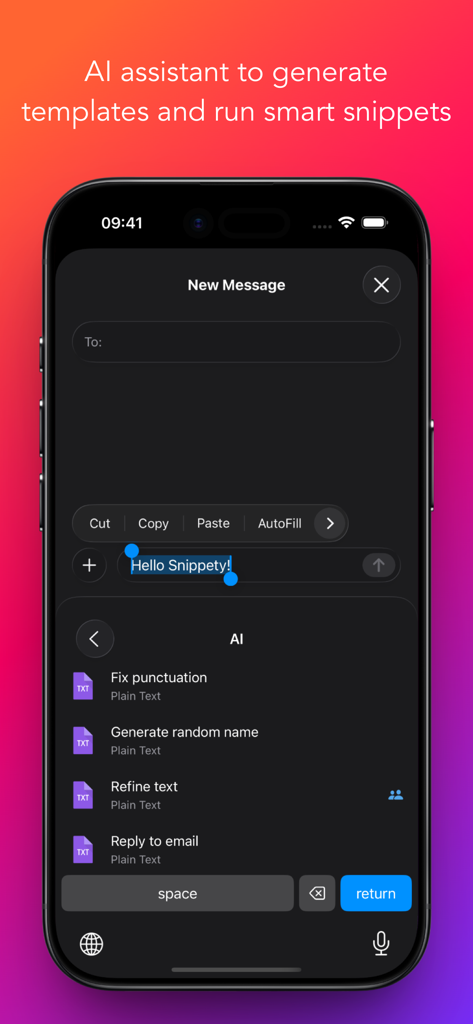
Snippety 키보드가 iPhone에서 구두점 수정 및 텍스트 다듬기와 같은 AI 어시스턴트 옵션을 표시합니다.
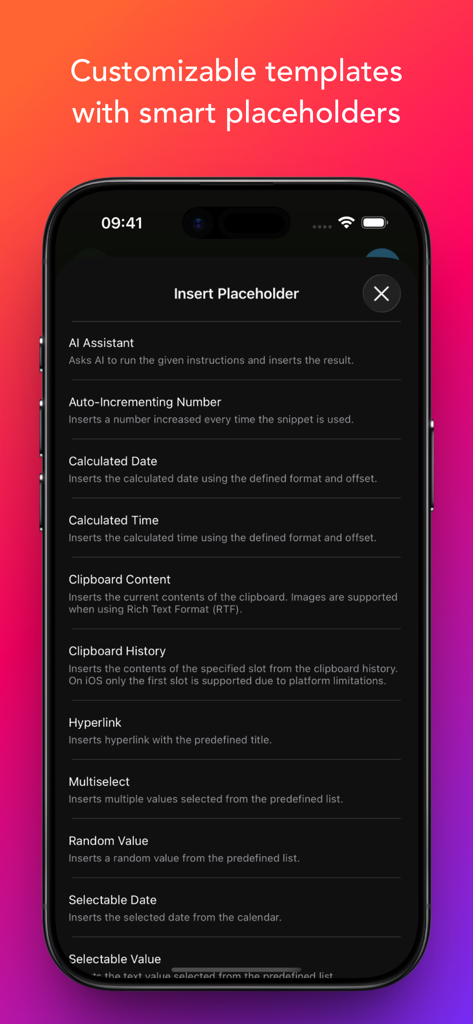
AI 어시스턴트 및 계산된 날짜를 포함한 스마트 자리 표시자 옵션 목록이 Snippety 앱에 표시됩니다.
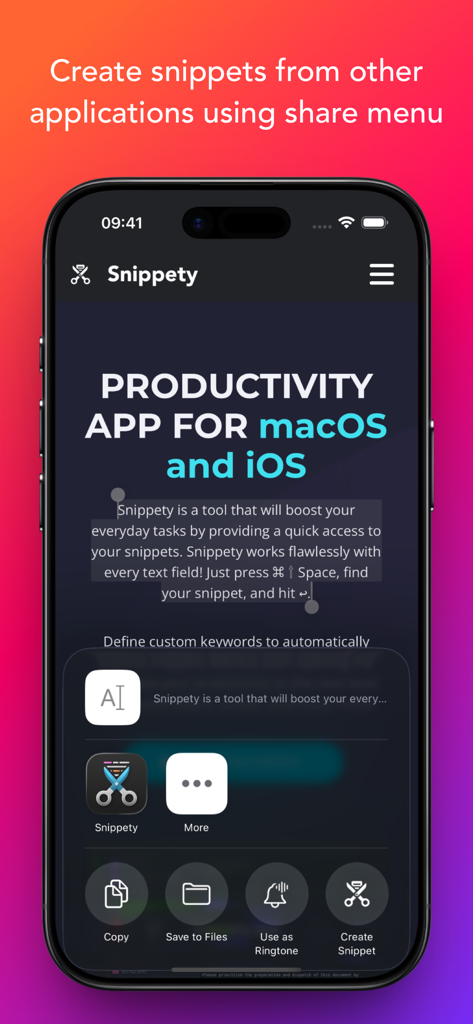
다른 애플리케이션에서 조각을 만들기 위해 Snippety 앱을 iOS 공유 메뉴 내에 통합하는 인터페이스.
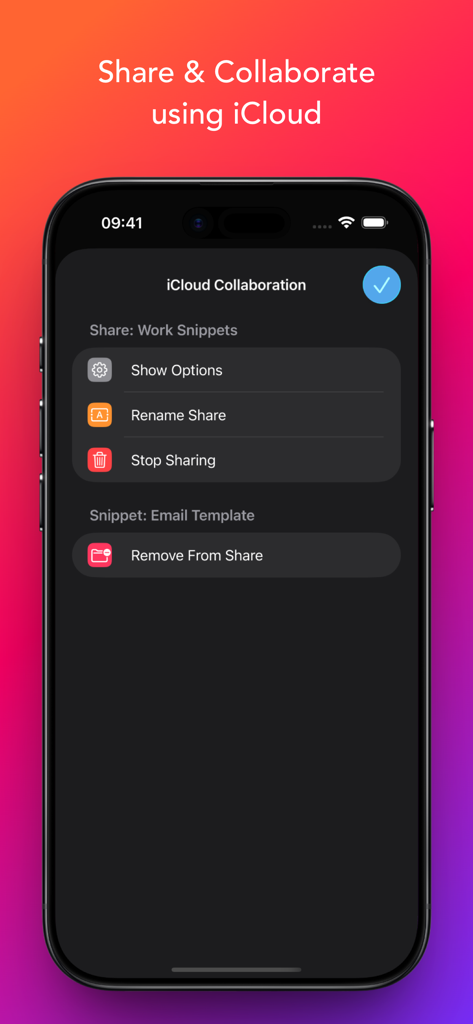
Snippety 앱 내에서 iCloud를 사용하여 조각을 공유하고 공동 작업하기 위한 인터페이스.
설명
Snippety boosts productivity by providing instant access to your snippets. Create reusable templates from frequently used sentences, code fragments, email templates, test data, and more.
Snippety integrates seamlessly with any text field. Simply install the Snippety Keyboard and switch to it while typing. You can also create snippets directly from selected text using the share menu.
The app uses iCloud to synchronize your database across all devices: iPhone, iPad, and Mac. Install Snippety on all your devices and experience an immediate productivity boost!
Instruct Snippety to generate templates or insert placeholders automatically. Create smart snippets with the AI Assistant, and have it fix typos, summarize text, translate, or even reply to emails. Soon, you won't be able to live without your personalized collection of smart snippets.
NOTE: Snippety Keyboard works with snippets in any language, but the keyboard itself allows typing English letters only. Keyboard input is used to fill placeholders, search, or expand snippets by keyword, and these features are limited to the English alphabet. These limitations do NOT affect the app - only the Snippety Keyboard.
Seamless Integration:
• Dedicated Snippety Keyboard to let you access your snippets wherever you type.
• Snippety Keyboard lets you easily switch between typing and expanding keywords. Select Snippet Expander, type a predefined keyword, and the snippet will expand automatically.
• Snippety Keyboard supports QWERTY, QWERTZ, AZERTY, and Dvorak layouts, allowing you to search snippets and fill placeholders directly from the keyboard.
• Share menu extension to create text snippets from any application.
• Minimalistic and beautiful design adjusted to light and dark mode.
Smart Placeholders:
• Create reusable templates by replacing customizable parts with smart placeholders.
• Take advantage of 19 smart placeholders: auto-incrementing number, AI assistant, calculated date, calculated time, clipboard content, random value, hyperlink, selectable date, selectable value, multiselect, selected text, snippet reference, text transformation, text variable, text variable reference, and multiline text variable. MacOS application supports also script, clipboard history, and file content placeholders.
• Avoid repeating the same parameters, with Snippety you can insert the same value into multiple places of your template.
User-friendly:
• Snippety is always focused on its users. Many of the features that you can see in the application were suggested by users. Snippety is always open to great ideas!
• No subscriptions and hidden fees! You pay once and you get Snippety for iOS, iPad, and Mac with lifetime access and updates!
• Easy contact to provide feedback, ask questions, or share your ideas. Most emails are replied to within one day.
AI Integration:
• Enable AI features in all your applications by using AI placeholders.
• Access AI directly from Snippety Keyboard without opening the app.
• Ask Snippety to generate templates and insert placeholders using AI computing power.
• Smart AI assistant placeholder is ready to perform any task for you using the selected text or clipboard content.
iCloud Collaboration:
• Share selected snippets with co-workers, friends, or across your personal devices, even if they use different Apple IDs.
• The new collaboration is built using native Apple technologies, ensuring your data remains secure and never passes through third-party servers.
• Control who can access each shared snippet and choose between read-only or write permissions.
Flexible:
• Syntax highlighting supporting 50+ formats.
• Rich Text (RTF), HTML, and Markdown support (with images).
Unlimited access:
• Enable iCloud synchronization to share your snippets between Mac, iPhone, and iPad.
• Share snippets using secure links.
이 페이지는 앱이나 개발자의 공식 페이지가 아니며, 정보 제공 및 논평을 목적으로 작성된 독립 편집 간행물입니다. 명시적으로 달리 언급되지 않는 한, 해당 앱이나 개발자는 MWM, Apple, Google Play, 앱 퍼블리셔 또는 앱 개발자와 제휴, 보증, 후원, 승인 또는 공식적으로 연결되어 있지 않으며, 이 페이지의 어떤 내용도 해당 앱이 MWM의 서비스를 사용하여 개발되었음을 의미하지 않습니다. 모든 상표, 로고, 스크린샷 및 기타 콘텐츠는 해당 소유자의 자산입니다.