SoftMaker Presentations
다운로드: App Store

이 페이지는 앱이나 개발자의 공식 페이지가 아니며, 정보 제공 및 논평을 목적으로 작성된 독립 편집 간행물입니다. 명시적으로 달리 언급되지 않는 한, 해당 앱이나 개발자는 MWM, Apple, Google Play, 앱 퍼블리셔 또는 앱 개발자와 제휴, 보증, 후원, 승인 또는 공식적으로 연결되어 있지 않으며, 이 페이지의 어떤 내용도 해당 앱이 MWM의 서비스를 사용하여 개발되었음을 의미하지 않습니다. 모든 상표, 로고, 스크린샷 및 기타 콘텐츠는 해당 소유자의 자산입니다.


로고: SoftMaker Presentations
다운로드: App Store

SoftMaker Presentations

"라이트" 모바일 앱에 만족하지 마세요. 완벽한 데스크톱 기능, 완벽한 클라우드 통합, 서식 손실 없이 픽셀 단위로 완벽한 .pptx 파일을 디자인, 편집, 제공하세요. 사무실이 어디에 있든 가능합니다.

주요 수치

다운로드

40K+

사용자 평점

4.7/5

총 평가 수

0

개발사

SoftMaker Software GmbH

카테고리

Productivity

지원 언어

28

최신 버전

1229.0909

크기

79.7 MB

출시일

2022년 6월 6일
기능

전문가를 위한 타협 없는 프레젠테이션 파워

모바일 장치에서 데스크톱 도구 전체 제품군을 경험하세요. 높은 충실도의 PPTX 편집부터 숨막히는 애니메이션까지, 한계 없이 생성하고 발표하세요.

원활한 파워포인트 호환성

.pptx 파일을 100% 충실도로 열고 저장하세요. 깨진 레이아웃이나 누락된 글꼴 없이 모든 기기에서 작동하는 완벽한 프레젠테이션을 제공합니다.

데스크톱 파워, 모바일 민첩성

iPad에서는 전체 리본 인터페이스를, iPhone에서는 최적화된 도구 모음을 활용하세요. 마스터 슬라이드, 자동 도형, 고급 그래픽을 이제 주머니에 넣고 다닐 수 있습니다.

다음 스크린샷과 설명은 앱의 공식 스토어 목록에서 직접 가져온 것이며 앱 개발자의 자산입니다.

앱 스토어

스크린샷
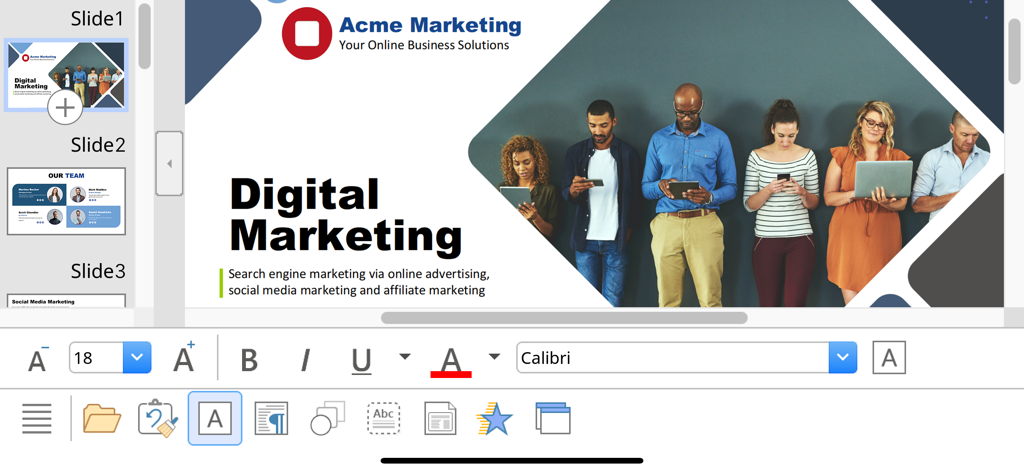
SoftMaker Presentations - 텍스트 편집 및 서식 도구가 있는 디지털 마케팅 슬라이드를 보여주는 SoftMaker 프레젠테이션 모바일 인터페이스.
텍스트 편집 및 서식 도구가 있는 디지털 마케팅 슬라이드를 보여주는 SoftMaker 프레젠테이션 모바일 인터페이스.

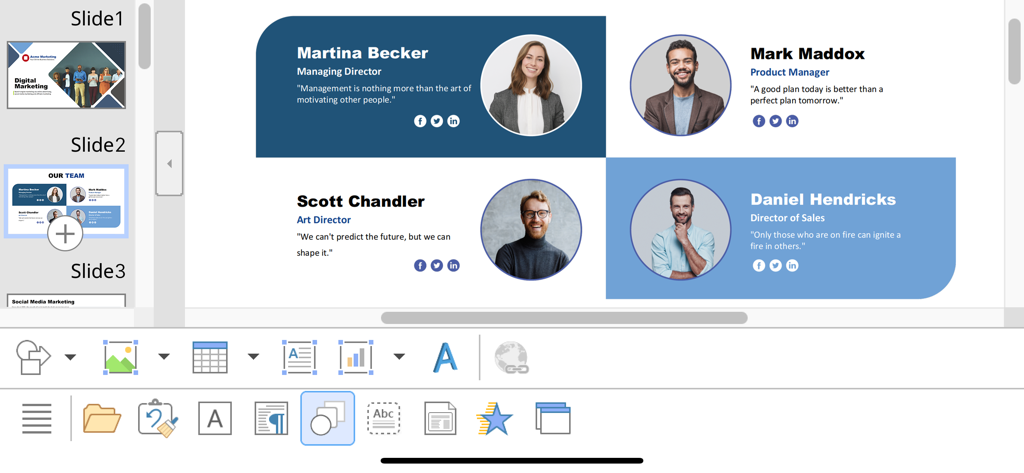
SoftMaker Presentations - iOS의 SoftMaker 프레젠테이션 앱에서 팀 프로필 슬라이드 편집 중
iOS의 SoftMaker 프레젠테이션 앱에서 팀 프로필 슬라이드 편집 중

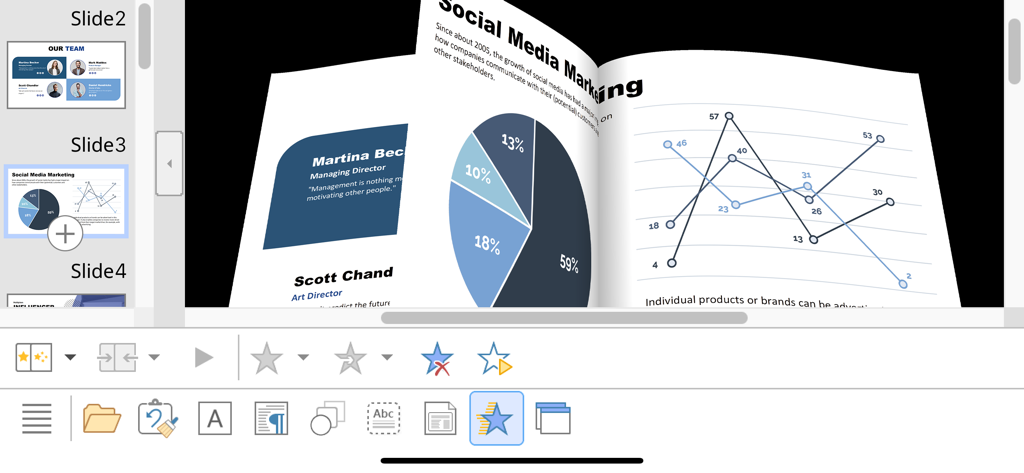
SoftMaker Presentations - 마케팅 차트 및 데이터 그래프를 보여주는 iPhone의 SoftMaker 프레젠테이션에서 3D 슬라이드 전환 애니메이션
마케팅 차트 및 데이터 그래프를 보여주는 iPhone의 SoftMaker 프레젠테이션에서 3D 슬라이드 전환 애니메이션

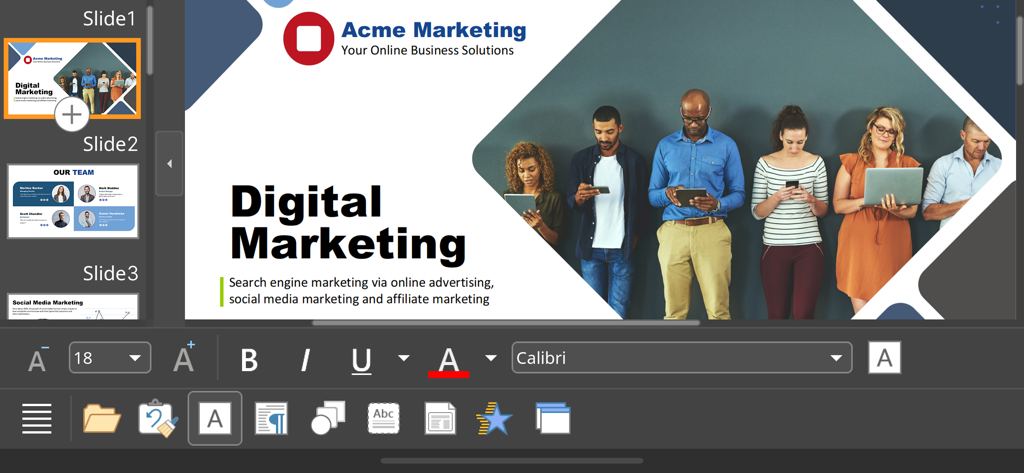
SoftMaker Presentations - SoftMaker 프레젠테이션 모바일 앱 인터페이스에서 디지털 마케팅 프레젠테이션 슬라이드 편집 중

SoftMaker 프레젠테이션 모바일 앱 인터페이스에서 디지털 마케팅 프레젠테이션 슬라이드 편집 중

설명

■ Presentations ► The only complete Office presentation program for your PowerPoint files ► Work on your PowerPoint presentations wherever and whenever you want. ► When working on the go, take advantage of a feature set that you would otherwise only know from your PC or Mac. ► Almost all features can be used permanently free of charge. The complete set of features that you know from Microsoft PowerPoint or Presentations on your Mac or PC is now offered by Presentations on your iPhone and iPad. Compatibility without compromise: Presentations uses the Microsoft Office PPTX format as its native format. This guarantees seamless data exchange. You can open your presentations directly in Microsoft PowerPoint without having to convert them. Intuitive operation on iPhone and iPad: Presentations always provides an ideal user experience, regardless of whether you're using it on your iPhone or an iPad. On an iPhone, you can use the practical toolbars with just one finger. On an iPad, you work with ribbons similar to those on your Mac or PC. Save locally or in the cloud: Presentations not only enables you to open and save documents stored on your device, but it also allows you to access your files in iCloud, Dropbox, OneDrive and all other cloud storage services. The Presentations user interface is available in English, German, French, Spanish, Italian and more than 20 other languages. Presentations brings the features of a desktop presentation program to your iPhone and iPad. You shouldn't settle for less. ■ Working with files ► Presentation files can be losslessly exchanged with Presentations for Mac, Windows and Linux. ► Open and save PPTX and PPT files with full fidelity from PowerPoint 97 to 2021 and PowerPoint 365 ► Export complete presentations as picture files or HTML web pages ■ Designing ► Numerous attractive design templates do the design work for you. ► Each template includes many matching color schemes. ► Slide layouts and slide masters ■ Comprehensive graphics functions ► Draw and design directly in the presentation ► PowerPoint-compatible AutoShapes ► Insert pictures in a range of file formats ► Great graphics functions such as mirror effects, soft shadows and transparencies ► Crop pictures, change brightness, contrast and gamma ► Drawings can be filled with colors, patterns, pictures and gradients. ► TextArt function for striking font effects ■ Animations and slide transitions ► Hundreds of different object and text animations ► Numerous breathtaking animations and slide transitions based on OpenGL ■ Flexible slide shows ► Both user-controlled and automatic slide shows without presenters (kiosk function) ► Interaction with the presentation via a virtual pen and highlighter ► Handouts for the audience ► Integrated slide sorter for managing and reordering slides ■ Other features Almost all features of Presentations for iOS can be used free of charge. The following additional features are available to you via an inexpensive subscription: ► Printing ► Export to PDF and PDF/A ► Sharing documents directly from Presentations ► Charts ► Photo albums ► Summary slides ► Free customer support A single subscription unlocks these features simultaneously in Presentations, TextMaker and PlanMaker for iOS. License agreement: https://www.apple.com/legal/internet-services/itunes/dev/stdeula/

Download

다운로드: App Store

이 페이지는 앱이나 개발자의 공식 페이지가 아니며, 정보 제공 및 논평을 목적으로 작성된 독립 편집 간행물입니다. 명시적으로 달리 언급되지 않는 한, 해당 앱이나 개발자는 MWM, Apple, Google Play, 앱 퍼블리셔 또는 앱 개발자와 제휴, 보증, 후원, 승인 또는 공식적으로 연결되어 있지 않으며, 이 페이지의 어떤 내용도 해당 앱이 MWM의 서비스를 사용하여 개발되었음을 의미하지 않습니다. 모든 상표, 로고, 스크린샷 및 기타 콘텐츠는 해당 소유자의 자산입니다.








