Sticky Notes App Remind Widget
다운로드: App Store

이 페이지는 앱이나 개발자의 공식 페이지가 아니며, 정보 제공 및 논평을 목적으로 작성된 독립 편집 간행물입니다. 명시적으로 달리 언급되지 않는 한, 해당 앱이나 개발자는 MWM, Apple, Google Play, 앱 퍼블리셔 또는 앱 개발자와 제휴, 보증, 후원, 승인 또는 공식적으로 연결되어 있지 않으며, 이 페이지의 어떤 내용도 해당 앱이 MWM의 서비스를 사용하여 개발되었음을 의미하지 않습니다. 모든 상표, 로고, 스크린샷 및 기타 콘텐츠는 해당 소유자의 자산입니다.


로고: Sticky Notes App Remind Widget
다운로드: App Store

Sticky Notes App Remind Widget

아이폰을 개인화된 생산성 허브로 바꿔보세요. 음성, 필기, 사진으로 아이디어를 캡처하고 사용자 정의 위젯과 잠금 화면 알림으로 우선순위를 항상 최전선에 두세요.

주요 수치

다운로드

977K+

사용자 평점

4.4/5

총 평가 수

5K+

개발사

Epiphany Labs

카테고리

Productivity

지원 언어

1

최신 버전

3.1.45

크기

165.5 MB

출시일

2013년 3월 21일
기능

시각적 편리함으로 혼란을 마스터하세요

포스트잇의 디지털 진화. 아이디어를 빠르게 캡처하고 항상 최전선에 유지해야 하는 시각적 사고가들을 위해 설계되었습니다.

모든 형식으로 캡처

직접 쓰거나, 말하거나, 찍으세요. 가장 바쁜 순간에도 적응하는 유연한 도구로 생각을 즉시 기록하세요.

항상 눈에 보이게

잊지 마세요. 동적 위젯과 잠금 화면 배경화면을 사용하여 휴대폰을 켤 때마다 우선순위를 보이게 하세요.

다음 스크린샷과 설명은 앱의 공식 스토어 목록에서 직접 가져온 것이며 앱 개발자의 자산입니다.

앱 스토어

스크린샷
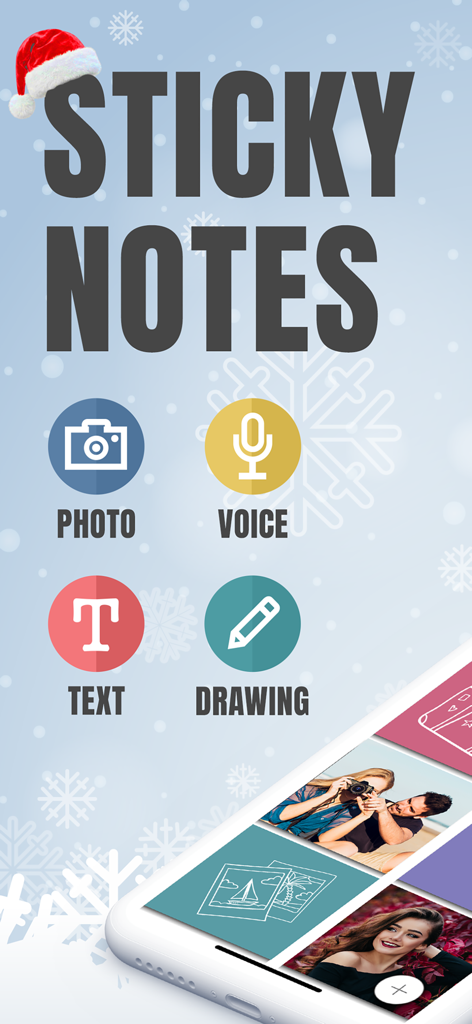
Sticky Notes App Remind Widget - 사진 음성 텍스트 및 그림 메모 옵션을 강조하는 Sticky Notes 앱의 메인 화면
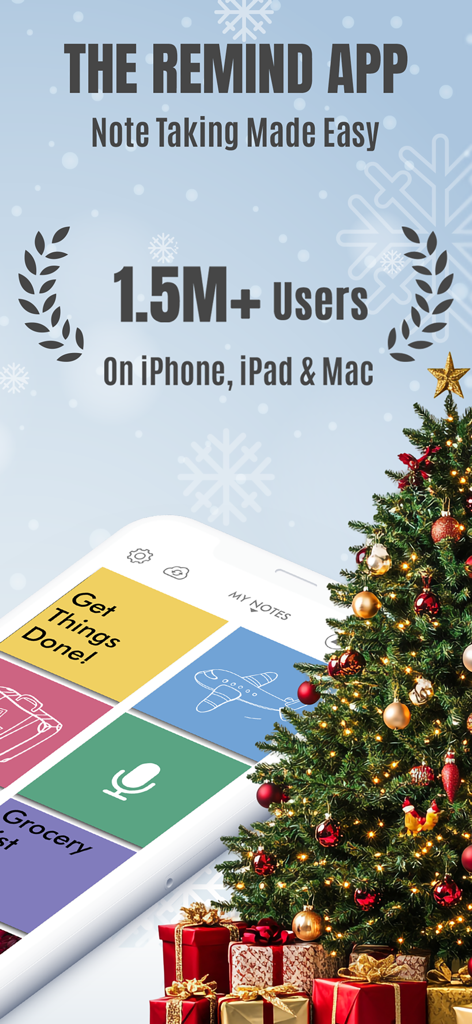
사진 음성 텍스트 및 그림 메모 옵션을 강조하는 Sticky Notes 앱의 메인 화면

Sticky Notes App Remind Widget - 150만 사용자 및 시각적 메모 작성 인터페이스를 선보이는 Sticky Notes 앱 리마인더 위젯 프로모션 화면.
150만 사용자 및 시각적 메모 작성 인터페이스를 선보이는 Sticky Notes 앱 리마인더 위젯 프로모션 화면.

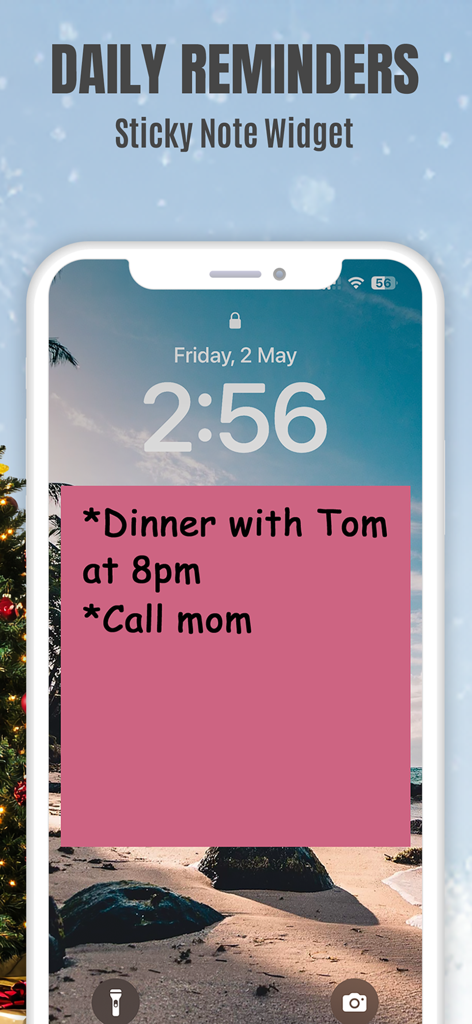
Sticky Notes App Remind Widget - 저녁 식사 및 엄마에게 전화하기에 대한 일일 알림이 포함된 분홍색 포스트잇 위젯을 표시하는 아이폰 잠금 화면.
저녁 식사 및 엄마에게 전화하기에 대한 일일 알림이 포함된 분홍색 포스트잇 위젯을 표시하는 아이폰 잠금 화면.

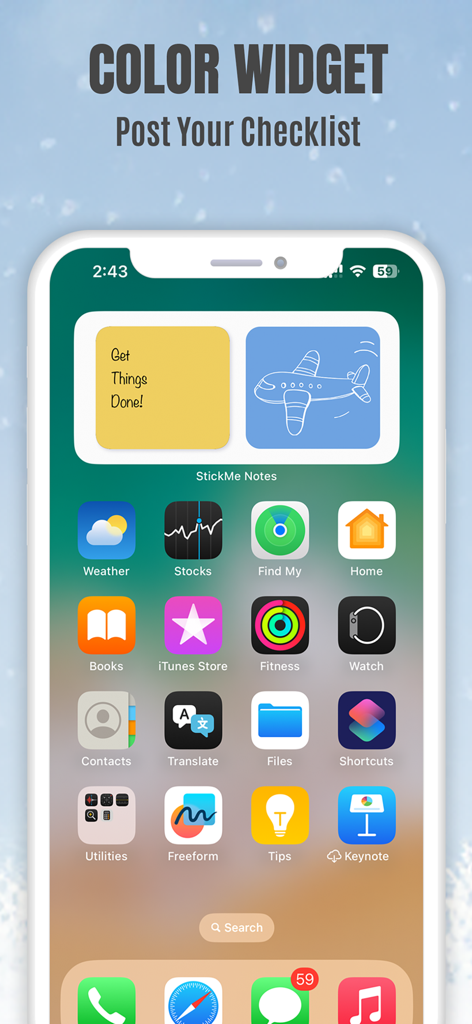
Sticky Notes App Remind Widget - 체크리스트와 비행기 그림이 있는 노란색 및 파란색 포스트잇 위젯을 표시하는 아이폰 홈 화면
체크리스트와 비행기 그림이 있는 노란색 및 파란색 포스트잇 위젯을 표시하는 아이폰 홈 화면

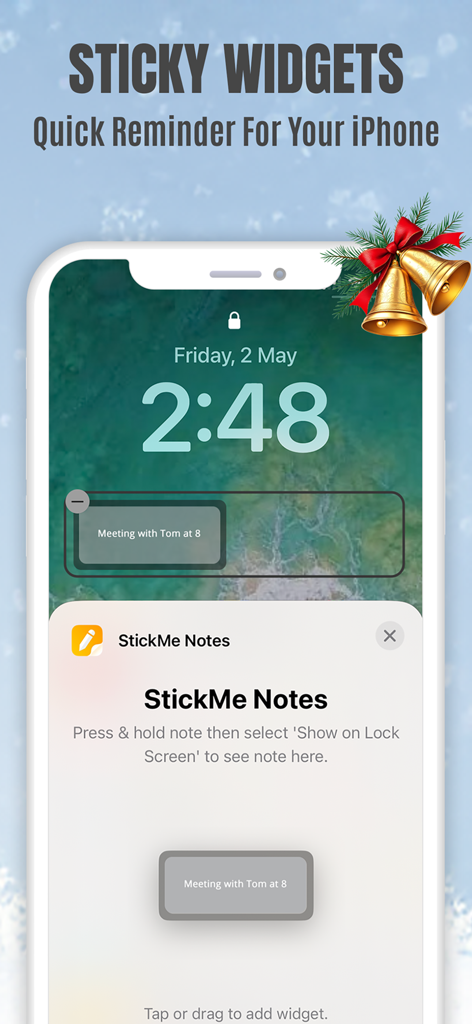
Sticky Notes App Remind Widget - 회의 알림이 포함된 StickMe Notes 포스트잇 위젯을 표시하는 아이폰 잠금 화면
회의 알림이 포함된 StickMe Notes 포스트잇 위젯을 표시하는 아이폰 잠금 화면

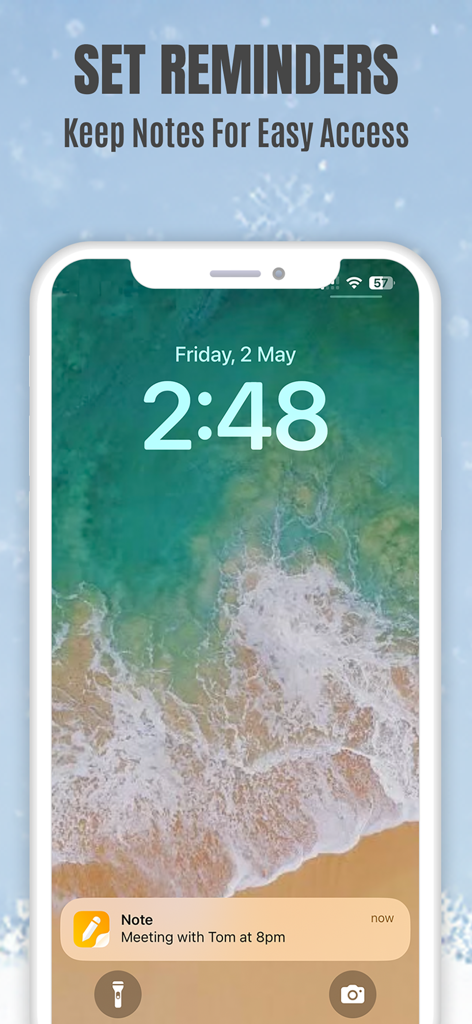
Sticky Notes App Remind Widget - 오후 8시 회의 알림이 표시된 아이폰 잠금 화면의 포스트잇 알림

오후 8시 회의 알림이 표시된 아이폰 잠금 화면의 포스트잇 알림

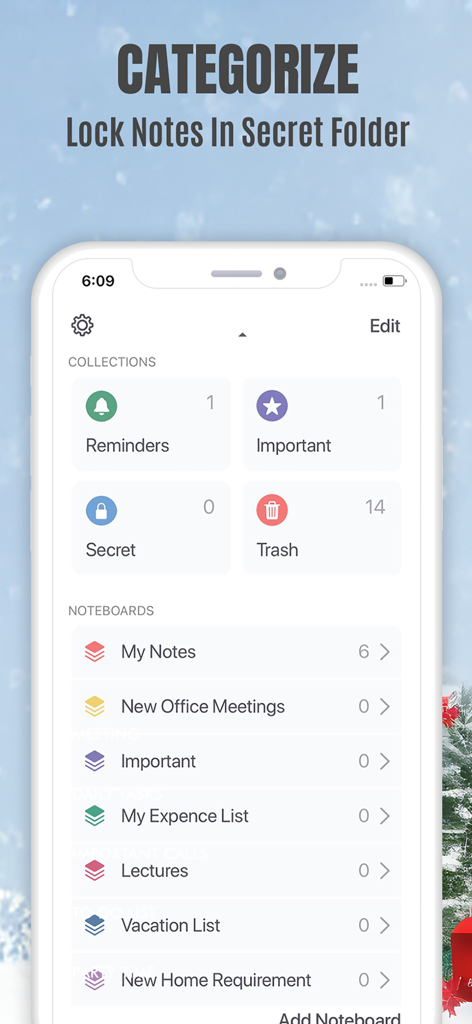
Sticky Notes App Remind Widget - 메모 분류 및 개인 메모를 위한 잠긴 비밀 폴더를 보여주는 모바일 앱 인터페이스
메모 분류 및 개인 메모를 위한 잠긴 비밀 폴더를 보여주는 모바일 앱 인터페이스

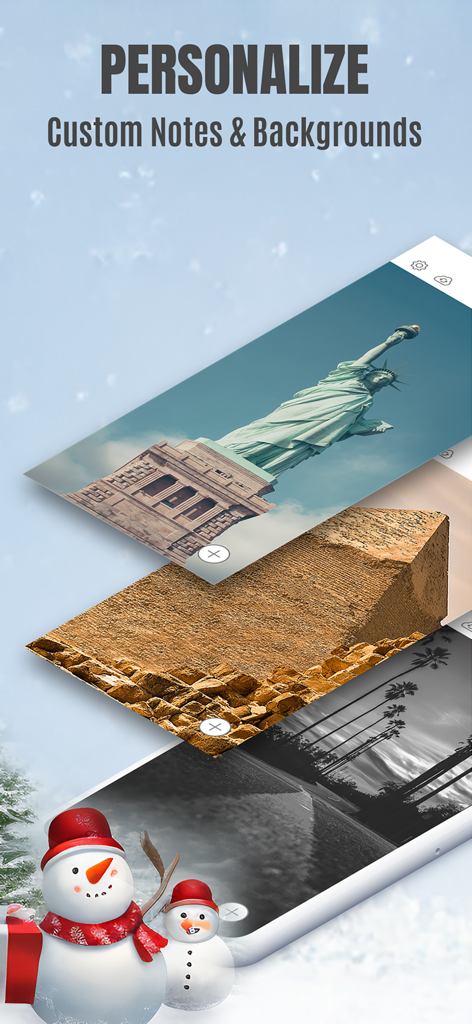
Sticky Notes App Remind Widget - 사용자 정의 메모 배경에 대한 개인화 옵션을 보여주는 Sticky Notes 앱 화면.
사용자 정의 메모 배경에 대한 개인화 옵션을 보여주는 Sticky Notes 앱 화면.

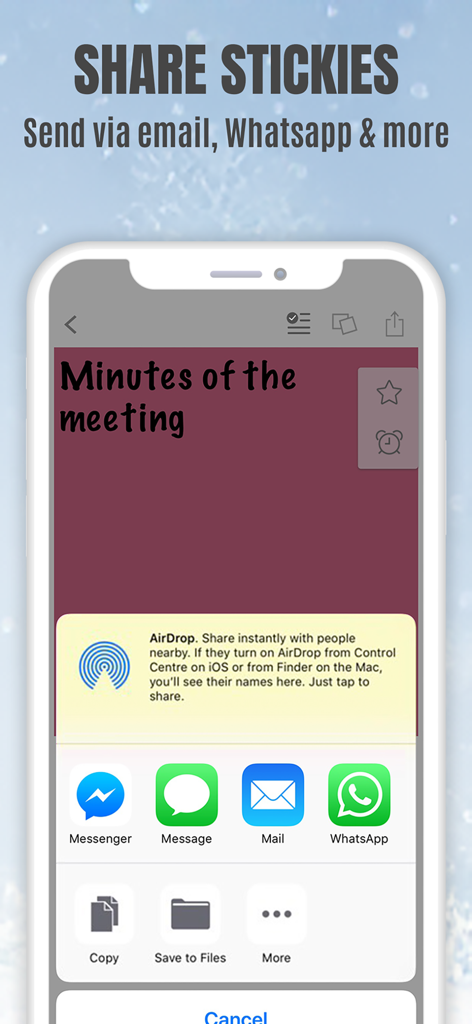
Sticky Notes App Remind Widget - 이메일 및 메시징 앱을 통한 포스트잇 공유 옵션을 보여주는 아이폰의 StickMe Notes 앱 인터페이스

이메일 및 메시징 앱을 통한 포스트잇 공유 옵션을 보여주는 아이폰의 StickMe Notes 앱 인터페이스

설명

*Over 1.5 million downloads* Featured in 'What's Hot' & 'New & Noteworthy' Organize your to do list, task list, and reminders with StickMe Notes - the most awesome sticky note & task manager app with built in alarm for iPhone. Use StickMe Notes to upgrade the boring old paper note with HANDWRITTEN or TEXT or notes on your iPhone. If you are too tired to draw or type, you can simply ATTACH A PHOTO or RECORD YOUR AUDIO NOTES. You can stick these notes with attachments such as text, drawing, record/audio or photo notes to your personalized notice board, set them as your lock screen image or share with friends using email or whatsapp. Use StickMe Note as your notebook & create grocery and shopping lists on the go. StickMe Notes is a notepad & memo app which makes note taking easy. Use memo notes to capture ideas on the fly, create to-do lists & tasks list, checklist & set up personal daily reminders. It’s a digital note pad that helps you get things done. Download the best notes maker app now & become notefuly efficient. Keep google urls or pages in sticky notes & revisit them later. MAKE QUICK NOTES *Create unlimited sticky notes in any color. Use the note color to organize the stickies better. *Use the app as task manager & create a todo check list, shopping lists or grocery lists. *Write in digital ink with your finger. Create quick daily notes or a memo. *Record voice notes. StickMe Notes can be your audio note pad. *Take a photo or choose one from your camera roll to create a photo note. Make StickMe Notes your picture notebook. *Google things & keep important links in sticky notes to revisit later. WIDGET, SPOTLIGHT & SIRI (For iOS 15 and above) *Instantly create notes to access your sticky notes on your home screen and lock screen (iPhone only) using widgets. ORGANIZE *Drag & move a note to any custom folder. *Mark notes as ‘Important’. *Use ‘Secret’ folder for to hide your daily personal notes. *Make good notes & keep in Folders. SYNC ACROSS DEVICES *Access notes on your iPhone, iPad & Mac SET REMINDERS & USE AS WALLPAPER *Set alarm for your notes & stickies to remind you about your check list. *Use note as wallpaper or lock screen image to easily remind yourself about your todo tasks with colorful stickies. PERSONALIZE & SHARE *Be creative with Stickies *Set default sticky note color, font size & name *Personalise the notice board background *Use the fully loaded text & draw toolbar with multiple font styles, sizes, thickness plus colors. Get the most awesome sticky notes app for iPhone. Create grocery & shopping lists or any other checklist using the notepad, set alarms, & enjoy note making on the go. Use the app as a personal notebook, a meeting note pad or a daily planner to make good memo/notes. PRICING StickMe Notes offers a 7 day free trial that comes with the subscription pack(s). There is a monthly & yearly pack. The user needs to subscribe to one of the packs to continue making daily notes & setting task reminders. TERMS OF USE: • There's a 7-day free trial that comes along with the subscription packs. • StickMe Notes offers 3 subscription packages - Annual @ $19.99, Half-yearly @ $10.99, Monthly @ $1.99. • All subscriptions are valid for at least 30 days. • Payment will be charged to iTunes Account at confirmation of purchase • Subscription automatically renews unless auto-renew is turned off at least 24-hours before the end of the current period • Account will be charged for renewal within 24-hours prior to the end of the current period, and identify the cost of the renewal • Subscriptions may be managed by the user and auto-renewal may be turned off by going to the user's Account Settings after purchase • Any unused portion of a free trial period, if offered, will be forfeited when the user purchases a subscription to that publication. Terms of Use - http://epiphanylabs.in/termsofuse/ Privacy Policy - http://epiphanylabs.in/privacy/ Sound effects obtained from https://www.zapsplat.com

Download

다운로드: App Store

이 페이지는 앱이나 개발자의 공식 페이지가 아니며, 정보 제공 및 논평을 목적으로 작성된 독립 편집 간행물입니다. 명시적으로 달리 언급되지 않는 한, 해당 앱이나 개발자는 MWM, Apple, Google Play, 앱 퍼블리셔 또는 앱 개발자와 제휴, 보증, 후원, 승인 또는 공식적으로 연결되어 있지 않으며, 이 페이지의 어떤 내용도 해당 앱이 MWM의 서비스를 사용하여 개발되었음을 의미하지 않습니다. 모든 상표, 로고, 스크린샷 및 기타 콘텐츠는 해당 소유자의 자산입니다.