StitchBuddy HD
StitchBuddy HD
다운로드: App Store

이 페이지는 앱이나 개발자의 공식 페이지가 아니며, 정보 제공 및 논평을 목적으로 작성된 독립 편집 간행물입니다. 명시적으로 달리 언급되지 않는 한, 해당 앱이나 개발자는 MWM, Apple, Google Play, 앱 퍼블리셔 또는 앱 개발자와 제휴, 보증, 후원, 승인 또는 공식적으로 연결되어 있지 않으며, 이 페이지의 어떤 내용도 해당 앱이 MWM의 서비스를 사용하여 개발되었음을 의미하지 않습니다. 모든 상표, 로고, 스크린샷 및 기타 콘텐츠는 해당 소유자의 자산입니다.

로고: StitchBuddy HD
다운로드: App Store

StitchBuddy HD

데스크톱을 넘어 창의력을 발휘하세요. iPad 또는 iPhone에서 놀라운 3D 디테일로 기계 자수 디자인을 미리 보고, 편집하고, 정리하세요.

주요 수치

다운로드

9K+

사용자 평점

4.1/5

총 평가 수

500

개발사

Matthias Arndt

카테고리

Productivity

지원 언어

2

최신 버전

3.7.0

크기

5.8 MB

출시일

2012년 5월 11일

다음 스크린샷과 설명은 앱의 공식 스토어 목록에서 직접 가져온 것이며 앱 개발자의 자산입니다.

앱 스토어

스크린샷
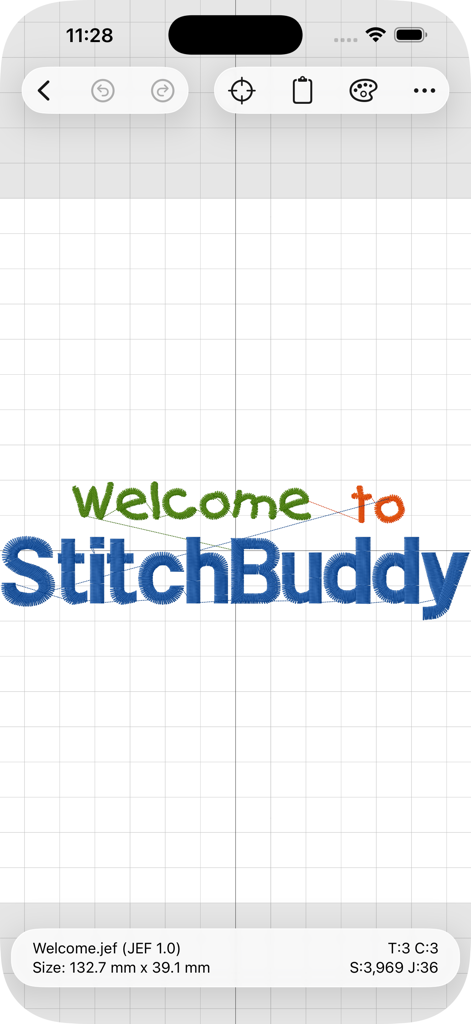
StitchBuddy HD - StitchBuddy HD 모바일 앱 인터페이스, 격자 배경에 다채로운 자수 디자인 표시
StitchBuddy HD 모바일 앱 인터페이스, 격자 배경에 다채로운 자수 디자인 표시

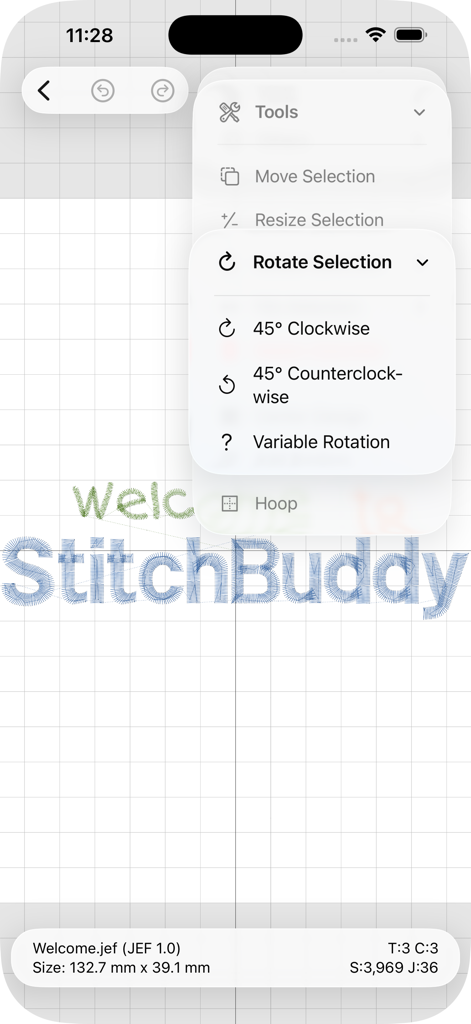
StitchBuddy HD - StitchBuddy HD 모바일 앱 인터페이스, 자수 디자인용 회전 도구 표시
StitchBuddy HD 모바일 앱 인터페이스, 자수 디자인용 회전 도구 표시

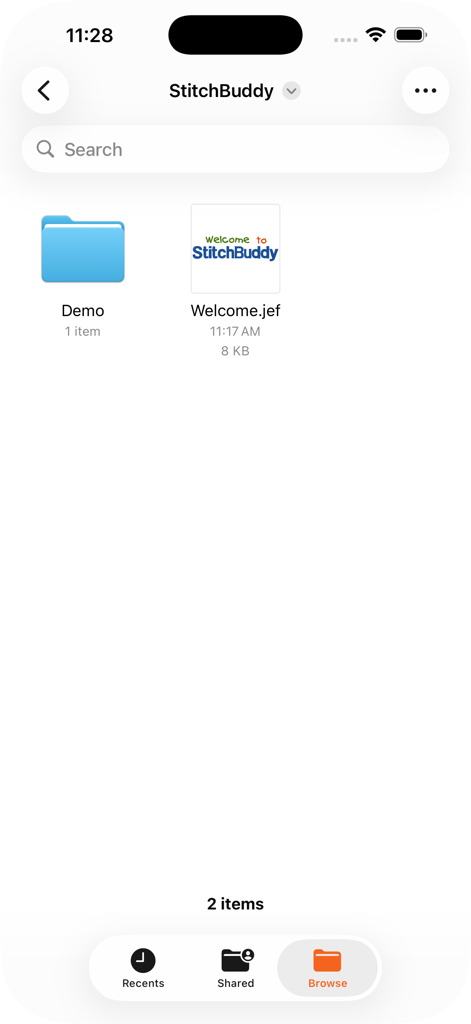
StitchBuddy HD - StitchBuddy HD 앱 인터페이스, 자수 디자인 파일 및 관리 폴더 표시
StitchBuddy HD 앱 인터페이스, 자수 디자인 파일 및 관리 폴더 표시

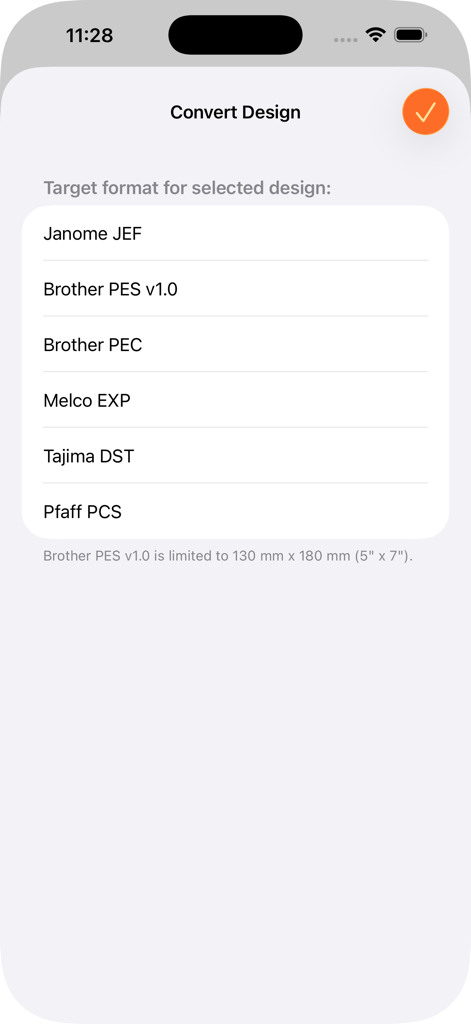
StitchBuddy HD - StitchBuddy HD 앱 화면, Janome JEF 및 Brother PES와 같은 다양한 형식으로 자수 디자인을 변환하는 옵션 표시

StitchBuddy HD 앱 화면, Janome JEF 및 Brother PES와 같은 다양한 형식으로 자수 디자인을 변환하는 옵션 표시

설명

Have your machine embroidery designs always at hand, wherever you are! Enjoy beautiful previews on your iPhone and iPad, manage and modify designs down to stitch level, and stay in sync with your computer. Features: • Rotate, flip, move, resize, or delete selected parts or the entire design. • Resize selected parts or the entire design (without adjusting the stitch count). • Copy and paste to duplicate parts, or to combine different designs. • Center a design in the hoop. • Add basting stitches to fix the underlay. • Change individual thread colors, or replace the entire palette. • Select from several different manufacturer thread charts. • Reorder threads and delete color changes. • Display options incl. zooming, 3D stitch display, or stitch structure. • File management with folders and design previews. • Print detail sheets via AirPrint. • Share design files, detail sheets, or real-size templates (PDF). • Multiple levels of Undo while editing. • Convert designs to other embroidery file formats. • Synchronization between different devices via iCloud. • Supports various storage locations including USB sticks. • Open designs in other applications or share by AirDrop. Supported import formats (read): • Janome JEF, JEF+, JPX, SEW • Brother PES, PEC • Melco EXP • Tajima DST • Pfaff VP3, KSM, PCS, PCQ, PCD Supported export formats (write): • Janome JEF • Brother PES v1.0 (130 x 180 mm), PEC • Melco EXP • Tajima DST • Pfaff PCS You can test StitchBuddy HD with all functions for free (saving designs is limited to 1,000 stitches). Unlock this limitation via In-App purchase if you like StitchBuddy HD and want to support its development ... and please share your experience with others by leaving a rating or review! Additional information, FAQs and video tutorials can be found at StitchBuddy's website. NOTE: StitchBuddy HD does not digitize embroidery designs.

Download

다운로드: App Store

이 페이지는 앱이나 개발자의 공식 페이지가 아니며, 정보 제공 및 논평을 목적으로 작성된 독립 편집 간행물입니다. 명시적으로 달리 언급되지 않는 한, 해당 앱이나 개발자는 MWM, Apple, Google Play, 앱 퍼블리셔 또는 앱 개발자와 제휴, 보증, 후원, 승인 또는 공식적으로 연결되어 있지 않으며, 이 페이지의 어떤 내용도 해당 앱이 MWM의 서비스를 사용하여 개발되었음을 의미하지 않습니다. 모든 상표, 로고, 스크린샷 및 기타 콘텐츠는 해당 소유자의 자산입니다.








