StoneNote - Video Study Note

StoneNote - Video Study Note

다운로드: App Store
로고: StoneNote - Video Study Note

StoneNote - 끊김 없는 하나의 작업 공간에서 모든 비디오 강의 마스터하기

디지털 학도를 위한 최고의 iPad 도구. 자동 일시 정지, 즉각적인 스크린샷, 전문가 수준의 필기 기능을 사용하여 시청하면서 메모하세요. 화면 분할의 번거로움 없이 모두 가능합니다.

다운로드: App Store

개발사

斯熠 巩

카테고리

Productivity

다운로드

1K+

사용자 평점

3.4/5

총 평가 수

0

지원 언어

11

궁극의 학습 캔버스

이 인터페이스를 사용하는 1K+ 명의 사용자.

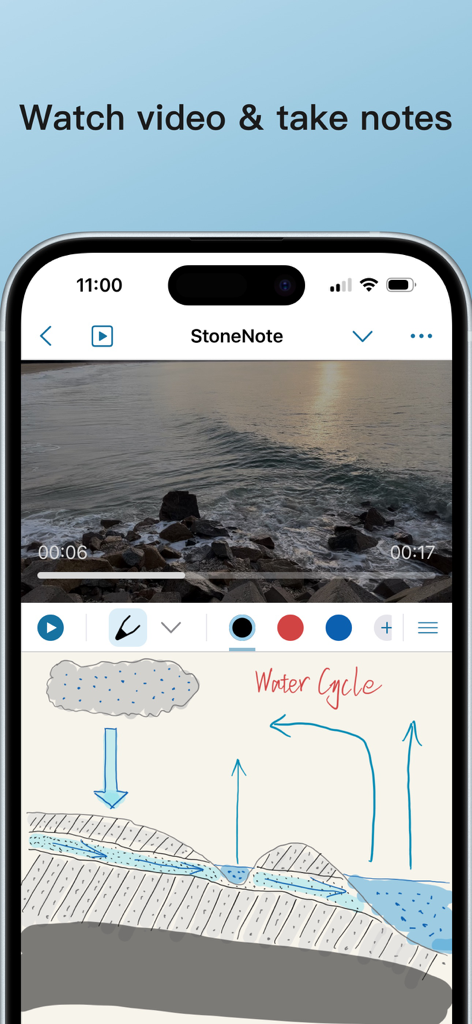
자연 비디오가 재생되는 비디오 플레이어와 물 순환에 대한 필기 다이어그램이 있는 모바일 앱 인터페이스.
자연 비디오가 재생되는 비디오 플레이어와 물 순환에 대한 필기 다이어그램이 있는 모바일 앱 인터페이스.

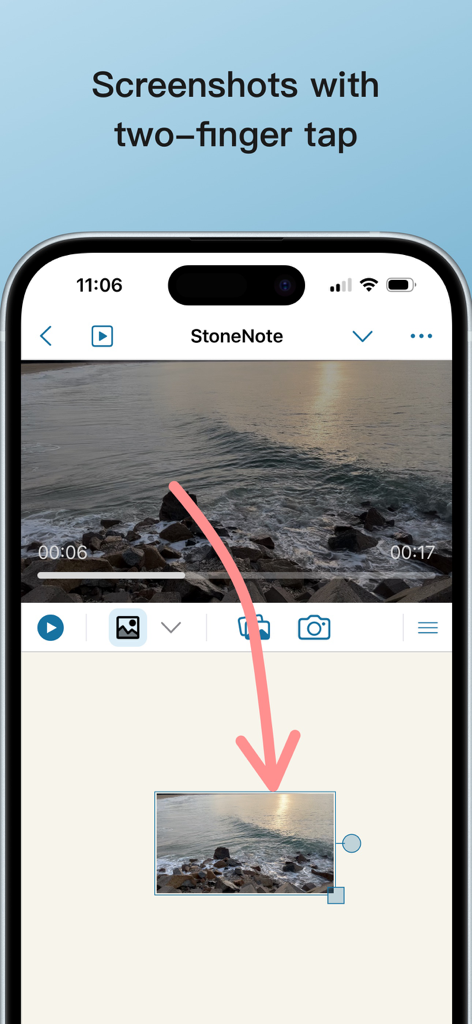
두 손가락 탭으로 비디오 스크린샷을 캡처하여 StoneNote의 노트로 드래그하세요.
두 손가락 탭으로 비디오 스크린샷을 캡처하여 StoneNote의 노트로 드래그하세요.

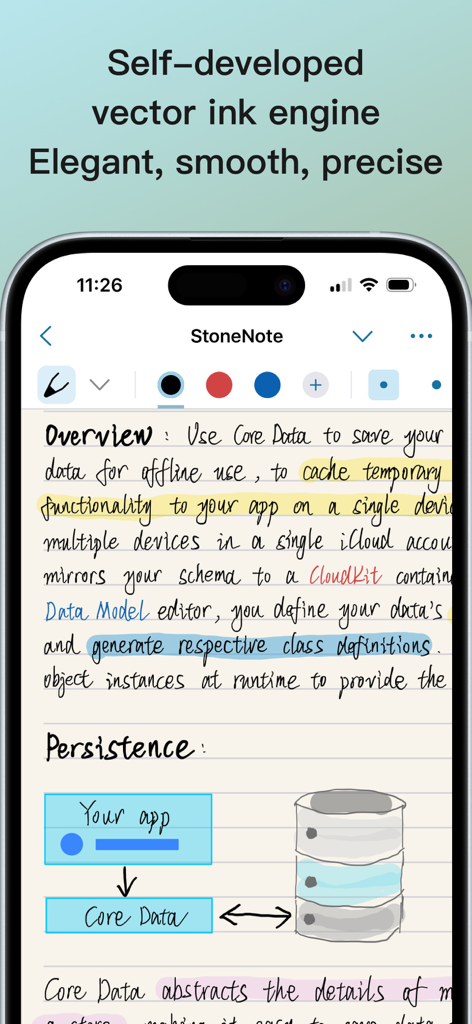
데이터 지속성에 대한 기술 다이어그램과 우아한 필기 학습 노트가 있는 StoneNote 앱을 보여주는 스마트폰 화면
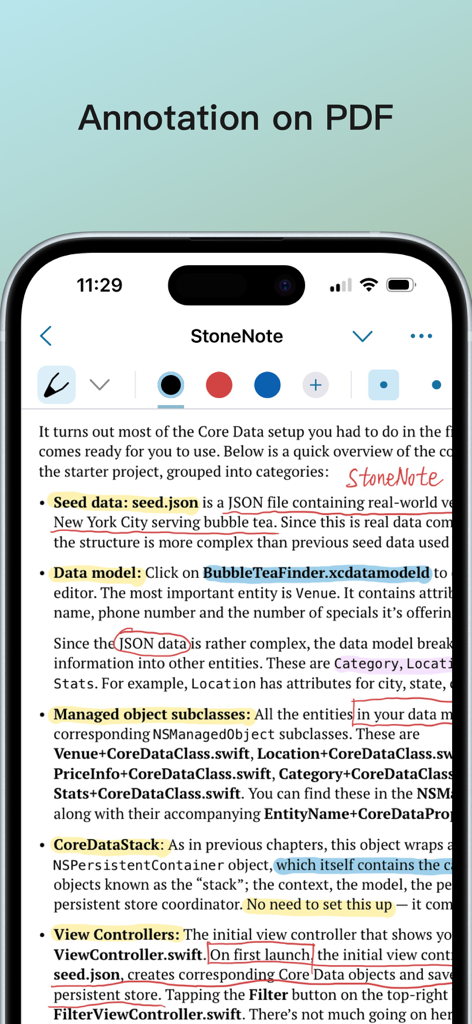
데이터 지속성에 대한 기술 다이어그램과 우아한 필기 학습 노트가 있는 StoneNote 앱을 보여주는 스마트폰 화면

하이라이트와 StoneNote 앱의 필기 노트를 포함한 PDF 주석 기능을 보여주는 스마트폰 화면
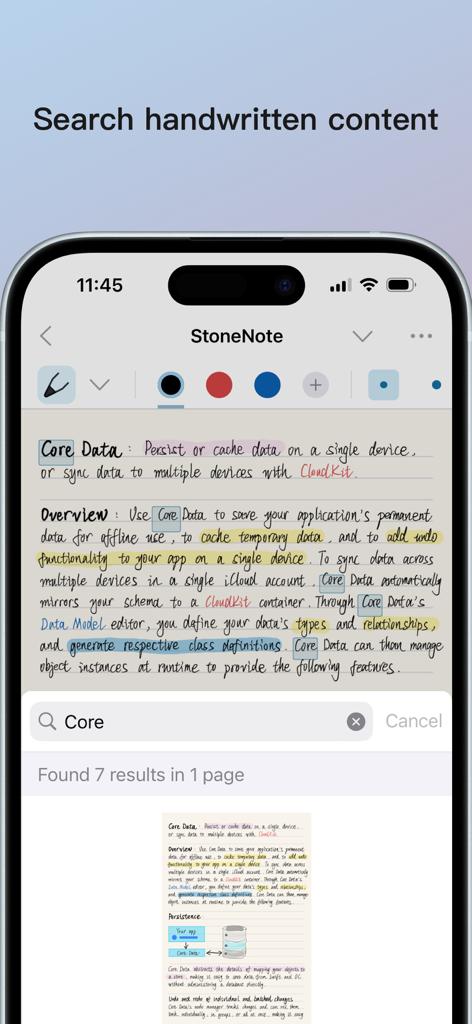
하이라이트와 StoneNote 앱의 필기 노트를 포함한 PDF 주석 기능을 보여주는 스마트폰 화면

키워드 Core가 강조 표시된 필기 노트에 대한 검색 기능을 보여주는 iPhone의 StoneNote 앱 스크린샷
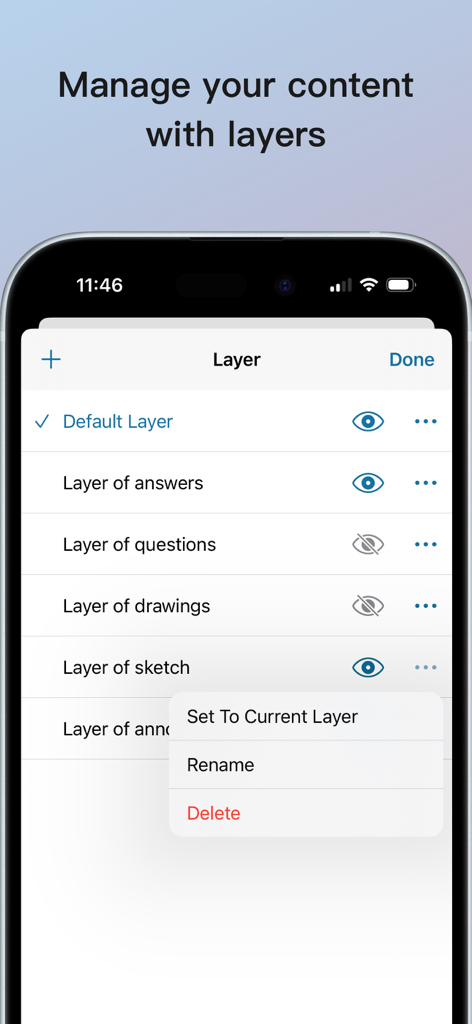
키워드 Core가 강조 표시된 필기 노트에 대한 검색 기능을 보여주는 iPhone의 StoneNote 앱 스크린샷

학습 노트를 구성하기 위한 레이어 관리 도구를 표시하는 StoneNote 앱 인터페이스의 스크린샷.
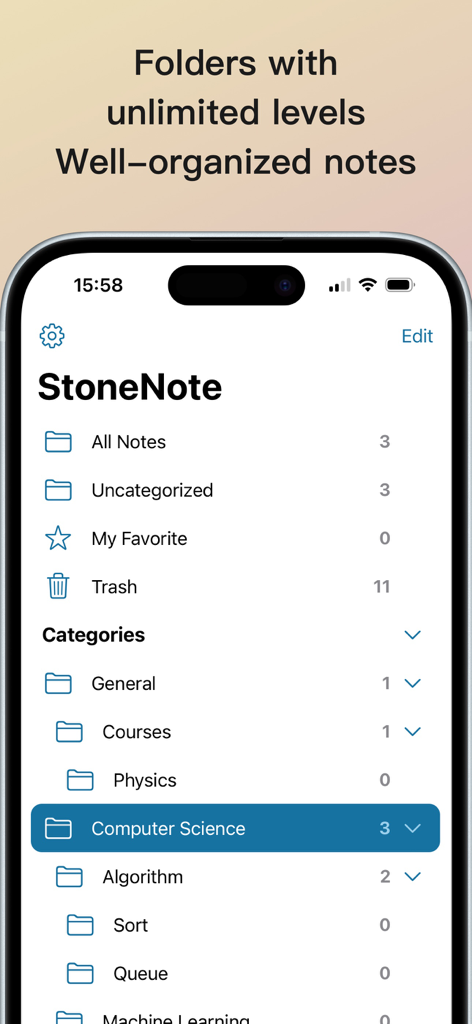
학습 노트를 구성하기 위한 레이어 관리 도구를 표시하는 StoneNote 앱 인터페이스의 스크린샷.

iPhone에서 디지털 학습 노트를 위한 계층적 폴더 구성을 보여주는 StoneNote 인터페이스.
iPhone에서 디지털 학습 노트를 위한 계층적 폴더 구성을 보여주는 StoneNote 인터페이스.

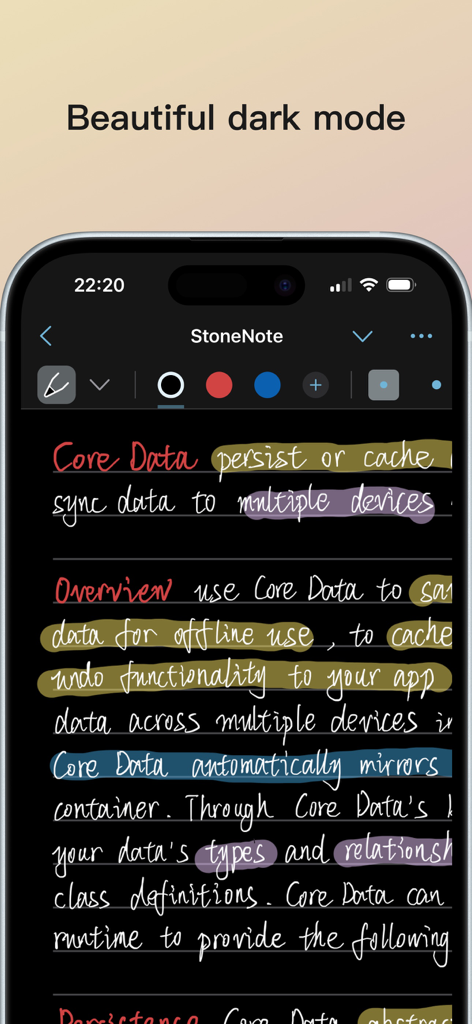
필기 학습 노트와 다채로운 형광펜 표시가 있는 StoneNote 앱 인터페이스가 다크 모드를 보여줍니다.

필기 학습 노트와 다채로운 형광펜 표시가 있는 StoneNote 앱 인터페이스가 다크 모드를 보여줍니다.

끊김 없이 강의를 마스터하세요

이 앱을 돋보이게 하는 도구, 1K+ 명의 사용자가 선택.

📺

통합 학습 워크스페이스

화면 분할 멀티태스킹의 번거로움을 제거하세요. 플로팅 창과 나란히 보기 모드를 지원하는 내장 플레이어로 노트 페이지에서 직접 강의를 시청하세요.

✍️

지능형 몰입 상태

당사의 벡터 잉크 엔진은 지연 없는 필기 경험을 제공합니다. 비트도 놓치지 않도록 Apple Pencil이 화면에 닿는 순간 비디오가 자동으로 일시 정지됩니다.

📸

스마트 멀티미디어 캡처

두 손가락 탭으로 스크린샷을 노트로 쉽게 드래그하거나 AI 음성 인식을 사용하여 비디오 오디오를 텍스트로 변환하세요. 복잡한 STEM 및 의학 강의에 완벽합니다.

앱 소개

에 대해 알아야 할 모든 것 StoneNote - Video Study Note.

설명

StoneNote seamlessly integrates notes and videos. No need to split screens, watch videos directly on the note page with ease. Capture screenshots effortlessly, enjoy automatic pause while writing, insert video bookmarks, and even recognize speech in the video. Smooth handwriting experience * Our self-developed vector ink engine offers an elegant, smooth, and precise writing experience. * Choose from various brushes: fountain pen, ballpoint pen, and highlighter. * Easily switch brush colors and sizes. * Deeply supports Apple Pencil for precise writing on iPad. Deep integration of notes and videos * Built-in video player within the notes, allowing you to take notes while watching videos. * Automatically pauses video playback when you start writing. * Choose from various video playback modes: side-by-side, top-and-bottom split screen, floating window, etc. * Capture screenshots with a simple two-finger tap and drag them into your notes. * Play videos from your device and online, with the ability to download and cache online videos. * Choose video subtitles and language. * Supports playback speed adjustment, video bookmarks, and video speech recognition. Images and texts * Insert images and text in various ways: click, copy, drag, etc. * Adjust image size, rotate, and freely crop. * Adjust text font, size, and color. Import, annotate, and share * Import various media, including PDF documents and videos. * Write and annotate with various stroke styles. * Export and share your notes. Layered notes support * Non-disruptive, write on separate layers without affecting other layer content. * Easily create and delete layers. * One-click hide or show layers. Effortlessly edit your notes * Use the lasso tool to move, zoom, and modify your notes. * Easily erase strokes with the eraser tool. Well-organized notes * Create folders with unlimited levels to manage your notes. * Move notes between folders. * iCloud sync keeps your notes up-to-date on all devices. * Export your notes in various formats anytime. — Upgrade to StoneNote Pro to unlock unlimited notes and iCloud sync. One-time purchase, no subscription fees, and enjoy future free updates.

최신 버전

1.9.3

크기

39.1 MB

출시일

2024년 3월 28일

화면 전환은 그만. 마스터하세요.

StoneNote를 사용하여 수동적인 시청을 능동적인 학습으로 전환하는 디지털 학도 커뮤니티에 참여하세요. 지금 다운로드하고 한 번의 구매로 최고의 iPad 학습 동반자를 소유하세요.

다운로드: App Store

App information, icons, screenshots, and descriptions displayed on this page are sourced from the Apple App Store and are the property of their respective developers. Download estimates and rankings are based on MWM's proprietary models and may not reflect actual figures. This page is provided for informational and analytical purposes only.

Believe this page infringes your intellectual property? File a dispute