Street View Map- Live Earth 3D
다운로드: App Store

이 페이지는 앱이나 개발자의 공식 페이지가 아니며, 정보 제공 및 논평을 목적으로 작성된 독립 편집 간행물입니다. 명시적으로 달리 언급되지 않는 한, 해당 앱이나 개발자는 MWM, Apple, Google Play, 앱 퍼블리셔 또는 앱 개발자와 제휴, 보증, 후원, 승인 또는 공식적으로 연결되어 있지 않으며, 이 페이지의 어떤 내용도 해당 앱이 MWM의 서비스를 사용하여 개발되었음을 의미하지 않습니다. 모든 상표, 로고, 스크린샷 및 기타 콘텐츠는 해당 소유자의 자산입니다.

로고: Street View Map- Live Earth 3D
다운로드: App Store

Street View Map- Live Earth 3D

가상 여행부터 정밀 도구까지, 몰입감 넘치는 3D 위성 보기와 집 및 모험을 위한 전문적인 측정 기능을 경험하세요.

주요 수치

다운로드

122K+

사용자 평점

3.4/5

총 평가 수

200

개발사

Vishal Kevadiya

카테고리

Navigation

지원 언어

18

최신 버전

12.0

크기

141.4 MB

출시일

2024년 5월 7일
기능

탐험하고, 측정하고, 발견하세요

세상을 시각화하고 주변 환경을 정확하고 쉽게 탐색하는 데 필요한 모든 것을 제공합니다.

몰입형 360° 가상 투어

세계에서 가장 유명한 랜드마크 안으로 들어가거나 모든 거리 주소를 놀라운 360도 파노라마 보기로 미리 보세요.

전문 측정 도구 모음

주택 소유자 및 계획가에게 완벽합니다. 집을 떠나지 않고도 디지털 방식으로 토지 면적 및 이동 거리를 계산할 수 있습니다.

다음 스크린샷과 설명은 앱의 공식 스토어 목록에서 직접 가져온 것이며 앱 개발자의 자산입니다.

앱 스토어

스크린샷
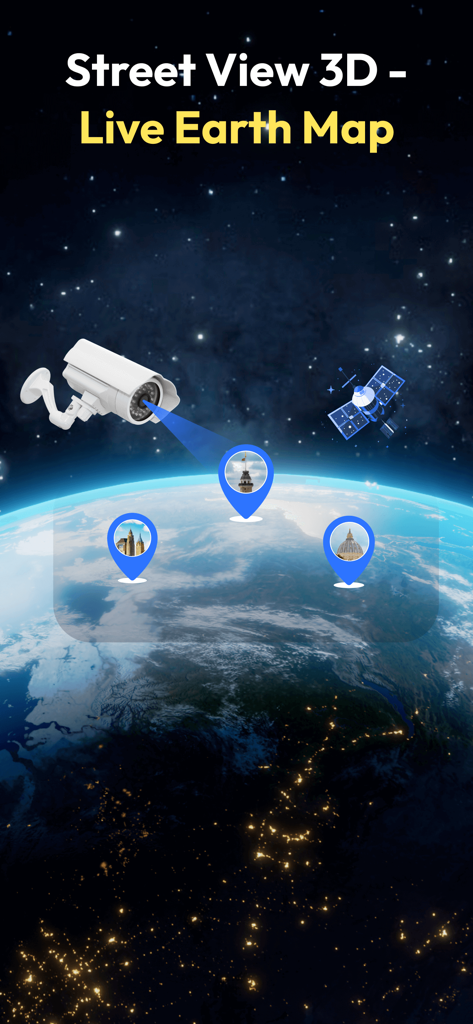
Street View Map- Live Earth 3D - 랜드마크 핀이 있는 글로벌 보기를 보여주는 Street View Map Live Earth 3D의 앱 인터페이스
랜드마크 핀이 있는 글로벌 보기를 보여주는 Street View Map Live Earth 3D의 앱 인터페이스

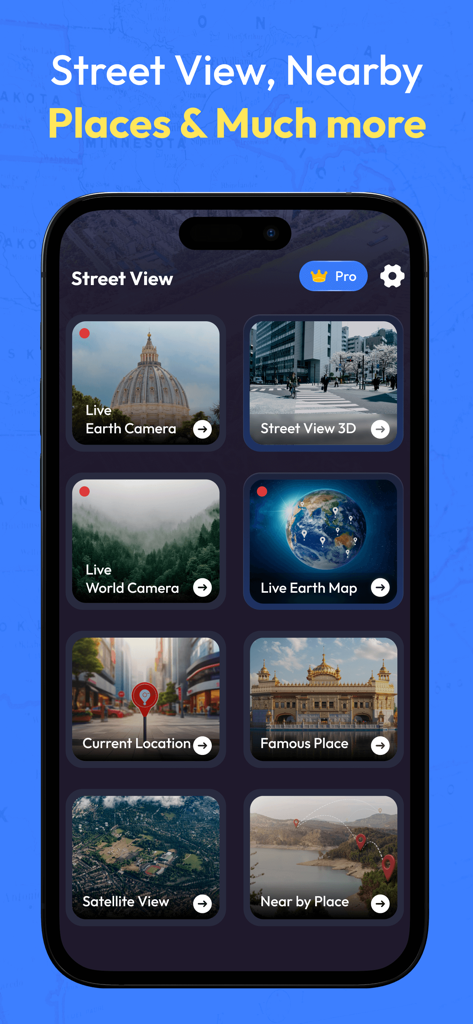
Street View Map- Live Earth 3D - Street View Map의 모바일 앱 메뉴로, Live Earth Camera, Street View 3D, Satellite View 옵션이 표시됩니다.
Street View Map의 모바일 앱 메뉴로, Live Earth Camera, Street View 3D, Satellite View 옵션이 표시됩니다.

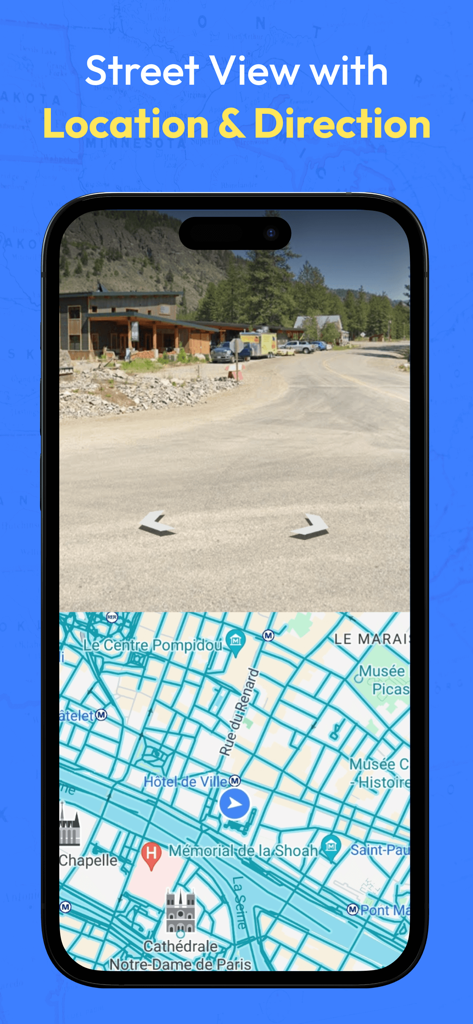
Street View Map- Live Earth 3D - 탐색을 위해 상세한 도시 거리 지도 위에 실제 거리 뷰가 표시되는 아이폰의 분할 화면 보기
탐색을 위해 상세한 도시 거리 지도 위에 실제 거리 뷰가 표시되는 아이폰의 분할 화면 보기

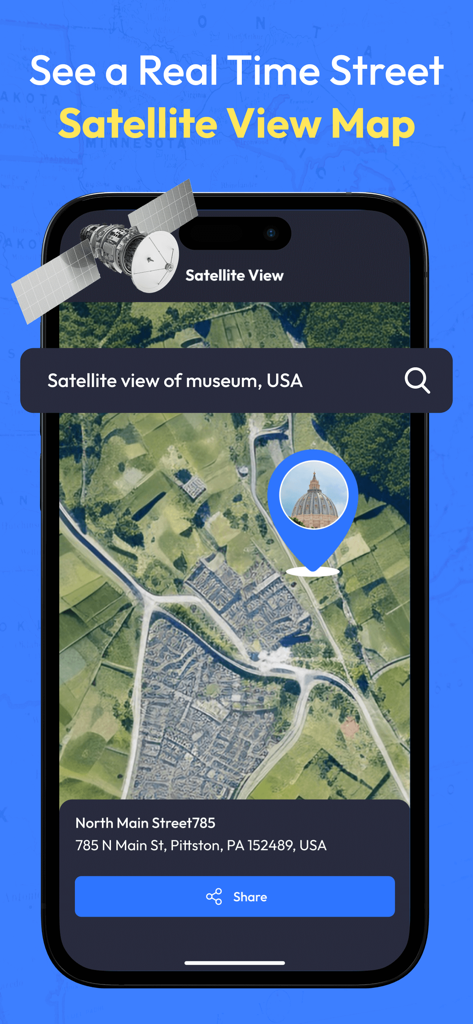
Street View Map- Live Earth 3D - 랜드마크 핀 및 위치 세부 정보가 있는 마을의 고해상도 위성 지도 보기를 표시하는 휴대폰 화면
랜드마크 핀 및 위치 세부 정보가 있는 마을의 고해상도 위성 지도 보기를 표시하는 휴대폰 화면

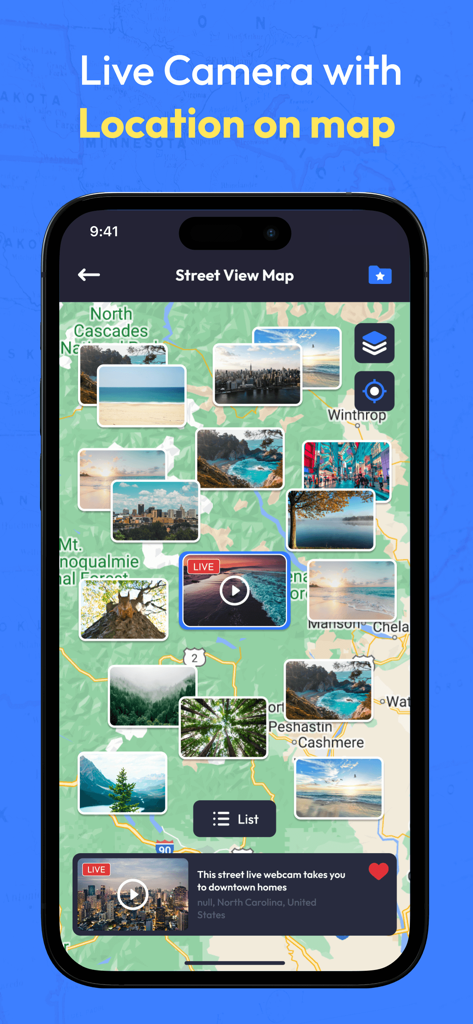
Street View Map- Live Earth 3D - 지리적 영역에 걸쳐 다양한 라이브 카메라 썸네일이 있는 지도를 보여주는 모바일 앱 인터페이스
지리적 영역에 걸쳐 다양한 라이브 카메라 썸네일이 있는 지도를 보여주는 모바일 앱 인터페이스

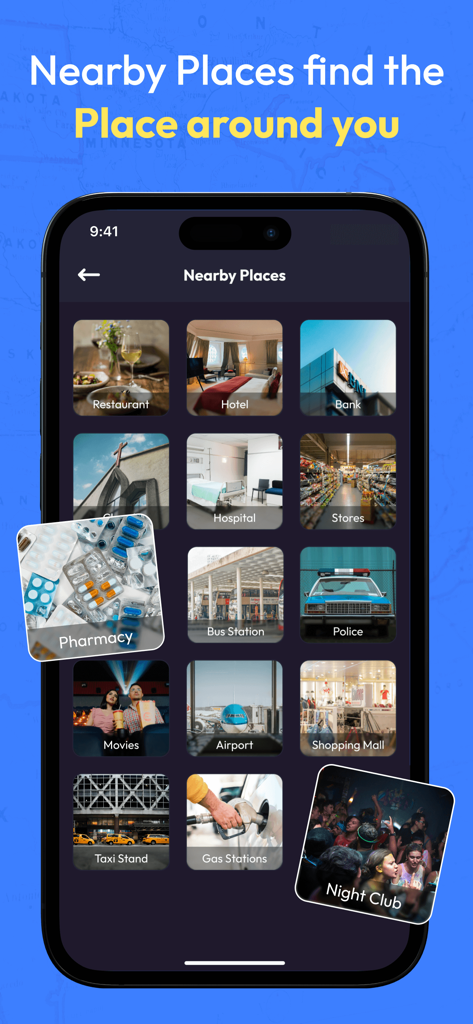
Street View Map- Live Earth 3D - 레스토랑, 병원 및 지역 서비스를 위한 아이콘을 보여주는 Street View Map 앱의 주변 장소 기능
레스토랑, 병원 및 지역 서비스를 위한 아이콘을 보여주는 Street View Map 앱의 주변 장소 기능

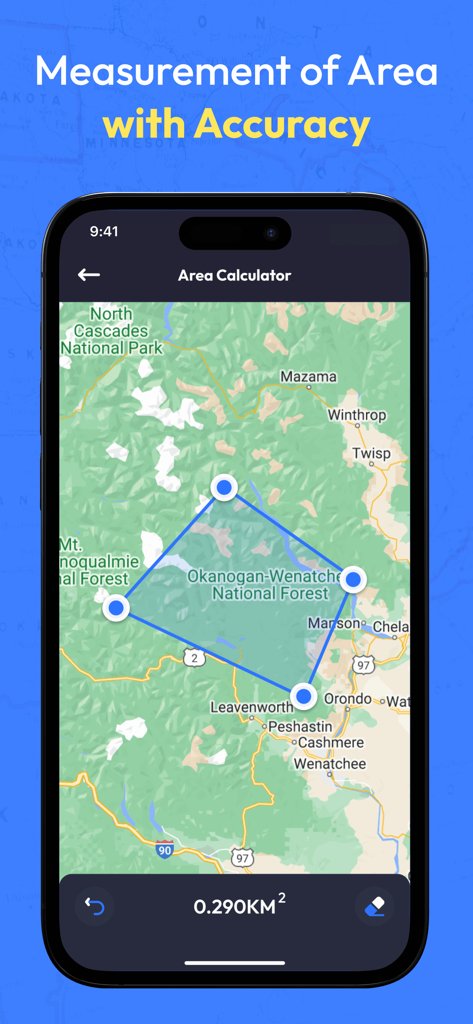
Street View Map- Live Earth 3D - 지도에서 토지 측정을 보여주는 Street View Map 앱 면적 계산기 도구
지도에서 토지 측정을 보여주는 Street View Map 앱 면적 계산기 도구

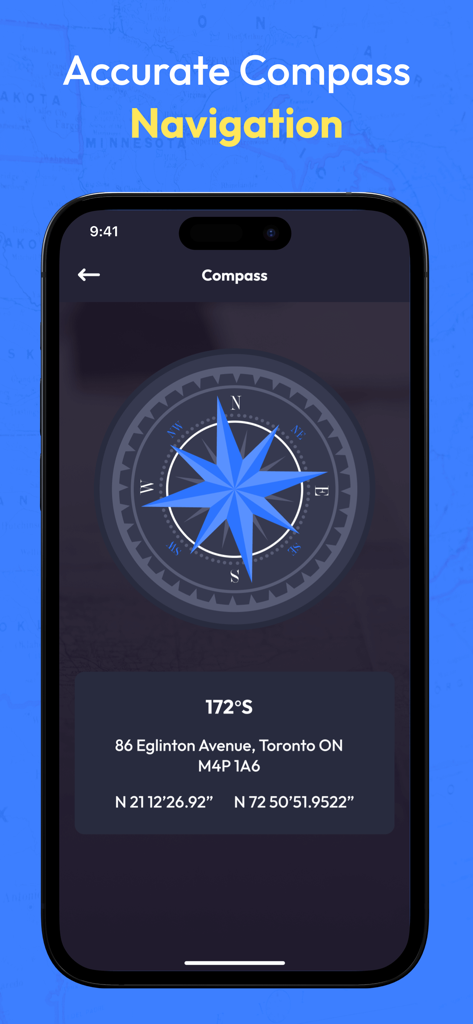
Street View Map- Live Earth 3D - 지리적 좌표 및 주소 정보가 있는 디지털 나침반을 보여주는 모바일 앱 인터페이스

지리적 좌표 및 주소 정보가 있는 디지털 나침반을 보여주는 모바일 앱 인터페이스

설명

Live Earth Map: The Live Earth Map street view shows real-time images of streets and locations around the world, letting you explore different places from your device. Now you can easily explore new places without going anywhere with a live earth map Street View: Explore any location or street view with your device's 360° camera view, and you can quickly search for and explore any location in full-screen mode. My Location: My Location Finder tool helps you quickly find where you are on a map. Just get your address or click on the map, and it will show you exactly where you are! Famous Attraction: Explore famous places, seven wonders, and regions from the street view to see their beauty up close, discovering every intricate detail that makes them iconic. Satellite Map: Discovering your location on a satellite map with a 3D view with just a simple tap Neaby Places: Easily discover places close to your location, like restaurants or hospitals, just by using your phone. It shows you options nearby so you can easily decide where to go without searching too far. Compass: A compass is a tool to find which way you're facing. Distance Calculator: Find the distance between two locations easily with a distance calculator. Area Calculator: The area calculator helps figure out how much space something takes up between two areas by counting it digitally. Try the premium feature: • Go with the Ad-Free version without any single ads Users must purchase a premium plan to Access all Features. This app offers auto-renewable subscriptions. For more information: Privacy Policy - https://vkinfotechvk.blogspot.com/2022/07/policy.html Terms of use - https://vkinfotechvk.blogspot.com/2024/03/terms-of-use.html

Download

다운로드: App Store

이 페이지는 앱이나 개발자의 공식 페이지가 아니며, 정보 제공 및 논평을 목적으로 작성된 독립 편집 간행물입니다. 명시적으로 달리 언급되지 않는 한, 해당 앱이나 개발자는 MWM, Apple, Google Play, 앱 퍼블리셔 또는 앱 개발자와 제휴, 보증, 후원, 승인 또는 공식적으로 연결되어 있지 않으며, 이 페이지의 어떤 내용도 해당 앱이 MWM의 서비스를 사용하여 개발되었음을 의미하지 않습니다. 모든 상표, 로고, 스크린샷 및 기타 콘텐츠는 해당 소유자의 자산입니다.