Tape Measure: AR Measuring
다운로드: App Store

이 페이지는 앱이나 개발자의 공식 페이지가 아니며, 정보 제공 및 논평을 목적으로 작성된 독립 편집 간행물입니다. 명시적으로 달리 언급되지 않는 한, 해당 앱이나 개발자는 MWM, Apple, Google Play, 앱 퍼블리셔 또는 앱 개발자와 제휴, 보증, 후원, 승인 또는 공식적으로 연결되어 있지 않으며, 이 페이지의 어떤 내용도 해당 앱이 MWM의 서비스를 사용하여 개발되었음을 의미하지 않습니다. 모든 상표, 로고, 스크린샷 및 기타 콘텐츠는 해당 소유자의 자산입니다.
로고: Tape Measure: AR Measuring
다운로드: App Store

Tape Measure: AR Measuring

스마트폰을 전문가 수준의 툴킷으로 바꾸세요. 모든 방을 측정하고, 즉시 평면도를 만들고, DIY족, 이사 예정자, 디자인 애호가를 위한 AR 기술로 정밀한 치수를 공유하세요.

주요 수치

다운로드

303K+

사용자 평점

4.3/5

총 평가 수

1K+

개발사

Fuentech Company Limited

카테고리

Productivity

지원 언어

15

최신 버전

2.2.5

크기

83.3 MB

출시일

2023년 10월 4일
기능

손안의 정밀한 계획

수작업과 부피가 큰 툴킷을 건너뛰세요. AR 기반 기술이 iPhone을 DIY 프로젝트, 주택 개조, 인테리어 디자인을 위한 전문가 수준의 측정 스위트로 바꿔줍니다.

즉각적인 AR 공간 매핑

모든 방을 스캔하여 둘레, 면적, 천장 높이를 자동으로 계산하세요. 몇 초 만에 새 집이나 개조를 위한 정확한 평면도를 만드세요.

시각적 스케치 및 공유

계획에 문, 창문, 사용자 정의 텍스트를 추가하세요. 디자인을 즉시 내보내 계약자, 룸메이트 또는 디자이너와 공유하여 자신감 있는 의사 결정을 내릴 수 있습니다.

다음 스크린샷과 설명은 앱의 공식 스토어 목록에서 직접 가져온 것이며 앱 개발자의 자산입니다.

앱 스토어

스크린샷
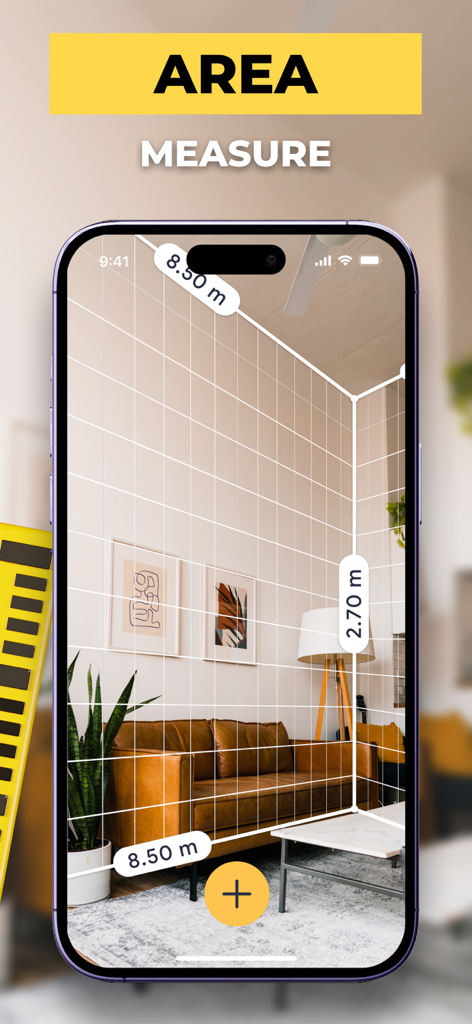
Tape Measure: AR Measuring - 증강 현실을 사용하여 방 치수와 면적을 측정하는 스마트폰

증강 현실을 사용하여 방 치수와 면적을 측정하는 스마트폰

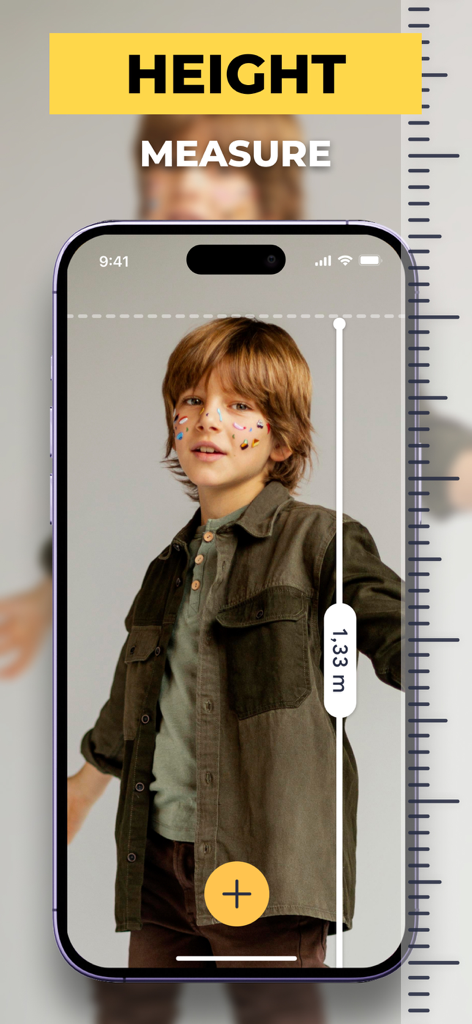
Tape Measure: AR Measuring - 1.33미터로 표시된 소년의 키를 측정하기 위해 증강 현실을 사용하는 iPhone 화면
1.33미터로 표시된 소년의 키를 측정하기 위해 증강 현실을 사용하는 iPhone 화면

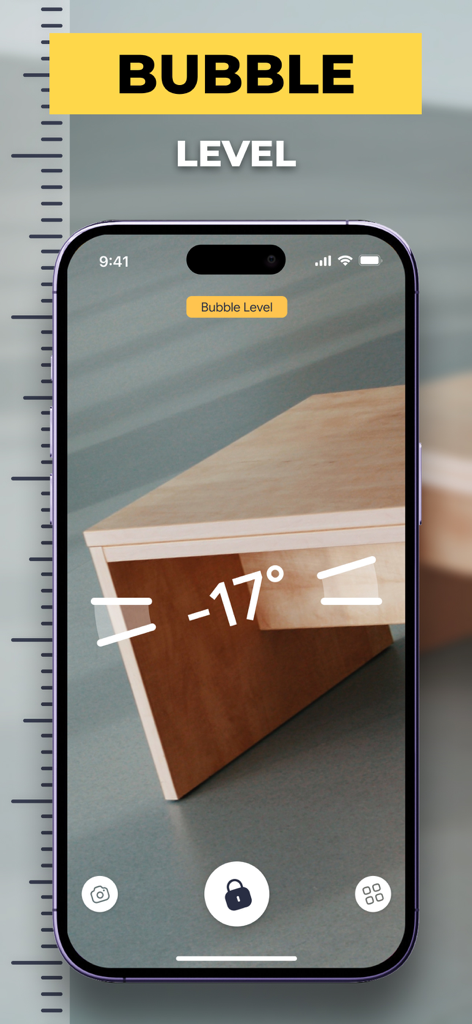
Tape Measure: AR Measuring - 목재 가구의 각도를 측정하는 AR 측정 앱의 기포 수준 기능을 보여주는 스마트폰 화면
목재 가구의 각도를 측정하는 AR 측정 앱의 기포 수준 기능을 보여주는 스마트폰 화면

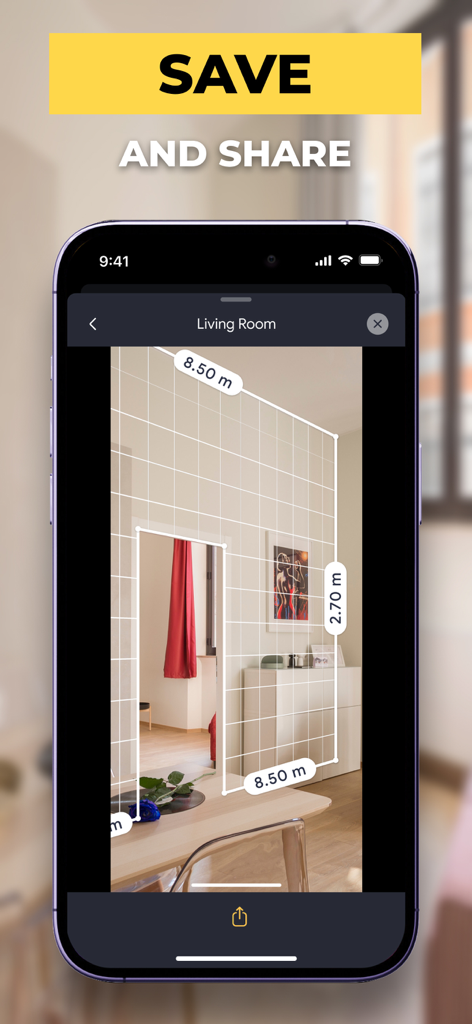
Tape Measure: AR Measuring - 치수와 저장 및 공유 프롬프트가 있는 방 벽의 AR 측정치를 표시하는 스마트폰
치수와 저장 및 공유 프롬프트가 있는 방 벽의 AR 측정치를 표시하는 스마트폰

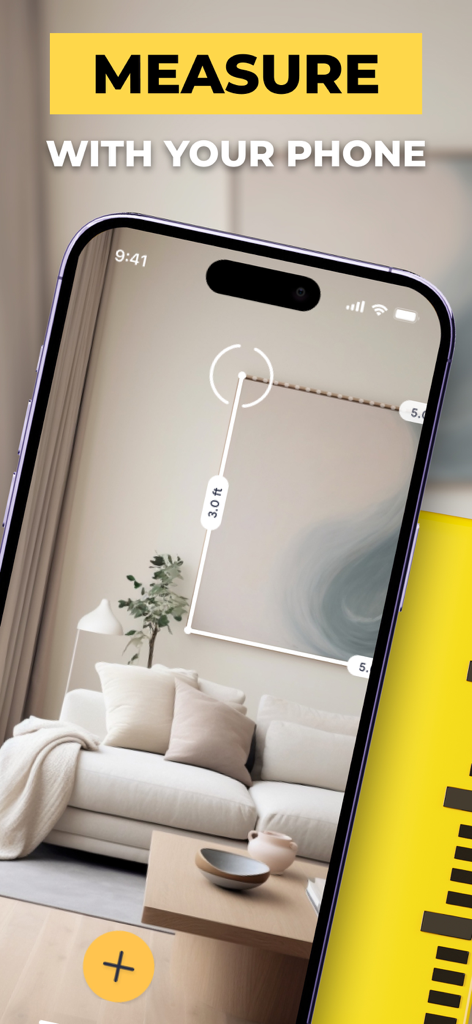
Tape Measure: AR Measuring - 증강 현실 테이프 측정 앱을 사용하여 액자 사진을 측정하는 스마트폰

증강 현실 테이프 측정 앱을 사용하여 액자 사진을 측정하는 스마트폰

설명

Tape Measure: AR Measuring app is a smart and easy to use electronic ruler that delivers the same accurate and precise results as a traditional measuring tool. Measure objects or distances in different units. Create a sketch with a wide range of text editing options like size, color, and positioning. When everything is done share your measures and sketches right from the app. Measure your room’s perimeter and ceiling height with AR Room Planner! AR technology turns your smartphone into a virtual measuring tape. Measure real-world surfaces and create floor plans quickly and easily. Whether you use AR Room Planner for personal or professional needs, you get a great measuring tool at your fingertips. Just moved in? Map your place out in minutes and figure out how to furnish it. Need a floor plan? No problem, just scan the room and get a ready-made plan that you can save on your device or share it in any convenient way. With AR Room Planner you can: - Measure room’s perimeter and height - Switch between Imperial (ft, in) and Metric (m, cm) units - Take in-app screenshots to quickly share measurements - Get perimeter, square footage, and ceiling height calculated automatically - Add doors and windows to a floor plan - Store and organize your floor plans - Export or share floor plans via email, social media, messengers, etc. - Rangefinder – measure the distance from your smartphone's camera to any point in view - Sketch mode – prepare a plan, name it with a cool text editor - Share your sketch with anyone - A handy tape measure, always in your pocket - A clear and user-friendly interface - It is free! Try AR Room Planner now to make sure that measuring rooms and creating floor plans have never been so fun! Terms of use: https://dtstudiovn.blogspot.com/2021/12/terms-of-use.html Privacy Policy: https://dtstudiovn.blogspot.com/2021/12/equalizer-bass-booster-amp-privacy.html

Download

다운로드: App Store

이 페이지는 앱이나 개발자의 공식 페이지가 아니며, 정보 제공 및 논평을 목적으로 작성된 독립 편집 간행물입니다. 명시적으로 달리 언급되지 않는 한, 해당 앱이나 개발자는 MWM, Apple, Google Play, 앱 퍼블리셔 또는 앱 개발자와 제휴, 보증, 후원, 승인 또는 공식적으로 연결되어 있지 않으며, 이 페이지의 어떤 내용도 해당 앱이 MWM의 서비스를 사용하여 개발되었음을 의미하지 않습니다. 모든 상표, 로고, 스크린샷 및 기타 콘텐츠는 해당 소유자의 자산입니다.