이 페이지는 앱이나 개발자의 공식 페이지가 아니며, 정보 제공 및 논평을 목적으로 작성된 독립 편집 간행물입니다. 명시적으로 달리 언급되지 않는 한, 해당 앱이나 개발자는 MWM, Apple, Google Play, 앱 퍼블리셔 또는 앱 개발자와 제휴, 보증, 후원, 승인 또는 공식적으로 연결되어 있지 않으며, 이 페이지의 어떤 내용도 해당 앱이 MWM의 서비스를 사용하여 개발되었음을 의미하지 않습니다. 모든 상표, 로고, 스크린샷 및 기타 콘텐츠는 해당 소유자의 자산입니다.
Teleprompter Easy Prof Hornet
Vlog 제작자, 교육자 및 전문가를 위해 설계된 올인원 오토큐. 몇 초 만에 스크립트를 가져오고 iPhone, iPad 또는 Apple Watch에서 스크롤 속도를 쉽게 제어하세요.
iPhone 또는 iPad를 전문가 수준의 오토큐로 전환하세요. 라인을 외우거나 초점을 잃는 스트레스 없이 완벽한 발표, 영상 및 연설을 제공하세요.
어디서든 가져오고 즉시 시작하세요
Google Drive, Dropbox 또는 iCloud에 직접 연결하세요. .pdf 또는 .doc 파일을 가져와 단 3가지 간단한 단계로 녹화할 준비를 하세요.
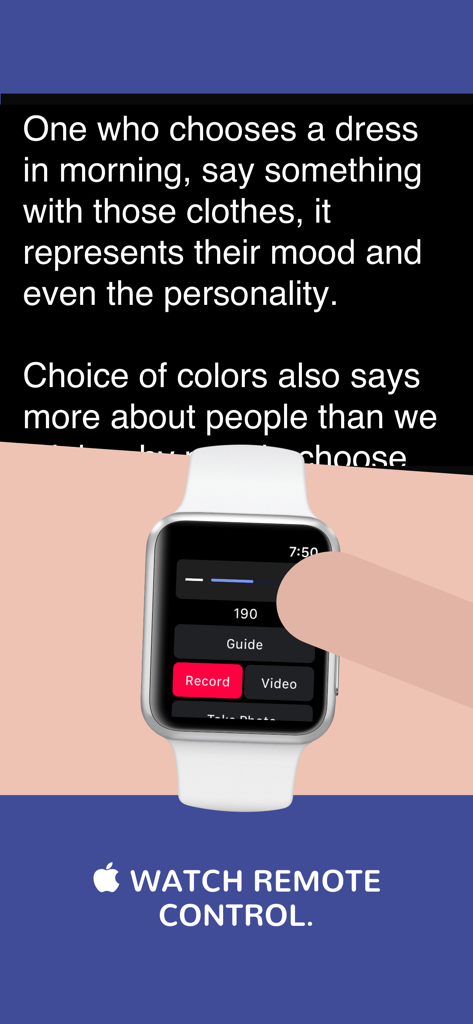
Apple Watch를 통한 완전한 원격 제어
혼자 촬영하시나요? 손목에서 직접 스크롤 속도를 조정하고 스크립트 시작 또는 중지하여 캐릭터에 몰입하고 눈 맞춤을 유지할 수 있습니다.
다음 스크린샷과 설명은 앱의 공식 스토어 목록에서 직접 가져온 것이며 앱 개발자의 자산입니다.
앱 스토어
스크린샷
전문 텔레프롬프터 앱 사용자를 나타내는 안경을 쓴 웃는 젊은 전문 여성.
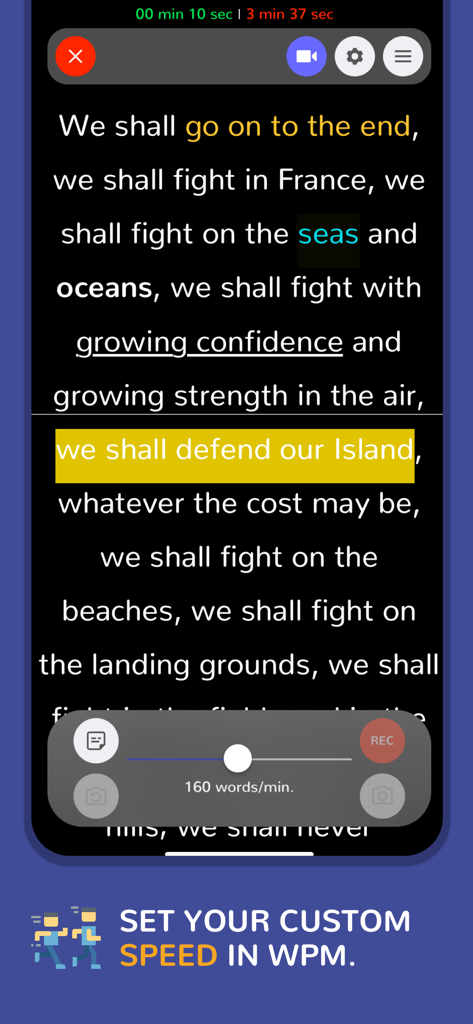
텔레프롬프터 앱 인터페이스가 분당 160단어의 사용자 지정 속도 슬라이더와 함께 스크롤되는 텍스트를 보여줍니다.
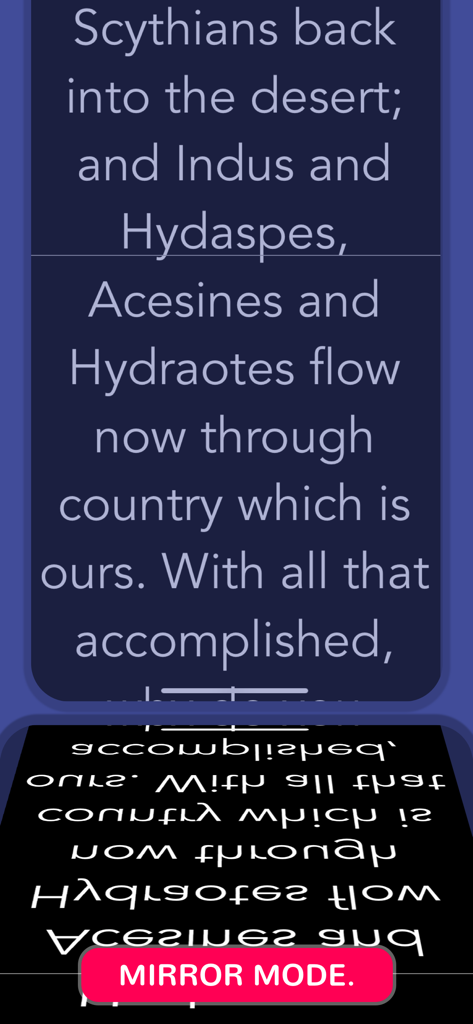
전문 유리 리그용으로 미러링된 텍스트를 보여주는 텔레프롬프터 앱 화면.
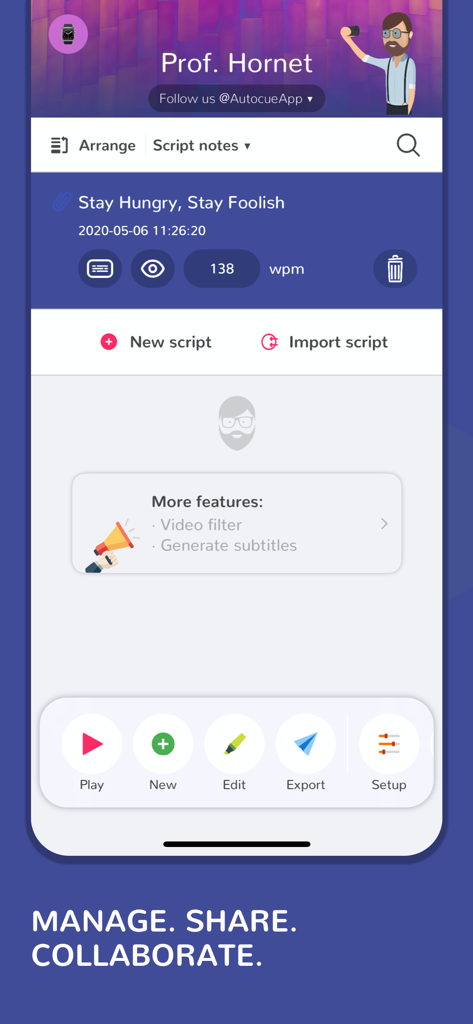
스크립트 관리 및 편집 기능을 보여주는 Teleprompter Easy Prof Hornet 앱 인터페이스
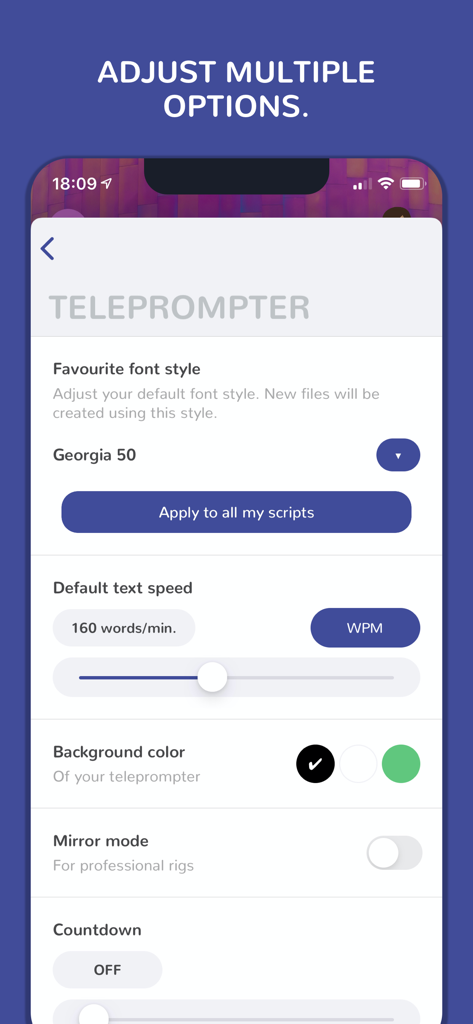
글꼴 스타일, 스크롤 속도 및 미러 모드를 조정하기 위한 텔레프롬프터 앱 설정 메뉴
사람이 Apple Watch를 사용하여 Teleprompter Easy Prof Hornet 앱의 스크롤 속도 및 녹화 기능을 원격으로 제어합니다.
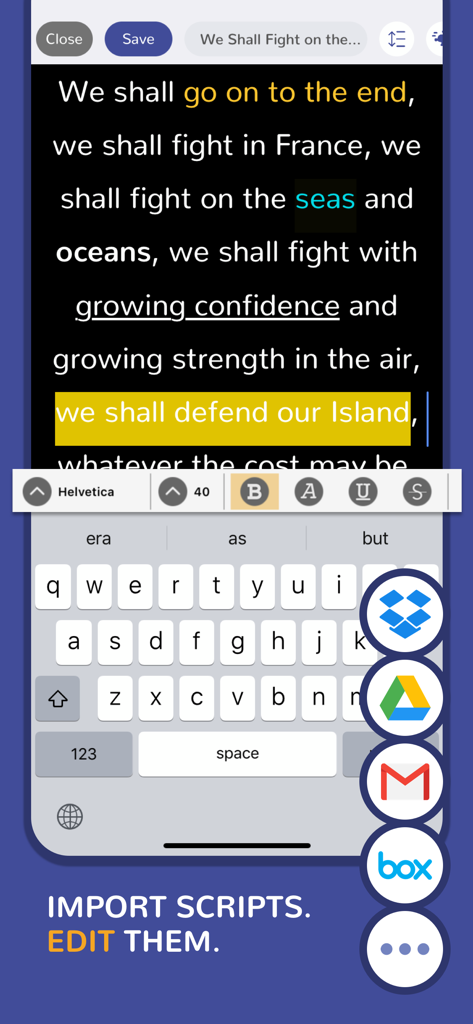
Google Drive 및 Dropbox와 같은 클라우드 가져오기 통합 및 텍스트 서식을 보여주는 텔레프롬프터 앱 스크립트 편집기
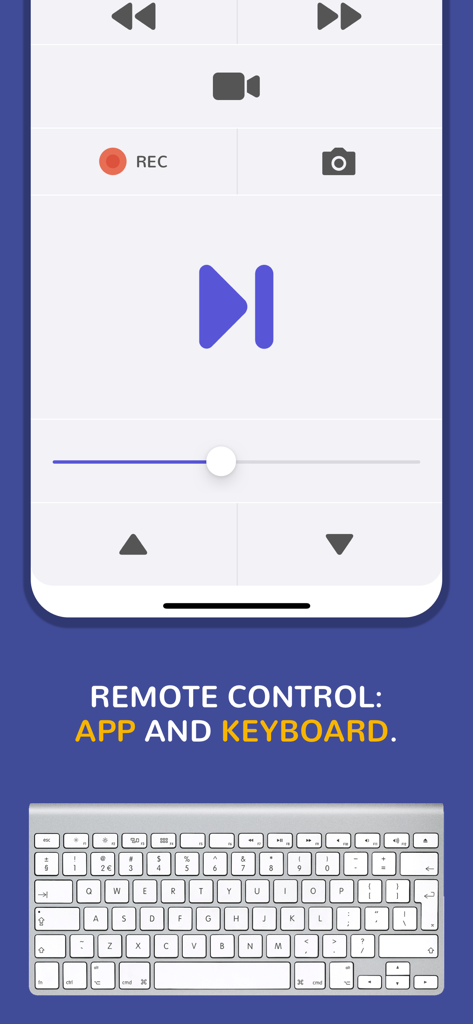
재생 버튼과 블루투스 키보드 지원을 보여주는 텔레프롬프터 리모컨 인터페이스
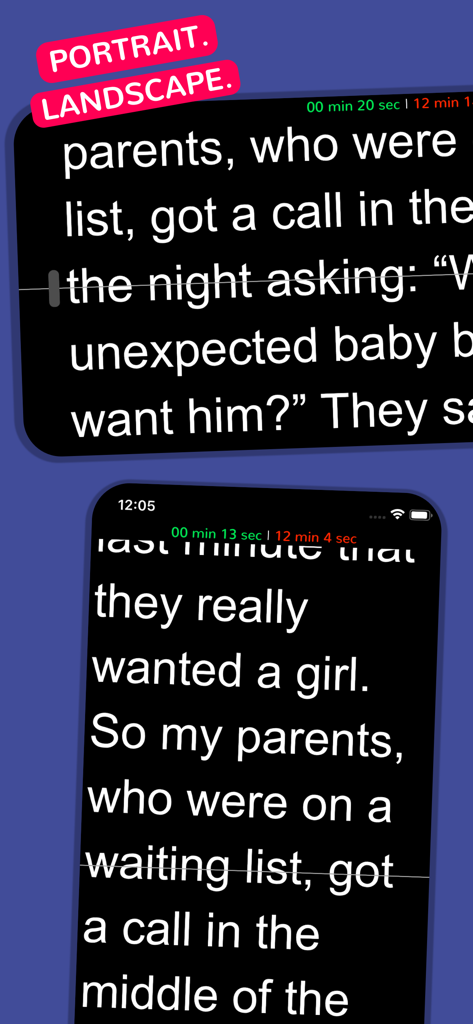
세로 및 가로 화면 방향 모두에서 스크롤되는 스크립트 텍스트를 보여주는 텔레프롬프터 앱 인터페이스
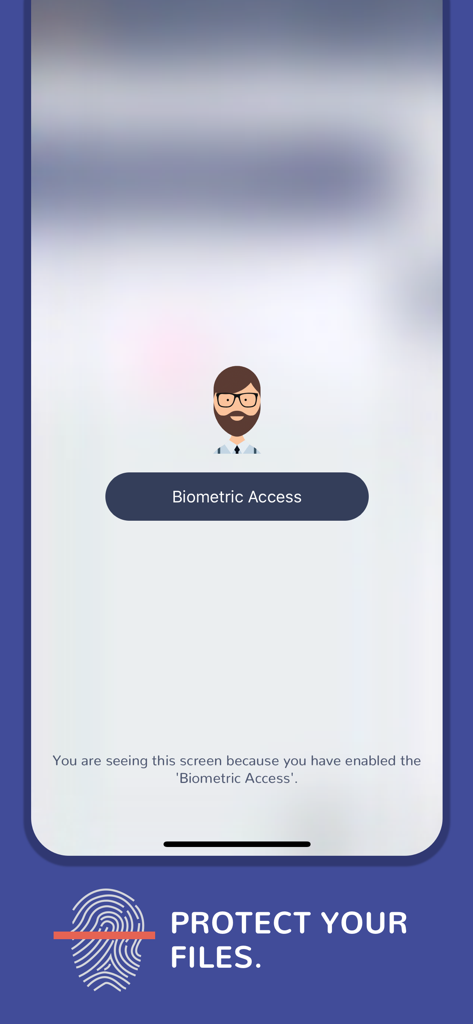
텔레프롬프터 앱에서 스크립트 보호를 위한 생체 인식 액세스 화면
설명
Perfect for Youtube videos, business or school presentations, video journalism, video production work, keynote addresses... or any kind of event! Use your teleprompter wherever you are. Used by vloggers, teachers, keynote speakers, singers, businessmen, broadcasters, students, priests...
Just 3 steps to start using a top-quality autocue:
- Import your script (or create a new one in the app).
- Configure the teleprompter options.
- Press the button and start reading.
Multiple innovative features:
**TELEPROMPTER SETUP:
• Speed in words per minute - from 25 wpm to 300 wpm.
• Mirror mode - Mirror text for use with teleprompter glass rigs.
• Background color.
• Autostart timer (countdown).
• Reading guide and line indicator to help keep your place.
• Landscape and portrait mode.
• Customize your favorite font style.
**EDITOR:
• Individual script speed.
• Font family: Arial, Times New Roman, Courier, Helvetica, Verdana and many more.
• Font size: 20, 30, 40, 50, 60, 70, 80, 90, 100, 110, 130 and 150px.
• Font color: black, white and any RGB color.
• Font weight: bold / light.
• Highlight your keywords: underline, italic, strikethrough...
• Text alignment.
• Background color.
• Adjust the line spacing.
• Add notes, comments, indexes or anything you need to remember during your speech.
• Sort your scripts easily.
**IMPORT:
• Create your own scripts or import them from other apps such as Google Drive, DropBox, Spark, Gmail...
• Use the 'Open with' option that is available, for example, in iOS mail apps.
• Select your text from any app and press the 'Send to Prof. Hornet' button.
• Files accepted: .pdf, .txt, .rtf, .doc and .docx.
**OTHER FEATURES:
• Video promotion available.
• Biometrical access to protect your scripts from undesired hands.
• Estimated remaining time and elapsed time on the screen.
• Move the teleprompter up and down easily.
• Historical speeches available to train with them.
• Share your scripts with your teammates and friends.
• Customer support messaging system - Are you having issues? need help? we will help you as soon as possible.
• WhatsApp and iMessage stickers.
• Zip your files.
**TELEPROMPTER CONTROL:
• Remote keyboard.
• Remote control app.
• Apple Watch remote control app included.
• Prof. Hornet File Manager for Mac OS lets you create and edit scripts easily and send them to the app in real-time.
**LANGUAGES:
English, Spanish, Japanese, Italian, Korean, Turkish, German, Chinese, French, Hindi, Portuguese, Russian (New languages coming soon).
**VIDEO RECORDING:
If you want/need to record videos directly from your iPhone or iPad, we recommend to use the app: Prof. Hornet Teleprompter Pro.
**CHROMA-KEY:
If you want/need to record videos using a green screen, we recommend to use the app: 'Green Screen Teleprompter by Prof. Hornet'.
You are a few "touches" away from creating awesome and unique videos.
**What users say about us:
- "This is a lovely autocue app."
- "The clarity of the display while reading is fantastic."
- "The best value for money Teleprompter for iPad/iPhone in the AppStore."
- "Nice app! Nicely done and easy to use super awesome! Love this application very much!"
- "The perfect and cheapest teleprompter"
--------------------------------------
Mail: hello@autocueapp.com
Twitter: @AutocueApp
Facebook: Prof. Hornet - Autocue App
Instagram: @AutocueApp
https://www.autocueapp.com
이 페이지는 앱이나 개발자의 공식 페이지가 아니며, 정보 제공 및 논평을 목적으로 작성된 독립 편집 간행물입니다. 명시적으로 달리 언급되지 않는 한, 해당 앱이나 개발자는 MWM, Apple, Google Play, 앱 퍼블리셔 또는 앱 개발자와 제휴, 보증, 후원, 승인 또는 공식적으로 연결되어 있지 않으며, 이 페이지의 어떤 내용도 해당 앱이 MWM의 서비스를 사용하여 개발되었음을 의미하지 않습니다. 모든 상표, 로고, 스크린샷 및 기타 콘텐츠는 해당 소유자의 자산입니다.