The Clock by seense

The Clock by seense

다운로드: App Store
로고: The Clock by seense

The Clock by seense: 글로벌 팀을 위한 전문 시간대 및 회의 플래너

시간대 계산을 없애고 글로벌 업무 흐름을 마스터하세요. Apple 생태계를 위해 완벽하게 최적화된 가장 진보된 시계로 회의를 손쉽게 조정하고, 국제 영업 시간을 추적하고, 생산성을 유지하세요.

개발사

Fabrice Leyne

카테고리

Productivity

다운로드

24K+

사용자 평점

4.1/5

총 평가 수

0

지원 언어

18

한눈에 보는 정확성

이 인터페이스를 사용하는 24K+ 명의 사용자.

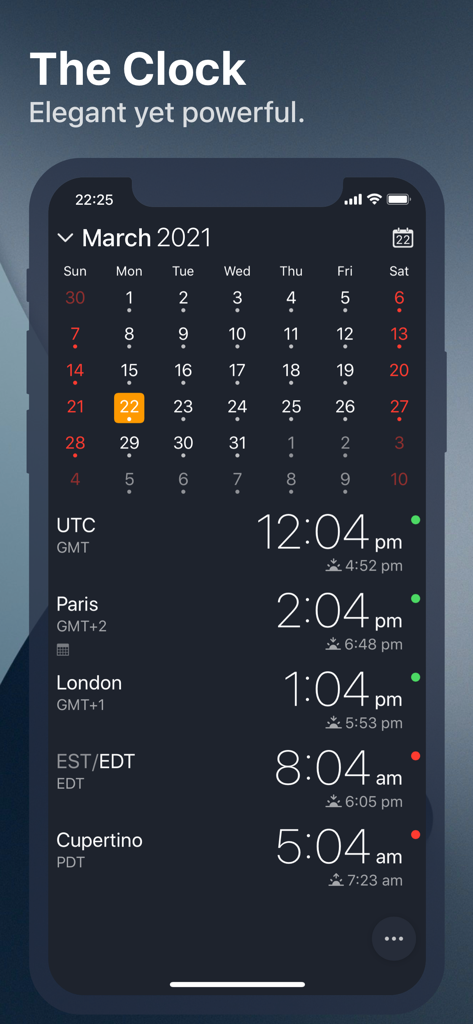
The Clock 앱 인터페이스가 월간 캘린더와 파리, 런던, 쿠퍼티노의 여러 세계 시계 및 영업 시간 표시기를 보여줌
The Clock 앱 인터페이스가 월간 캘린더와 파리, 런던, 쿠퍼티노의 여러 세계 시계 및 영업 시간 표시기를 보여줌

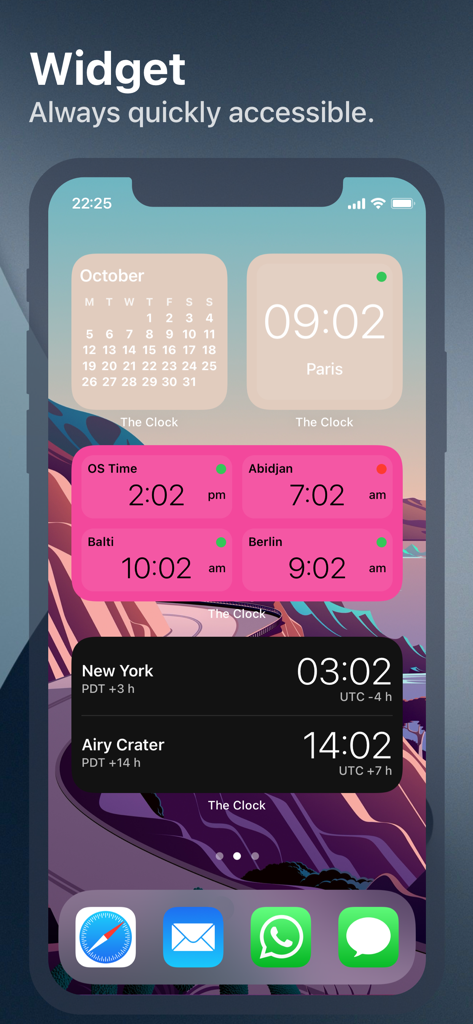
iPhone 홈 화면에 여러 세계 시계 및 캘린더 위젯이 표시되어 국제 시간대를 추적함
iPhone 홈 화면에 여러 세계 시계 및 캘린더 위젯이 표시되어 국제 시간대를 추적함

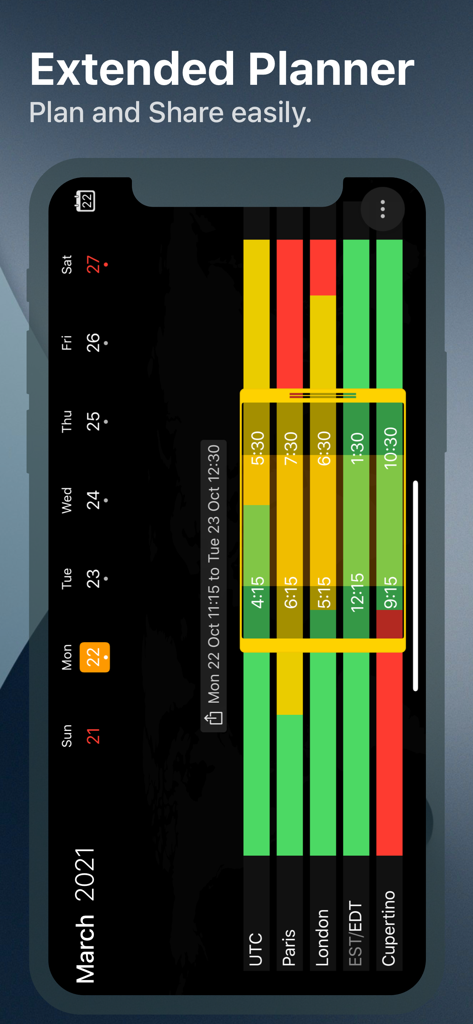
파리, 런던, 쿠퍼티노와 같은 여러 시간대에 걸친 영업 시간을 시각화하는 확장된 회의 플래너 인터페이스
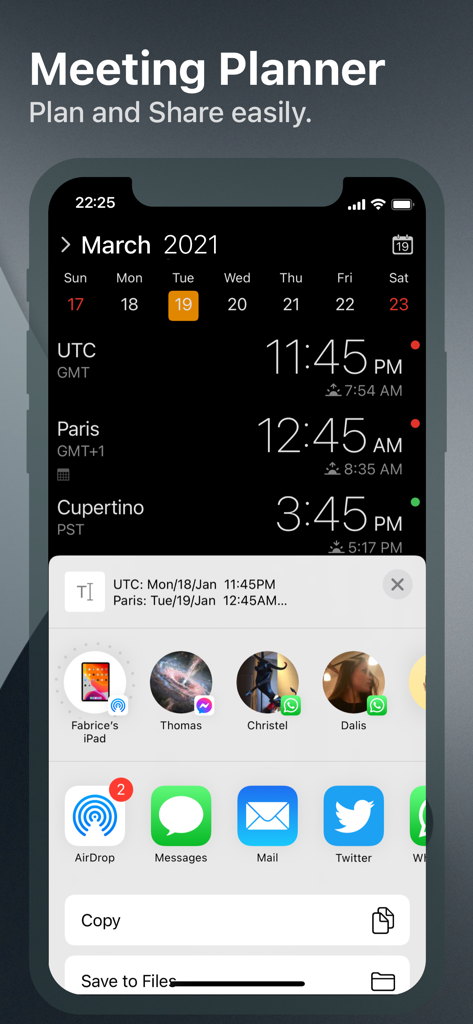
파리, 런던, 쿠퍼티노와 같은 여러 시간대에 걸친 영업 시간을 시각화하는 확장된 회의 플래너 인터페이스

여러 시간대와 열린 iOS 공유 메뉴가 있는 The Clock 앱 회의 플래너를 보여주는 iPhone 스크린샷
여러 시간대와 열린 iOS 공유 메뉴가 있는 The Clock 앱 회의 플래너를 보여주는 iPhone 스크린샷

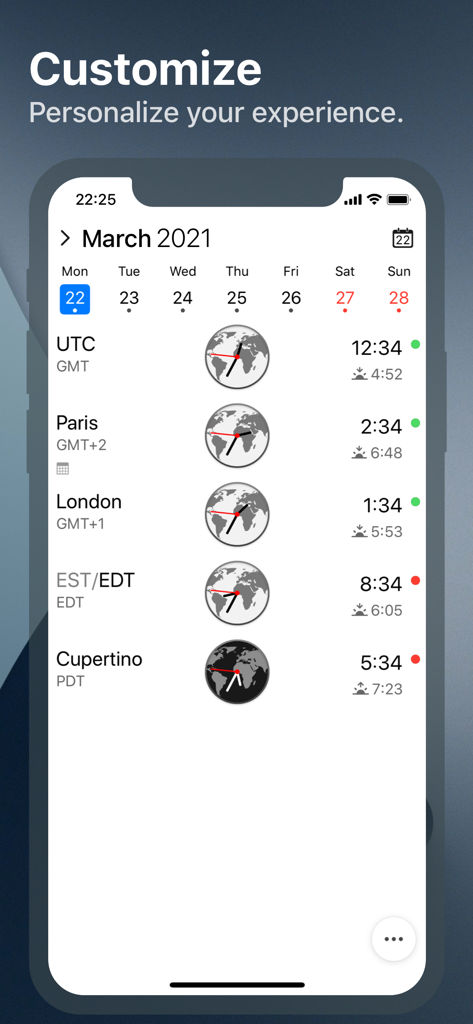
iPhone의 The Clock 앱 인터페이스가 시간대, 영업 시간 표시기, 월간 캘린더와 함께 세계 시계를 표시함
iPhone의 The Clock 앱 인터페이스가 시간대, 영업 시간 표시기, 월간 캘린더와 함께 세계 시계를 표시함

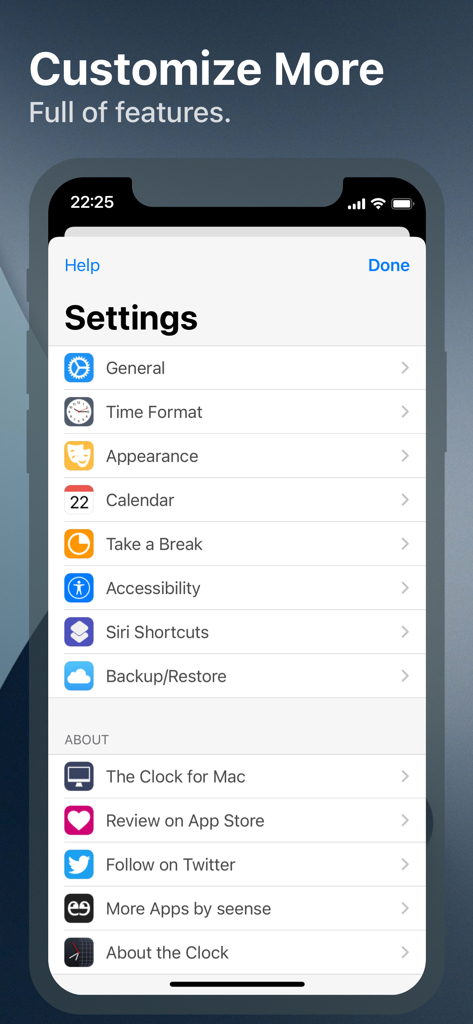
맞춤 설정 및 생산성 옵션을 보여주는 The Clock 앱의 설정 메뉴
맞춤 설정 및 생산성 옵션을 보여주는 The Clock 앱의 설정 메뉴

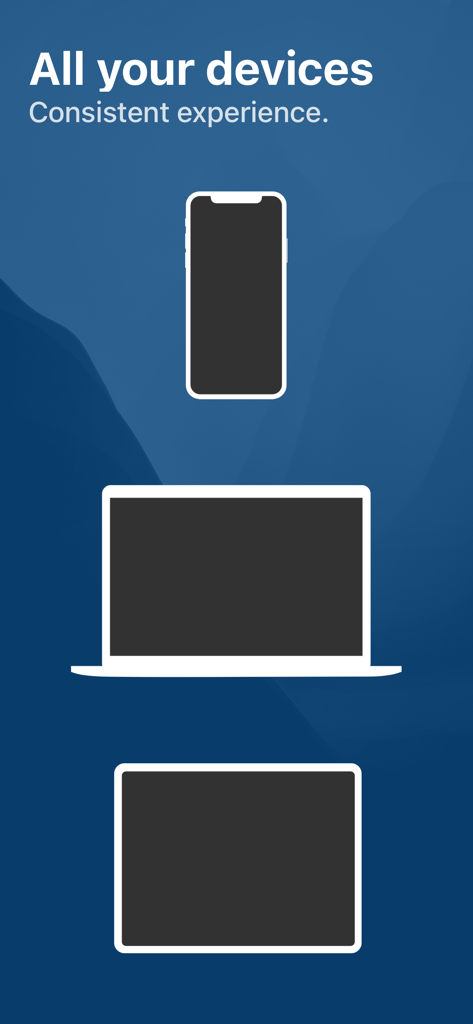
모든 Apple 기기에서 일관된 앱 경험을 나타내는 iPhone, Mac 및 iPad 실루엣을 보여주는 그래픽

모든 Apple 기기에서 일관된 앱 경험을 나타내는 iPhone, Mac 및 iPad 실루엣을 보여주는 그래픽

모든 국경을 넘나드는 시간 마스터

이 앱을 돋보이게 하는 도구, 24K+ 명의 사용자가 선택.

🗓️

시각적 회의 플래너

시간을 스와이프하여 전 세계 팀이 실제로 깨어 있고 일할 준비가 된 완벽한 시간을 즉시 찾아보세요.

🏢

국제 영업 시간 및 현지 공휴일을 파악하여 고객 또는 하청업체의 휴식 시간을 방해하지 않도록 하세요.

💻

전문가급 맞춤 설정

Mac과 iOS 간의 Handoff 지원부터 상세한 시간 표시까지, 모든 세부 사항을 특정 전문 업무 흐름에 맞게 조정하세요.

앱 소개

에 대해 알아야 할 모든 것 The Clock by seense.

설명

After 10 years on the Mac and tens of thousands of happy users, The Clock now on your iPhone/iPad. The Clock • Keep track, easily and efficiently of your contacts in different time zones. • Have a quick view on a Calendar, which can be integrated with the iOS Calendar • Easily setup meetings with the Meeting Planner. • Have a highlight on the Business Hours and Holidays of your subcontractors, customers, ... • Highly customizable. • Be reminded when to Take a Break and relax. • Widget ready for your convenience. • Siri Shortcuts available. • Responsive design to adapt to portrait/landscape view. • HandOff with The Clock on your Mac. The World Clocks • AM/PM or 24Hours. • Analog or Digital Clock view. • Choose among a wide range of complications • Business Hours. • Time offset. • Sunrise/Sunset. • Country. • Time Zone offset (PDT, CDT, UTC…). • Yesterday, Today, Tomorrow. • AM/PM, 24H. • Drag&Drop the world clocks to order them. • Beautiful clock face displaying day and night. • Personalize the world clock time format per cities. • Change the city name. • PDT, CDT, MDT, GMT… and more automatically adapting during daylight saving period. Meeting Planner • Meeting Planner swipe the screen to travel through time. • Business Hours led to check if your contact is in the working hours time frame. • Select a date in the calendar for an accurate Daylight Saving adjustment. • With the iOS Calendar integration into The Clock have a quick look on your schedule • With the Calendar Complication, automatically know if you are busy while planning a meeting. • Export easily your schedule information with the share menu or Drag & Drop (iPad). • Slider automatically round the time to 15/30 min. Calendar • Navigate the months with a tap, or keyboard shortcuts (iPad Pro). • Show/Hide the Calendar. • Toggle week/month view. • Show/Hide the weeks number. • Select your referenced calendar for the week number. (Regional settings, or ISO 8601). • Select a day in Meeting Planner for an accurate Daylight Saving adjustment. • Highlight days off per city. • Follow the iOS setting for Calendar first day of the week or set your own... • Choose to integrate or not with the iOS Calendar. • Have a quick view on your calendar events. • Calendar complication to immediately see what is coming next on your schedule. Accessibility • Voice Over. • Dynamic Type for font size to adapt to your need. • Color blind friendly. • Haptic feedback (for device supporting it). Other • Choose between 4 beautiful themes (White/Dark/Daisy Blue/Deep Dark). • Select clock faces. • Keyboard Shortcuts for most common actions (on iPad Pro with keyboard). • Backup/Restore your settings easily (Local, Dropbox, iCloud). • Enjoy the Take a Break feature, and relax. • And more … • And with a real user manual to go deeper in the discovery of all the features.

최신 버전

4.9.9

크기

14.6 MB

출시일

2018년 11월 1일

글로벌 일정을 마스터할 준비가 되셨나요?

시간대 계산을 버린 수만 명의 전문가들과 함께하세요. 10년 된 Mac의 유산을 iPhone 및 iPad에 완벽하게 최적화된 경험으로 만나보세요.

다운로드: App Store

App information, icons, screenshots, and descriptions displayed on this page are sourced from the Apple App Store and are the property of their respective developers. Download estimates and rankings are based on MWM's proprietary models and may not reflect actual figures. This page is provided for informational and analytical purposes only.

Believe this page infringes your intellectual property? File a dispute