The Spreadsheet App. - Sheets
다운로드: App Store

이 페이지는 앱이나 개발자의 공식 페이지가 아니며, 정보 제공 및 논평을 목적으로 작성된 독립 편집 간행물입니다. 명시적으로 달리 언급되지 않는 한, 해당 앱이나 개발자는 MWM, Apple, Google Play, 앱 퍼블리셔 또는 앱 개발자와 제휴, 보증, 후원, 승인 또는 공식적으로 연결되어 있지 않으며, 이 페이지의 어떤 내용도 해당 앱이 MWM의 서비스를 사용하여 개발되었음을 의미하지 않습니다. 모든 상표, 로고, 스크린샷 및 기타 콘텐츠는 해당 소유자의 자산입니다.

로고: The Spreadsheet App. - Sheets
다운로드: App Store

The Spreadsheet App. - Sheets

작은 셀 때문에 고생은 이제 그만. 드래그 앤 드롭 수식, 인터랙티브 차트, 즉시 PDF 보고서를 터치 우선 인터페이스로 경험하세요. 등록이나 설정 시간은 전혀 필요 없습니다.

주요 수치

다운로드

13K+

사용자 평점

4.5/5

총 평가 수

1K+

개발사

Henrik Kjær

카테고리

Productivity

지원 언어

10

최신 버전

1.26.4

크기

54.8 MB

출시일

2023년 3월 8일
기능

휴대폰을 위해 만들어진 강력한 스프레드시트

작은 셀과 복잡한 데스크톱 소프트웨어는 이제 그만. 직관적인 터치 우선 인터페이스로 이동 중에 예산을 관리하고, 판매를 추적하고, 데이터를 시각화하세요.

터치 우선 효율성

작은 셀을 보느라 눈을 찡그릴 필요가 없습니다. 마우스가 아닌 엄지손가락을 위해 설계된 인터페이스로 드래그, 드롭, 탭하여 데이터 입력을 처리하세요.

스마트 사용자 지정 수식

코딩 없이 전문가처럼 재사용 가능한 나만의 함수를 만드세요. 한 번 구축하면 모든 곳에서 사용하여 고유한 워크플로를 자동화할 수 있습니다.

다음 스크린샷과 설명은 앱의 공식 스토어 목록에서 직접 가져온 것이며 앱 개발자의 자산입니다.

앱 스토어

스크린샷
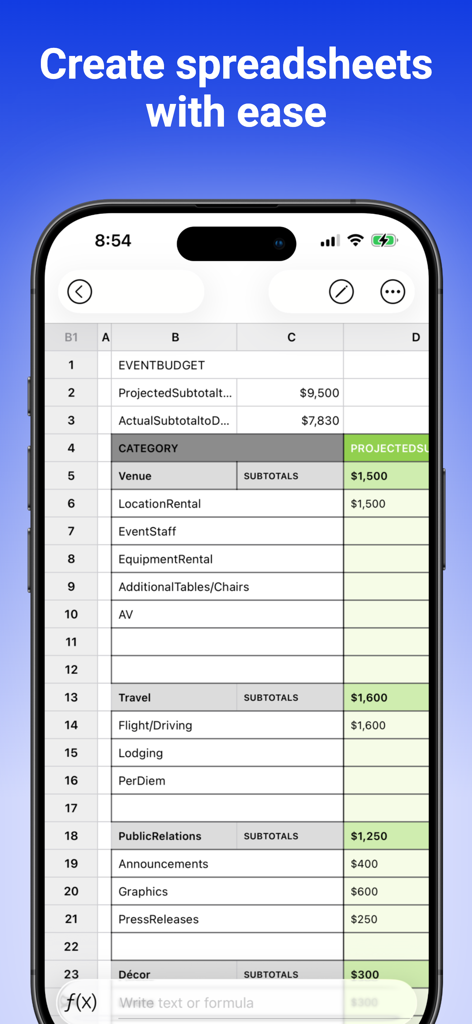
The Spreadsheet App. - Sheets - 다양한 비용 범주를 보여주는 이벤트 예산 추적기 스프레드시트 앱의 모바일 인터페이스
다양한 비용 범주를 보여주는 이벤트 예산 추적기 스프레드시트 앱의 모바일 인터페이스

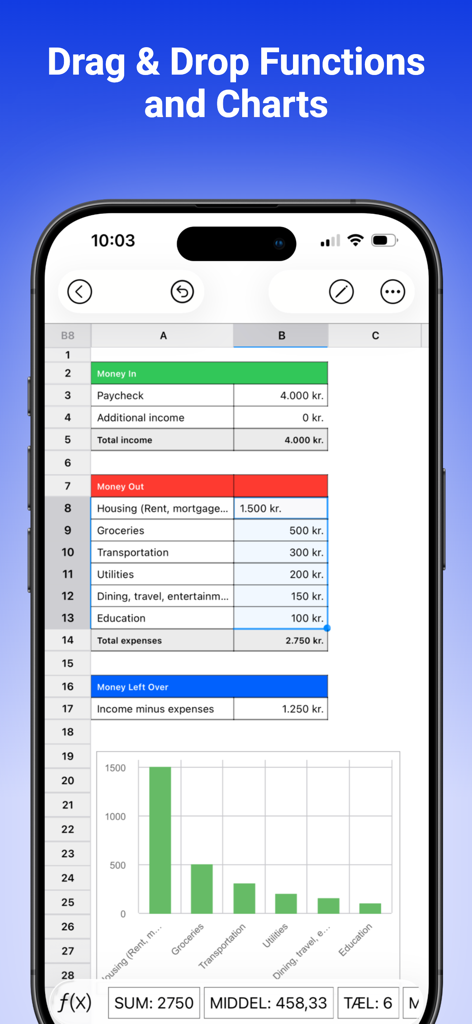
The Spreadsheet App. - Sheets - 지출에 대한 해당 막대 차트와 함께 개인 예산 테이블을 보여주는 모바일 스프레드시트 인터페이스
지출에 대한 해당 막대 차트와 함께 개인 예산 테이블을 보여주는 모바일 스프레드시트 인터페이스

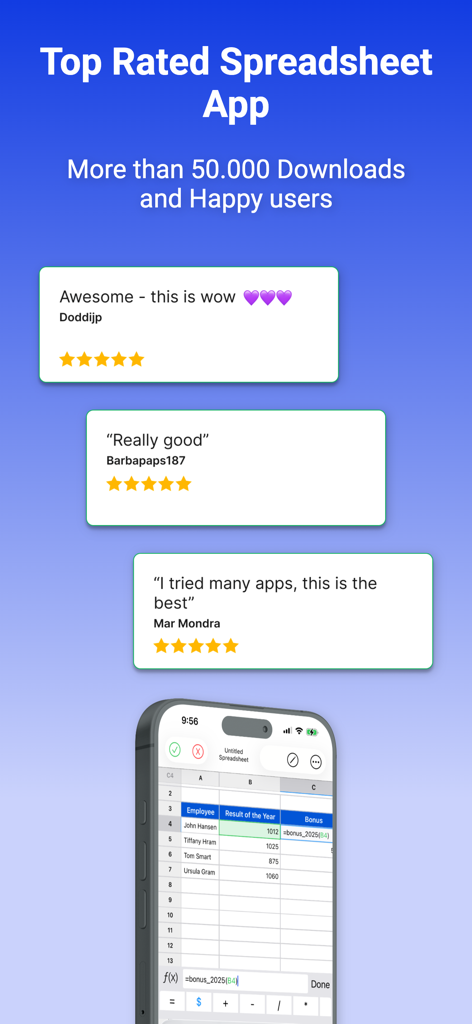
The Spreadsheet App. - Sheets - 사용자 리뷰 등급 및 50,000개 이상의 다운로드를 보여주는 The Spreadsheet App
사용자 리뷰 등급 및 50,000개 이상의 다운로드를 보여주는 The Spreadsheet App

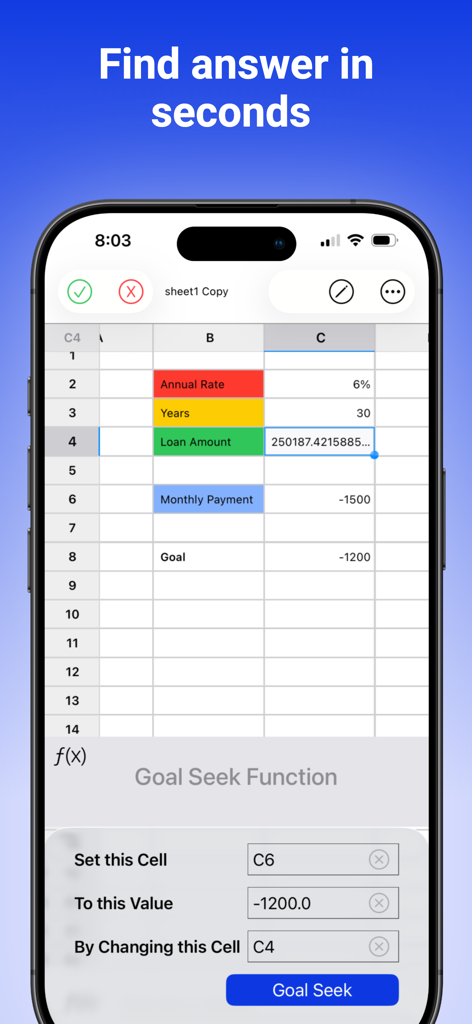
The Spreadsheet App. - Sheets - iPhone에서 재무 계산을 위한 목표값 찾기 함수를 보여주는 The Spreadsheet App 인터페이스
iPhone에서 재무 계산을 위한 목표값 찾기 함수를 보여주는 The Spreadsheet App 인터페이스

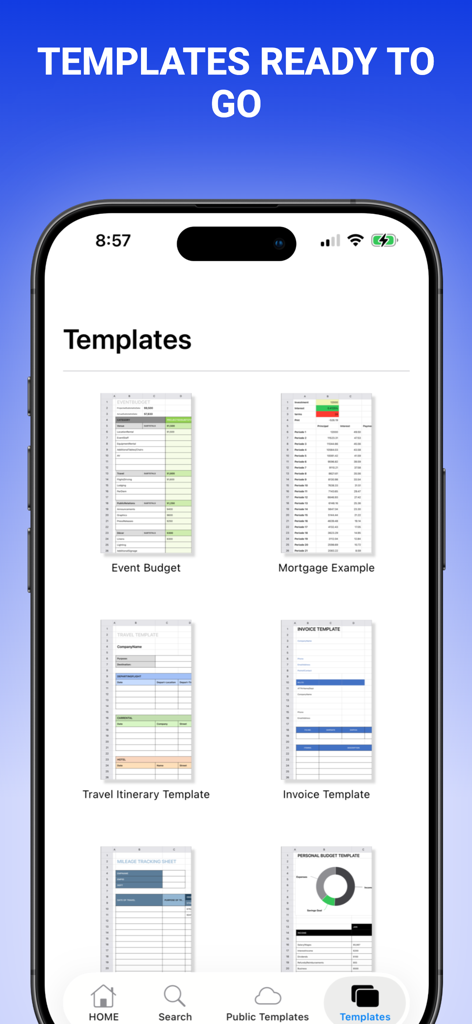
The Spreadsheet App. - Sheets - 예산 및 송장 등 다양한 즉시 사용 가능한 스프레드시트 템플릿을 보여주는 모바일 앱 화면
예산 및 송장 등 다양한 즉시 사용 가능한 스프레드시트 템플릿을 보여주는 모바일 앱 화면

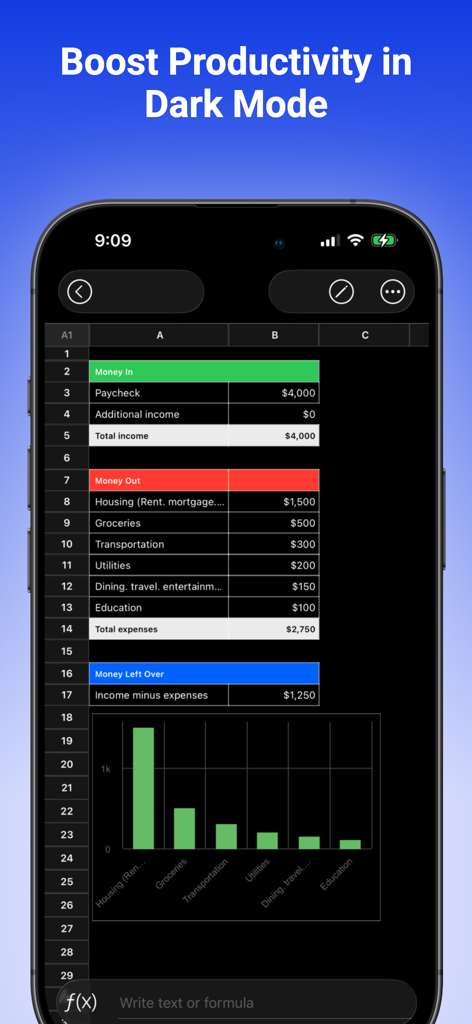
The Spreadsheet App. - Sheets - 막대 차트와 함께 월간 예산 추적기를 보여주는 다크 모드의 모바일 스프레드시트 앱 인터페이스
막대 차트와 함께 월간 예산 추적기를 보여주는 다크 모드의 모바일 스프레드시트 앱 인터페이스

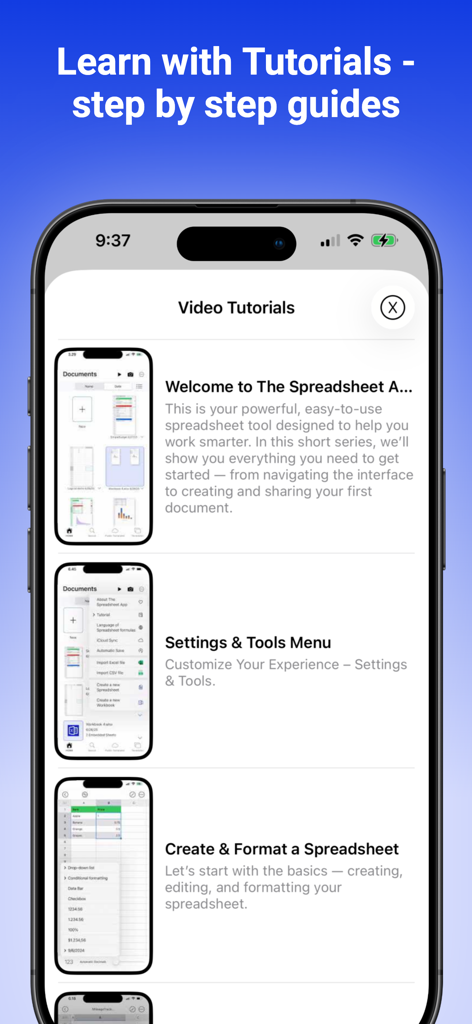
The Spreadsheet App. - Sheets - The Spreadsheet App 사용을 위한 비디오 튜토리얼 및 단계별 가이드를 보여주는 iPhone 화면
The Spreadsheet App 사용을 위한 비디오 튜토리얼 및 단계별 가이드를 보여주는 iPhone 화면

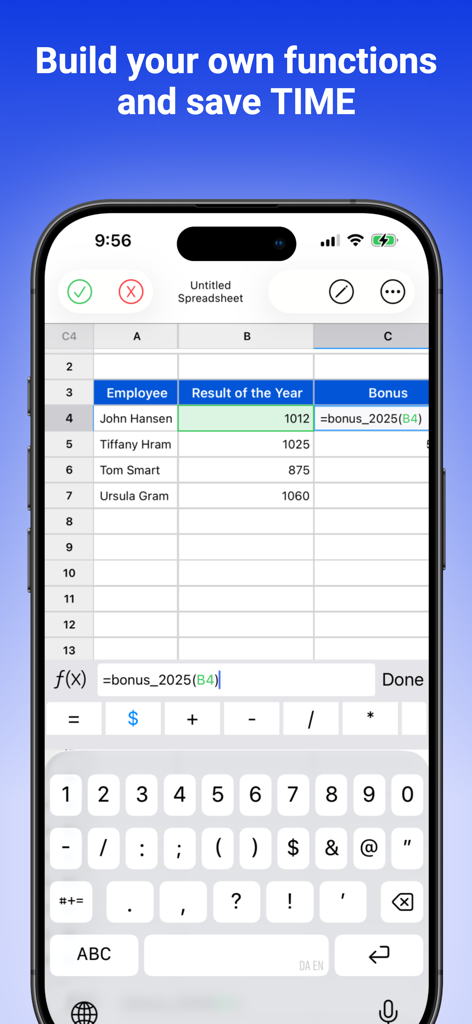
The Spreadsheet App. - Sheets - 시간 절약을 위해 사용자 지정 함수를 구축하는 사용자를 보여주는 The Spreadsheet App의 iPhone 인터페이스
시간 절약을 위해 사용자 지정 함수를 구축하는 사용자를 보여주는 The Spreadsheet App의 iPhone 인터페이스

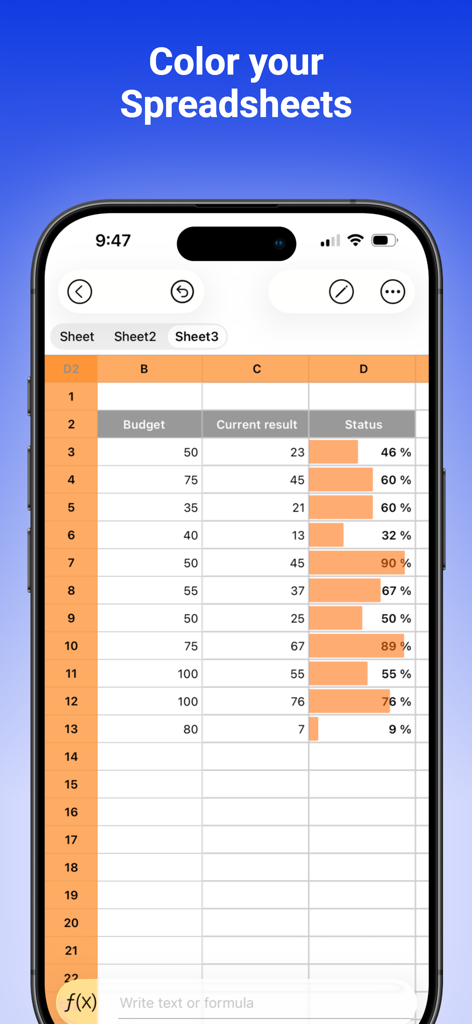
The Spreadsheet App. - Sheets - 셀에 진행률 표시줄이 있는 예산 데이터를 보여주는 iPhone의 스프레드시트
셀에 진행률 표시줄이 있는 예산 데이터를 보여주는 iPhone의 스프레드시트

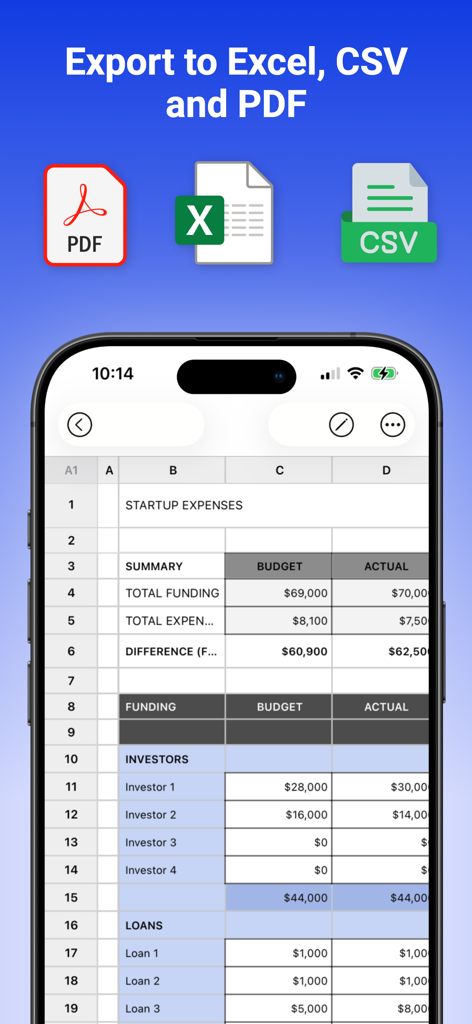
The Spreadsheet App. - Sheets - Excel CSV 및 PDF 형식으로 데이터를 내보내는 옵션을 보여주는 iPhone의 The Spreadsheet App

Excel CSV 및 PDF 형식으로 데이터를 내보내는 옵션을 보여주는 iPhone의 The Spreadsheet App

설명

The Spreadsheet App has all you need for a Spreadsheet. It is easy to use and has all the basic funtionality you will need for working with data and presenting your results. Its user interface and calculation technology saves you a lot of time and difficulties. It has the ease of touch with no setup time for data, calculation, visualizing data in charts, and exporting reports into PDF. Create Your Own Spreadsheet Functions Take your spreadsheets to the next level with our new User-Defined Functions. Build custom formulas just once, then reuse them anywhere — no coding required. Example: Make a “Pythagoras” function to instantly calculate the hypotenuse from two values, using a simple formula like: =sqrt(A1^2 + B1^2) Your custom functions work just like the built-in ones — but they’re yours. USERS USE THE SPREADSHEET APP TO: • Make budgets • Track expenses • Add charts for data • Make analytical reports incl. sales analysis, scientific modelling • Make weekly to-do lists • Make work calendars • Add memos and notes • Perform math calculation • Do almost everything UNIQUE FEATURES: • Easy drag and drop features for calculations and charts • Interactive Visual Analyses through many graph types • Intuitive & smooth User Interface • Fast recalculations • Undo/Redo • Exports to PDF • Share on social media • No registration is required! WHY SHOULD YOU USE The Spreadsheet App? It is easy to use. There is no need to write formulas and to select tiny cells on the mobile device anymore. Your workflow, no matter it is sales, logic, memos, products, supplies, BI, or anything else that you want to work on an iPhone can never be so efficient. With The Spreadsheet App you can make budgets, split costs, manage your travel expenses, do "what if" scenarios. It has never been more easy and secure to enter data into a spreadsheet app and more easy to make calculations. It is your perfect expense tracker & calculator. The Spreadsheet App is a feature-rich app specially designed for iPhone users. By downloading this app, you agree to the Apple Standard End User License Agreement (EULA), available here: https://www.apple.com/legal/internet-services/itunes/dev/stdeula/

Download

다운로드: App Store

이 페이지는 앱이나 개발자의 공식 페이지가 아니며, 정보 제공 및 논평을 목적으로 작성된 독립 편집 간행물입니다. 명시적으로 달리 언급되지 않는 한, 해당 앱이나 개발자는 MWM, Apple, Google Play, 앱 퍼블리셔 또는 앱 개발자와 제휴, 보증, 후원, 승인 또는 공식적으로 연결되어 있지 않으며, 이 페이지의 어떤 내용도 해당 앱이 MWM의 서비스를 사용하여 개발되었음을 의미하지 않습니다. 모든 상표, 로고, 스크린샷 및 기타 콘텐츠는 해당 소유자의 자산입니다.








