Unzip: Zip File Opener, Unrar
다운로드: App Store

이 페이지는 앱이나 개발자의 공식 페이지가 아니며, 정보 제공 및 논평을 목적으로 작성된 독립 편집 간행물입니다. 명시적으로 달리 언급되지 않는 한, 해당 앱이나 개발자는 MWM, Apple, Google Play, 앱 퍼블리셔 또는 앱 개발자와 제휴, 보증, 후원, 승인 또는 공식적으로 연결되어 있지 않으며, 이 페이지의 어떤 내용도 해당 앱이 MWM의 서비스를 사용하여 개발되었음을 의미하지 않습니다. 모든 상표, 로고, 스크린샷 및 기타 콘텐츠는 해당 소유자의 자산입니다.


로고: Unzip: Zip File Opener, Unrar
다운로드: App Store

Unzip: Zip File Opener, Unrar

iPhone 또는 iPad에서 바로 보관 파일을 쉽게 추출하고, 문서를 편집하고, 파일을 공유하세요. 컴퓨터 없이 전문적인 생산성을 경험하세요.

주요 수치

다운로드

26K+

사용자 평점

4.8/5

총 평가 수

0

개발사

Jason Peters

카테고리

Productivity

지원 언어

1

최신 버전

1.2

크기

21.7 MB

출시일

2024년 3월 2일
기능

모바일 워크플로우 마스터하기

데스크톱 파일 형식 때문에 작업이 느려지는 것을 멈추세요. Unzip은 iPhone 또는 iPad에서 바로 파일을 관리, 추출 및 편집하는 데 필요한 전문적인 도구를 제공합니다.

보편적인 보관 파일 지원

표준 형식을 뛰어넘으세요. .RAR, .ZIP 등을 탭 한 번으로 쉽게 추출하여 이동 중에 컴퓨터가 필요 없도록 하세요.

통합 문서 편집

앱 내에서 문서를 직접 미리 보고 편집하여 효율성을 극대화하고, 애플리케이션을 전환할 필요 없이 프로젝트를 순조롭게 진행하세요.

다음 스크린샷과 설명은 앱의 공식 스토어 목록에서 직접 가져온 것이며 앱 개발자의 자산입니다.

앱 스토어

스크린샷
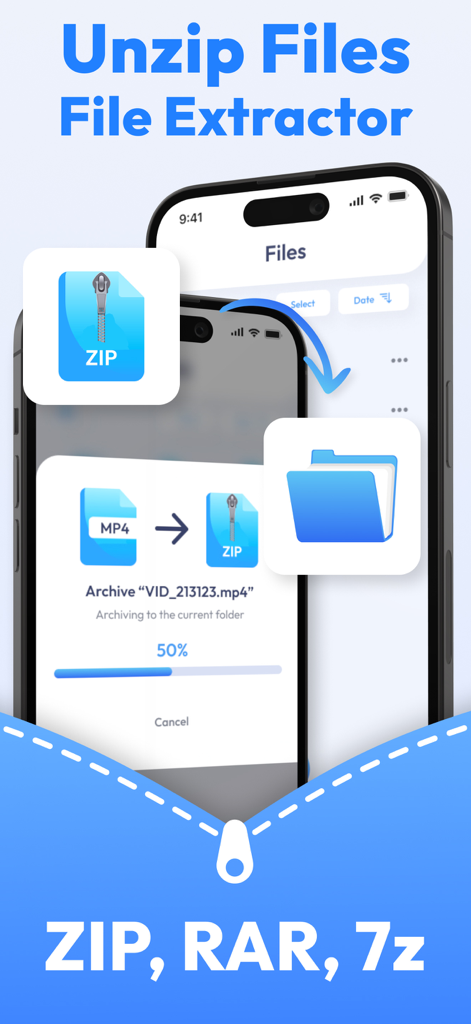
Unzip: Zip File Opener, Unrar - iPhone에서 ZIP 및 RAR 파일 추출 및 보관을 위한 Unzip 앱 인터페이스
iPhone에서 ZIP 및 RAR 파일 추출 및 보관을 위한 Unzip 앱 인터페이스

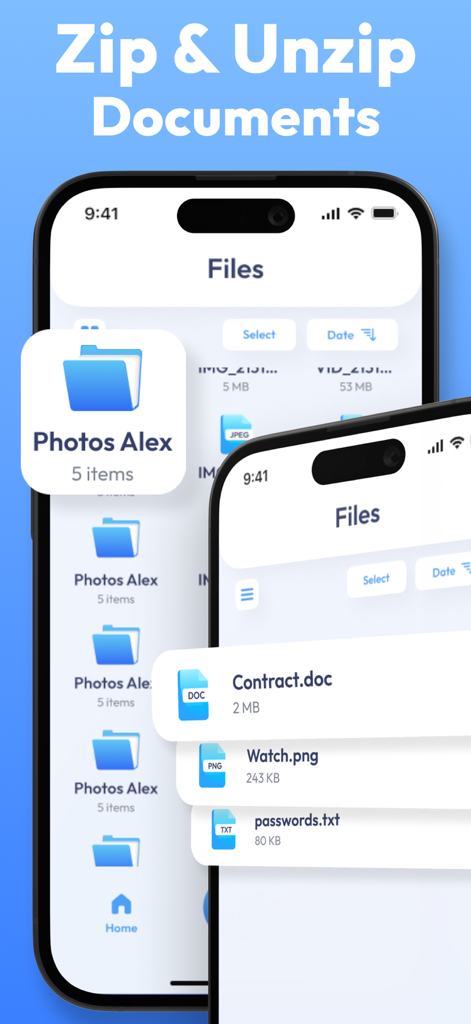
Unzip: Zip File Opener, Unrar - iPhone에서 문서 파일 관리 및 추출을 위한 Unzip 앱 인터페이스
iPhone에서 문서 파일 관리 및 추출을 위한 Unzip 앱 인터페이스

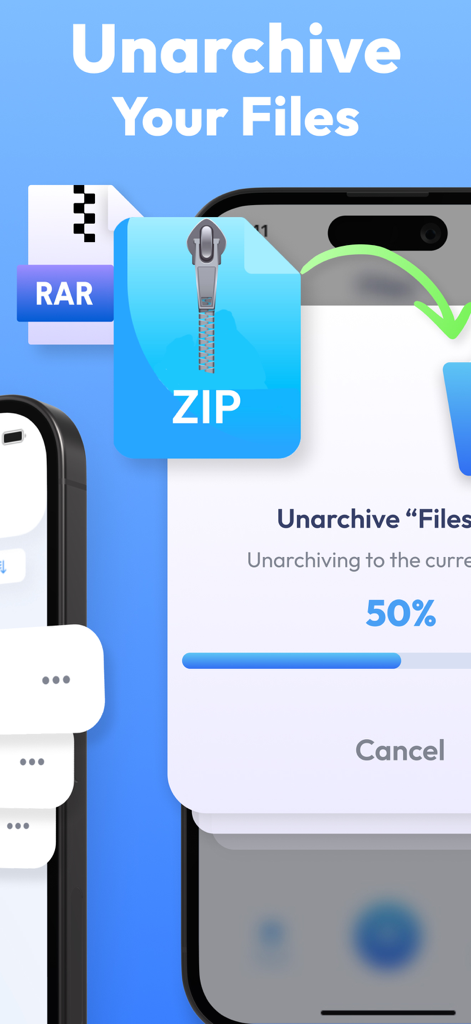
Unzip: Zip File Opener, Unrar - Unzip 앱에서 ZIP 파일 압축 해제 진행률을 보여주는 스마트폰 화면
Unzip 앱에서 ZIP 파일 압축 해제 진행률을 보여주는 스마트폰 화면

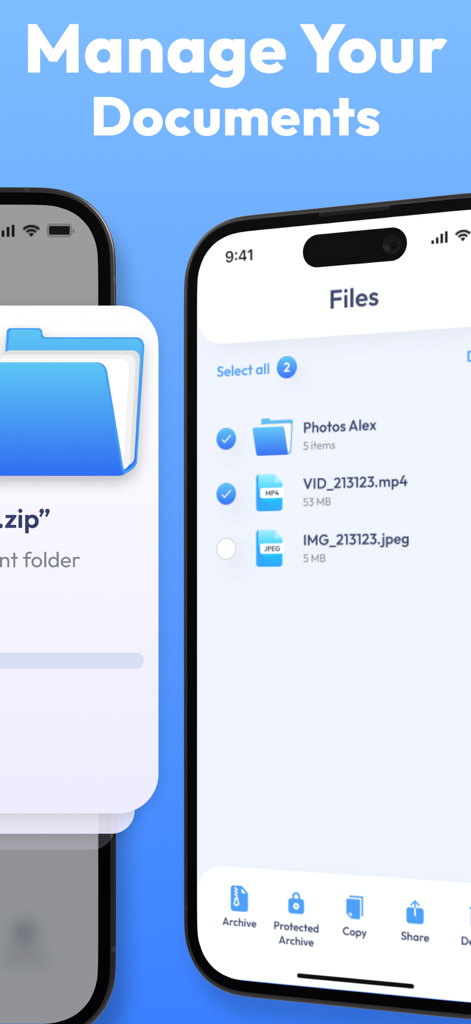
Unzip: Zip File Opener, Unrar - 문서 정리 및 보관을 위한 파일 관리자 인터페이스를 보여주는 스마트폰 화면

문서 정리 및 보관을 위한 파일 관리자 인터페이스를 보여주는 스마트폰 화면

설명

Welcome to Unzip: Zip File Opener, the ultimate app that combines the power of a file opener, archiver, and manager in one seamless package. Say goodbye to the hassle of dealing with compressed files on your mobile device – Unzip is here to simplify your file management experience. This app allows you to effortlessly extract files from compressed formats with just a tap, providing quick access to your content without the need for a computer. Need to save space or create an archive for sharing? Unzip has you covered – compress your files into zip archives conveniently within the app. Sharing files is a breeze with Unzip. Send documents, images, or any other files directly from the app to friends, family, or colleagues. Preview and edit documents directly within the app, eliminating the need for additional applications for basic document editing tasks. Transform the way you handle files on your mobile device. Download Unzip now and experience the ultimate convenience of a versatile file manager and archive tool, all in one app! The App offers auto-renewing subscriptions to provide you with unlimited access to all features with no limits while you maintain an active subscription. Payment will be charged to the credit card connected to your iTunes Account when you confirm the initial subscription purchase. Subscriptions automatically renew unless auto-renew is turned off at least 24-hours before the end of the current subscription period. Your account will be charged for renewal within 24-hours prior to the end of the current period, and the cost of the renewal will be identified. You may manage your subscription and auto-renewal may be turned off by going to your Account Settings after the purchase. Any unused portion of a free trial period, if offered, will be forfeited when you purchase a subscription, where applicable. Privacy Policy: https://docs.google.com/document/d/1F5ZVxKDfjgU6W-mGC_AIWUVzMlPabCdb89ulVaI-dwY/edit?usp=sharing Terms of Use: https://docs.google.com/document/d/1rTyl3ycIYEjgCamHkQRRnw-1ejqOKZ_rzLid5IsZVgQ/edit?usp=sharing

Download

다운로드: App Store

이 페이지는 앱이나 개발자의 공식 페이지가 아니며, 정보 제공 및 논평을 목적으로 작성된 독립 편집 간행물입니다. 명시적으로 달리 언급되지 않는 한, 해당 앱이나 개발자는 MWM, Apple, Google Play, 앱 퍼블리셔 또는 앱 개발자와 제휴, 보증, 후원, 승인 또는 공식적으로 연결되어 있지 않으며, 이 페이지의 어떤 내용도 해당 앱이 MWM의 서비스를 사용하여 개발되었음을 의미하지 않습니다. 모든 상표, 로고, 스크린샷 및 기타 콘텐츠는 해당 소유자의 자산입니다.








