uWeb Server2
uWeb Server2
다운로드: App Store

이 페이지는 앱이나 개발자의 공식 페이지가 아니며, 정보 제공 및 논평을 목적으로 작성된 독립 편집 간행물입니다. 명시적으로 달리 언급되지 않는 한, 해당 앱이나 개발자는 MWM, Apple, Google Play, 앱 퍼블리셔 또는 앱 개발자와 제휴, 보증, 후원, 승인 또는 공식적으로 연결되어 있지 않으며, 이 페이지의 어떤 내용도 해당 앱이 MWM의 서비스를 사용하여 개발되었음을 의미하지 않습니다. 모든 상표, 로고, 스크린샷 및 기타 콘텐츠는 해당 소유자의 자산입니다.


로고: uWeb Server2
다운로드: App Store

uWeb Server2

iPhone을 경량 로컬 서버로 바꾸세요. 계정, 암호, 번거로움 없이 모든 장치의 브라우저에서 파일에 액세스, 전송 및 관리할 수 있습니다.

주요 수치

다운로드

0

사용자 평점

1.0/5

총 평가 수

0

개발사

斌 虞

카테고리

Productivity

지원 언어

1

최신 버전

1.0.10

크기

3.5 MB

출시일

2024년 4월 10일
기능

로컬 파일 공유를 간소화하세요

iPhone을 강력한 파일 허브로 바꾸는 초경량 웹 서버. 클라우드, 계정 없이 순수한 속도만 제공합니다.

번거로움 없는 설정

로그인 화면과 복잡한 구성을 건너뛰세요. 몇 초 안에 로컬 서버를 실행하여 파일을 즉시 업로드하거나 다운로드할 수 있습니다.

크로스 플랫폼 자유

Windows, Linux 또는 Android의 모든 브라우저에서 기기에 액세스하세요. 다중 장치 생태계를 위한 궁극의 연결입니다.

다음 스크린샷과 설명은 앱의 공식 스토어 목록에서 직접 가져온 것이며 앱 개발자의 자산입니다.

앱 스토어

스크린샷
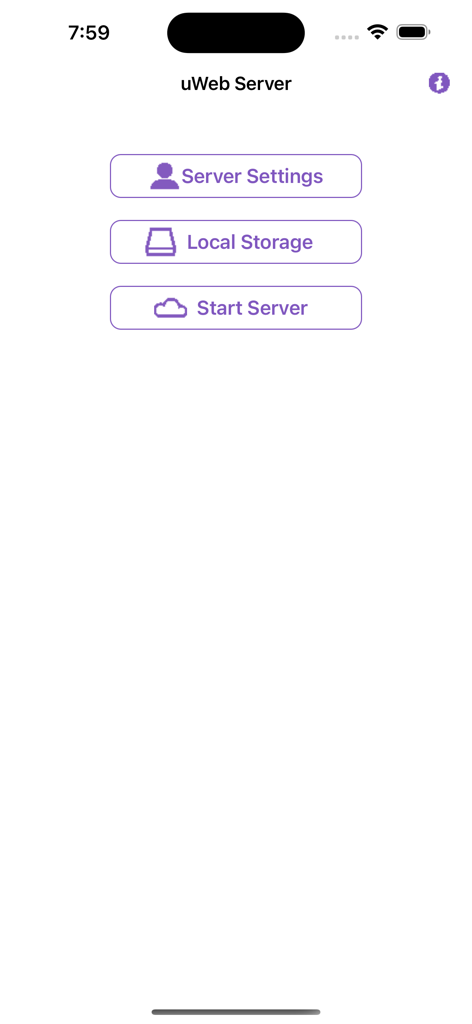
uWeb Server2 - 서버 설정 및 시작 버튼이 있는 uWeb Server 앱의 메인 홈 화면
서버 설정 및 시작 버튼이 있는 uWeb Server 앱의 메인 홈 화면

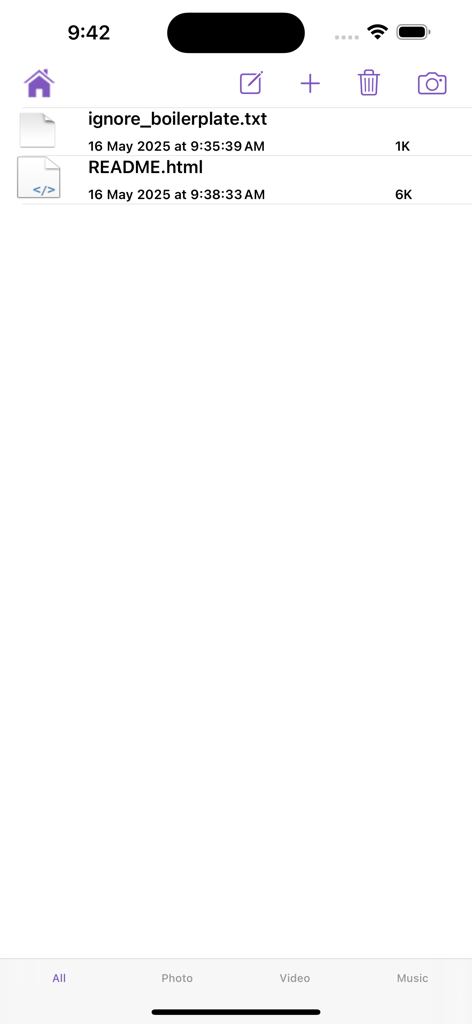
uWeb Server2 - 텍스트 및 HTML 파일을 포함한 공유 파일 목록을 보여주는 uWeb Server2 앱의 인터페이스.
텍스트 및 HTML 파일을 포함한 공유 파일 목록을 보여주는 uWeb Server2 앱의 인터페이스.

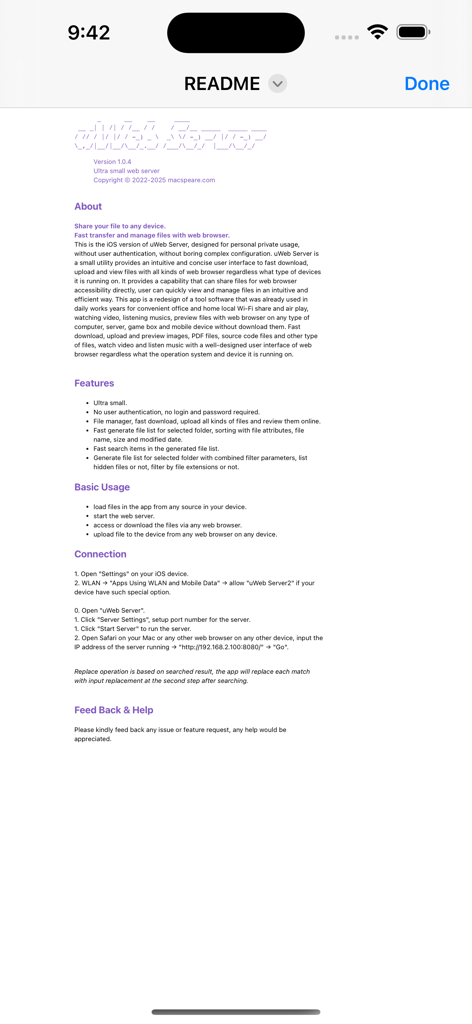
uWeb Server2 - 기능 및 사용 단계를 나열하는 uWeb Server2 앱의 문서 화면
기능 및 사용 단계를 나열하는 uWeb Server2 앱의 문서 화면

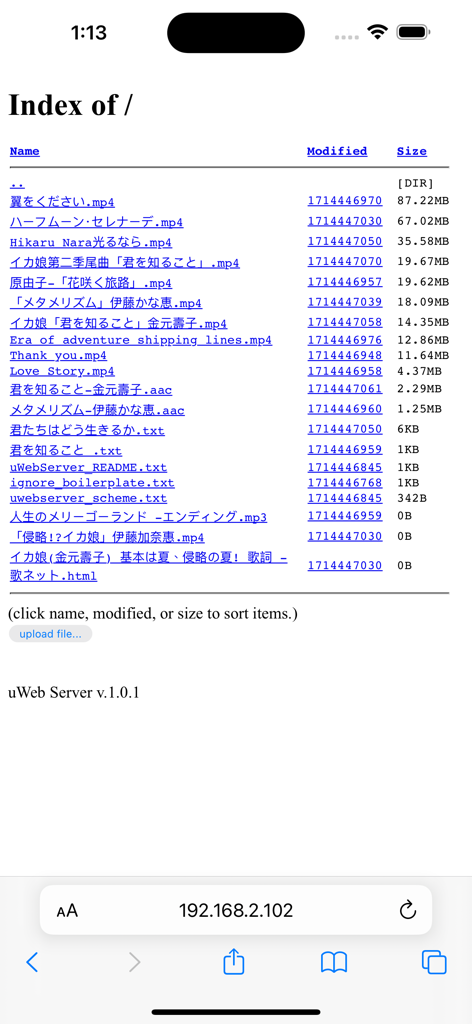
uWeb Server2 - 이름, 수정 날짜, 크기 열이 있는 uWeb Server2 앱에서 호스팅된 파일 목록을 표시하는 모바일 웹 브라우저 인터페이스.

이름, 수정 날짜, 크기 열이 있는 uWeb Server2 앱에서 호스팅된 파일 목록을 표시하는 모바일 웹 브라우저 인터페이스.

설명

Ultra small web server. Share your file to any device. Fast transfer and manage files with web browser. This is the iOS version of uWeb Server, designed for personal private usage, without user authentication, without boring complex configuration. uWeb Server is a small utility provides an intuitive and concise user interface to fast download, upload and view files with all kinds of web browser regardless what type of devices it is running on. It provides a capability that can share files for web browser accessibility directly, user can quickly view and manage files in an intuitive and efficient way. This app is a redesign of a tool software that was already used in daily works years for convenient office and home local Wi-Fi share and air play, watching video, listening musics, preview files with web browser on any type of computer, server, game box and mobile device without download them. Fast download, upload and preview images, PDF files, source code files and other type of files, watch video and listen music with a well-designed user interface of web browser regardless what the operation system and device it is running on. Basic Usage: 1. load files in the app from any source in your device. 2. start the web server. 3. access or download the files via any web browser. 4. upload file to the device. Features: a. Ultra small. b. No user authentication, no login and password required. c. File manager, fast download, upload all kinds of files and review them online. d. Fast generate file list for selected folder, sorting with file attributes, file name, size and modified date. e. Fast search items in the generated file list. f. Generate file list for selected folder with combined filter parameters, list hidden files or not, filter by file extensions or not.

Download

다운로드: App Store

이 페이지는 앱이나 개발자의 공식 페이지가 아니며, 정보 제공 및 논평을 목적으로 작성된 독립 편집 간행물입니다. 명시적으로 달리 언급되지 않는 한, 해당 앱이나 개발자는 MWM, Apple, Google Play, 앱 퍼블리셔 또는 앱 개발자와 제휴, 보증, 후원, 승인 또는 공식적으로 연결되어 있지 않으며, 이 페이지의 어떤 내용도 해당 앱이 MWM의 서비스를 사용하여 개발되었음을 의미하지 않습니다. 모든 상표, 로고, 스크린샷 및 기타 콘텐츠는 해당 소유자의 자산입니다.








