VDScan
VDScan
다운로드: App Store

이 페이지는 앱이나 개발자의 공식 페이지가 아니며, 정보 제공 및 논평을 목적으로 작성된 독립 편집 간행물입니다. 명시적으로 달리 언급되지 않는 한, 해당 앱이나 개발자는 MWM, Apple, Google Play, 앱 퍼블리셔 또는 앱 개발자와 제휴, 보증, 후원, 승인 또는 공식적으로 연결되어 있지 않으며, 이 페이지의 어떤 내용도 해당 앱이 MWM의 서비스를 사용하여 개발되었음을 의미하지 않습니다. 모든 상표, 로고, 스크린샷 및 기타 콘텐츠는 해당 소유자의 자산입니다.


로고: VDScan
다운로드: App Store

VDScan

모든 문서, 간판, 라벨을 즉시 고품질 음성으로 변환하세요. 실시간 오디오 안내 및 월별 구독 없이 빠르고 개인적이며 오프라인 OCR을 경험하세요.

주요 수치

다운로드

184K+

사용자 평점

4.4/5

총 평가 수

1K+

개발사

Opus Noma LLC

카테고리

Productivity

지원 언어

1

최신 버전

2.1.0

크기

1.2 GB

출시일

2019년 3월 30일
기능

세상을 독립적으로 읽으세요

완전히 오프라인으로 작동하는 강력한 AI 기반 스캔 및 텍스트 음성 변환. 월별 요금 없이 최고의 접근성과 개인 정보 보호를 위해 설계되었습니다.

ScanTone 안내 캡처

문서의 위치를 실시간으로 들어보세요. 당사의 AI는 소리를 사용하여 완벽한 스캔을 안내하므로 화면을 볼 필요 없이 모든 단어를 캡처할 수 있습니다.

어디서든 듣고 배우세요

물리적 텍스트를 즉시 고품질 오디오로 변환하세요. 61가지 음성 중에서 선택하고 동기화된 단어 강조 표시를 따라가세요. 청각 학습자에게 완벽합니다.

다음 스크린샷과 설명은 앱의 공식 스토어 목록에서 직접 가져온 것이며 앱 개발자의 자산입니다.

앱 스토어

스크린샷
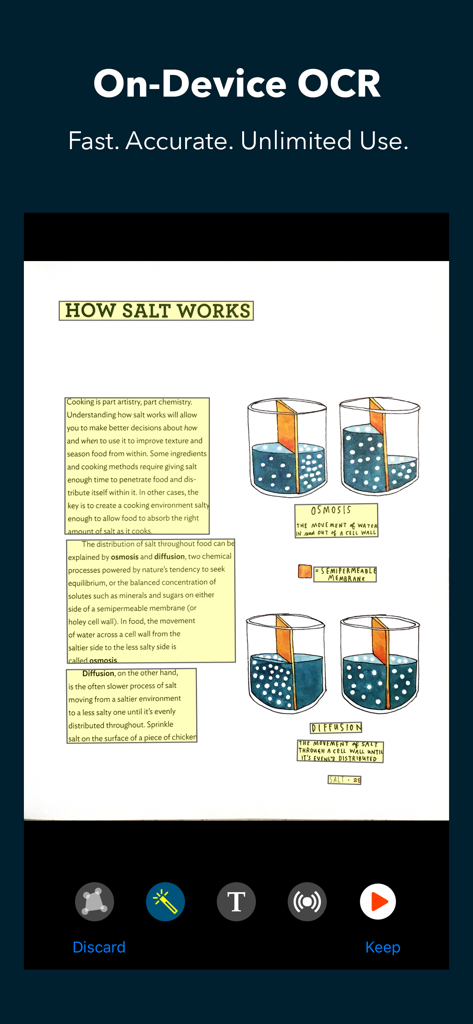
VDScan - VDScan 앱 인터페이스는 "How Salt Works"라는 교육 문서의 오프라인 OCR 스캔을 텍스트 음성 변환 및 편집 도구와 함께 보여줍니다.
VDScan 앱 인터페이스는 "How Salt Works"라는 교육 문서의 오프라인 OCR 스캔을 텍스트 음성 변환 및 편집 도구와 함께 보여줍니다.

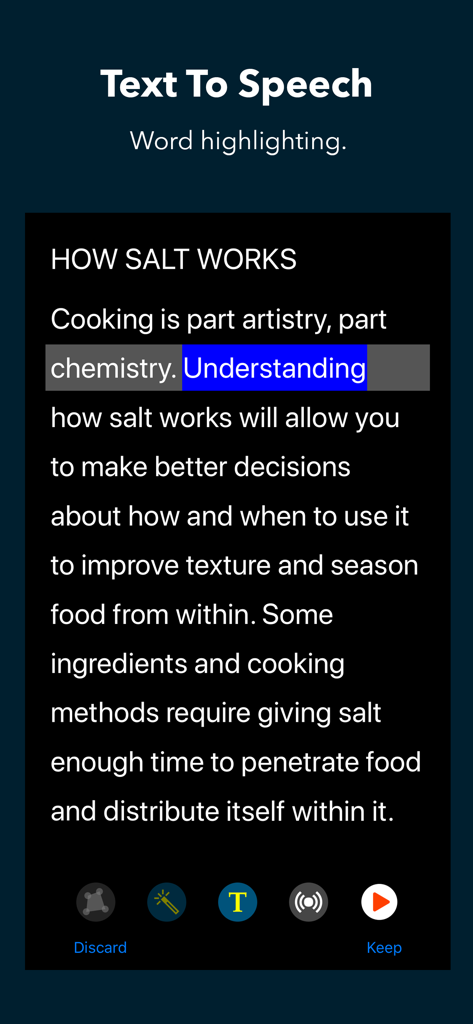
VDScan - VDScan 앱 인터페이스는 단어 강조 표시 기능이 있는 텍스트 음성 변환을 보여줍니다.
VDScan 앱 인터페이스는 단어 강조 표시 기능이 있는 텍스트 음성 변환을 보여줍니다.

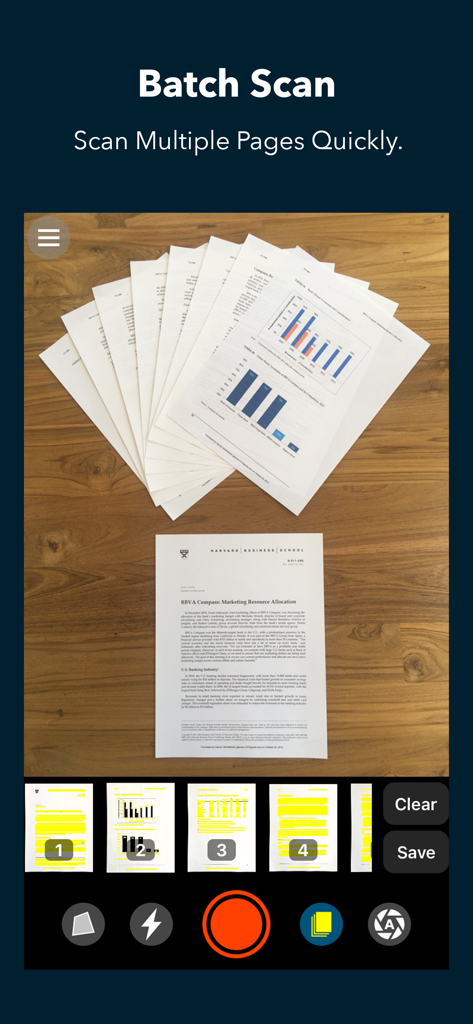
VDScan - VDScan 앱 인터페이스는 여러 문서 페이지를 빠르게 스캔하기 위한 일괄 스캔 모드를 보여줍니다.
VDScan 앱 인터페이스는 여러 문서 페이지를 빠르게 스캔하기 위한 일괄 스캔 모드를 보여줍니다.

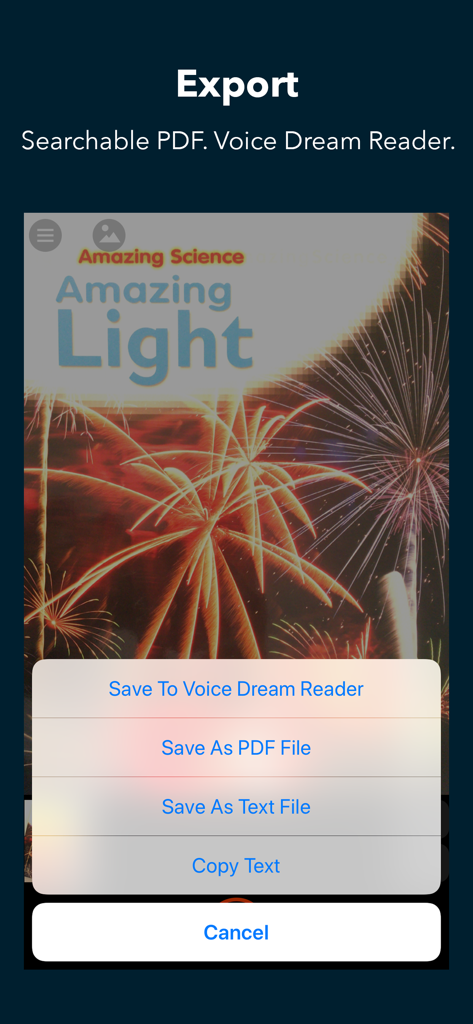
VDScan - VDScan 앱 인터페이스는 Voice Dream Reader, PDF 또는 텍스트 파일에 저장하는 옵션이 있는 내보내기 메뉴를 보여줍니다.

VDScan 앱 인터페이스는 Voice Dream Reader, PDF 또는 텍스트 파일에 저장하는 옵션이 있는 내보내기 메뉴를 보여줍니다.

설명

Scan paper documents, labels, signs with the camera and recognize text. Listen using built-in text-to-speech. Save and export. Unlimited use: no subscriptions or additional charges. State-of-the-art A.I. for OCR and text recognition: Fast and accurate, even in poor lighting conditions. Works entirely on device: No need for internet and your data stays private. Recognizes text in the following languages: Catalan, Chinese, Croatian, Czech, Danish, Dutch, English, Finnish, French, German, Hindi, Hungarian, Italian, Japanese, Korean, Norwegian, Polish, Portuguese, Romanian, Spanish, Swedish, and Turkish. ScanTone, a sound that represents the amount of recognizable text in the camera's field of view in real time. It uses artificial intelligence to analyze the live feed from the camera for text, angle, rotation, and document edges. Exports scans as plain text or accessible PDF with embedded text. Detailed Feature List Scanning - ScanTone - Live edges/crop detection - Flashlight - Batch mode for scanning multiple pages quickly - Intelligent auto capture Image - Automatic edge detection for stretching and cropping - Manually cropping - Automatic orientation detection and rotation - Manual image rotation - Automatic image enhancement OCR - Fast: about a second on the latest iPhone - Offline: does not require Internet connection - Private: image and text stay on device - Automatic language detection - Option to see image or recognized text Text To Speech - Choose from 61 voices - Premium voices in Voice Dream Reader available - Change speech rate - Option to start reading as soon as OCR is complete - Spoken word is highlighted in the text or the image - Rewind and fast forward by text section (VoiceOver users only) - Double tap on text to start reading from there Import and Export - Load from Photo Library - Share extension for sending images to Scanner from another app - Export plain text - Export PDF with text layer under the image so that it's accessible, searchable and selectable - Export to Voice Dream Reader

Download

다운로드: App Store

이 페이지는 앱이나 개발자의 공식 페이지가 아니며, 정보 제공 및 논평을 목적으로 작성된 독립 편집 간행물입니다. 명시적으로 달리 언급되지 않는 한, 해당 앱이나 개발자는 MWM, Apple, Google Play, 앱 퍼블리셔 또는 앱 개발자와 제휴, 보증, 후원, 승인 또는 공식적으로 연결되어 있지 않으며, 이 페이지의 어떤 내용도 해당 앱이 MWM의 서비스를 사용하여 개발되었음을 의미하지 않습니다. 모든 상표, 로고, 스크린샷 및 기타 콘텐츠는 해당 소유자의 자산입니다.








