Verto Studio 3D
Verto Studio 3D
다운로드: App Store

이 페이지는 앱이나 개발자의 공식 페이지가 아니며, 정보 제공 및 논평을 목적으로 작성된 독립 편집 간행물입니다. 명시적으로 달리 언급되지 않는 한, 해당 앱이나 개발자는 MWM, Apple, Google Play, 앱 퍼블리셔 또는 앱 개발자와 제휴, 보증, 후원, 승인 또는 공식적으로 연결되어 있지 않으며, 이 페이지의 어떤 내용도 해당 앱이 MWM의 서비스를 사용하여 개발되었음을 의미하지 않습니다. 모든 상표, 로고, 스크린샷 및 기타 콘텐츠는 해당 소유자의 자산입니다.

로고: Verto Studio 3D
다운로드: App Store

Verto Studio 3D

가장 강력한 모바일 3D 스튜디오로 iPad의 잠재력을 최대한 발휘하세요. 빠른 프로토타입부터 복잡한 게임 환경까지, 이동 중에 전문가 수준의 에셋을 제작, 리깅, 애니메이션하여 모바일 디자인과 테스트 간의 격차를 해소하세요.

주요 수치

다운로드

110K+

사용자 평점

3.7/5

총 평가 수

200

개발사

Verto Studio LLC

카테고리

Productivity

지원 언어

5

최신 버전

2.6.1

크기

93.1 MB

출시일

2011년 2월 4일
기능

손안에서 펼쳐지는 데스크톱급 파워

iPad 전용으로 설계된 가장 강력한 3D 모델링 및 그래픽 스튜디오를 경험해 보세요. Verto Studio 3D는 빠른 목업부터 완벽하게 작동하는 게임 환경까지, 여러분의 비전에 맞춰 확장됩니다.

직관적인 제스처 컨트롤

자동 도구로 워크플로우를 마스터하세요. 마찰 없는 터치스크린 경험을 위해 설계된 자연스러운 탭과 스와이프로 조각하고, 회전하고, 크기를 조절하세요.

전문가 파이프라인 호환성

업계 표준 glTF, FBX, OBJ 파일을 원활하게 가져오고 내보내세요. 워크플로우를 중단하지 않고 모바일 디자인과 데스크톱 프로덕션 간의 격차를 해소하세요.

다음 스크린샷과 설명은 앱의 공식 스토어 목록에서 직접 가져온 것이며 앱 개발자의 자산입니다.

앱 스토어

스크린샷
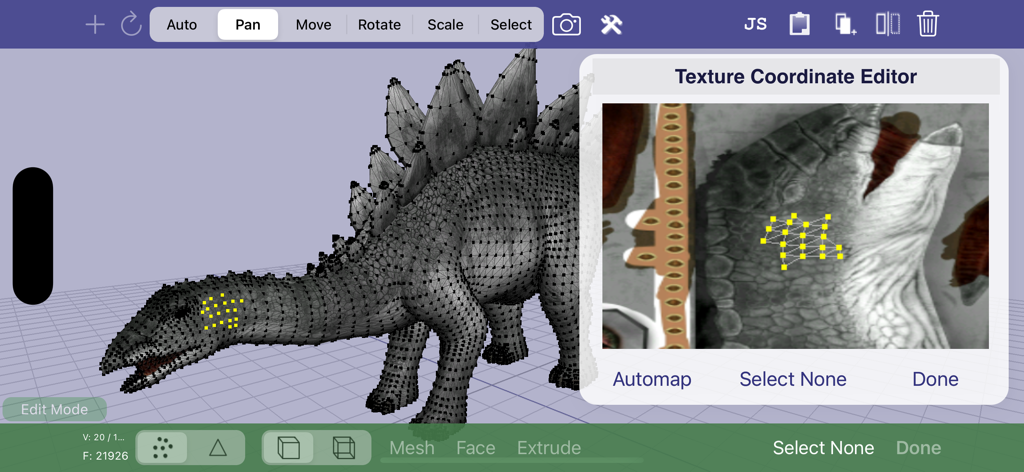
Verto Studio 3D - 3D 공룡 모델과 함께 Verto Studio 3D의 텍스처 좌표 편집기
3D 공룡 모델과 함께 Verto Studio 3D의 텍스처 좌표 편집기

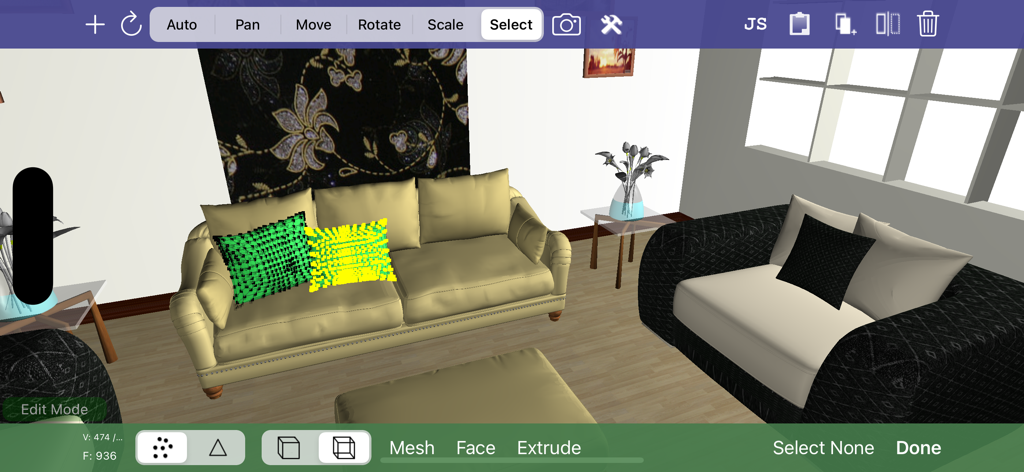
Verto Studio 3D - 3D 인테리어 디자인 및 메쉬 편집 도구를 보여주는 Verto Studio 3D 인터페이스
3D 인테리어 디자인 및 메쉬 편집 도구를 보여주는 Verto Studio 3D 인터페이스

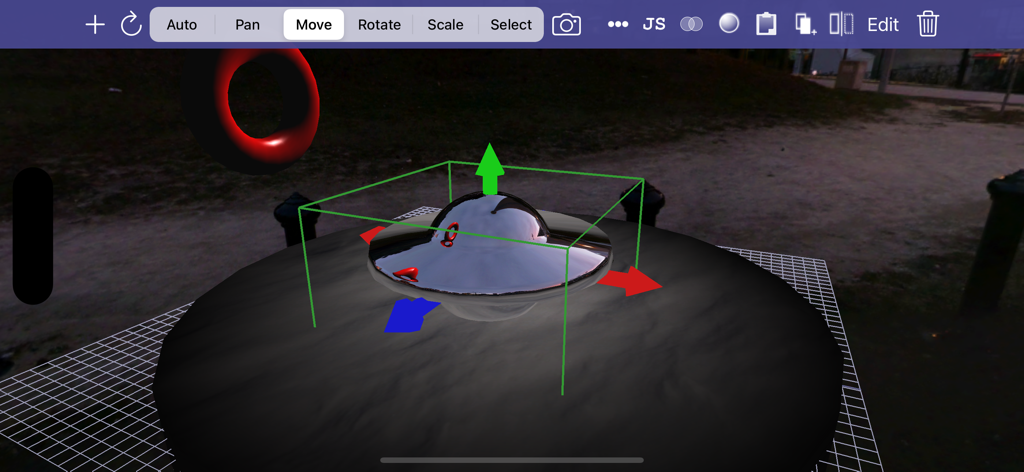
Verto Studio 3D - 변환 핸들과 편집 도구가 있는 금속 물체를 보여주는 모바일 3D 모델링 인터페이스.
변환 핸들과 편집 도구가 있는 금속 물체를 보여주는 모바일 3D 모델링 인터페이스.

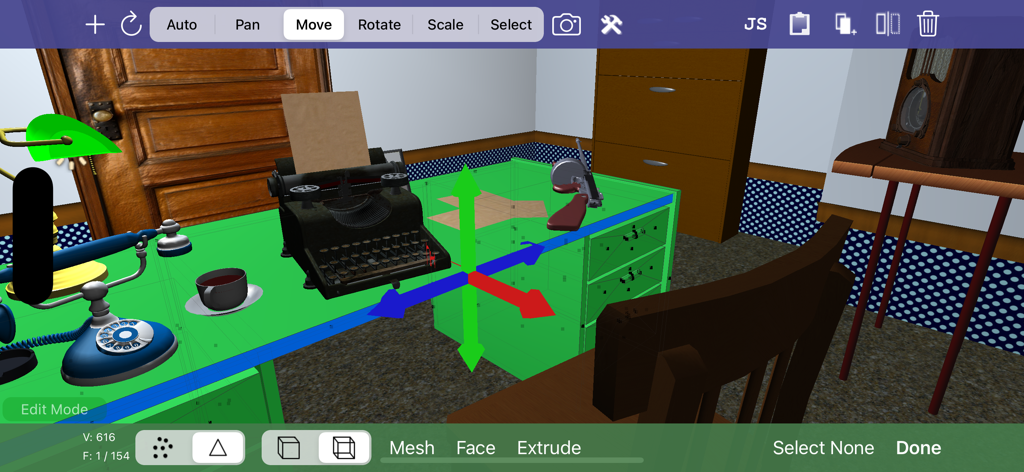
Verto Studio 3D - 타자기와 빈티지 전화기가 있는 3D 사무실 장면 편집을 보여주는 Verto Studio 3D 앱 인터페이스가 iPad에 표시됨

타자기와 빈티지 전화기가 있는 3D 사무실 장면 편집을 보여주는 Verto Studio 3D 앱 인터페이스가 iPad에 표시됨

설명

Verto Studio 3D is the most powerful mobile 3D modeling application. A fully-functional 3D modeling and graphics studio designed to rival desktop studio programs, verto strives to push the boundaries of what is capable on an iPad and from the users that use it. The software is designed for all ranges of users, from professional 3D modelers, game developers, to beginners looking to get their feet wet in 3D content generation. Use it to build quick 3D mockups or fully functional environments for mobile applications. Verto Studio is an ideal solution for mobile 3D content generation because it bridges the gap between design and mobile testing. It supports importing, exporting, viewing and editing 3D models of any size. With the addition the pro animator (separate purchase), Verto Studio can be used to rig and animate a model from scratch completely on the iPad without the need for any external tools! With use of the "auto tool", the user can intuitively gesture using taps, swipes, pinches and twirls to quickly alter the scene as they see fit. Verto Studio includes the following features (and many more not listed here): - Built-in shaders including reflection/refraction environment mapping, BRDF, bump-mapping and more! - Render pipeline editor for multipass & post-processing effects with built-in blending operators - Editing transform handles for easy translate/rotate/scale tools via touchscreen. - Instances (duplicate many, edit once) - File import (glTF, DAE, OBJ, STL, .X, 3DS, FBX) and more! - File export (glTF, DAE, OBJ) - Verto Studio file format support and exchange via email - Mesh generation using quads and triangular faces - Image rendering support -- Planes -- Cubes -- Spheres -- Toruses -- Cylinders -- 3D Text complete with font selection and built-extrusion. -- 3D shapes with built-in shape editor and SVG importer. -- Terrain generator (height field) -- 3D Sketch tool -- Skybox type -- Cubemap renderer type to live-generate environment maps. - Mesh Augmentation -- Polygon extrusion -- Polygon subdivision -- Copy and paste between scene documents -- Texture coordinate editor - Editing features -- Vertex Translation/Rotation/Scaling -- Mirror -- Material editor --- Semi-transparency support. -- Texture mapping -- Texture coordinate editing -- Laplacian smooth -- Mesh separation -- Polycount Reduction -- CSG (Union, Intersect, Subtract) -- Snap to Grid, Face, Edge, Vertex -- Camera to texture (ipad 2) -- Lighting editor -- Undo - Multiple camera modes (top, bottom, left, right, front, back, free) - Simultaneous camera view with 4-view split screen. - Orthographic projection mode for engineering and CAD applications - Advanced camera controls for FOV angle and near and far plane manipulation - "Fly through" mode. Fly through the scene in full screen using FPS-game-style controls. -- Gyro motion view. In "fly through mode", tap the gyro button to use your iPad as a virtual window into the scene, changing the vantage point as you hold the iPad a different angles. - Fully supports the retina display of the new iPad for maximized screen real-estate usage. - New built-in cubemaps (preset environment maps) - Built-in glsl shader-editor. (separate purchase required) - Pro-animator rigging, weight painting, and animation tools (separate purchase required) - Scripting support via VertoJS (separate purchase required)

Download

다운로드: App Store

이 페이지는 앱이나 개발자의 공식 페이지가 아니며, 정보 제공 및 논평을 목적으로 작성된 독립 편집 간행물입니다. 명시적으로 달리 언급되지 않는 한, 해당 앱이나 개발자는 MWM, Apple, Google Play, 앱 퍼블리셔 또는 앱 개발자와 제휴, 보증, 후원, 승인 또는 공식적으로 연결되어 있지 않으며, 이 페이지의 어떤 내용도 해당 앱이 MWM의 서비스를 사용하여 개발되었음을 의미하지 않습니다. 모든 상표, 로고, 스크린샷 및 기타 콘텐츠는 해당 소유자의 자산입니다.








