Voice Notebook - audio to text
다운로드: App Store

이 페이지는 앱이나 개발자의 공식 페이지가 아니며, 정보 제공 및 논평을 목적으로 작성된 독립 편집 간행물입니다. 명시적으로 달리 언급되지 않는 한, 해당 앱이나 개발자는 MWM, Apple, Google Play, 앱 퍼블리셔 또는 앱 개발자와 제휴, 보증, 후원, 승인 또는 공식적으로 연결되어 있지 않으며, 이 페이지의 어떤 내용도 해당 앱이 MWM의 서비스를 사용하여 개발되었음을 의미하지 않습니다. 모든 상표, 로고, 스크린샷 및 기타 콘텐츠는 해당 소유자의 자산입니다.


로고: Voice Notebook - audio to text
다운로드: App Store

Voice Notebook - audio to text

오프라인 녹취, 사용자 지정 기술 용어 사전, YouTube 자막 내보내기로 모든 통찰력을 포착하세요. iPhone 및 Apple Watch를 위한 안전하고 효율적인 도구입니다.

주요 수치

다운로드

228K+

사용자 평점

4.5/5

총 평가 수

1000

개발사

Alexei Shechkov

카테고리

Productivity

지원 언어

6

최신 버전

5.23

크기

21.8 MB

출시일

2018년 8월 23일
기능

정확한 음성-텍스트 변환으로 워크플로를 마스터하세요

고효율 전문가를 위해 설계된 Voice Notebook은 오프라인 안정성과 기술적 정확성을 결합하여 말하는 생각을 실행 가능한 데이터로 변환합니다.

사용자 지정 용어 및 기술 정확도

의료, 법률 또는 기술 용어에 대한 자체 사전을 정의하여 수동 수정 없이도 녹취가 완벽하게 정확하도록 보장합니다.

통근 중이나 이동 중에도 생산성을 유지할 수 있는 핸즈프리 경험을 위해 Apple Watch 또는 Siri 바로가기를 통해 아이디어를 포착하세요.

다음 스크린샷과 설명은 앱의 공식 스토어 목록에서 직접 가져온 것이며 앱 개발자의 자산입니다.

앱 스토어

스크린샷
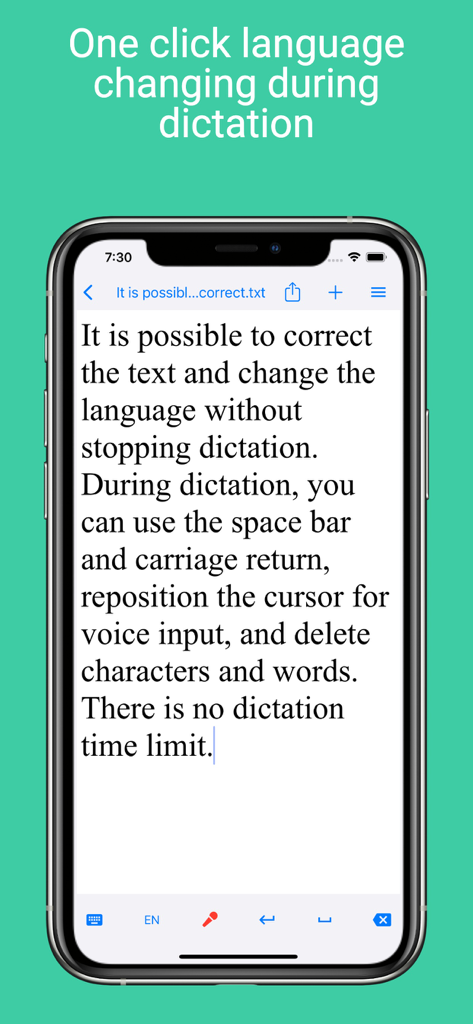
Voice Notebook - audio to text - Voice Notebook 앱 인터페이스에 실시간 받아쓰기 중 언어 변경 및 텍스트 편집 기능이 표시된 스마트폰 화면
Voice Notebook 앱 인터페이스에 실시간 받아쓰기 중 언어 변경 및 텍스트 편집 기능이 표시된 스마트폰 화면

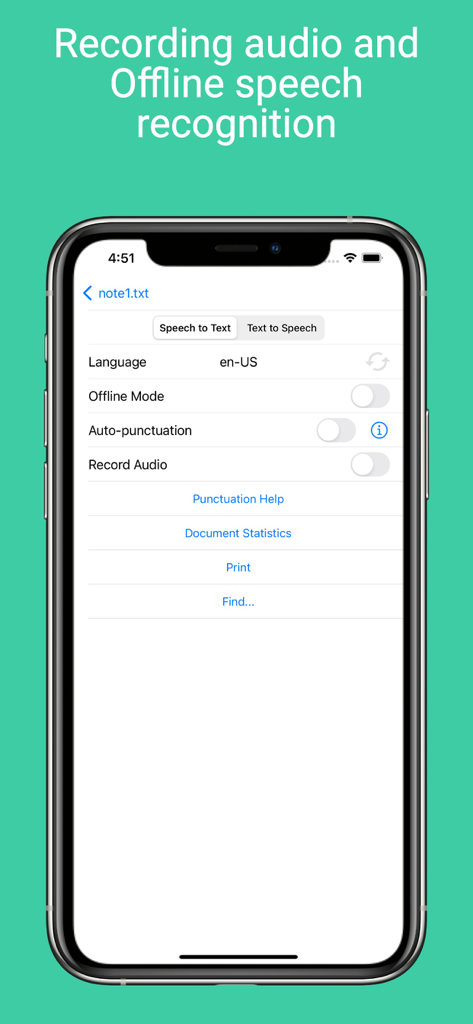
Voice Notebook - audio to text - Voice Notebook 앱의 음성-텍스트 변환 설정 화면, 오프라인 모드 및 언어 선택 기능 포함
Voice Notebook 앱의 음성-텍스트 변환 설정 화면, 오프라인 모드 및 언어 선택 기능 포함

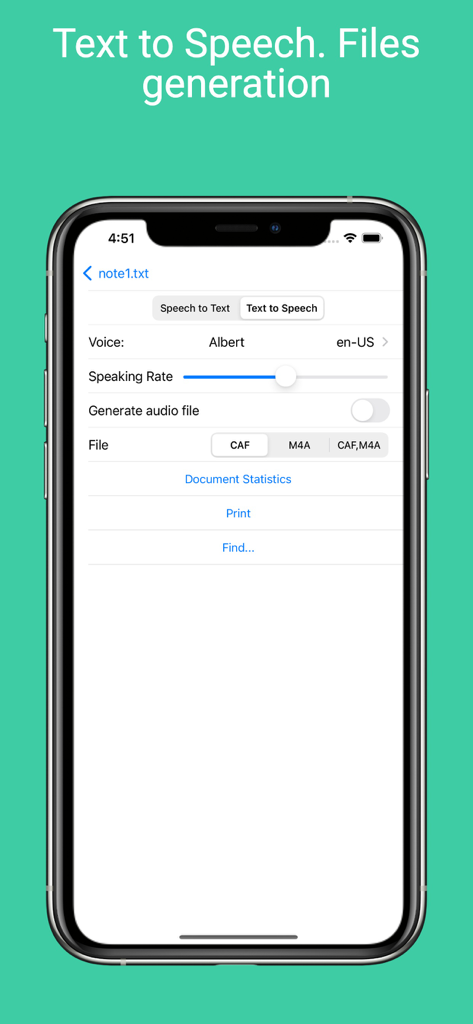
Voice Notebook - audio to text - Voice Notebook 앱 인터페이스에 텍스트 음성 변환 설정 및 오디오 파일 생성 옵션 표시
Voice Notebook 앱 인터페이스에 텍스트 음성 변환 설정 및 오디오 파일 생성 옵션 표시

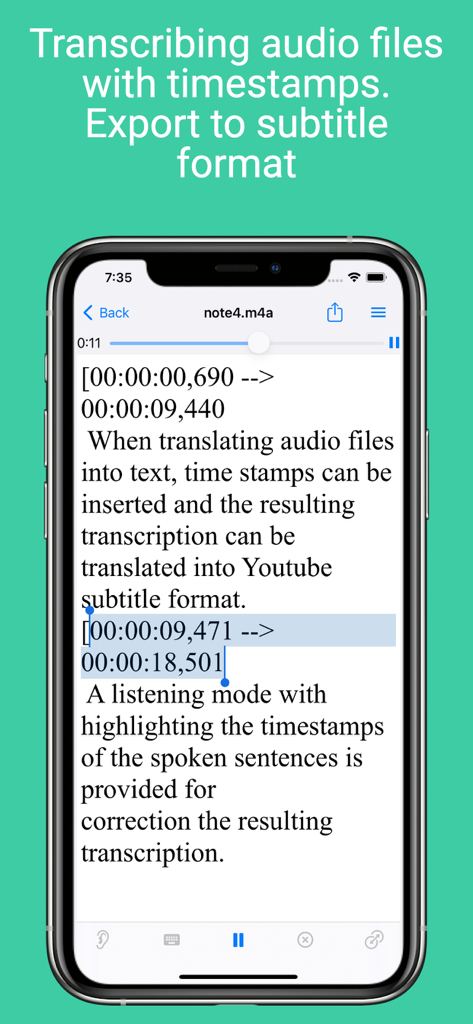
Voice Notebook - audio to text - Voice Notebook 앱 인터페이스에 타임스탬프 및 자막 내보내기 옵션이 있는 오디오 녹취 표시
Voice Notebook 앱 인터페이스에 타임스탬프 및 자막 내보내기 옵션이 있는 오디오 녹취 표시

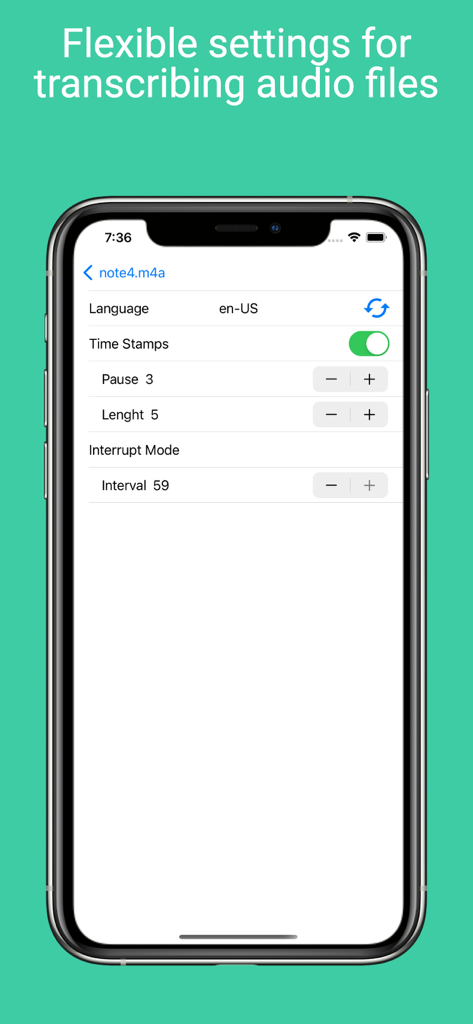
Voice Notebook - audio to text - Voice Notebook 앱의 설정 화면에 타임스탬프, 언어 및 오디오 녹취 간격에 대한 옵션 표시
Voice Notebook 앱의 설정 화면에 타임스탬프, 언어 및 오디오 녹취 간격에 대한 옵션 표시

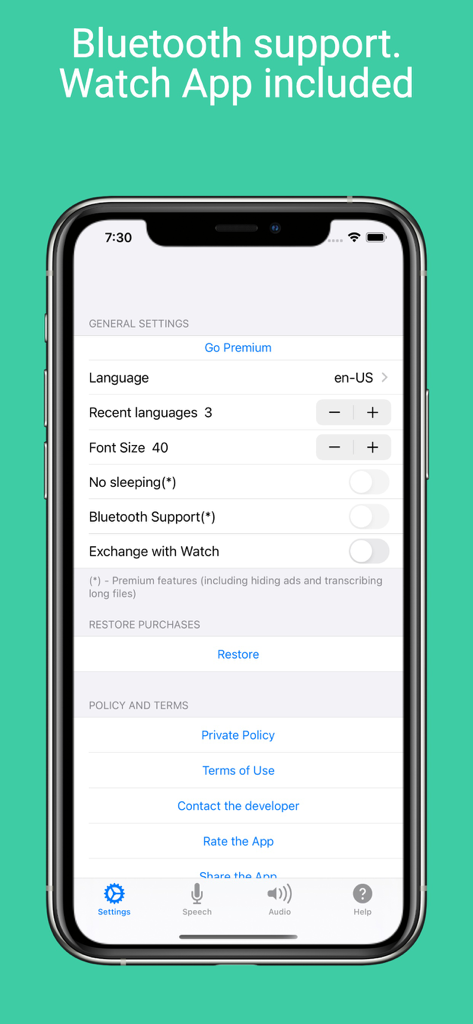
Voice Notebook - audio to text - iPhone의 Voice Notebook 앱 설정 화면에 Bluetooth 지원 및 Apple Watch 동기화 옵션 표시
iPhone의 Voice Notebook 앱 설정 화면에 Bluetooth 지원 및 Apple Watch 동기화 옵션 표시

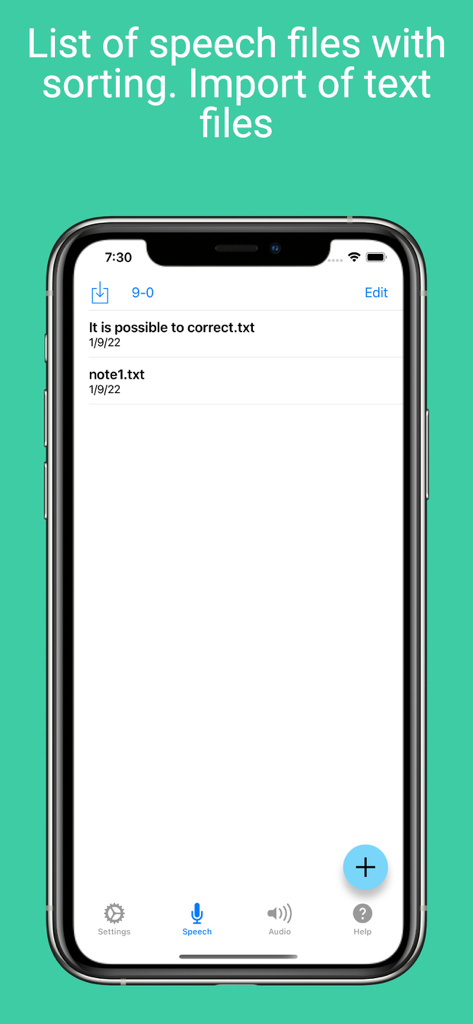
Voice Notebook - audio to text - Voice Notebook 앱의 음성 및 텍스트 파일 목록을 정렬 및 가져오기 옵션과 함께 보여주는 스크린샷
Voice Notebook 앱의 음성 및 텍스트 파일 목록을 정렬 및 가져오기 옵션과 함께 보여주는 스크린샷

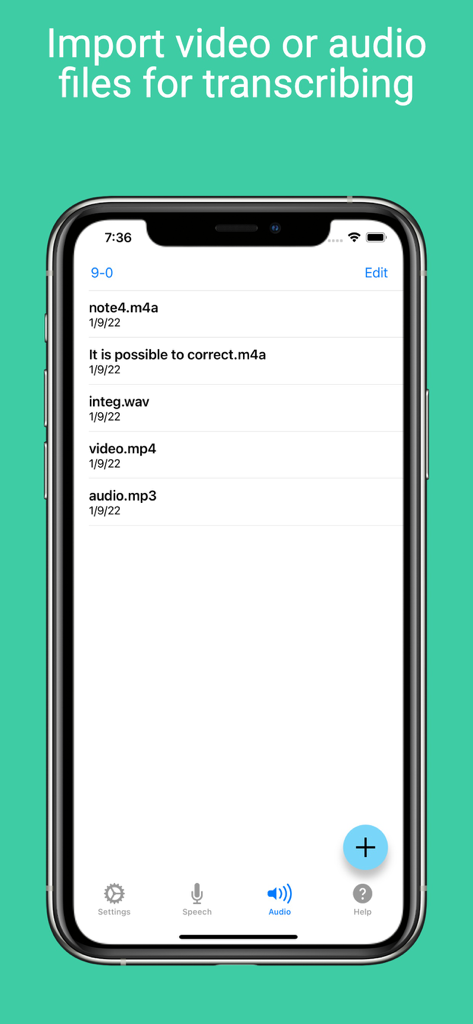
Voice Notebook - audio to text - Voice Notebook 앱 인터페이스 내에서 녹취할 준비가 된 가져온 오디오 및 비디오 파일 목록
Voice Notebook 앱 인터페이스 내에서 녹취할 준비가 된 가져온 오디오 및 비디오 파일 목록

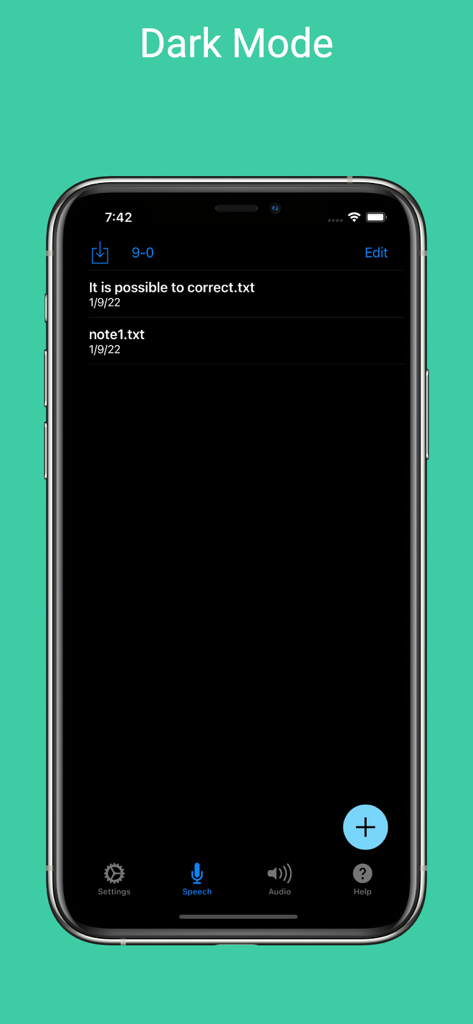
Voice Notebook - audio to text - iPhone에서 다크 모드로 표시된 Voice Notebook 앱 인터페이스에 저장된 텍스트 노트 목록 표시

iPhone에서 다크 모드로 표시된 Voice Notebook 앱 인터페이스에 저장된 텍스트 노트 목록 표시

설명

The application allows continuous voice input and transcribing of audio files. The voice input can also be saved in the file for further processing. There are three modes for transcribing audio files in the App: traditional and two accelerated modes for devices running iOS 26. The App can read texts and generate audio files using TTS for selected voice and speaking rate. Speech Synthesis Markup Language (SSML) cab be used in source text. There are two modes for enter text by voice: Dictation and Speech to Text. Speech to Text mode is for recording meeting or make live captions. Dictation mode is for voice editing and text correction. In Dictation mode language changing without stopping dictation are possible. Text entered by voice can be saved in a file or sent to another program. The note files are saved in the folder on the device and available for users. The list of voice notes can be sorted by date or alphabetically. Backup notes feature is implemented. When translating audio files into text, time stamps can be inserted and the resulting transcription can be translated into the Youtube subtitle format. A listening mode with highlighting the timestamps of the spoken sentences is provided for correction the resulting transcription. For most devices (not very old) transcribing audio files and speech to text can be done even in offline mode (without Internet). For devices running iOS 16 and higher, auto-punctuation mode is possible for languages in which it is supported. For devices running iOS 17 and higher, it is possible to use custom dictionaries that allow you to enter words and phrases by voice that are not recognized normally. You can create an unlimited number of custom dictionaries. For devices running iOS 16 and higher the app shortcut to add new note and start recognition is implemented. The shortcut can be called with Siri. The Apple Watch app is included, where you can take both audio and text notes by voice and sync them with the main app. The option to print and find notes has been implemented. Dark mode is supported. Premium mode will remove ads in the Speech screen, enable "No Sleeping" switch (auto-lock screen) and bluetooth support. Also the time limit for the length of transcribing files will be removed. Removes the limitation on the text length when generating an audio file during speech synthesis. Unlocks the "Open" button on the user's dictionary page. Terms of Use is located in https://voicenotebook.com/en/ios/terms/

Download

다운로드: App Store

이 페이지는 앱이나 개발자의 공식 페이지가 아니며, 정보 제공 및 논평을 목적으로 작성된 독립 편집 간행물입니다. 명시적으로 달리 언급되지 않는 한, 해당 앱이나 개발자는 MWM, Apple, Google Play, 앱 퍼블리셔 또는 앱 개발자와 제휴, 보증, 후원, 승인 또는 공식적으로 연결되어 있지 않으며, 이 페이지의 어떤 내용도 해당 앱이 MWM의 서비스를 사용하여 개발되었음을 의미하지 않습니다. 모든 상표, 로고, 스크린샷 및 기타 콘텐츠는 해당 소유자의 자산입니다.








