Voice Recorder, Voice Memos ™

Voice Recorder, Voice Memos ™

다운로드: App Store
로고: Voice Recorder, Voice Memos ™

음성 녹음기, 음성 메모 ™: 전문가용 올인원 오디오 스위트

녹음을 손쉽게 캡처, 전사 및 편집하세요. AI 음성-텍스트 변환부터 안전한 FaceID 보호까지 iPhone, iPad 및 Apple Watch 전반의 워크플로우를 간소화하세요.

다운로드: App Store

개발사

Milad Fakhr

카테고리

Productivity

다운로드

927K+

사용자 평점

4.4/5

총 평가 수

12K+

지원 언어

33

나만의 모바일 스튜디오

이 인터페이스를 사용하는 927K+ 명의 사용자.

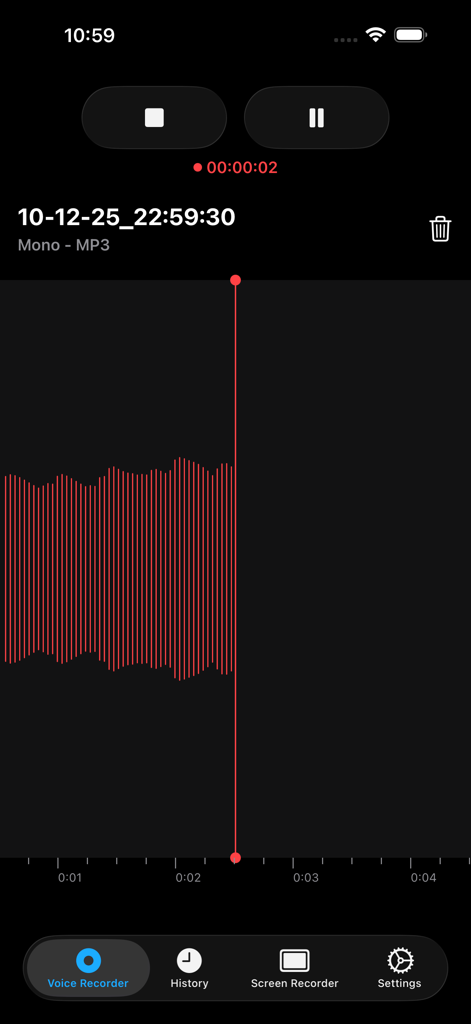
빨간색 파형과 재생 컨트롤이 표시된 활성 오디오 녹음 중인 음성 녹음기 앱 인터페이스
빨간색 파형과 재생 컨트롤이 표시된 활성 오디오 녹음 중인 음성 녹음기 앱 인터페이스

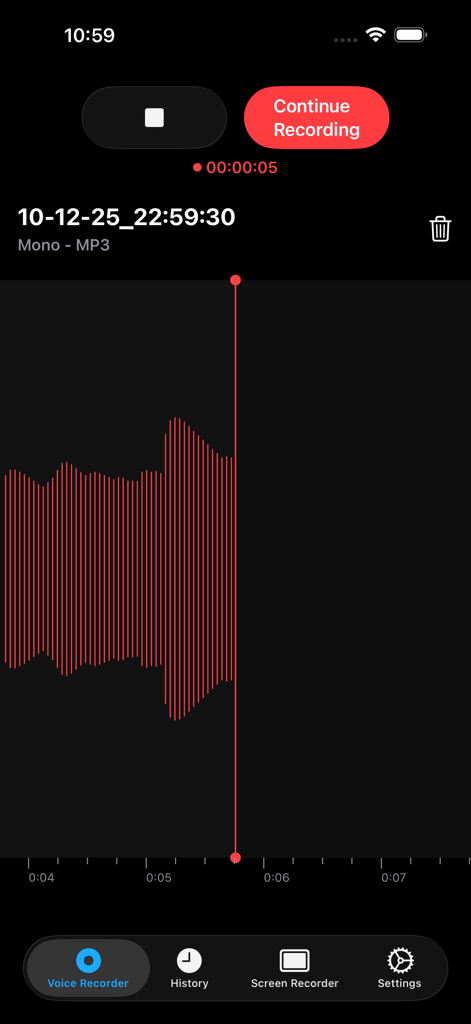
빨간색 오디오 파형과 녹음 컨트롤을 보여주는 음성 녹음기 앱 화면
빨간색 오디오 파형과 녹음 컨트롤을 보여주는 음성 녹음기 앱 화면

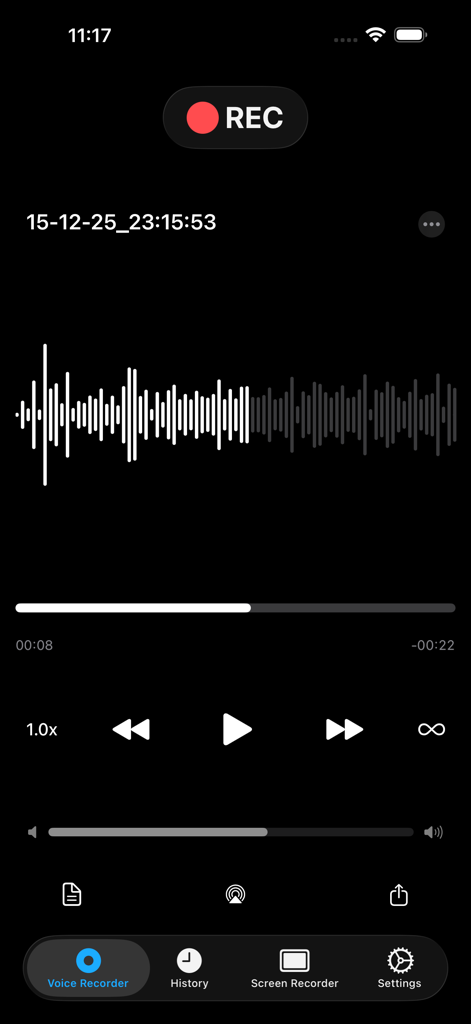
오디오 파형과 재생 컨트롤을 보여주는 음성 녹음 인터페이스
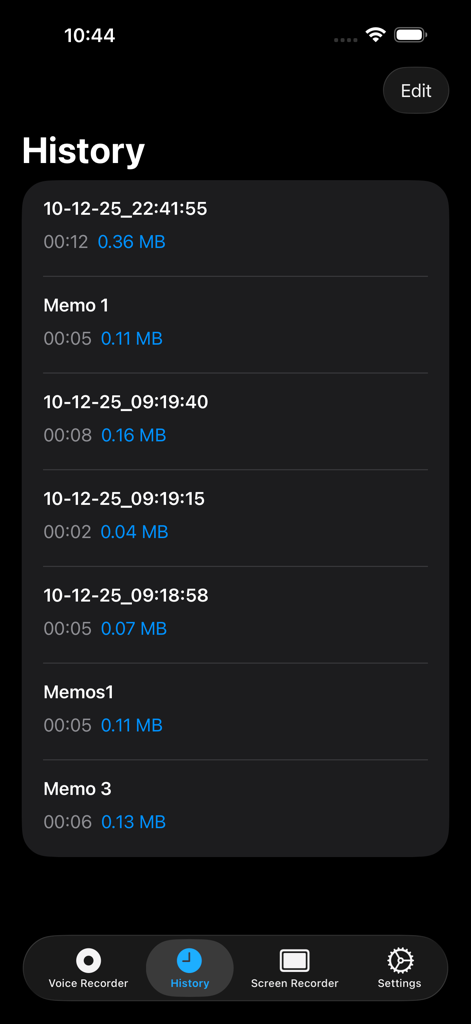
오디오 파형과 재생 컨트롤을 보여주는 음성 녹음 인터페이스

파일 세부 정보가 있는 녹음된 음성 메모 목록을 표시하는 음성 녹음기 앱의 기록 화면.
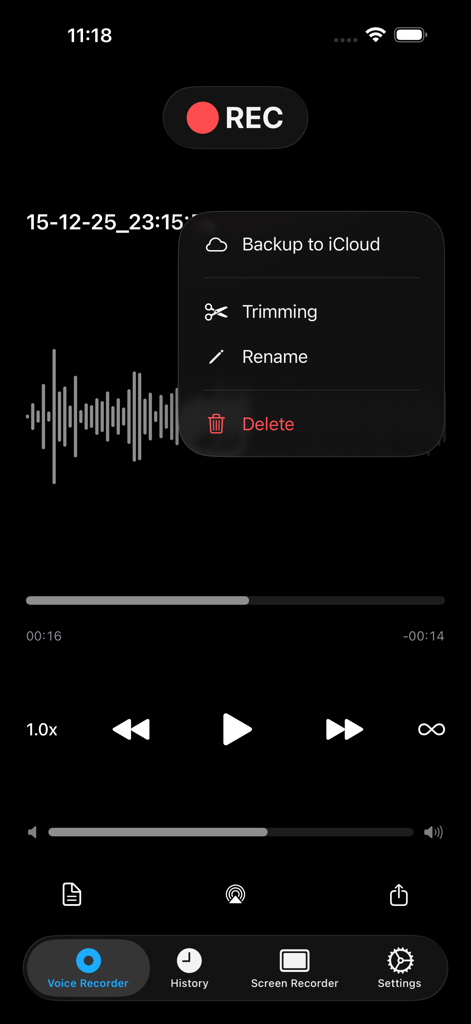
파일 세부 정보가 있는 녹음된 음성 메모 목록을 표시하는 음성 녹음기 앱의 기록 화면.

iCloud 백업, 자르기 및 이름 변경 옵션이 있는 메뉴와 오디오 파형을 보여주는 음성 녹음기 앱
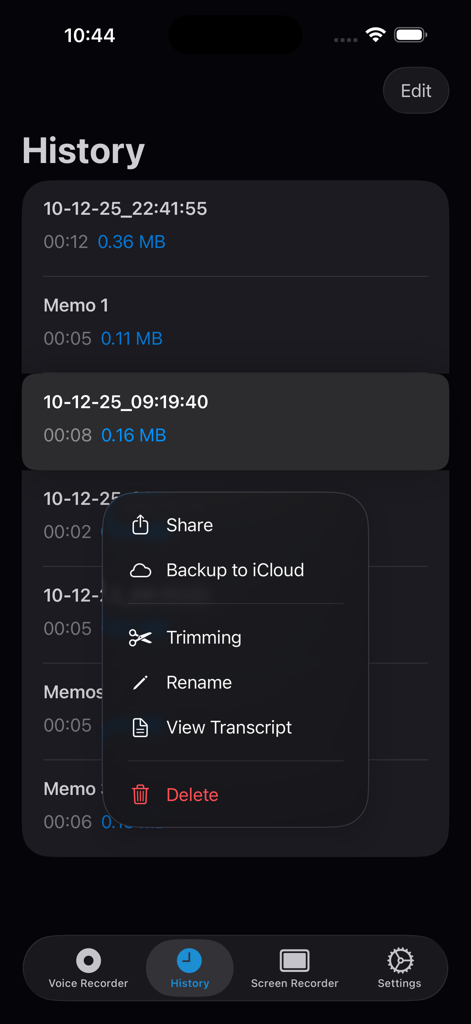
iCloud 백업, 자르기 및 이름 변경 옵션이 있는 메뉴와 오디오 파형을 보여주는 음성 녹음기 앱

전사, 자르기 및 iCloud 백업 도구가 있는 녹음 옵션 메뉴를 보여주는 음성 녹음기 앱 기록 화면.
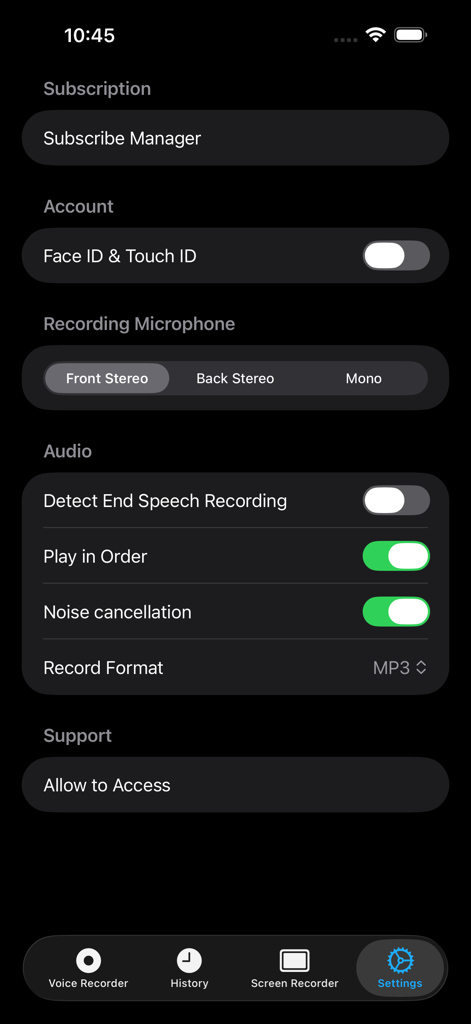
전사, 자르기 및 iCloud 백업 도구가 있는 녹음 옵션 메뉴를 보여주는 음성 녹음기 앱 기록 화면.

보안 옵션, 오디오 녹음 구성 및 노이즈 캔슬링 토글을 보여주는 음성 녹음기 앱의 설정 화면
보안 옵션, 오디오 녹음 구성 및 노이즈 캔슬링 토글을 보여주는 음성 녹음기 앱의 설정 화면

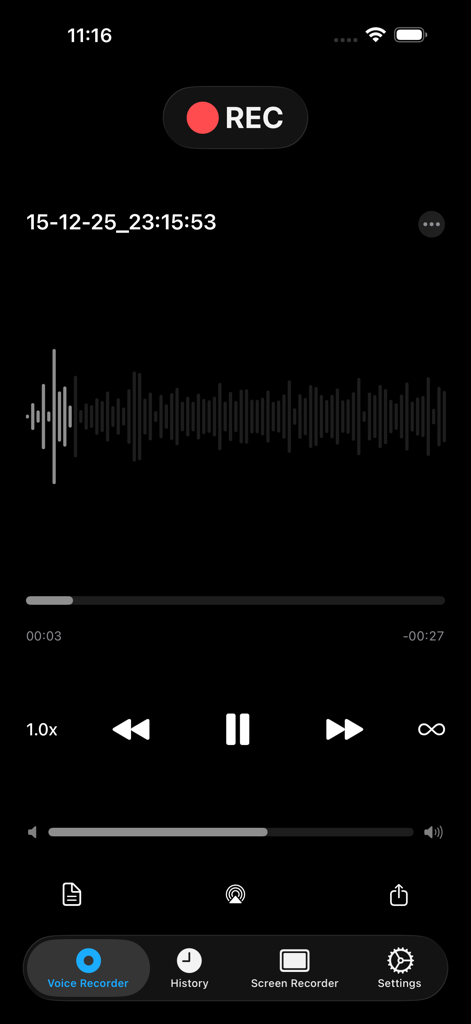
파형 및 재생 컨트롤이 있는 오디오 녹음을 보여주는 음성 녹음기 앱 화면
파형 및 재생 컨트롤이 있는 오디오 녹음을 보여주는 음성 녹음기 앱 화면

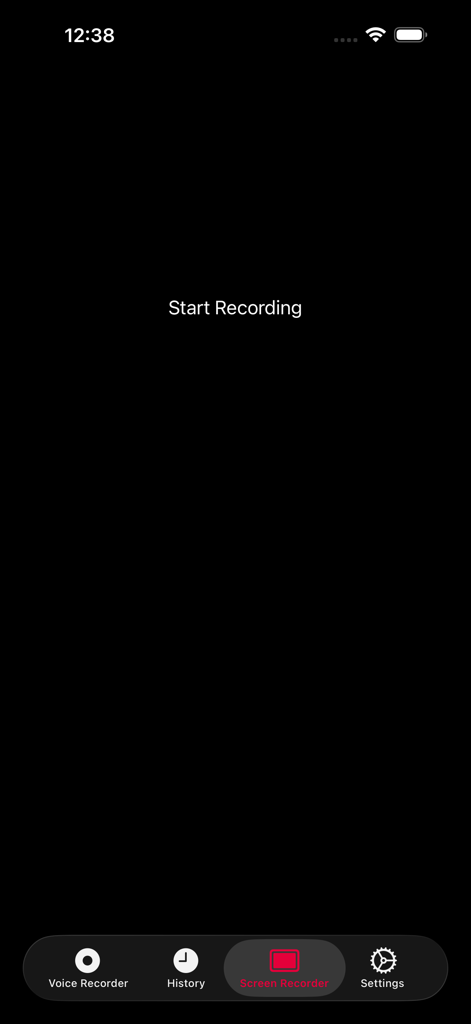
시작 녹화 버튼이 있는 음성 녹음기 앱의 화면 녹화 인터페이스.
시작 녹화 버튼이 있는 음성 녹음기 앱의 화면 녹화 인터페이스.

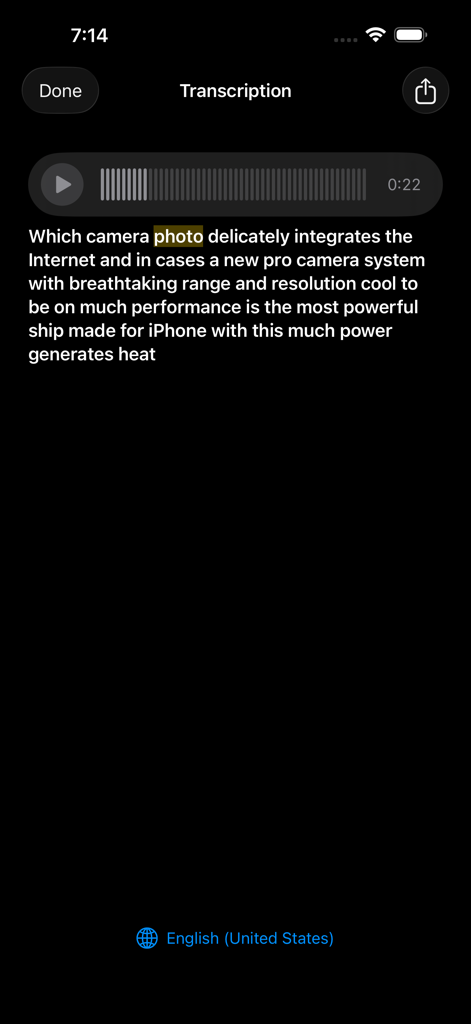
iPhone에서 음성 메모를 텍스트로 전사하는 것을 보여주는 인터페이스

iPhone에서 음성 메모를 텍스트로 전사하는 것을 보여주는 인터페이스

오디오 워크플로우를 위한 전문가용 파워하우스

이 앱을 돋보이게 하는 도구, 927K+ 명의 사용자가 선택.

📝

스마트 AI 전사

강의, 인터뷰 및 회의를 즉시 검색 가능한 텍스트로 변환하세요. 높은 정확도의 음성-텍스트 엔진으로 수동 타이핑 시간을 절약하세요.

원활한 Apple 통합

진정한 이동성을 경험하세요. Apple Watch에서 직접 녹음하고 메모를 iPhone, iPad 및 iCloud 계정 전체에 즉시 동기화하세요.

🔒

전문적인 개인 정보 보호 및 보안

기밀 데이터를 안전하게 보호하세요. FaceID 또는 TouchID 뒤에 민감한 녹음을 잠그고 원탭 클라우드 공유 및 생체 인식 보호로 파일을 쉽게 관리하세요.

앱 소개

에 대해 알아야 할 모든 것 Voice Recorder, Voice Memos ™.

설명

.Voice Recorder, .Voice Memos, .Screen Recorder .One Touch Recording, .One Touch Stop & Save, .Storing recording both in raw and mp3 format , .Voice memos, .Voice email, .Easy to use, .Voice iCloud, .Voice Recorder , Voice Memos is Simple and user-friendly from your internal/external microphone .Recording Unlimited (not included in the price) .Voice Email Up to 5MB , .Share memos easily by one tap with ( DropBox , WhatsApp , Google Drive , .Facebook Messenger , Files and Other favorite Apps ), .Record Timer & Playback Counter , .Auto File Naming , .Rename Record Files, .Displays Audio File Sizes and Time Stamps, .Supported recording in background, .Memos you record can also be transferred to your Mac or PC Via USB (itunes file sharing) .Share mp3 files itunes or social media platforms (export & import) .Scan fingerprint & Fan ID for more security files (touch ID & Face ID), .Sticker Color For Searching easy your files. .3D Touch Support .You have access to all files with Apple Watch .Help Section in different languages .Add Title To Record .Move your voice memo .Trimming ( cut ) edit your Record (Audio) .Audio Editor .Screen recorder .Music Player (Audio Player) .Airplay Mode .Podcast Recorder .Voice Changer .Unlimited screen recorder (not included in the price) .Voice recorder for iPhone .Voice recorder for iPad .Voice recorder Free Apple Watch .Voice recorder Free iMessage .Transcribe (Voice To Text) .Convert voice recorder (Audio) to text .Speech to text Add Media player --------------- You Can reward & forward the audio memos even in lock screen Mode. A Professional slider comes to help for easy navigation in memo .Record with Apple Watch microphone .Free Recorder App for Apple Watch --------------- .Voice Recorder Free For AppleWatch and Playing History .Free iMessage Recorder App --------------- .Record audio Free then share it by iMessage App with your friends in iMessage Subscription pricing and terms: ALL ACCESS Monthly (Billed monthly) ---- ALL ACCESS Yearly (Billed yearly) Your subscription automatically renews unless auto-renew is turned off at least 24-hours before the end of the current period. Your credit card will be charged through your iTunes account. You can turn off auto-renew at any time from your iTunes Account Settings but refunds will not be provided for any unused portion of the term. Alternatively, there is a "Manage Subscription" menu option in the App Settings menu. Payment will be charged to iTunes Account at confirmation of purchase. Any unused portion of a free trial period will be forfeited when you purchase a subscription. - Terms of use : https://www.voicerecorderfree.com/terms - Privacy policy: https://www.voicerecorderfree.com/privacy

최신 버전

5.7

크기

18.9 MB

출시일

2013년 3월 7일

모든 아이디어를 캡처하고 모든 단어를 전사하세요

모든 Apple 기기에서 안전한 원탭 오디오 캡처 및 즉각적인 음성-텍스트 변환을 위해 Voice Recorder ™를 신뢰하는 거의 백만 명의 전문가 및 학생들과 함께하세요.

다운로드: App Store

App information, icons, screenshots, and descriptions displayed on this page are sourced from the Apple App Store and are the property of their respective developers. Download estimates and rankings are based on MWM's proprietary models and may not reflect actual figures. This page is provided for informational and analytical purposes only.

Believe this page infringes your intellectual property? File a dispute