VoiceClock - Talking
다운로드: App Store

이 페이지는 앱이나 개발자의 공식 페이지가 아니며, 정보 제공 및 논평을 목적으로 작성된 독립 편집 간행물입니다. 명시적으로 달리 언급되지 않는 한, 해당 앱이나 개발자는 MWM, Apple, Google Play, 앱 퍼블리셔 또는 앱 개발자와 제휴, 보증, 후원, 승인 또는 공식적으로 연결되어 있지 않으며, 이 페이지의 어떤 내용도 해당 앱이 MWM의 서비스를 사용하여 개발되었음을 의미하지 않습니다. 모든 상표, 로고, 스크린샷 및 기타 콘텐츠는 해당 소유자의 자산입니다.


로고: VoiceClock - Talking
다운로드: App Store

VoiceClock - Talking

맞춤 설정 가능한 음성 안내, 흔들어서 말하기 알림, 그리고 휴대폰이 주머니에 잠겨 있을 때도 작동하는 핸즈프리 알림으로 집중력과 독립성을 유지하세요.

주요 수치

다운로드

43K+

사용자 평점

4.0/5

총 평가 수

100

개발사

Shinichi Aokawa

카테고리

Productivity

지원 언어

18

최신 버전

14.3

크기

176.0 MB

출시일

2013년 7월 8일
기능

화면을 보지 않고도 일정 관리

VoiceClock는 기기를 지능형 음성 비서로 변환하여 시간 맹목증을 관리하고 핸즈프리 음성 알림을 통해 생산성을 높이도록 돕습니다.

주머니 속 음성 알림

휴대폰이 잠겨 있거나 주머니에 있을 때도 시간을 명확하게 들을 수 있습니다. 손이 바쁜 작업과 시각적 접근성에 이상적입니다.

맞춤 동기 부여 문구

시간 안내 앞뒤에 개인 맞춤 텍스트를 추가하여 '지금은 오전 10시입니다. 집중하세요!'와 같은 알림을 만드세요.

다음 스크린샷과 설명은 앱의 공식 스토어 목록에서 직접 가져온 것이며 앱 개발자의 자산입니다.

앱 스토어

스크린샷
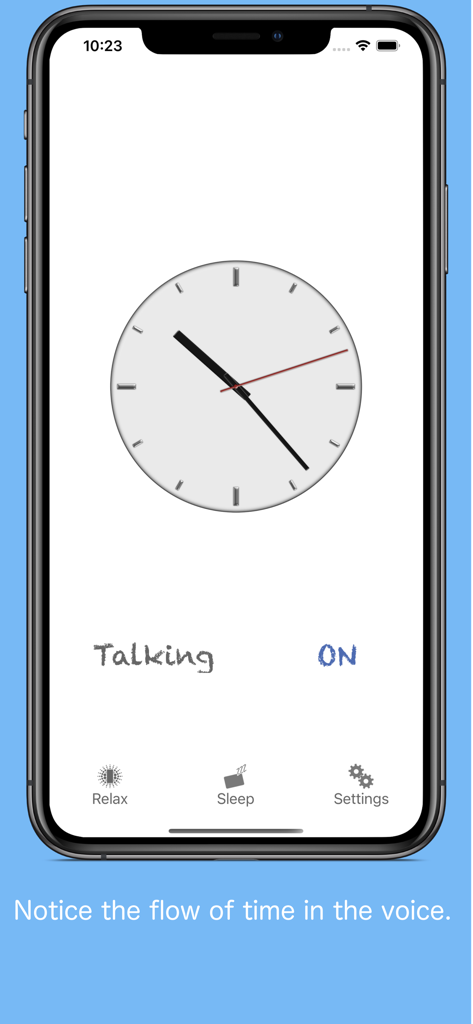
VoiceClock - Talking - VoiceClock 말하는 앱의 기본 인터페이스로, 아날로그 시계와 음성 안내 설정이 표시됩니다.
VoiceClock 말하는 앱의 기본 인터페이스로, 아날로그 시계와 음성 안내 설정이 표시됩니다.

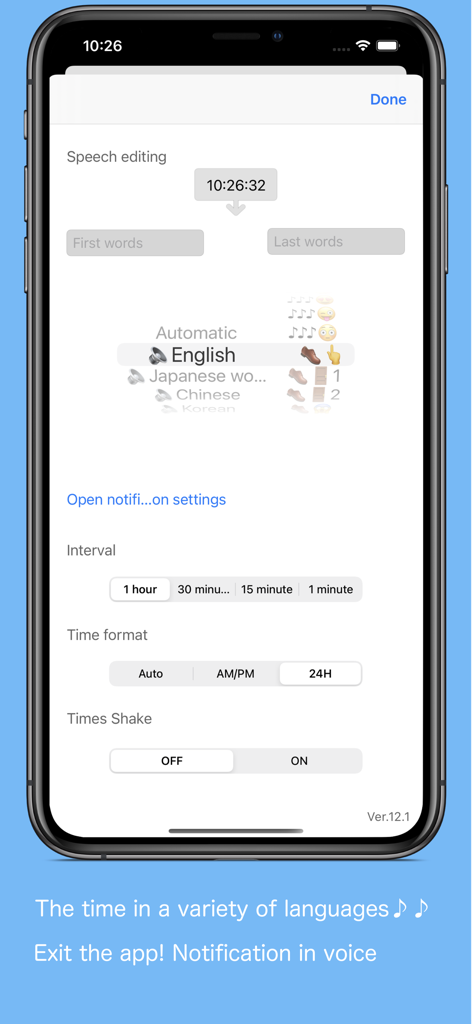
VoiceClock - Talking - VoiceClock 앱 설정 화면으로, 맞춤 설정 가능한 음성 편집 언어 옵션 및 알림 간격이 표시됩니다.
VoiceClock 앱 설정 화면으로, 맞춤 설정 가능한 음성 편집 언어 옵션 및 알림 간격이 표시됩니다.

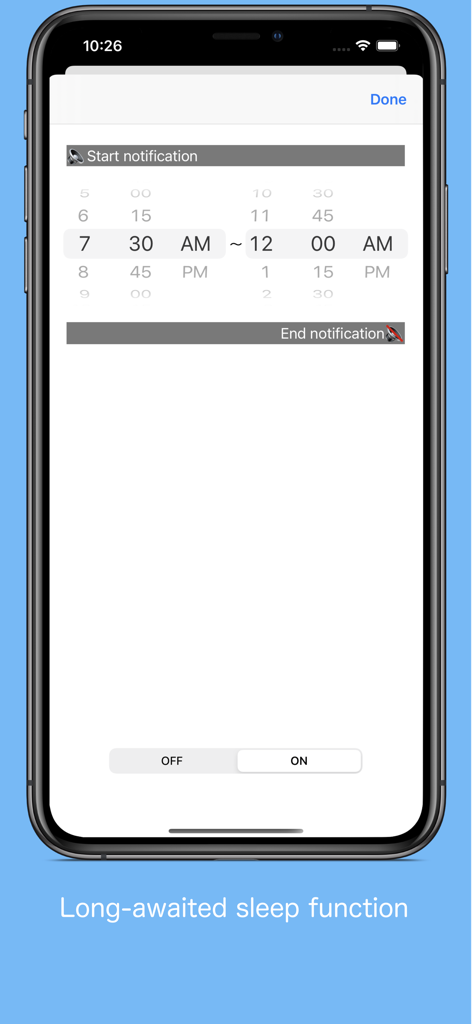
VoiceClock - Talking - VoiceClock 앱의 특정 시간 동안 음성 알림 예약을 위한 인터페이스
VoiceClock 앱의 특정 시간 동안 음성 알림 예약을 위한 인터페이스

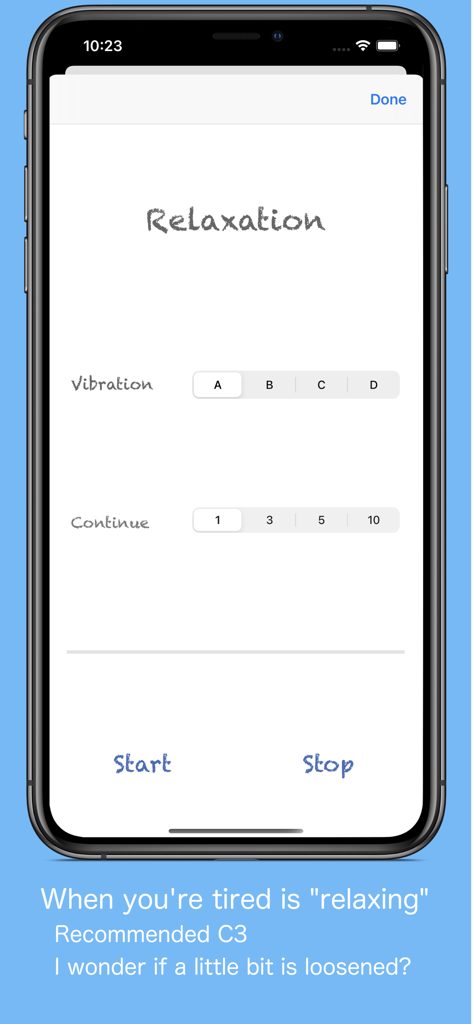
VoiceClock - Talking - VoiceClock 휴식 화면으로, 진동 패턴 및 지속 시간 설정이 표시됩니다.
VoiceClock 휴식 화면으로, 진동 패턴 및 지속 시간 설정이 표시됩니다.

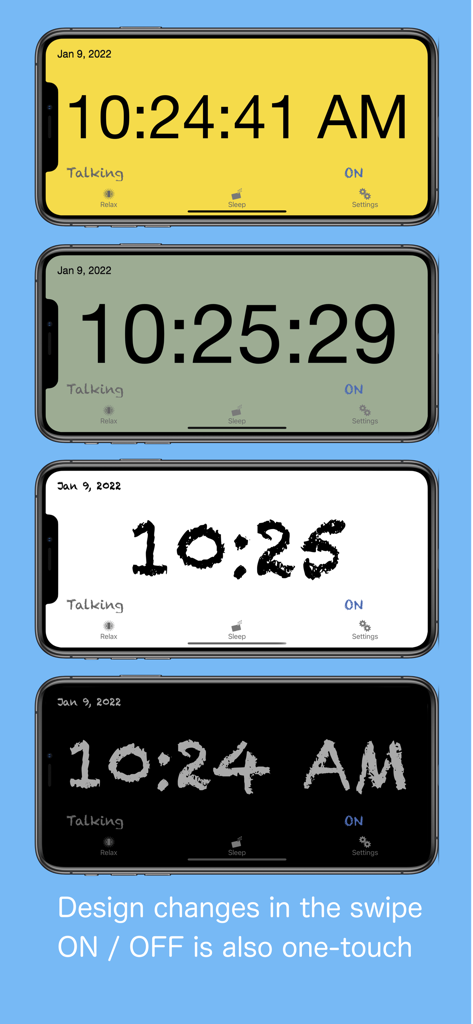
VoiceClock - Talking - VoiceClock 앱의 다양한 시계 배경색 및 글꼴 스타일을 보여주는 4개의 iPhone 화면
VoiceClock 앱의 다양한 시계 배경색 및 글꼴 스타일을 보여주는 4개의 iPhone 화면

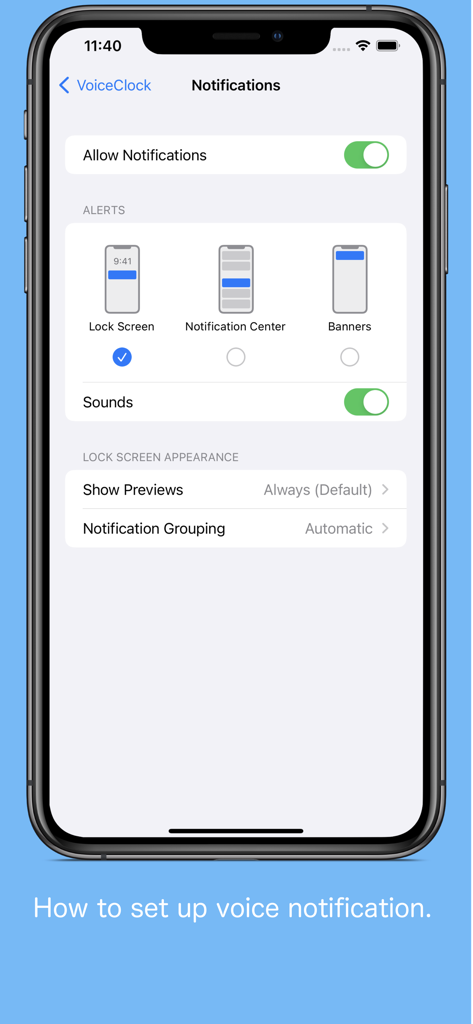
VoiceClock - Talking - iOS의 VoiceClock 앱에서 음성 알림을 설정하는 방법

iOS의 VoiceClock 앱에서 음성 알림을 설정하는 방법

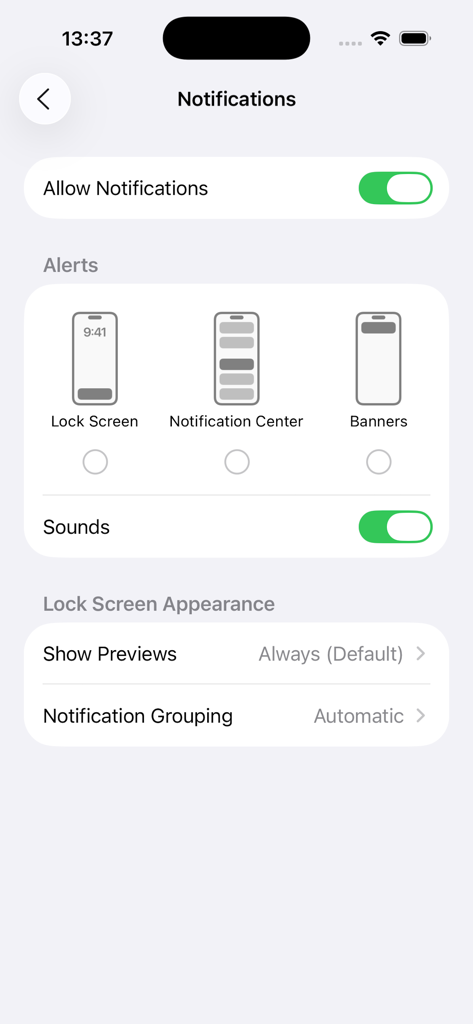
VoiceClock - Talking - VoiceClock 앱에 대한 iOS 시스템 알림 설정 메뉴로, 알림 및 소리 옵션이 표시됩니다.

VoiceClock 앱에 대한 iOS 시스템 알림 설정 메뉴로, 알림 및 소리 옵션이 표시됩니다.

설명

Even if put it in a pocket to lock your iPhone, This app inform the time. By Starting the application, can be edited freely the words before and after the time if the desk clock. For example, "now" 8:00 "Let's go" It is possible. (Please write the character in the language currently used) 【Please】 When enabling sound effect, please select other than "banner is Persistent" in notification setting so that voice notification will not be interrupted. 【The following languages are supported for voice notification at lock time】 ※ Japanese, English, Chinese, Korean, Russian, German, French, Italian, Dutch, Arabic, Greek, Turkish, English (Alex) ※ The English voice notification is made for 12 hours 00: 00 to 11: 30 (Example 1: 12: 00 AM, Example 2: 11: 30 AM) 12: 00 ~ 23: 30 (Example 1: 12: 00 PM, Example 2: 11: 30 PM) It is expressed as. How to use ※ Clock · (Analog / digital, background color, font) setting can be switched by swiping left, right, up, and down. · Receive a notification via voice the time you tap the "Talking". · We will inform you by voice time and shake. · You can switch by tapping the "ON" or "OFF" the time signal notification. ※ Setting · You can edit the words before and after the time of the sandwich voice notification. · You can select the language of the device other than setting. · It is possible to select 10 types of sound effects and sound OFF. · You can change "Notification interval", "Time format", "Notification with shake". ※Sleep · You can set the time zone to stop the voice notification. (It does not correspond to a 1-minute notification interval) ※ Relaxation time · How is the Use simple massage function using the vibration of the iPhone, you can try to heal mind while listening in your favorite music.

Download

다운로드: App Store

이 페이지는 앱이나 개발자의 공식 페이지가 아니며, 정보 제공 및 논평을 목적으로 작성된 독립 편집 간행물입니다. 명시적으로 달리 언급되지 않는 한, 해당 앱이나 개발자는 MWM, Apple, Google Play, 앱 퍼블리셔 또는 앱 개발자와 제휴, 보증, 후원, 승인 또는 공식적으로 연결되어 있지 않으며, 이 페이지의 어떤 내용도 해당 앱이 MWM의 서비스를 사용하여 개발되었음을 의미하지 않습니다. 모든 상표, 로고, 스크린샷 및 기타 콘텐츠는 해당 소유자의 자산입니다.