Web site to App Pro : No Ads
다운로드: App Store

이 페이지는 앱이나 개발자의 공식 페이지가 아니며, 정보 제공 및 논평을 목적으로 작성된 독립 편집 간행물입니다. 명시적으로 달리 언급되지 않는 한, 해당 앱이나 개발자는 MWM, Apple, Google Play, 앱 퍼블리셔 또는 앱 개발자와 제휴, 보증, 후원, 승인 또는 공식적으로 연결되어 있지 않으며, 이 페이지의 어떤 내용도 해당 앱이 MWM의 서비스를 사용하여 개발되었음을 의미하지 않습니다. 모든 상표, 로고, 스크린샷 및 기타 콘텐츠는 해당 소유자의 자산입니다.


로고: Web site to App Pro : No Ads
다운로드: App Store

Web site to App Pro : No Ads

URL 표시줄이나 바닥글 메뉴 없이 전체 화면으로 웹을 경험하세요. 암호 잠금, 광고 없는 환경으로 로그인을 안전하게 유지하고, 기록을 비공개로 하며, 집중력을 유지하세요.

주요 수치

다운로드

0

사용자 평점

1.0/5

총 평가 수

0

개발사

MINERVA K.K.

카테고리

Productivity

지원 언어

1

최신 버전

1.0

크기

30.1 MB

출시일

2025년 5월 16일
기능

더 깔끔하고 빠른 웹 경험

모든 웹사이트를 전용 전체 화면 작업 공간으로 변환하세요. 방해 요소를 제거하고, 개인 정보를 보호하며, 한 번의 탭으로 가장 많이 사용하는 사이트에 액세스하세요.

즉각적인 원탭 액세스

북마크와 반복적인 로그인을 건너뛰세요. 로그인 상태를 유지하고 마찰 없이 즉시 좋아하는 사이트를 실행하세요.

몰입감 있는 전체 화면 보기

화면 공간을 최대한 활용하세요. URL 표시줄과 바닥글을 제거하여 방해 요소 없는 네이티브 앱과 같은 경험을 제공합니다.

다음 스크린샷과 설명은 앱의 공식 스토어 목록에서 직접 가져온 것이며 앱 개발자의 자산입니다.

앱 스토어

스크린샷
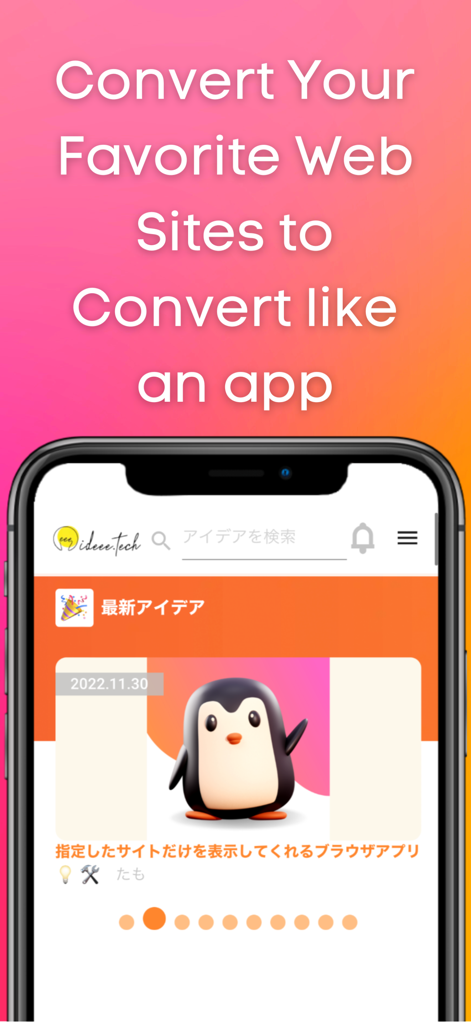
Web site to App Pro : No Ads - 전체 화면 모바일 앱 인터페이스로 변환된 웹사이트를 표시하는 스마트폰
전체 화면 모바일 앱 인터페이스로 변환된 웹사이트를 표시하는 스마트폰

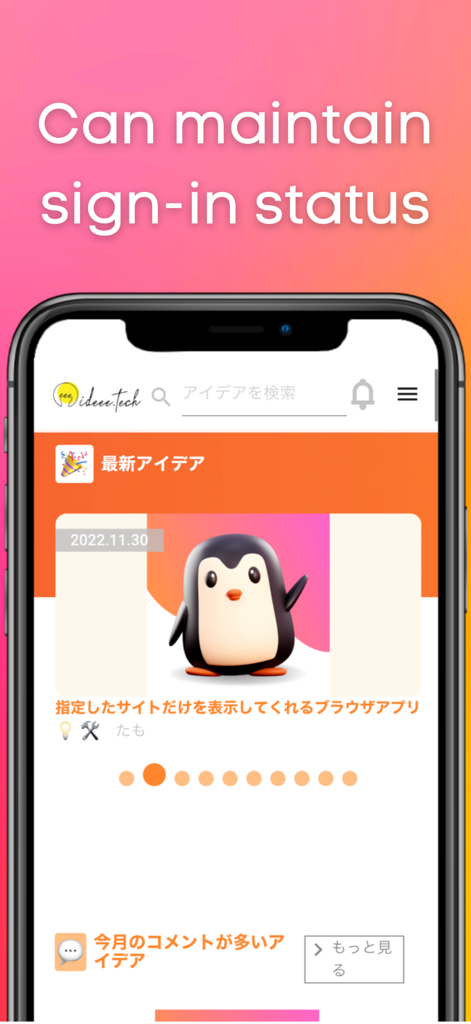
Web site to App Pro : No Ads - 로그인 상태를 유지할 수 있다고 명시된 텍스트와 함께 전체 화면 모드로 웹사이트를 표시하는 스마트폰
로그인 상태를 유지할 수 있다고 명시된 텍스트와 함께 전체 화면 모드로 웹사이트를 표시하는 스마트폰

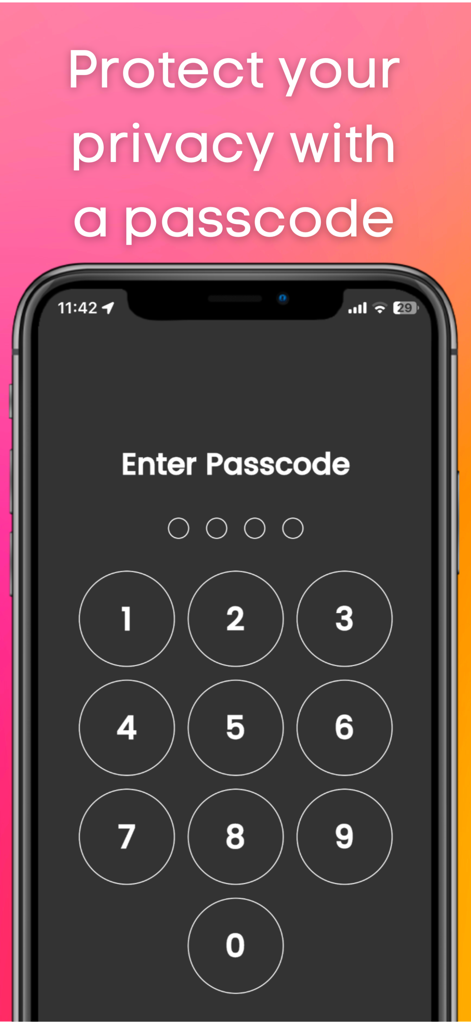
Web site to App Pro : No Ads - 개인 정보 보호를 위해 숫자 암호 입력 화면을 보여주는 스마트폰 화면
개인 정보 보호를 위해 숫자 암호 입력 화면을 보여주는 스마트폰 화면

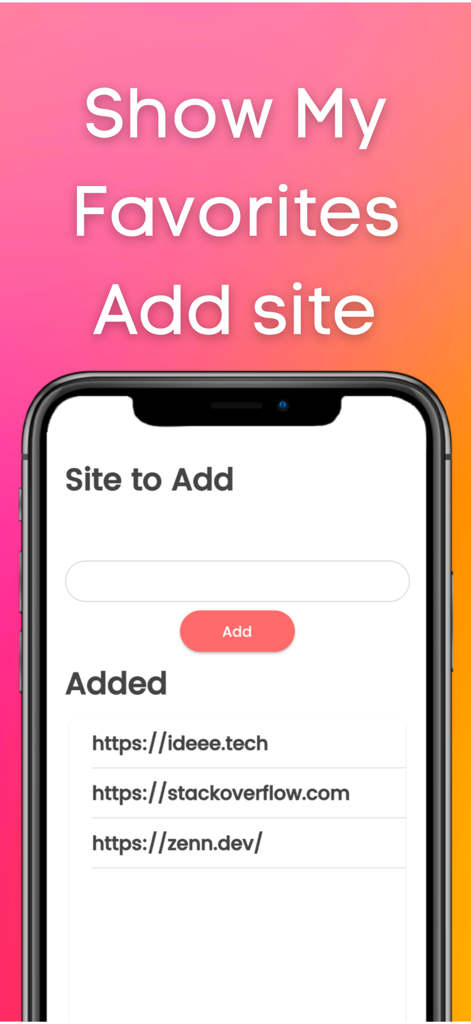
Web site to App Pro : No Ads - 추가 사이트 필드와 StackOverflow와 같은 추가된 웹사이트 목록을 보여주는 Web site to App Pro의 인터페이스
추가 사이트 필드와 StackOverflow와 같은 추가된 웹사이트 목록을 보여주는 Web site to App Pro의 인터페이스

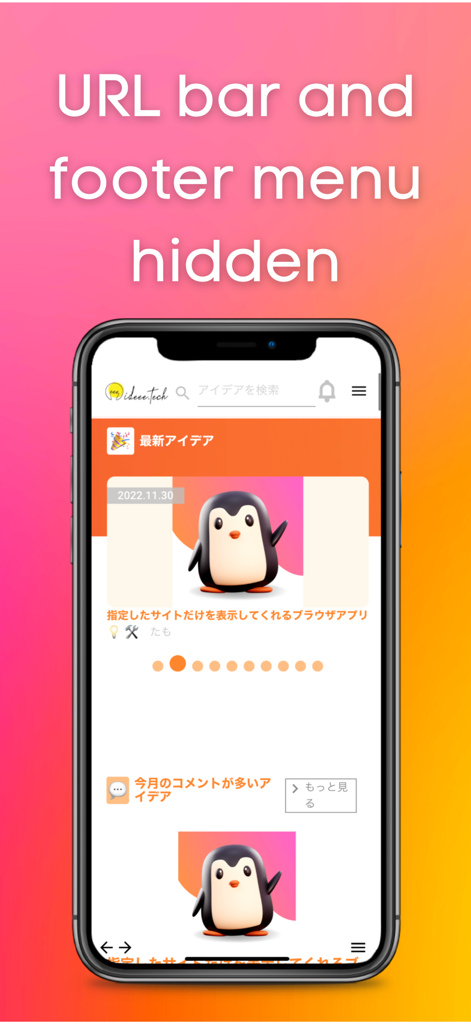
Web site to App Pro : No Ads - URL 표시줄과 바닥글 메뉴가 숨겨진 전체 화면 모드로 웹사이트를 표시하는 모바일 앱 인터페이스

URL 표시줄과 바닥글 메뉴가 숨겨진 전체 화면 모드로 웹사이트를 표시하는 모바일 앱 인터페이스

설명

This app allows you to quickly launch frequently used sites. You can use it like an app. It hides the URL bar and footer bar found in standard browsers, so you can view sites on a larger screen. Login information is retained, which is very convenient. If you usually use a private browser such as safari or chrome, this app will free you from the troublesome login process. There is also a passcode lock function. You can protect your privacy. Also, this app does not save history, so there is no need to delete history. ■How to use 1, Add the site you want to view. 2, Select the site you want to view. Functions 1, Add site function 2, Function to switch display sites 3, Retention of login information 4, Passcode function 5, Lock function 6, Function to switch to dark mode Language switching (defaults to the language set by the user on the device) Use Cases 1, Users who usually display a private browser 2, Those who want to keep their login information 3. those who want to display the site they want to view first when they open the application 4. who find it tedious to "click the bookmark button ⇨ find the URL of the site ⇨ click the bookmark button ⇨ log in 5. you want to protect your privacy by locking your browser with a passcode 6, you do not want to be able to see your history. 7. you want the site to be displayed on the entire screen. 8. you do not want others to know your history or the sites you are viewing. 9. you feel that the URL bar or footer menu is in the way. 10. if you want to put a password on your browser. My use case I am the developer of this application. I use a private browser in safari on my iPhone. Before using this app, I used to close the private browser once and set the regular browser. I then opened my bookmarks and viewed the site. I mainly did such tedious operations to view Stackoverflow. However, when I started using this app, I was freed from such tedious operations because once I open this app, stackoverflow is displayed with my login. Since the URL bar and footer menu are not displayed, I can display stackoverflow on a large screen. ■Reviews from testers 1. I am a fan of a certain website that has not been made into an app. I used to use safari until now. I started using this app because logging in was a hassle. I am satisfied with this app because it not only frees me from the login process, but also allows me to view the site larger than when opening it in safari. (Momo,student ,23 years old) 2. I used this app because I wanted to lock my browser. This app allows you to open your browser by entering your passcode. And I can view the display site out of the blue, so I don't have to open the site from my bookmarks anymore. I have this app available from a shortcut on my iPhone so I can open it right away. (John, Engineer, age 36)

Download

다운로드: App Store

이 페이지는 앱이나 개발자의 공식 페이지가 아니며, 정보 제공 및 논평을 목적으로 작성된 독립 편집 간행물입니다. 명시적으로 달리 언급되지 않는 한, 해당 앱이나 개발자는 MWM, Apple, Google Play, 앱 퍼블리셔 또는 앱 개발자와 제휴, 보증, 후원, 승인 또는 공식적으로 연결되어 있지 않으며, 이 페이지의 어떤 내용도 해당 앱이 MWM의 서비스를 사용하여 개발되었음을 의미하지 않습니다. 모든 상표, 로고, 스크린샷 및 기타 콘텐츠는 해당 소유자의 자산입니다.








