Word document
Word document
다운로드: App Store

이 페이지는 앱이나 개발자의 공식 페이지가 아니며, 정보 제공 및 논평을 목적으로 작성된 독립 편집 간행물입니다. 명시적으로 달리 언급되지 않는 한, 해당 앱이나 개발자는 MWM, Apple, Google Play, 앱 퍼블리셔 또는 앱 개발자와 제휴, 보증, 후원, 승인 또는 공식적으로 연결되어 있지 않으며, 이 페이지의 어떤 내용도 해당 앱이 MWM의 서비스를 사용하여 개발되었음을 의미하지 않습니다. 모든 상표, 로고, 스크린샷 및 기타 콘텐츠는 해당 소유자의 자산입니다.

로고: Word document
다운로드: App Store

Word document

이동 중에 Word, Excel, PPT 파일을 만들고, 편집하고, 변환하는 가장 빠른 방법입니다. 강력한 노트북 없는 워크플로가 필요한 학생 및 전문가를 위해 설계되었습니다.

주요 수치

다운로드

5K+

사용자 평점

4.5/5

총 평가 수

100

개발사

Neon Apps

카테고리

Productivity

지원 언어

15

최신 버전

1.1

크기

115.7 MB

출시일

2025년 2월 7일
기능

번거로움 없는 효율성

무거운 오피스 제품군과의 씨름을 멈추세요. 올인원 도구를 사용하면 iPhone 또는 iPad에서 바로 전문 문서를 초고속으로 만들고, 편집하고, 변환할 수 있습니다.

즉시 PDF 변환

형식 간의 격차를 해소하세요. 전문적인 공유 및 제출을 위해 Word, Excel, PPT 및 사진을 고품질 PDF로 쉽게 변환하세요.

원활한 모바일 편집

실수를 수정하고, 텍스트를 형식화하고, 이미지를 즉시 삽입하세요. 터치 우선 경험을 위해 설계되어 줄을 서서 기다리거나 통근하는 동안 보고서를 다듬을 수 있습니다.

다음 스크린샷과 설명은 앱의 공식 스토어 목록에서 직접 가져온 것이며 앱 개발자의 자산입니다.

앱 스토어

스크린샷
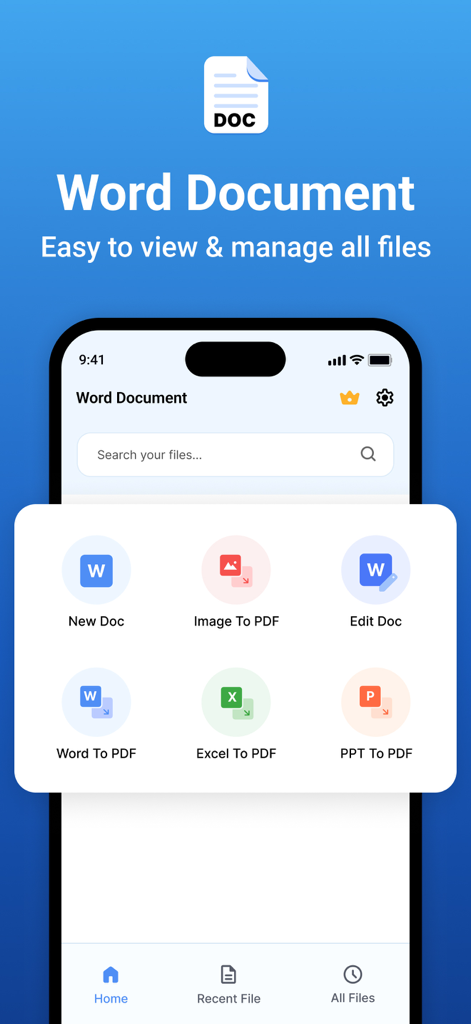
Word document - Word Document 앱의 모바일 인터페이스로, 파일을 PDF로 만들고, 편집하고, 변환하는 옵션이 표시됩니다.
Word Document 앱의 모바일 인터페이스로, 파일을 PDF로 만들고, 편집하고, 변환하는 옵션이 표시됩니다.

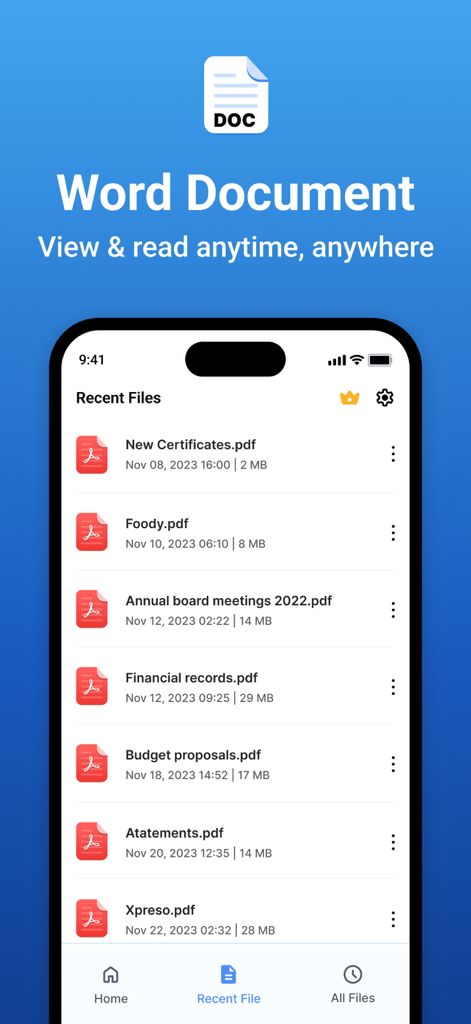
Word document - PDF 문서 목록을 보여주는 Word Document 앱의 최근 파일 화면
PDF 문서 목록을 보여주는 Word Document 앱의 최근 파일 화면

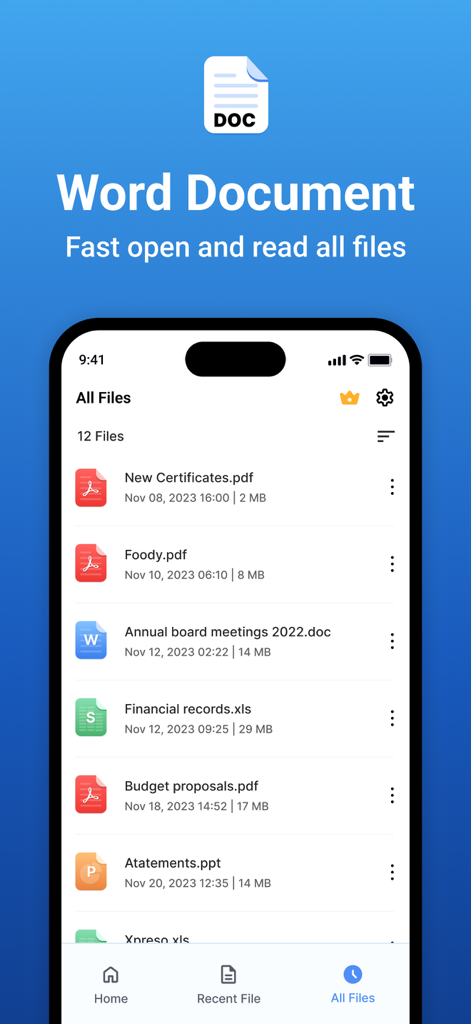
Word document - Word Document 앱 인터페이스에 iPhone에서 PDF, Word, Excel 및 PowerPoint 파일 목록이 표시됩니다.
Word Document 앱 인터페이스에 iPhone에서 PDF, Word, Excel 및 PowerPoint 파일 목록이 표시됩니다.

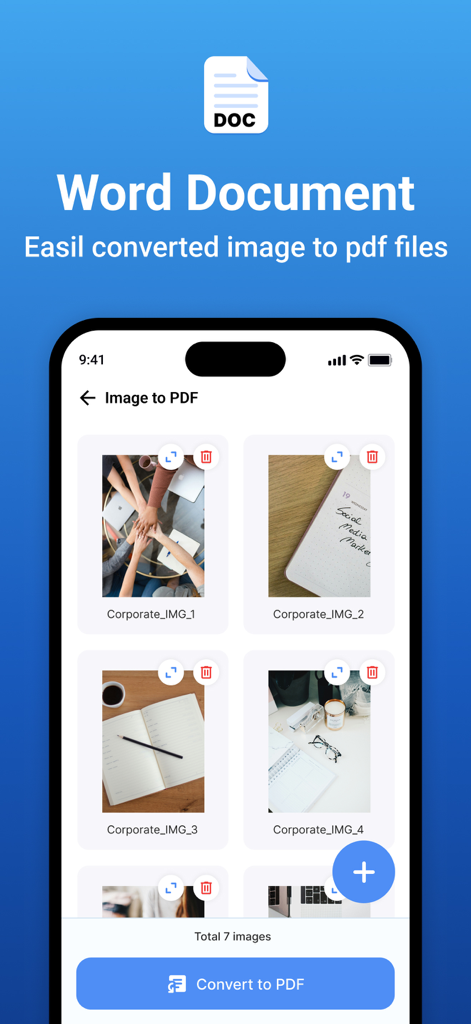
Word document - 단일 PDF 문서로 변환하기 위해 선택된 여러 이미지를 보여주는 모바일 앱 인터페이스
단일 PDF 문서로 변환하기 위해 선택된 여러 이미지를 보여주는 모바일 앱 인터페이스

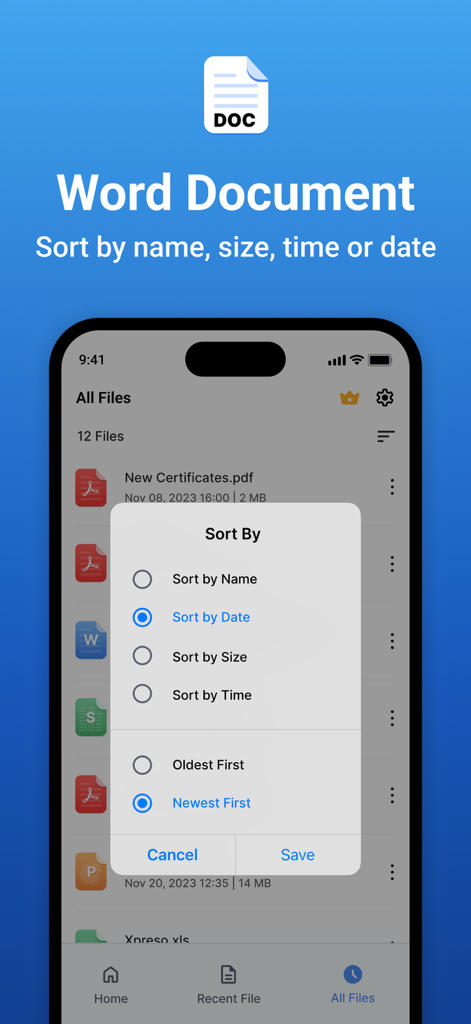
Word document - 이름, 날짜, 크기 등 파일 정렬 옵션이 있는 메뉴를 보여주는 Word Document 앱의 인터페이스

이름, 날짜, 크기 등 파일 정렬 옵션이 있는 메뉴를 보여주는 Word Document 앱의 인터페이스

설명

Word Document App is a powerful document editing and management tool that provides a seamless experience for creating, modifying, and managing Word files with ease. Whether you're a student, professional, or casual user, our app is designed to meet your document editing needs with an intuitive interface and rich functionality. Features: 1. Word Document Editing & Creation: • New Word Document Creation – Easily create new Word documents. • Text Formatting: ▪ Apply bold, italic, underline, and strikethrough styles. ▪ Choose from a variety of fonts and adjust text size. ▪ Set text alignment (left, center, right, justify). ▪ Customize text color to enhance readability. • Undo & Redo Options – Quickly reverse or repeat actions. 2. Image Handling: • Insert Images – Add images from the camera or gallery into Word files. • Multiple Image Support – Insert multiple images seamlessly within a document. 3. PDF Conversion & File Management: • Word to PDF Conversion – Convert Word documents into high-quality PDFs. • Image to PDF Creation & Sharing – Convert images to PDFs and share instantly. • Excel to PDF Conversion – Convert Excel files to PDF. • PPT to PDF Conversion – Convert PowerPoint presentations to PDF. 4. Smart Document Search: • Search & Find Word Documents – Locate documents easily using a keyword search. 5. Recent Files & Quick Access: • Recent File List – View and open your recently used documents instantly. • Manage Recent Documents: • Rename files • Share documents • Delete unwanted files 6. File Sorting & Organisation: • Sort files by: • Name • Date • Size • Ascending Order • Descending Order Subscription Details: - - Payment will be charged to iTunes Account at confirmation of purchase. - Subscription automatically renews unless auto-renew is turned off at least 24 hours before the end of the current period. - Account will be charged for renewal within 24 hours prior to the end of the current period, and identify the cost of the renewal. - No cancellation of the current subscription is allowed during the active subscription period. - Any unused portion of a free trial period, if offered, will be forfeited when the user purchases a subscription to that publication, where applicable. For Further Information: Privacy Policy = https://www.privacypolicycenter.com/view_custom.php?v=RE1vWllGN1JpaWNUZ0pVd3JqdHFDZz09&n=Privacy-Policy Terms of Use = https://www.privacypolicycenter.com/view_custom.php?v=WlVYbEtRNU9PQi9hT0xQTFhJRFhmQT09&n=Terms-Of-Use

Download

다운로드: App Store

이 페이지는 앱이나 개발자의 공식 페이지가 아니며, 정보 제공 및 논평을 목적으로 작성된 독립 편집 간행물입니다. 명시적으로 달리 언급되지 않는 한, 해당 앱이나 개발자는 MWM, Apple, Google Play, 앱 퍼블리셔 또는 앱 개발자와 제휴, 보증, 후원, 승인 또는 공식적으로 연결되어 있지 않으며, 이 페이지의 어떤 내용도 해당 앱이 MWM의 서비스를 사용하여 개발되었음을 의미하지 않습니다. 모든 상표, 로고, 스크린샷 및 기타 콘텐츠는 해당 소유자의 자산입니다.








