WPD Converter -for WordPerfect
다운로드: App Store

이 페이지는 앱이나 개발자의 공식 페이지가 아니며, 정보 제공 및 논평을 목적으로 작성된 독립 편집 간행물입니다. 명시적으로 달리 언급되지 않는 한, 해당 앱이나 개발자는 MWM, Apple, Google Play, 앱 퍼블리셔 또는 앱 개발자와 제휴, 보증, 후원, 승인 또는 공식적으로 연결되어 있지 않으며, 이 페이지의 어떤 내용도 해당 앱이 MWM의 서비스를 사용하여 개발되었음을 의미하지 않습니다. 모든 상표, 로고, 스크린샷 및 기타 콘텐츠는 해당 소유자의 자산입니다.

로고: WPD Converter -for WordPerfect
다운로드: App Store

WPD Converter -for WordPerfect

완벽한 레이아웃 무결성을 유지하면서 .wpd 문서를 워드 및 PDF 형식으로 안전하게 일괄 변환하세요. 이동 중에도 안정적인 온디바이스 파일 액세스가 필요한 법률 및 행정 전문가를 위해 설계되었습니다.

주요 수치

다운로드

800

사용자 평점

1.0/5

총 평가 수

0

개발사

RootRise Technologies Private Limited

카테고리

Productivity

지원 언어

1

최신 버전

3.0

크기

163.5 MB

출시일

2018년 4월 6일
기능

레거시와 현대의 격차 해소

정확성, 속도 및 절대적인 데이터 개인 정보 보호를 중요하게 생각하는 사람들을 위해 설계된 iOS용 Corel® 워드퍼펙트® 문서 변환을 위한 전문가의 선택입니다.

정확한 레이아웃 무결성

법률 및 공식 문서가 전문 표준에 정확하게 맞춰지도록 복잡한 표, 열 및 텍스트 프레임을 유지합니다.

손쉬운 일괄 변환

한 번에 여러 .wpd 및 .wpt 파일을 처리하여 워크플로우를 간소화하세요. 광범위한 디지털 아카이브를 관리하는 데 적합합니다.

다음 스크린샷과 설명은 앱의 공식 스토어 목록에서 직접 가져온 것이며 앱 개발자의 자산입니다.

앱 스토어

스크린샷
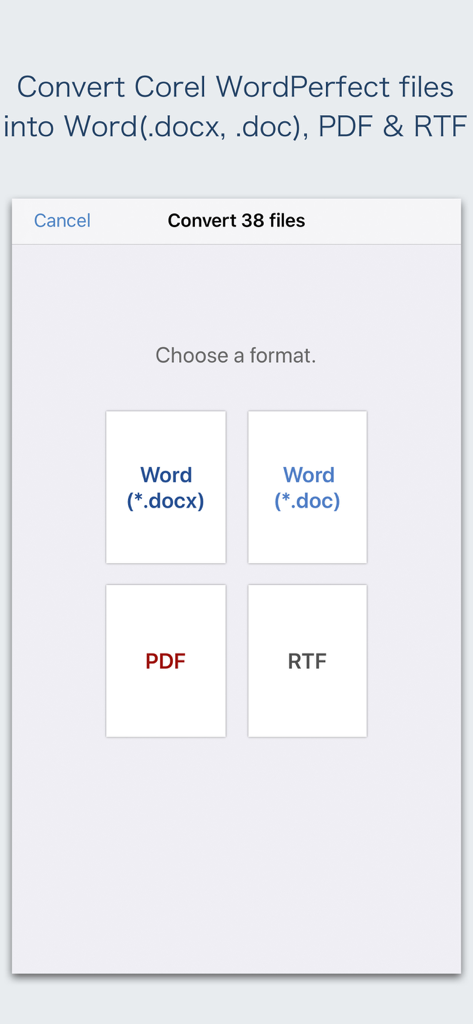
WPD Converter -for WordPerfect - 워드퍼펙트 파일을 PDF 및 워드와 같은 문서 출력 형식으로 선택하는 앱 인터페이스
워드퍼펙트 파일을 PDF 및 워드와 같은 문서 출력 형식으로 선택하는 앱 인터페이스

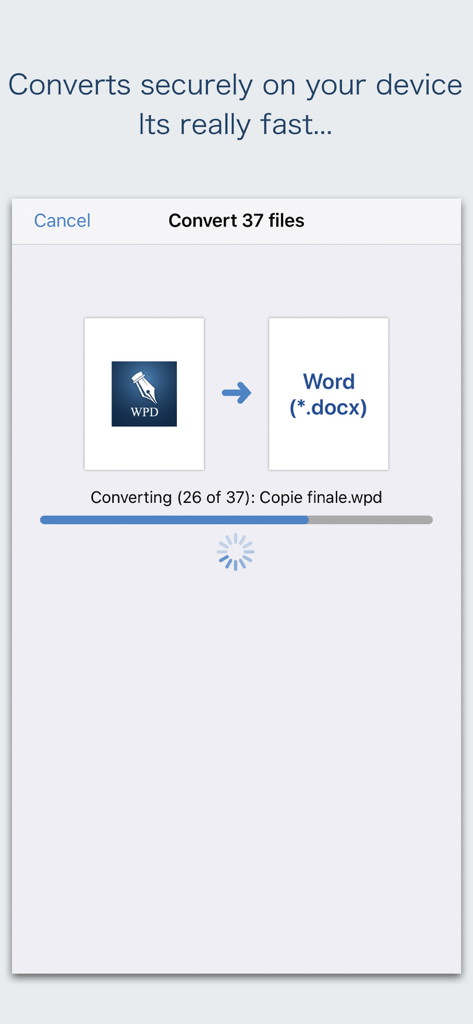
WPD Converter -for WordPerfect - 모바일 장치에서 워드퍼펙트 파일을 워드 문서로 안전하게 일괄 변환하는 인터페이스.
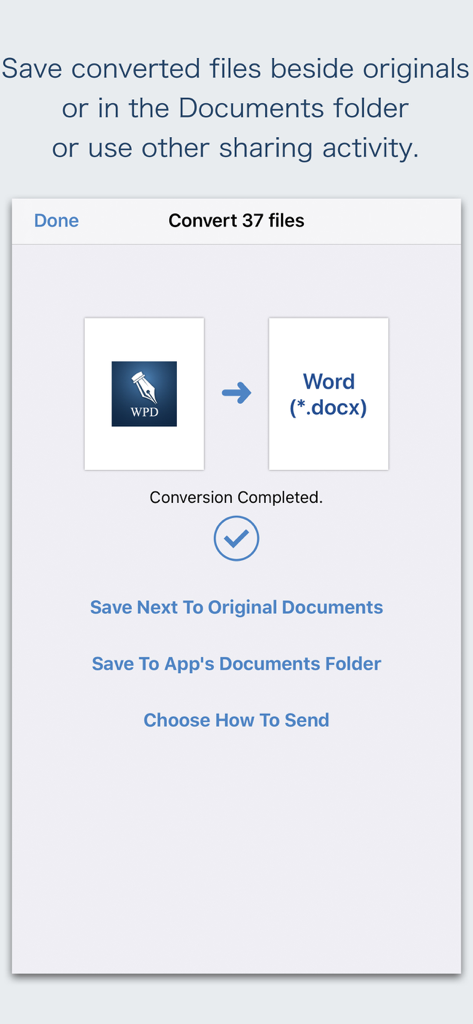
모바일 장치에서 워드퍼펙트 파일을 워드 문서로 안전하게 일괄 변환하는 인터페이스.

WPD Converter -for WordPerfect - 저장 및 공유 옵션과 함께 워드퍼펙트에서 워드로의 일괄 변환이 완료되었음을 보여주는 WPD Converter 앱의 인터페이스.
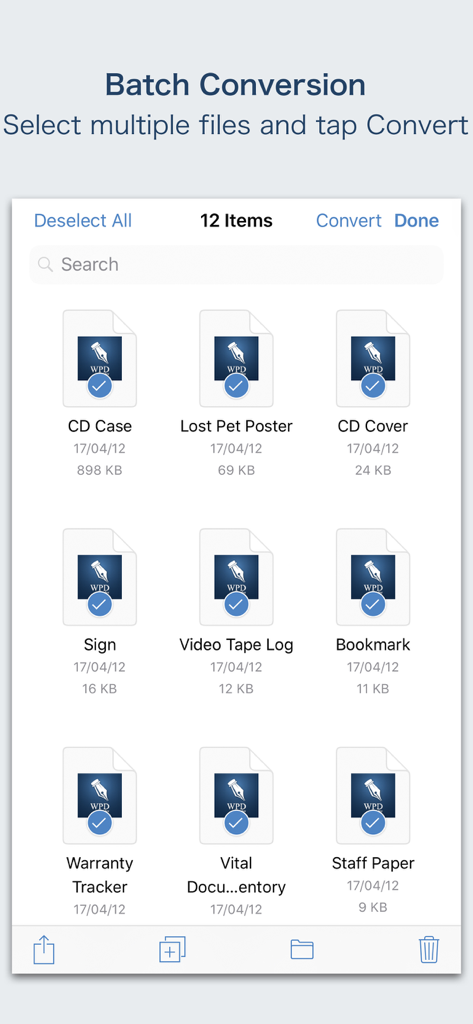
저장 및 공유 옵션과 함께 워드퍼펙트에서 워드로의 일괄 변환이 완료되었음을 보여주는 WPD Converter 앱의 인터페이스.

WPD Converter -for WordPerfect - iOS에서 워드퍼펙트 파일의 일괄 변환 인터페이스

iOS에서 워드퍼펙트 파일의 일괄 변환 인터페이스

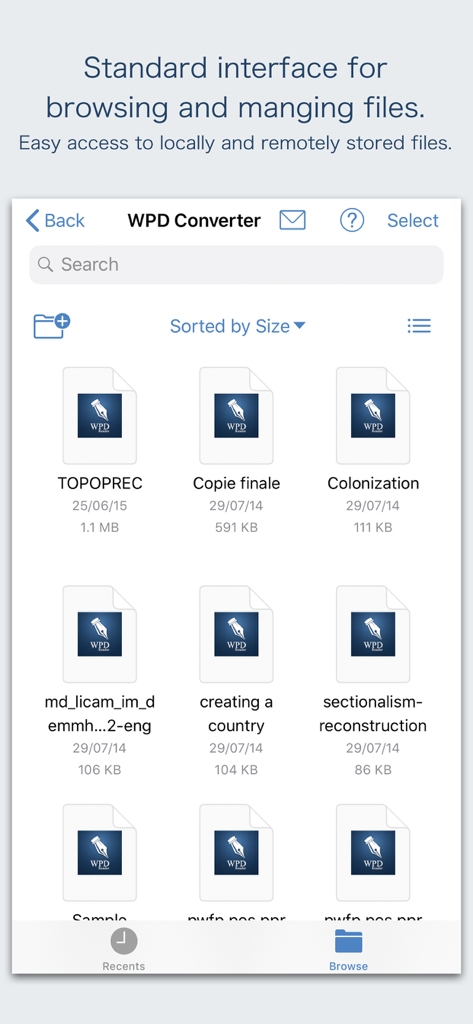
WPD Converter -for WordPerfect - 워드퍼펙트 문서 검색 및 관리를 위한 WPD Converter의 표준 인터페이스.

워드퍼펙트 문서 검색 및 관리를 위한 WPD Converter의 표준 인터페이스.

설명

“WPD Converter” offers to batch convert Corel® WordPerfect® documents (.wpd, .wpt, .wp, .wp4, .wp5, .wp6) into Microsoft® Word documents (.docx and .doc), PDF and RTF. Converts every WordPerfect page into an equivalent page in the target conversion format document. Converts the text, text characteristics, paragraphs, text frames linking, text frame columns, tables, graphics and other WordPerfect objects and properties to the matching Microsoft Word format objects and properties by preserving layout. Do you receive Corel WordPerfect documents as email attachments on you iPhone and iPad? Are you having plenty of Corel WordPerfect files that no decent viewer available to open on your iPhone and iPad? The easiest way to circumvent these problems is to convert all such files to either Microsoft Word (.doc, .docx) format, PDF or RTF files using WPD Converter. “WPD Converter” eliminates the need of recreating the contents of an WordPerfect file in Microsoft Word resulting in efficient workflow automation that can save time by avoiding cumbersome task. “WPD Converter” supports batch conversion. Select multiple WPD files in document browser view and tap Convert button at top to start batch conversion. Corel WordPerfect (version 1-11) format files are supported. DESTINATION PATH : Convenient options to store converted documents at your easily accessible location. Choose from following Save Next to Original Documents - Tap this button to save a converted file into the same location and directory as an existing original document. The converted document with unique name with target format extension will be saved beside original document. Save to App’s Documents Folder - Tap this button to save a converted file with unique name with target format extension into “WPD Converter” Documents folder. Choose How to Send - Tap on this button to popup standard iOS activity controller. Tap one of the option in activity controller for sending, saving or posting a converted document. Choose a location, or provide the requested information (for example, an email address if you are sending an email) then send or post a copy of converted document. DOCUMENT MANAGEMENT - The inbuilt document browse view automatically gives you the option to share documents using the Share button or a drag-and-drop action. It also provides a standard interface for browsing and managing documents. - Automatically handles access to iCloud for you within the app. It also provides access to documents managed by third-party storage service extensions installed on your device. - Browse, find and sort documents to help you locate the document you want. Tap the WPD file that you want to open. - You can move, delete, duplicate and rename a document with document manager in browser view. - In the document manager, you can group related documents into folders so they’re easy to find. Note: “WPD Converter” is standalone application running natively to open and convert Microsoft WordPerfect documents securely right on your iOS device. You can refer inbuilt User Manual for any assistance Or Contact Support. Microsoft® is a registered trademark of Microsoft Corporation, registered in the U.S. and other countries. Corel® and WordPerfect® are registered trademarks of Corel Corporation or Corel Corporation Limited.

Download

다운로드: App Store

이 페이지는 앱이나 개발자의 공식 페이지가 아니며, 정보 제공 및 논평을 목적으로 작성된 독립 편집 간행물입니다. 명시적으로 달리 언급되지 않는 한, 해당 앱이나 개발자는 MWM, Apple, Google Play, 앱 퍼블리셔 또는 앱 개발자와 제휴, 보증, 후원, 승인 또는 공식적으로 연결되어 있지 않으며, 이 페이지의 어떤 내용도 해당 앱이 MWM의 서비스를 사용하여 개발되었음을 의미하지 않습니다. 모든 상표, 로고, 스크린샷 및 기타 콘텐츠는 해당 소유자의 자산입니다.