WristBoard - Watch Keyboard
다운로드: App Store

이 페이지는 앱이나 개발자의 공식 페이지가 아니며, 정보 제공 및 논평을 목적으로 작성된 독립 편집 간행물입니다. 명시적으로 달리 언급되지 않는 한, 해당 앱이나 개발자는 MWM, Apple, Google Play, 앱 퍼블리셔 또는 앱 개발자와 제휴, 보증, 후원, 승인 또는 공식적으로 연결되어 있지 않으며, 이 페이지의 어떤 내용도 해당 앱이 MWM의 서비스를 사용하여 개발되었음을 의미하지 않습니다. 모든 상표, 로고, 스크린샷 및 기타 콘텐츠는 해당 소유자의 자산입니다.

로고: WristBoard - Watch Keyboard
다운로드: App Store

WristBoard - Watch Keyboard

그 어느 때보다 빠르고 사적으로 메시지를 입력하세요. 손목 위의 완벽한 생산성을 위해 스마트 자동 수정, 스와이프 제스처, 사용자 지정 테마로 손목에 완전한 QWERTY 키보드를 가져오세요.

주요 수치

다운로드

240K+

사용자 평점

2.9/5

총 평가 수

1K+

개발사

Adam Foot

카테고리

Productivity

지원 언어

20

최신 버전

7.1.1

크기

17.1 MB

출시일

2019년 2월 21일
기능

손목을 위한 최고의 타이핑 경험

시계에 말하는 것을 멈추고 입력하세요. WristBoard는 완전하고 개인적이며 효율적인 키보드를 Apple Watch에 제공하여 휴대폰을 꺼내지 않고도 생산성을 유지할 수 있도록 합니다.

빠른 스와이프 타이핑

시계에서 가장 효율적인 타이핑 방식으로 메시지를 빠르게 입력하세요. 저희 스와이프 기술은 iPhone에서 사랑하는 유연한 경험을 모방하여 최고의 속도를 제공합니다.

신중한 개인 정보 보호

공공장소에서 개인 정보를 유지하세요. 어색한 음성 받아쓰기를 사용하는 대신 완전한 QWERTY 키보드로 iMessage 및 이메일에 조용히 답장하세요.

다음 스크린샷과 설명은 앱의 공식 스토어 목록에서 직접 가져온 것이며 앱 개발자의 자산입니다.

앱 스토어

스크린샷
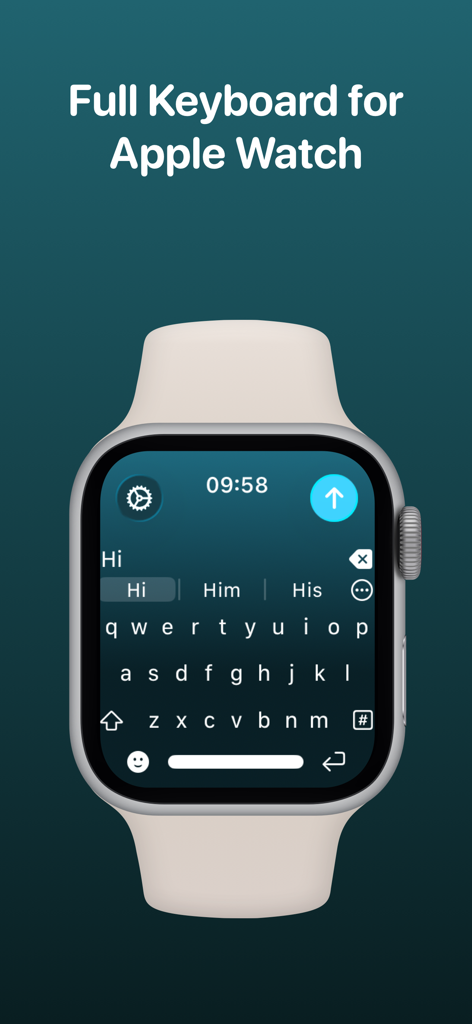
WristBoard - Watch Keyboard - Apple Watch 화면에 완전한 QWERTY 키보드를 표시하는 WristBoard 앱.
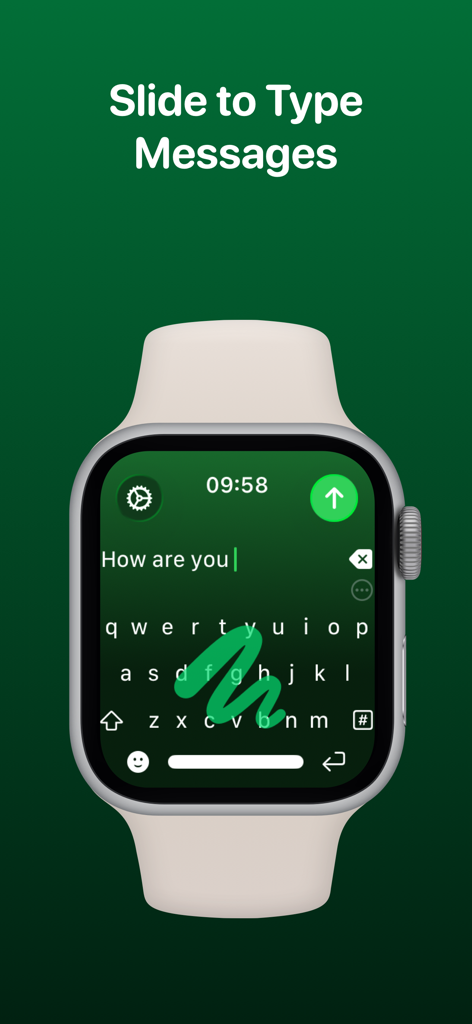
Apple Watch 화면에 완전한 QWERTY 키보드를 표시하는 WristBoard 앱.

WristBoard - Watch Keyboard - 녹색 인터페이스에서 스와이프하여 입력하는 제스처와 함께 WristBoard 키보드를 보여주는 Apple Watch.
녹색 인터페이스에서 스와이프하여 입력하는 제스처와 함께 WristBoard 키보드를 보여주는 Apple Watch.

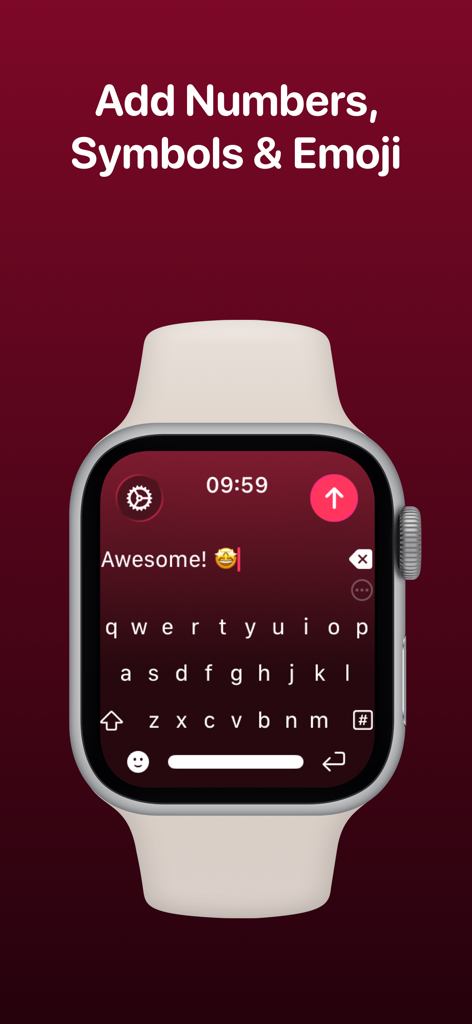
WristBoard - Watch Keyboard - 텍스트 메시지와 이모티콘이 있는 WristBoard 완전 QWERTY 키보드 인터페이스를 표시하는 Apple Watch
텍스트 메시지와 이모티콘이 있는 WristBoard 완전 QWERTY 키보드 인터페이스를 표시하는 Apple Watch

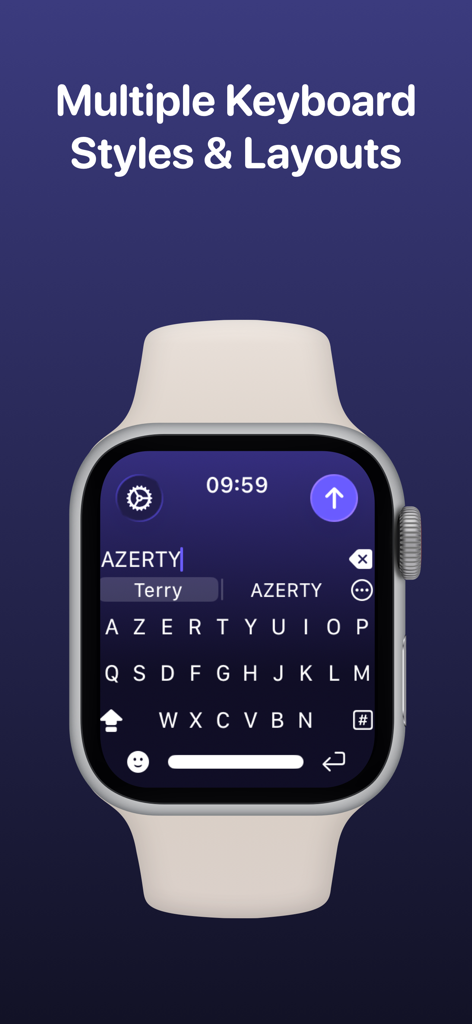
WristBoard - Watch Keyboard - 여러 키보드 스타일 및 레이아드 헤딩 아래 WristBoard 앱에서 AZERTY 키보드 레이아드를 보여주는 Apple Watch 스크린샷.
여러 키보드 스타일 및 레이아드 헤딩 아래 WristBoard 앱에서 AZERTY 키보드 레이아드를 보여주는 Apple Watch 스크린샷.

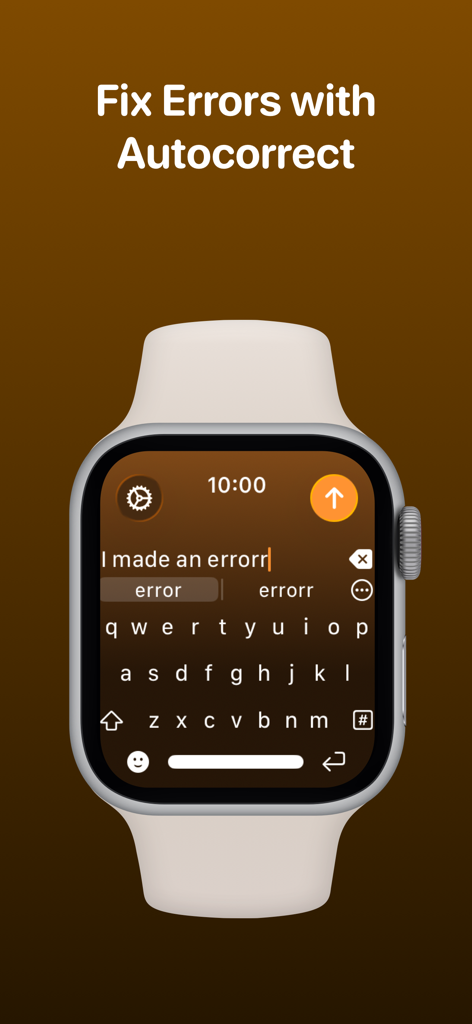
WristBoard - Watch Keyboard - 타이핑 오류를 수정하기 위한 자동 수정 기능을 보여주는 Apple Watch의 WristBoard 키보드.
타이핑 오류를 수정하기 위한 자동 수정 기능을 보여주는 Apple Watch의 WristBoard 키보드.

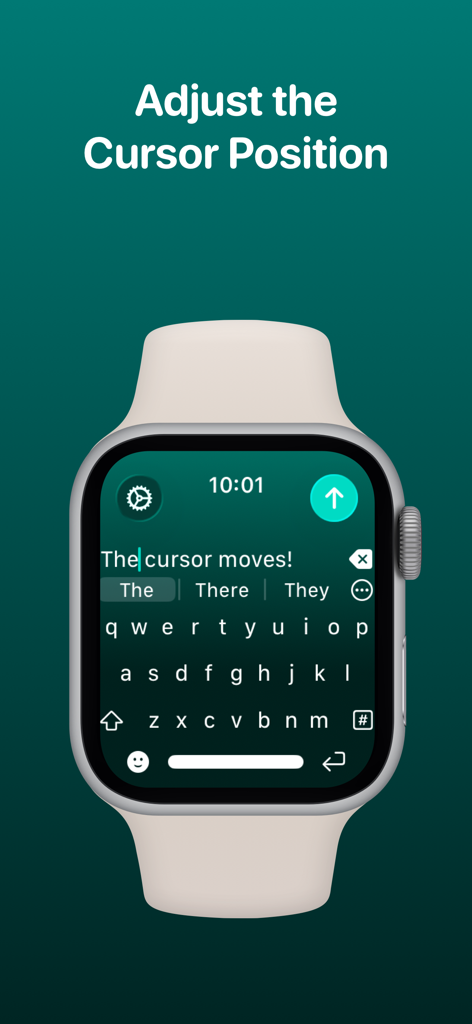
WristBoard - Watch Keyboard - Apple Watch 키보드 인터페이스에서 커서 위치를 조정하는 WristBoard 앱.
Apple Watch 키보드 인터페이스에서 커서 위치를 조정하는 WristBoard 앱.

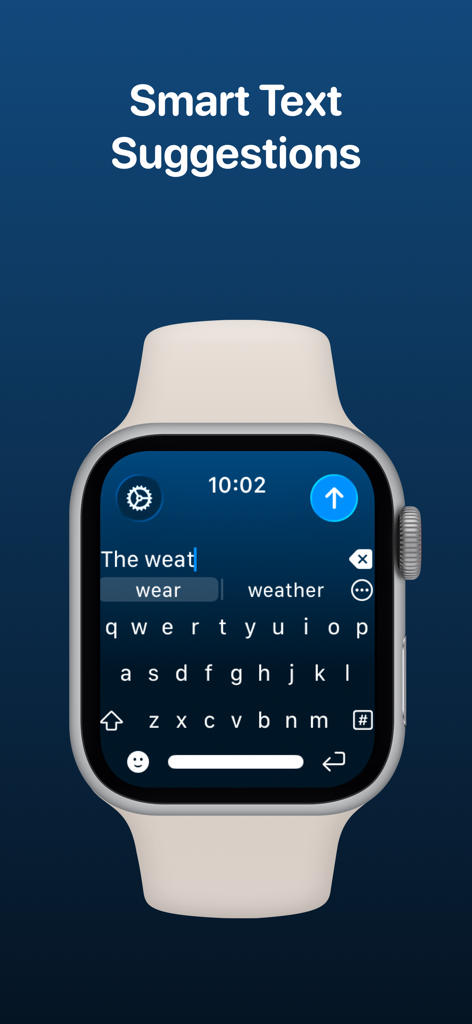
WristBoard - Watch Keyboard - QWERTY 키보드에서 입력하는 동안 스마트 텍스트 제안을 보여주는 Apple Watch의 WristBoard 앱.
QWERTY 키보드에서 입력하는 동안 스마트 텍스트 제안을 보여주는 Apple Watch의 WristBoard 앱.

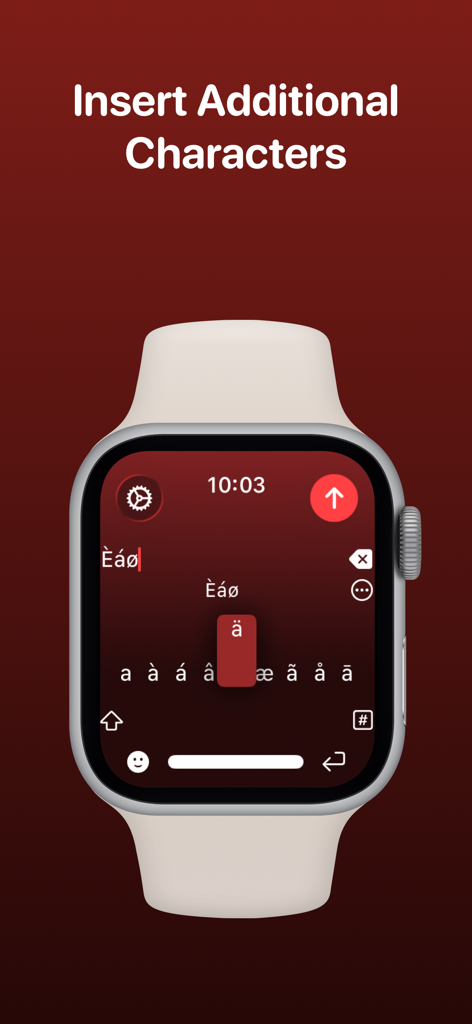
WristBoard - Watch Keyboard - WristBoard 앱에서 악센트 및 특수 문자 선택을 보여주는 Apple Watch 화면.
WristBoard 앱에서 악센트 및 특수 문자 선택을 보여주는 Apple Watch 화면.

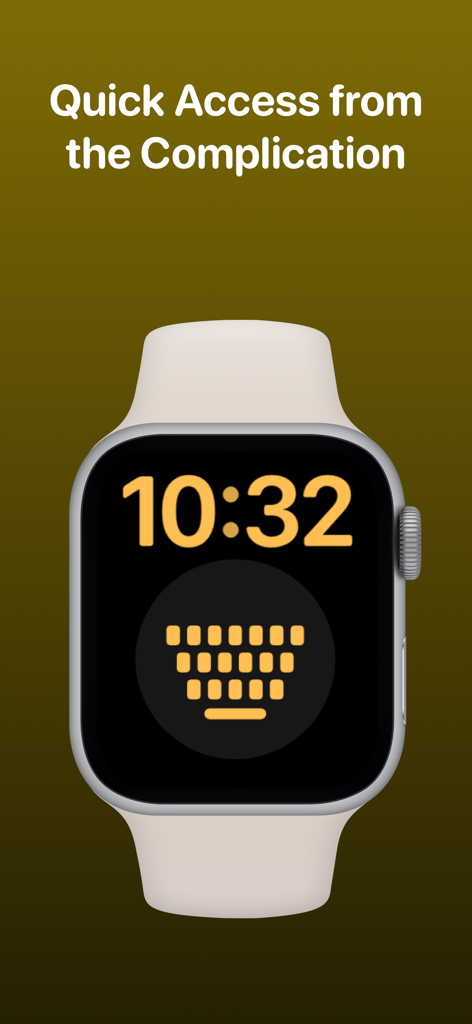
WristBoard - Watch Keyboard - 빠른 액세스를 위한 WristBoard 키보드 컴플리케이션이 포함된 Apple Watch 화면.
빠른 액세스를 위한 WristBoard 키보드 컴플리케이션이 포함된 Apple Watch 화면.

WristBoard - Watch Keyboard - 9to5Mac Cult of Mac iMore AppAdvice 및 TechRadar를 포함하여 WristBoard를 다룬 기술 출판물의 로고

9to5Mac Cult of Mac iMore AppAdvice 및 TechRadar를 포함하여 WristBoard를 다룬 기술 출판물의 로고

설명

Swipe and type messages on your Apple Watch using a fully functional keyboard with WristBoard. * As featured on the App Store, 9to5Mac, Cult of Mac, iMore, AppAdvice, TechRadar & iPhon.fr * Typing messages on Apple Watch can be chore - Scribble doesn't always work and Dictation isn't great in public spaces. With WristBoard, you get a fully-fledged keyboard straight on your wrist, no awkward typos necessary! By adding a full QWERTY, AZERTY or QWERTZ keyboard to your Apple Watch, you can reply to iMessages quickly and privately. Autocorrect and smart text predictions quickly ensures what you type is accurate and makes senses. WristBoard contains these great features: FULL KEYBOARD Add a full QWERTY, AZERTY or QWERTZ keyboard to your Apple Watch. Keys are easy to press and there’s support for key previews as you swipe along the keyboard. SWIPE KEYBOARD WristBoard was the first app to introduce swipe typing on Apple Watch and provides a more efficient way to type out messages on your wrist. SENDING WristBoard uses the built-in Apple Messages app on your Apple Watch to send messages to your contacts. Type out your message, tap the send button and you’ll be taken to the Messages app with your message ready to go! There's support for the Apple Mail app too so you can emails all from your wrist! SUGGESTIONS As you’re typing, you can complete words using the suggestions bar above the keys. Tap on a suggestion to replace the current typed word with the full suggestion. Great for improving speed on the small screen! Access all suggestions by tapping the ellipsis icon next to the first suggestions. AUTOCORRECT Whilst typing, if you make a mistake, WristBoard will automatically replace the incorrect word with one it thinks is correct. OTHER CHARACTERS WristBoard has full support for adding symbols, numbers and other special characters. EMOJI WristBoard supports adding an unlimited amount of emoji to a single message! Simply tap the emoji icon to get started and pick from Apple’s library, or one of your most recently used ones. THEMES Customise the look and feel of your keyboard with support for themes. MESSAGE PREVIEW Before sending your message, just tap the text field to view a full preview of your message. HAPTICS Choose to receive Haptic Feedback on actions like key presses and button actions. COMPLICATION For quick and easy access, you can add the WristBoard Complication to your Watch Face. Just tap and the keyboard will launch. CURSOR Whilst typing on the keyboard, you can see exactly where you are with the pulsing blue cursor. Use the Digital Crown to move the cursor's position. SETTINGS Customize WristBoard your way. Access the Settings menu by using the options button on the keyboard and you’ll be able to change the layout and toggle auto correct, suggestions & more. If you like this app, I’d really appreciate it if you could take the time to leave a positive review! Having issues? Please get in touch: Email: support@adamfoot.dev Website: https://adamfoot.dev Please note, a supported Apple Watch is required for full app functionality. WristBoard supports sending messages via SMS & iMessage through the Messages app or email through the Mail app. Some features may require a WristBoard+ subscription which can be purchased in the app. You can cancel at anytime. Terms: https://adamfoot.dev/terms-of-use

Download

다운로드: App Store

이 페이지는 앱이나 개발자의 공식 페이지가 아니며, 정보 제공 및 논평을 목적으로 작성된 독립 편집 간행물입니다. 명시적으로 달리 언급되지 않는 한, 해당 앱이나 개발자는 MWM, Apple, Google Play, 앱 퍼블리셔 또는 앱 개발자와 제휴, 보증, 후원, 승인 또는 공식적으로 연결되어 있지 않으며, 이 페이지의 어떤 내용도 해당 앱이 MWM의 서비스를 사용하여 개발되었음을 의미하지 않습니다. 모든 상표, 로고, 스크린샷 및 기타 콘텐츠는 해당 소유자의 자산입니다.








