XLocker - Screen Time Control
다운로드: App Store

이 페이지는 앱이나 개발자의 공식 페이지가 아니며, 정보 제공 및 논평을 목적으로 작성된 독립 편집 간행물입니다. 명시적으로 달리 언급되지 않는 한, 해당 앱이나 개발자는 MWM, Apple, Google Play, 앱 퍼블리셔 또는 앱 개발자와 제휴, 보증, 후원, 승인 또는 공식적으로 연결되어 있지 않으며, 이 페이지의 어떤 내용도 해당 앱이 MWM의 서비스를 사용하여 개발되었음을 의미하지 않습니다. 모든 상표, 로고, 스크린샷 및 기타 콘텐츠는 해당 소유자의 자산입니다.

로고: XLocker - Screen Time Control
다운로드: App Store

XLocker - Screen Time Control

끝없는 스크롤을 막고, 게임 중독을 예방하며, 3중 보호 기능으로 개인 사진을 안전하게 보관하도록 설계된 올인원 앱 차단 및 자녀 보호 도구입니다.

주요 수치

다운로드

11K+

사용자 평점

3.7/5

총 평가 수

0

개발사

文 熊

카테고리

Productivity

지원 언어

14

최신 버전

1.3

크기

32.6 MB

출시일

2023년 5월 8일
기능

시간과 마음의 평화를 되찾으세요

XLocker는 강력한 앱 관리와 고급 개인 정보 보호 도구를 결합하여 부모와 전문가가 집중력을 되찾고 가장 중요한 것을 보호하도록 돕습니다.

디지털 중독 예방

게임 및 소셜 미디어에 대한 엄격한 일일 제한을 설정하여 자녀와 본인이 더 건강한 습관을 구축하도록 돕습니다.

스마트 앱 그룹화

최대 50개의 앱을 사용자 지정 그룹으로 구성하여 탭 한 번으로 방해 요소를 차단하거나 집중 시간을 예약할 수 있습니다.

다음 스크린샷과 설명은 앱의 공식 스토어 목록에서 직접 가져온 것이며 앱 개발자의 자산입니다.

앱 스토어

스크린샷
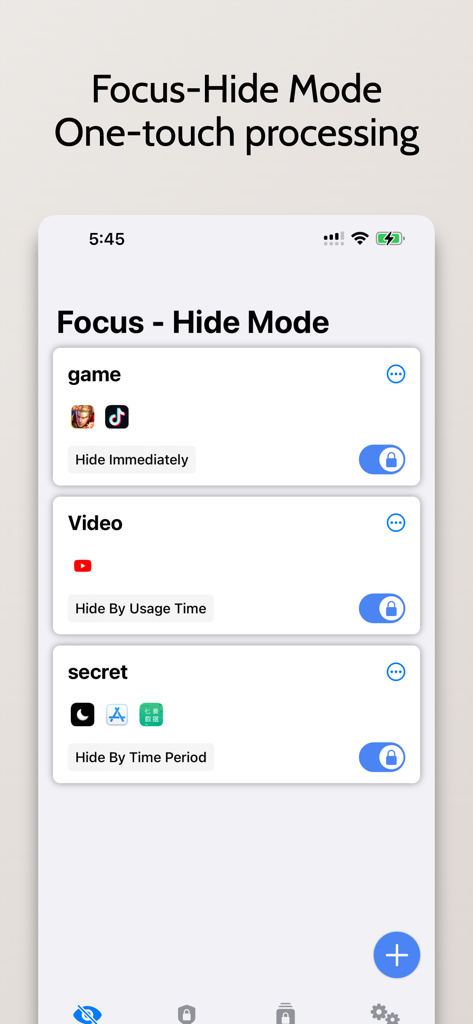
XLocker - Screen Time Control - XLocker 앱 인터페이스가 게임 및 동영상에 대한 사용자 지정 가능한 그룹이 있는 포커스-숨기기 모드를 표시합니다.
XLocker 앱 인터페이스가 게임 및 동영상에 대한 사용자 지정 가능한 그룹이 있는 포커스-숨기기 모드를 표시합니다.

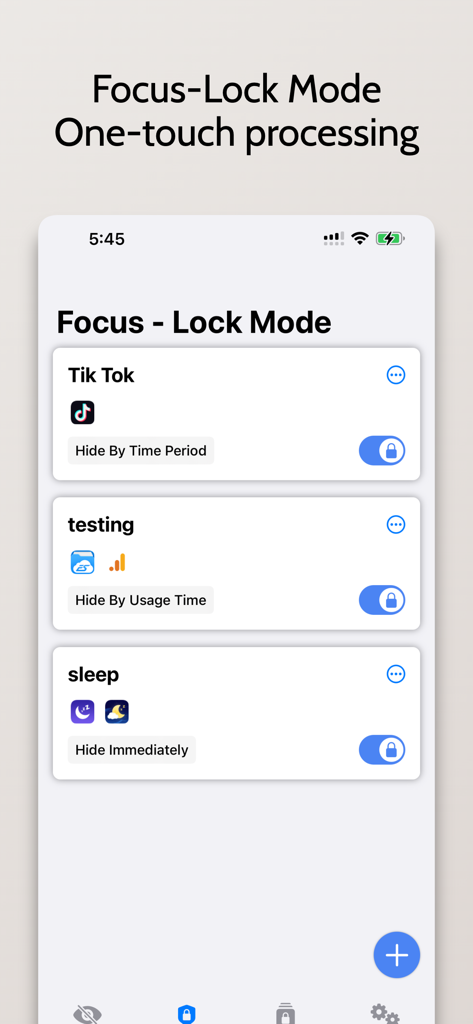
XLocker - Screen Time Control - XLocker 앱 인터페이스가 TikTok 숨기기 옵션 및 취침 시간 설정 관리가 있는 포커스-잠금 모드를 보여줍니다.
XLocker 앱 인터페이스가 TikTok 숨기기 옵션 및 취침 시간 설정 관리가 있는 포커스-잠금 모드를 보여줍니다.

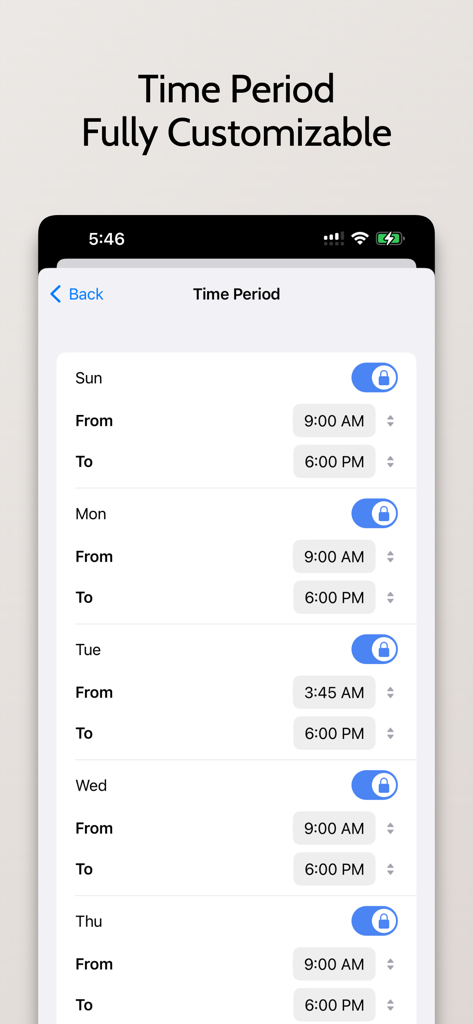
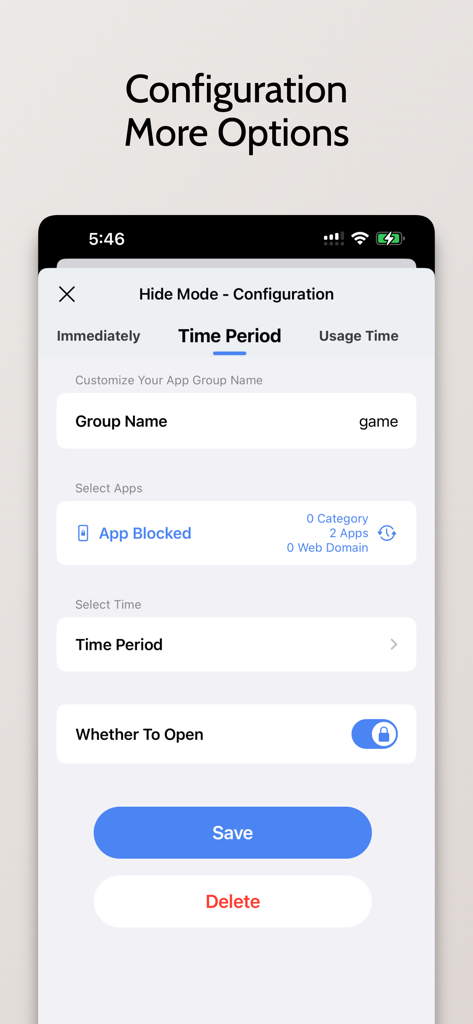
XLocker - Screen Time Control - XLocker에서 예약된 앱 차단 설정을 위한 구성 화면

XLocker에서 예약된 앱 차단 설정을 위한 구성 화면

XLocker - Screen Time Control - 화면 시간 제어 및 앱 잠금에 대한 일일 예약 설정이 있는 XLocker 앱 인터페이스.
화면 시간 제어 및 앱 잠금에 대한 일일 예약 설정이 있는 XLocker 앱 인터페이스.

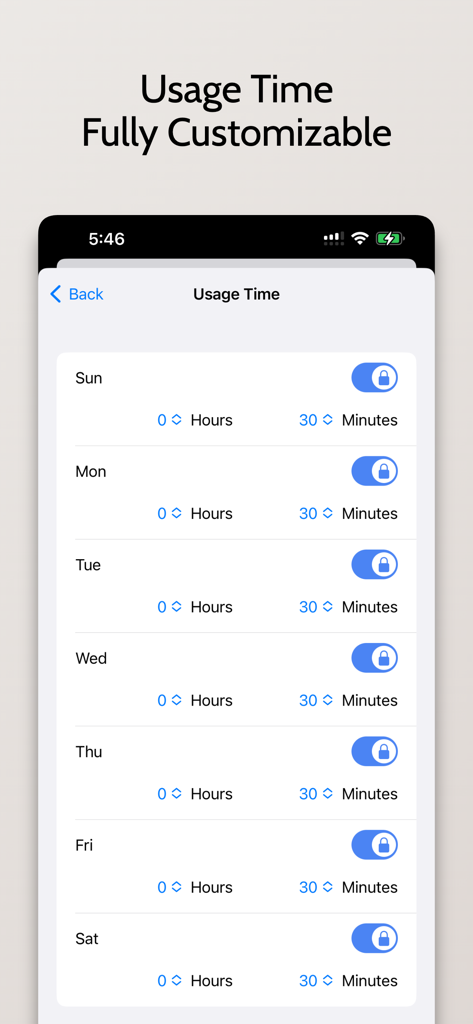
XLocker - Screen Time Control - XLocker 앱의 사용자 지정 가능한 일일 화면 시간 제한 인터페이스
XLocker 앱의 사용자 지정 가능한 일일 화면 시간 제한 인터페이스

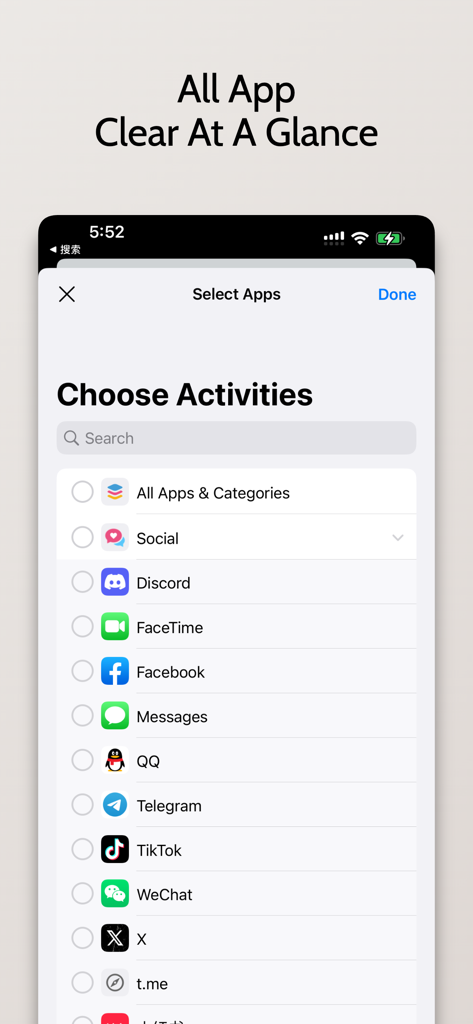
XLocker - Screen Time Control - XLocker 인터페이스에서 화면 시간 제한을 위해 소셜 미디어 및 통신 앱 선택
XLocker 인터페이스에서 화면 시간 제한을 위해 소셜 미디어 및 통신 앱 선택

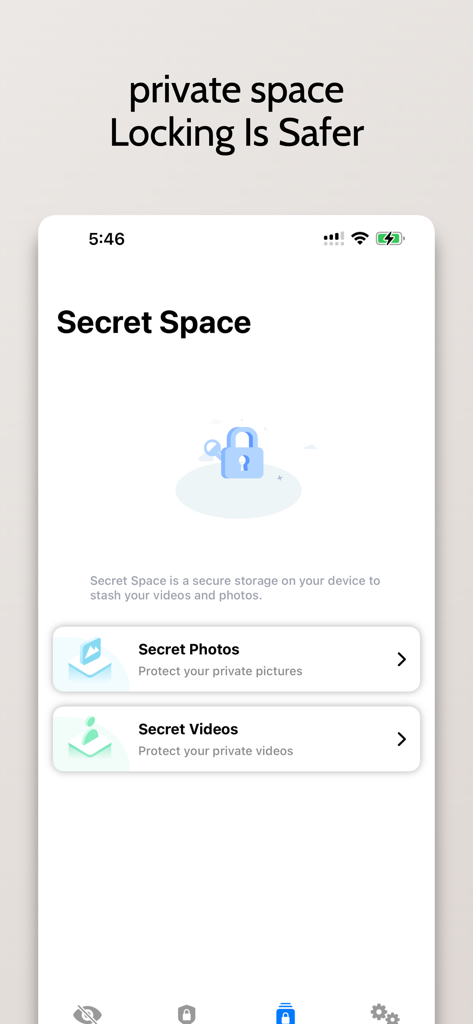
XLocker - Screen Time Control - XLocker 비밀 공간 화면이 개인 사진 및 동영상 잠금 기능을 보여줍니다.
XLocker 비밀 공간 화면이 개인 사진 및 동영상 잠금 기능을 보여줍니다.

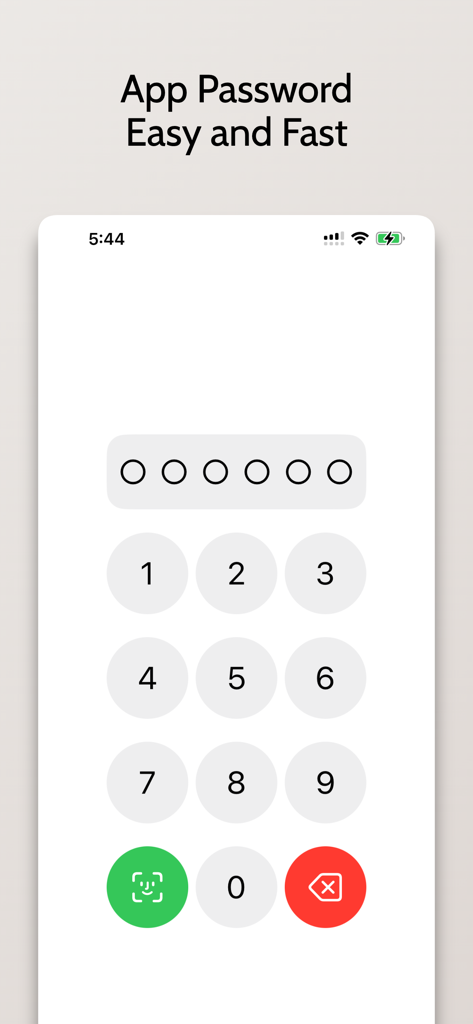
XLocker - Screen Time Control - 스마트폰 화면에 보안 액세스를 위한 Face ID 옵션이 있는 숫자 키패드가 앱 비밀번호 입력을 위해 표시됩니다.
스마트폰 화면에 보안 액세스를 위한 Face ID 옵션이 있는 숫자 키패드가 앱 비밀번호 입력을 위해 표시됩니다.

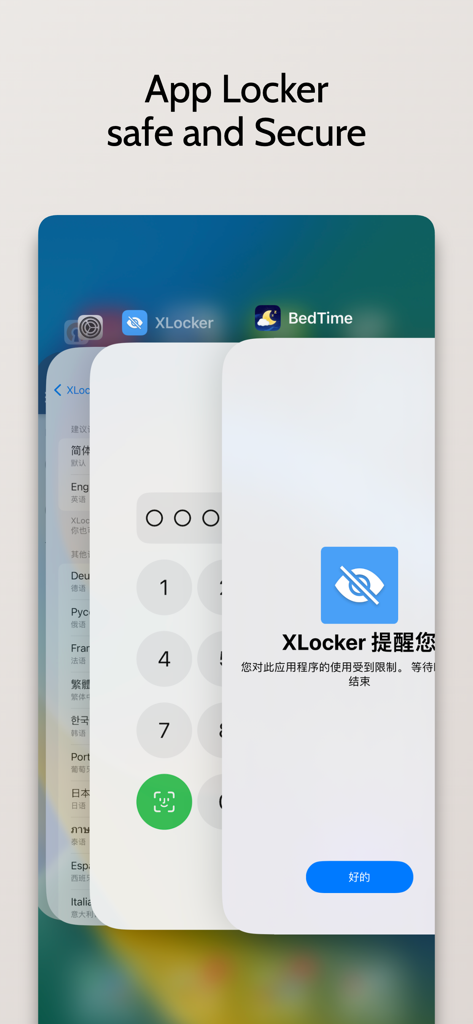
XLocker - Screen Time Control - XLocker 앱 인터페이스가 애플리케이션 보호를 위한 보안 비밀번호 및 생체 인식 잠금 화면을 표시합니다.

XLocker 앱 인터페이스가 애플리케이션 보호를 위한 보안 비밀번호 및 생체 인식 잠금 화면을 표시합니다.

설명

XLocker is an advanced screen time management tool specially designed for parents, providing a simple and friendly interface, convenient and fast way to manage your apps. Allows you to set daily usage limits for applications. And after the limit is reached, lock the application with a custom limit to help parents control the time their children use on iPhone & iPad. It is especially suitable for protecting privacy, reducing harassment, and enabling parents to control children's use of mobile phones. The main function: - Prevent children from using social media and games, as well as inappropriate web content. - Set daily functions, set screen time control as needed, and authorize the use of specific applications in specific time periods. Prevent Social and Gaming Addiction - Add your pictures and videos to the app for triple protection XLocker lets you restrict and restore apps easily, making it the ideal app for managing your life and work. you! value! have to! Hug! have! #Privacy Statement - XLocker does not collect any data including your selected apps, location or usage information. Unlimited Access Membership Subscription - You can subscribe for unlimited access to all features within the app – Monthly or yearly subscription at the rate chosen by the subscription plan - Payment will be charged to iTunes Account at confirmation of purchase – Subscription automatically renews unless auto-renew is turned off at least 24-hours before the end of the current period – Account will be charged for renewal within 24-hours prior to the end of the current period. Fees depend on plan selected – Subscriptions may be managed by the user and auto-renewal may be turned off by going to the user's Account Settings after purchase If you subscribe or purchase the APP, you will be able to use the following functions: 1. The application group can add up to 50 applications 2. Up to 10 application groups can be created 3. Password protect the app 5: Subsequent updates with more new features Prices above are in US dollars. Pricing in other countries may vary and actual charges may be converted to local currency depending on the country. Visit http://support.apple.com/kb/ht4098 Terms of Use: https://magicx.link/TermsofService.html Privacy Policy: https://magicx.link/privacypolicy.html Billing terms: https://magicx.link/terms.html =====Contact us===== E-mail: nullxw@gmaill.com

Download

다운로드: App Store

이 페이지는 앱이나 개발자의 공식 페이지가 아니며, 정보 제공 및 논평을 목적으로 작성된 독립 편집 간행물입니다. 명시적으로 달리 언급되지 않는 한, 해당 앱이나 개발자는 MWM, Apple, Google Play, 앱 퍼블리셔 또는 앱 개발자와 제휴, 보증, 후원, 승인 또는 공식적으로 연결되어 있지 않으며, 이 페이지의 어떤 내용도 해당 앱이 MWM의 서비스를 사용하여 개발되었음을 의미하지 않습니다. 모든 상표, 로고, 스크린샷 및 기타 콘텐츠는 해당 소유자의 자산입니다.