이 페이지는 앱이나 개발자의 공식 페이지가 아니며, 정보 제공 및 논평을 목적으로 작성된 독립 편집 간행물입니다. 명시적으로 달리 언급되지 않는 한, 해당 앱이나 개발자는 MWM, Apple, Google Play, 앱 퍼블리셔 또는 앱 개발자와 제휴, 보증, 후원, 승인 또는 공식적으로 연결되어 있지 않으며, 이 페이지의 어떤 내용도 해당 앱이 MWM의 서비스를 사용하여 개발되었음을 의미하지 않습니다. 모든 상표, 로고, 스크린샷 및 기타 콘텐츠는 해당 소유자의 자산입니다.
Zip & RAR Extractor - Unzip 7z
호환되지 않는 형식으로 어려움을 겪지 마세요. RAR, ZIP 및 7z 파일을 손쉽게 압축 해제하고, 문서를 즉시 미리 보고, 최고의 보안으로 클라우드 스토리지를 관리하세요.
주요 수치
다운로드
1K+
사용자 평점
4.5/5
총 평가 수
100
개발사
TECHISTIC LTD
카테고리
Productivity
지원 언어
2
최신 버전
1.4
크기
74.4 MB
출시일
2024년 4월 22일
기능
모든 파일을 쉽게 열어보세요
이동 중에 아카이브를 추출, 미리 보기 및 보호하기 위한 학생 및 전문가를 위한 궁극의 올인원 도구
범용 압축 해제
컴퓨터 없이 iPhone에서 RAR, 7z, ZIP 및 Tar 파일을 즉시 열 수 있습니다.
클라우드 & 드라이브 준비
모바일 우선의 전문적인 워크플로우를 위해 iCloud, Dropbox 및 Google Drive와 원활하게 동기화하세요.
다음 스크린샷과 설명은 앱의 공식 스토어 목록에서 직접 가져온 것이며 앱 개발자의 자산입니다.
앱 스토어
스크린샷
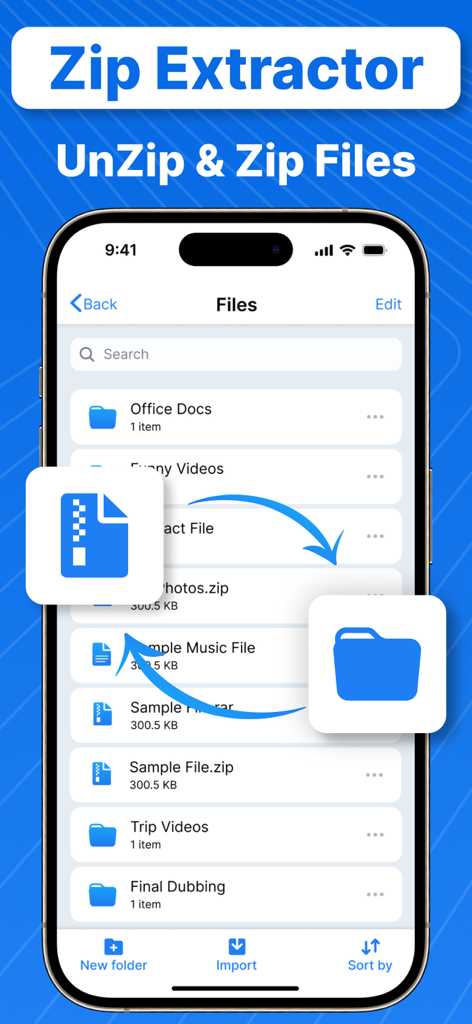
압축 해제 및 파일 관리를 위한 Zip 및 RAR Extractor 앱의 iPhone 인터페이스
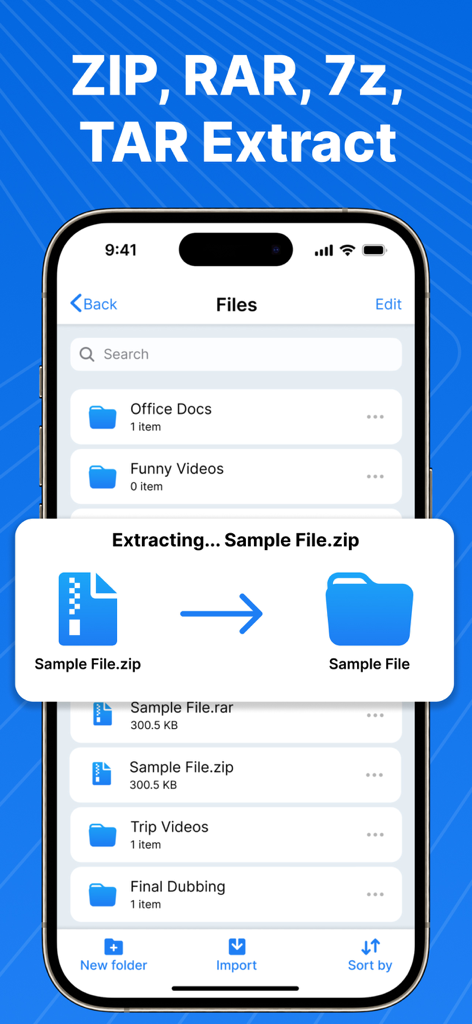
폴더로 zip 파일 압축을 푸는 iOS 앱의 인터페이스.
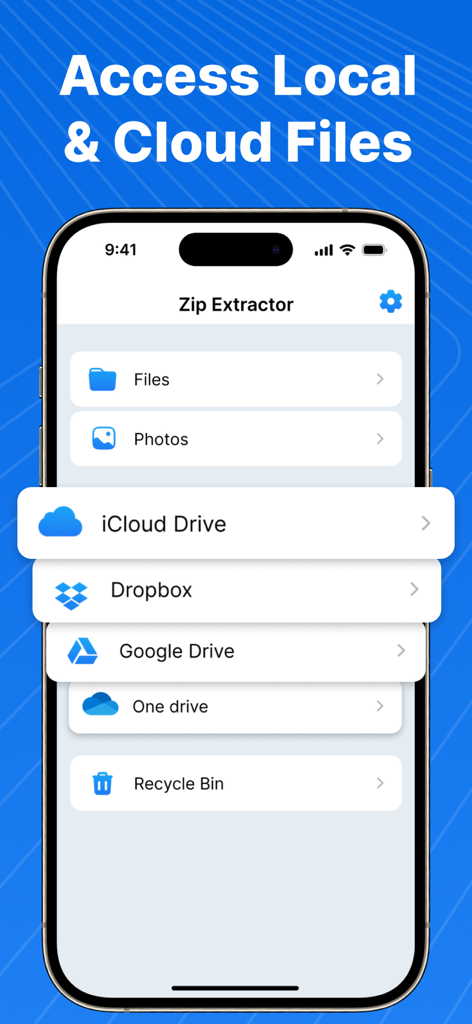
Zip 및 RAR Extractor 앱이 iCloud, Dropbox 및 Google Drive와 같은 클라우드 서비스와의 통합을 보여주는 인터페이스.
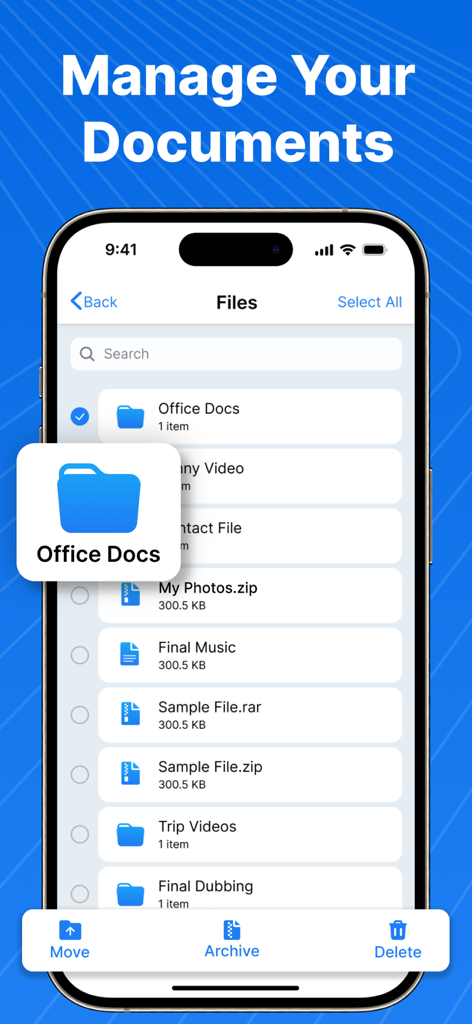
Zip 및 RAR Extractor 앱이 문서 관리 및 파일 압축 옵션을 보여주는 인터페이스
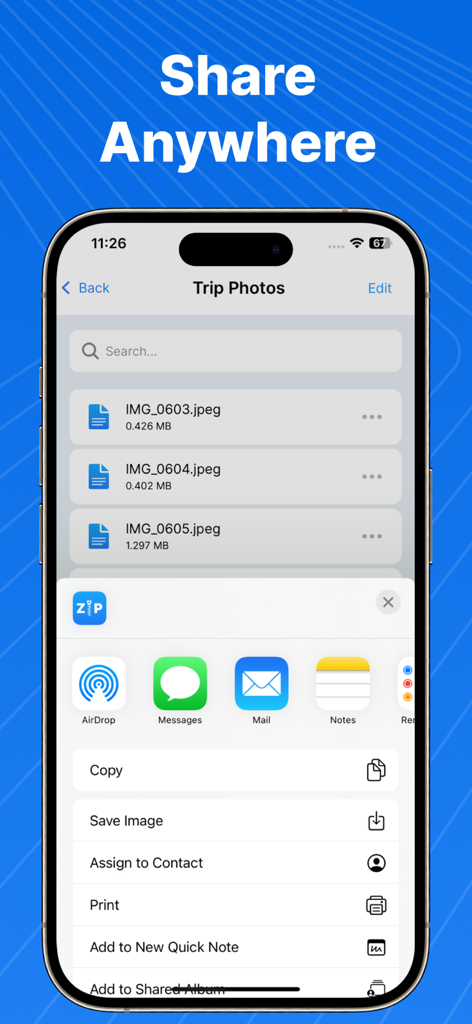
Zip 및 RAR Extractor 앱이 파일에 대한 iOS 공유 메뉴 옵션과 함께 Anywhere 공유 기능을 보여줌
설명
Zip Extractor App which also works as RAR Extractor is a perfect tool to Unzip, Unrar files. Get one of the best ZIP File Opener or RAR File Opener, two in one File Extractor App for iPhone.
Are you tired of struggling with compressed files on your iPhone? Look no further! Zip Extractor is your ultimate solution for handling various archive formats with ease. Whether you need to unzip, unrar, or explore other compressed files, our app has you covered.
Zip Extractor App: Alternative to WinZip & iZip
-> Unzip Files Effortlessly
-> Unzip ZIP files directly on your iPhone.
-> Extract files from ZIP archives with a single tap.
-> Seamlessly access your content without any hassle.
RAR Extractor App: Alternative to WinRar or Win Rar
-> Unrar Like a Pro
-> Unrar RAR files effortlessly.
-> No more searching for desktop tools, RAR File Opener handles it all.
-> Extract RAR archives and access your files instantly.
Supports 7z, 7zip, Tar File Opener App:
-> Multi-Format Support
-> Beyond ZIP and RAR, we support other popular formats:
-> Tar files: Extract TAR archives with ease.
-> 7z files: Unleash the power of 7-Zip compression.
Zip File, Rar File, Tar, 7z, File Preview
-> Preview files before extraction.
-> Ensure you’re extracting the right content.
-> Say goodbye to surprises!
Why Choose Zip & RAR Extractor for Unzip, Unrar, 7z, Zip File Opener?
Reliable: Our Zip File Extractor is built to handle archives flawlessly.
Versatile: Unzip, unrar, and explore multiple formats.
Convenient: Access your files directly on your iPhone.
Efficient: Save time and streamline your tasks and easy to use Zip Opener.
Secure: Your data remains private and protected.
Compress and decompress ZIP & RAR Files: Support compress and uncompress of ZIP, RAR, 7Z format files including unlocking locked Zip Archive or Rar Files.
Effortless File Compression:
-> Create ZIP files from your documents, images, and media.
-> Secure your ZIP files with password protection or AES encryption for added security (Pro feature).
-> Versatile Document Handling:
Open and view a wide range of document types, including DOC, Excel, PPT, PDF, TXT, RTF, Pages, and more. Enjoy seamless media viewing with support for JPG, GIF, PNG, audio, and video formats.
Cloud Integration: Directly access files from iCloud, Dropbox, One Drive, and Google Drive.
Disclaimer:
Our app is not associated with Winrar, Winzip, Zarchiver, Unarchiver, Keka App, etc.
Subscription Terms for RAR Extractor & Zip Extractor App:
When you buy a subscription, the cost will be taken from your iTunes account. Your subscription will keep renewing on its own. If you don’t want that, turn off the auto-renew at least 24 hours before your current subscription ends. You’ll be charged for the next period a day before your current one expires.
-Subscription automatically renews unless the auto-renew is turned off at least 24 hours before the end of the current period.
-The user can manage subscriptions and turn auto-renewal off by going to the user's Account Settings after purchase.
-Any unused portion of a free trial period will be forfeited when the user purchases a subscription.
-Payment will be charged to iTunes Account at confirmation of purchase.
Privacy Policy and Terms of Use:
Terms of Use: https://www.techstic.org/terms-of-use-pdf-converter-app
Privacy Policy: https://www.techstic.org/privacy-policy-pdf-converter-app
이 페이지는 앱이나 개발자의 공식 페이지가 아니며, 정보 제공 및 논평을 목적으로 작성된 독립 편집 간행물입니다. 명시적으로 달리 언급되지 않는 한, 해당 앱이나 개발자는 MWM, Apple, Google Play, 앱 퍼블리셔 또는 앱 개발자와 제휴, 보증, 후원, 승인 또는 공식적으로 연결되어 있지 않으며, 이 페이지의 어떤 내용도 해당 앱이 MWM의 서비스를 사용하여 개발되었음을 의미하지 않습니다. 모든 상표, 로고, 스크린샷 및 기타 콘텐츠는 해당 소유자의 자산입니다.