Zoho Show: Presentation Maker

Zoho Show: Presentation Maker

다운로드: App Store다운로드: Google Play
로고: Zoho Show: Presentation Maker

Zoho Show: 이동 중에도 멋진 프레젠테이션 디자인

아름다운 템플릿과 스마트 요소를 사용하여 전문적이고 영향력 있는 프레젠테이션을 만드세요. 팀과 원활하게 공동 작업하고 iPhone, iPad 또는 Apple Watch를 사용하여 무선으로 발표하세요.

개발사

Zoho Corporation

카테고리

Productivity

다운로드

51K+

사용자 평점

4.3/5

총 평가 수

700

지원 언어

33

정교함과 만난 디자인

이 인터페이스를 사용하는 51K+ 명의 사용자.

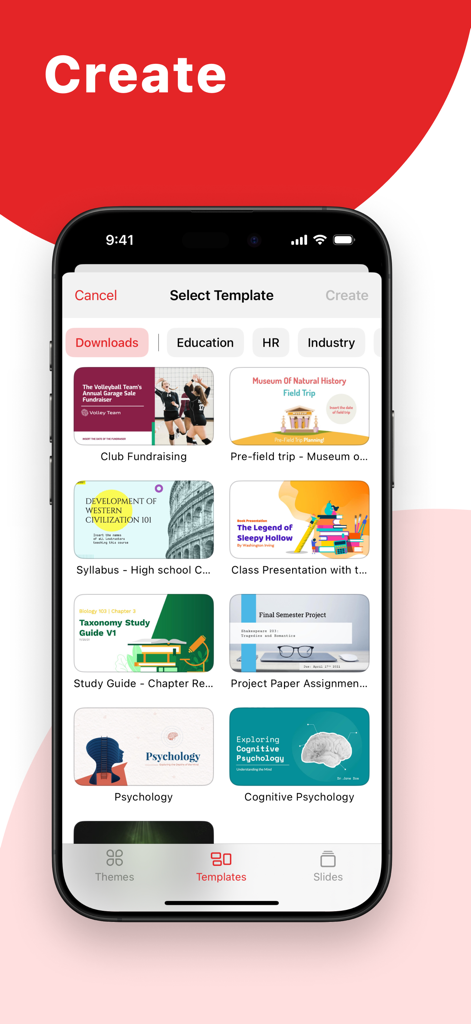
Zoho Show 모바일 앱 인터페이스에 있는 전문적이고 교육적인 프레젠테이션 템플릿 라이브러리.
Zoho Show 모바일 앱 인터페이스에 있는 전문적이고 교육적인 프레젠테이션 템플릿 라이브러리.

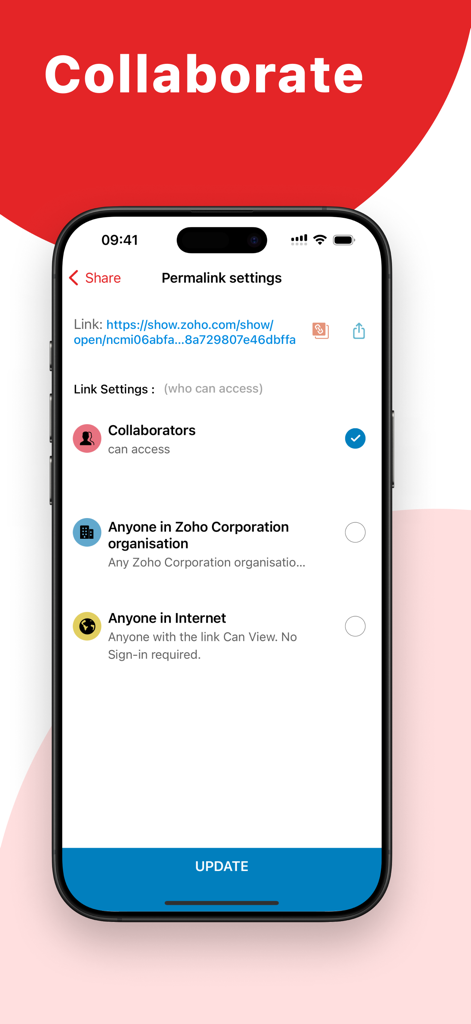
iPhone에서 프레젠테이션 공유 및 공동 작업 권한을 관리하기 위한 Zoho Show 앱 인터페이스.
iPhone에서 프레젠테이션 공유 및 공동 작업 권한을 관리하기 위한 Zoho Show 앱 인터페이스.

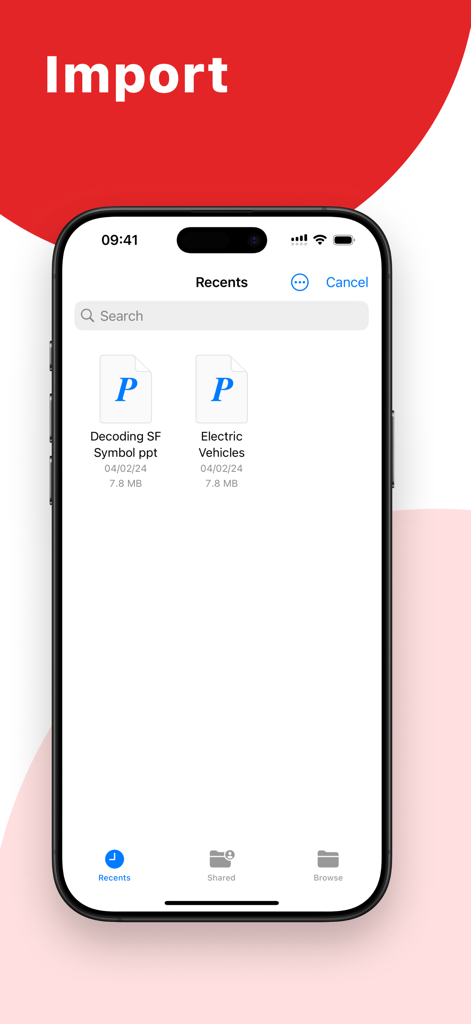
iPhone에 가져온 PowerPoint 프레젠테이션 파일이 표시된 Zoho Show 모바일 앱 인터페이스
iPhone에 가져온 PowerPoint 프레젠테이션 파일이 표시된 Zoho Show 모바일 앱 인터페이스

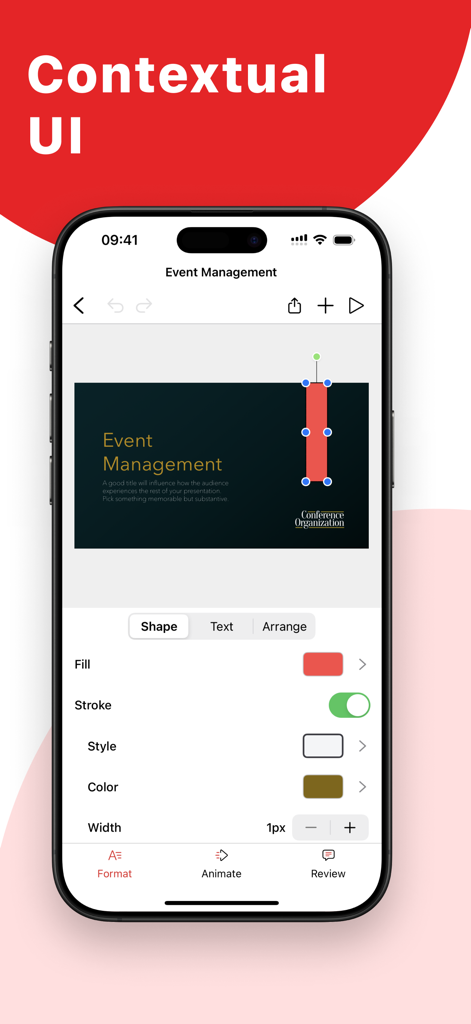
프레젠테이션 슬라이드 편집을 위한 상황별 서식 도구가 표시된 Zoho Show 모바일 앱 인터페이스
프레젠테이션 슬라이드 편집을 위한 상황별 서식 도구가 표시된 Zoho Show 모바일 앱 인터페이스

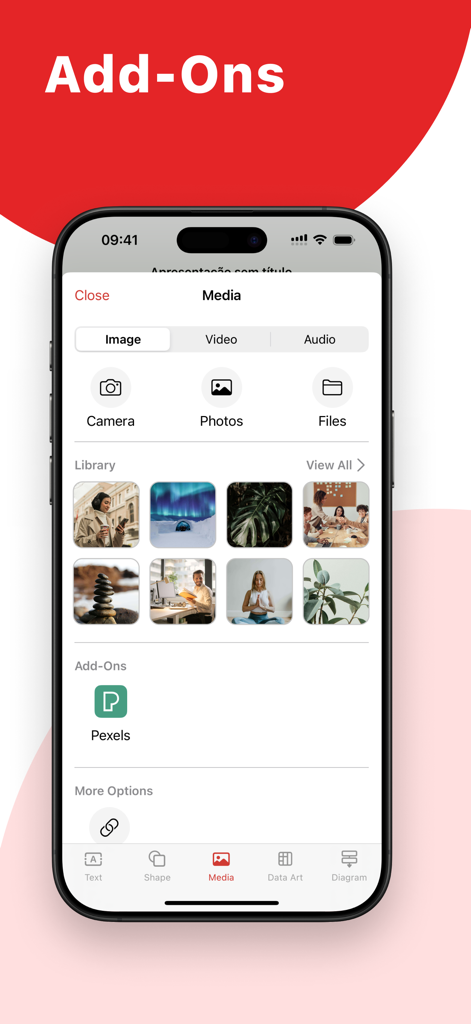
Pexels 애드온 및 프레젠테이션용 이미지 라이브러리를 포함한 미디어 옵션이 표시된 Zoho Show 앱 인터페이스

Pexels 애드온 및 프레젠테이션용 이미지 라이브러리를 포함한 미디어 옵션이 표시된 Zoho Show 앱 인터페이스

몇 분 안에 강력한 스토리 제작

이 앱을 돋보이게 하는 도구, 51K+ 명의 사용자가 선택.

🎨

놀라운 시각 효과, 노력 제로

스마트 요소, 세련된 실루엣, 고해상도 Unsplash 이미지를 사용하여 전문 디자인 에이전시에서 만든 것 같은 프레젠테이션을 만드세요.

Apple 생태계 마스터하기

케이블을 버리세요. Apple TV에서 무선으로 발표하고 iPhone 또는 Apple Watch를 리모컨으로 사용하여 최고의 자신감으로 발표하세요.

🔄

유연한 협업 및 동기화

오프라인으로 작업하거나 팀을 초대하여 실시간으로 공동 작업하세요. PowerPoint 파일을 가져오고 모든 기기에서 중단했던 지점부터 다시 시작하세요.

앱 소개

에 대해 알아야 할 모든 것 Zoho Show: Presentation Maker.

설명

Create, share, and edit beautiful presentations on your iOS or iPadOS device while you're on the go. Import PowerPoint presentations (.PPTX files) and pick up where you left off. Work on your slides offline and download them as an image or a PDF. CAPTURE YOUR AUDIENCE'S ATTENTION WITH STUNNING TEMPLATES Use Show's large array of presentation templates and themes to simplify your slide creation process. Pick from marketing, sales, and many more template options for your next deck. Get access to hundreds of individual slide templates like a cover slide, image slide, and more. GIVE YOUR IDEAS THE PERFECT PLATFORM Choose from a wide range of customizations available in Zoho Show to create your slides. Add and customize text, images, shapes, and more. ADD SMART ELEMENTS, SILHOUETTES, AND MORE Pick from 100+ available shapes ranging from Basic Shapes to Equation Shapes to add to your slides. Use stylish silhouettes to illustrate your slides. Use smart elements like the Fill Indicator and Shape Indicator to visually represent numbers. GRAPHICALLY REPRESENT DATA WITH CHARTS Pick from 15+ chart options to engage your audience. Choose from line charts, area charts, pie charts, and other chart types to visualize your data and make it easier to understand. You can also add animation effects to charts to enhance their visual appeal. ORGANIZE DATA BETTER WITH TABLES Arrange and categorize your data by adding tables to your slides. Pick from preset table styles and customize your tables with multiple formatting options. Add animation effects to the tables to make your data more visually interesting. ENRICH YOUR SLIDES WITH IMAGES Add images to slides right from your phone. You can also add images shot using the device's camera or by inserting the image URL. Get access to the Unsplash library and choose from millions of royalty-free images from within the app. ADD AUDIO AND VIDEO TO YOUR SLIDES Add audio and video to your slides to retain your audience's attention. You can add background music to slides and use videos to supplement your presentation content. ADD STUNNING ANIMATIONS AND SMOOTH TRANSITIONS Keep engagement levels high with eye-catching animation effects and transition effects. Make slide elements Appear, Float In, Swivel, and more with more than 20 animation effects. Choose from 25+ slide transition effects like Blinds, Spiral, and Zoom. SHARE AND COLLABORATE WITH TEAM MEMBERS Invite collaborators by simply adding their email address in the share option to get started working together. To help avoid data loss or conflicting edits, Show allows you to choose the level of access for each collaborator. WORK TOGETHER WITH YOUR TEAM Discuss slide elements with your team members by adding comments to them. Reply to comments for more contextual team conversations. NEVER LOSE YOUR PROGRESS WITH AUTO-SYNC No need to constantly hit 'save': Show saves all your progress automatically. All you have to do is create your free Zoho account and sign in for your changes to be synced directly to the cloud. USE YOUR PHONE AS A REMOTE Show's compatibility helps you use your iPhone or Apple Watch as a remote to deliver presentations on an Apple TV. PRESENT WITH YOUR APPLE TV Present your ideas on a bigger screen by connecting to your Apple TV. Navigate and control your slides using the Apple TV remote.

최신 버전

2.28

크기

206.3 MB

출시일

2018년 10월 3일

어디서든 모든 슬라이드의 품격을 높이세요.

진정으로 돋보이는 프레젠테이션을 만들 준비가 되셨습니까? 수천 명의 전문가들이 Zoho Show를 사용하여 모든 Apple 기기에서 원활하게 디자인, 동기화 및 발표하고 있습니다. 오늘 무료로 시작하세요.

다운로드: App Store다운로드: Google Play

App information, icons, screenshots, and descriptions displayed on this page are sourced from the Apple App Store and are the property of their respective developers. Download estimates and rankings are based on MWM's proprietary models and may not reflect actual figures. This page is provided for informational and analytical purposes only.

Believe this page infringes your intellectual property? File a dispute