
This page is not an official page of the app or its developer, but an independent editorial publication created for informational and commentary purposes. Unless expressly stated otherwise, neither the app nor its developer is affiliated with, endorsed by, sponsored by, authorized by, or otherwise officially connected with MWM, Apple, Google Play, the app publisher, or the app's developer, and nothing on this page implies that the app was developed using MWM's services. Any trademarks, logos, screenshots, and other content remain the property of their respective owners.

AC Remote - Universal Control
Stop searching for lost remotes. Take total command of your cooling, schedule eco-friendly settings, and master your indoor climate directly from your iPhone.
Downloads
83K+User Rating
Total Ratings
200Publisher
Category
LifestyleLocales
1Latest Version
1.0Size
7.4 MBFirst Released
May 20, 2025Complete Control Over Your Comfort
Replace your physical remotes and manage your indoor climate effortlessly with an intuitive smart controller designed for your iPhone.
Universal Smartphone Control
Consolidate all your air conditioning remotes into one sleek interface. Never search for a lost remote or worry about dead batteries again.
Customized Cooling Modes
Instantly switch between Rapid Cool, Quiet Sleep, or Fan modes to create the perfect environment for work, relaxation, or rest.
Frequently Asked Questions
Everything you need to know about AC Remote - Universal Control
What is AC Remote - Universal Control?
AC Remote - Universal Control is a smartphone application designed to manage your air conditioner. It allows users to adjust temperature, fan speed, and sleep mode directly from their mobile device.
Does AC Remote - Universal Control support many air conditioner brands?
Yes, AC Remote - Universal Control supports a wide range of air conditioners. The app explicitly states compatibility with over "7K+ Air Conditioners," including brands like Samsung and Daikin.
Can I control my AC remotely using the AC Remote - Universal Control app?
Yes, the AC Remote - Universal Control app enables users to control their air conditioner remotely. This means you can adjust settings like temperature from your smartphone without being physically near the AC unit.
Does AC Remote - Universal Control offer energy-saving features?
Yes, AC Remote - Universal Control includes energy-saving features. Users can customize schedules, set temperature presets, and activate an eco-mode to optimize performance and reduce power consumption efficiently.
Is the AC Remote - Universal Control app free of advertisements?
Yes, the AC Remote - Universal Control app is ad-free. This feature ensures a seamless and uninterrupted user experience while managing your air conditioner settings.
How does AC Remote - Universal Control connect to my air conditioner?
AC Remote - Universal Control connects to your air conditioner via Wi-Fi. Your AC must be on the same Wi-Fi network as your iPhone, powered on, and in discoverable mode to establish a connection.
Can I customize the name of my air conditioner in the AC Remote - Universal Control app?
Yes, users can rename their air conditioners within the AC Remote - Universal Control app. The app provides an option to customize the name, such as "Bedroom," for easy identification and organization.
Does AC Remote - Universal Control collect user data?
AC Remote - Universal Control shares anonymized data about app usage with Apple. This data sharing is part of the app's commitment to security and prevention of refund fraud.
The following screenshots and description are sourced directly from the app's official store listing and are the property of the app developer.
App Store
Screenshots
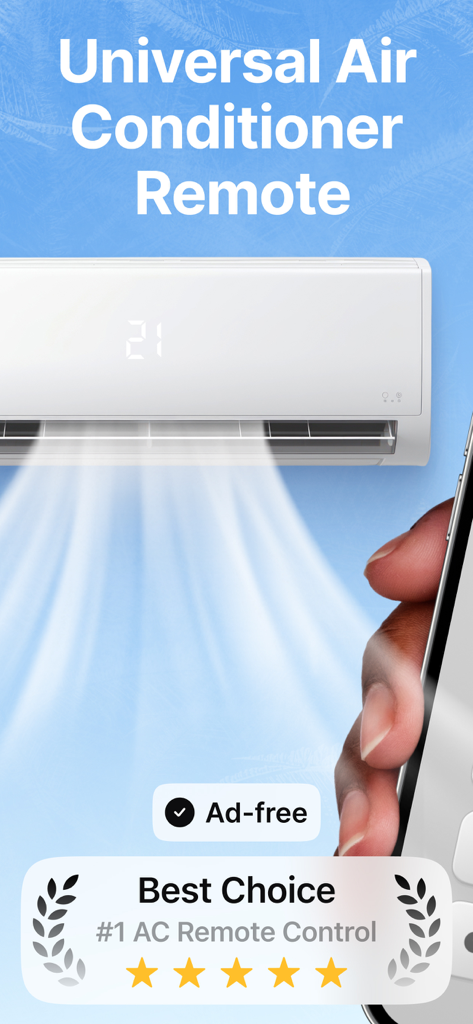
A smartphone interface controlling a wall mounted air conditioning unit displaying five stars and ad free features
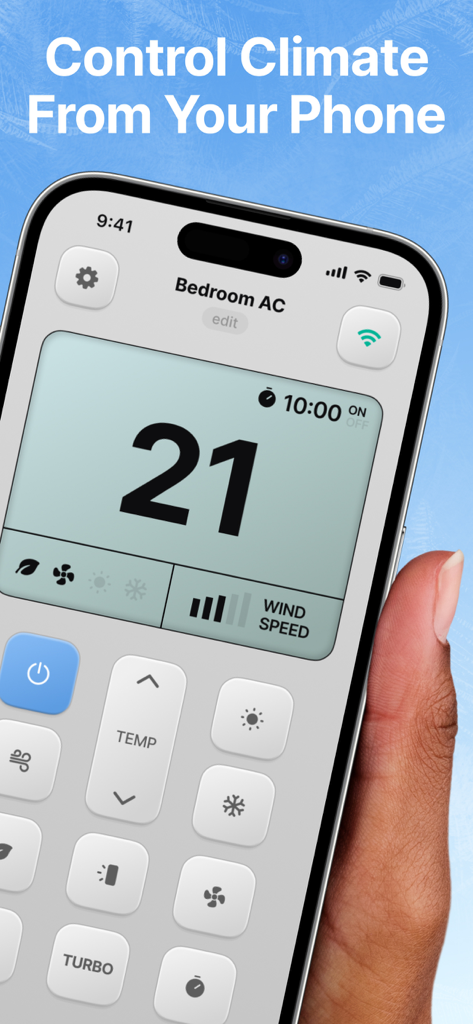
Smartphone screen showing the AC Remote Universal Control app interface for adjusting room temperature
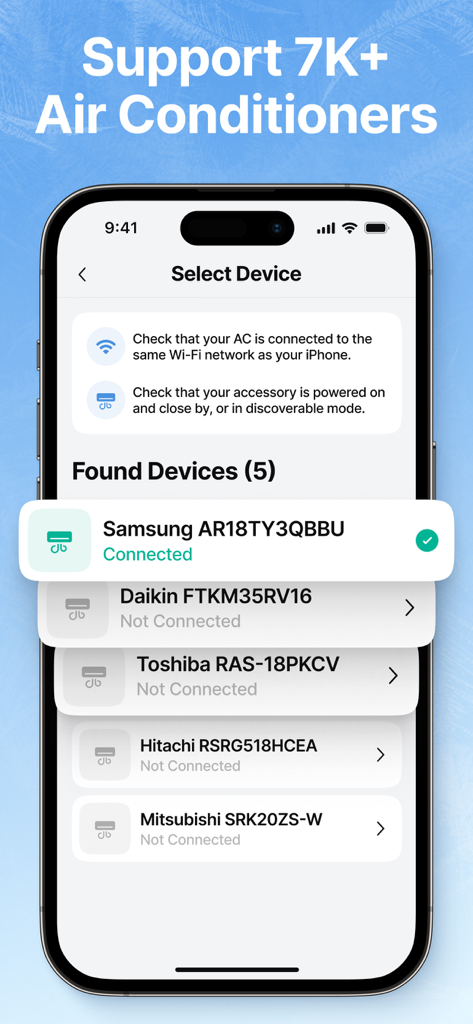
Smartphone screen displaying compatible air conditioner brands in the AC Remote app.
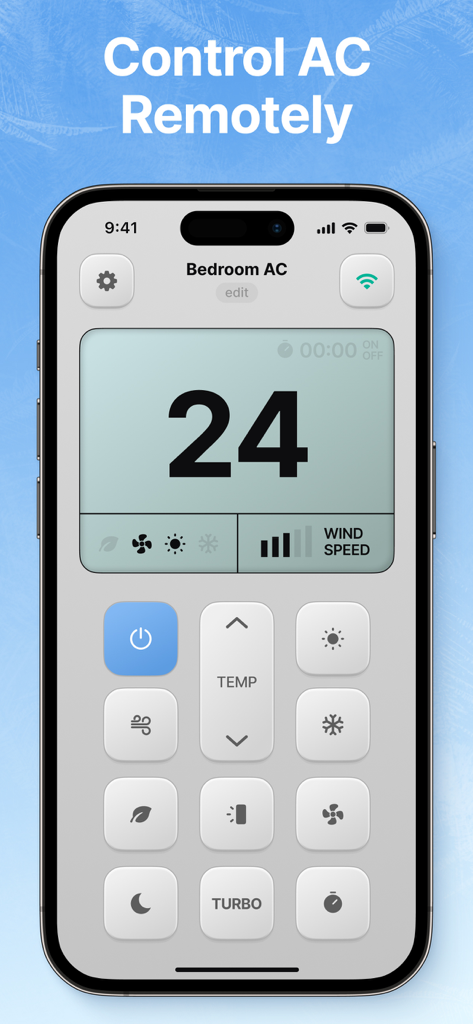
Smartphone screen showing the AC Remote app interface with temperature control and mode buttons
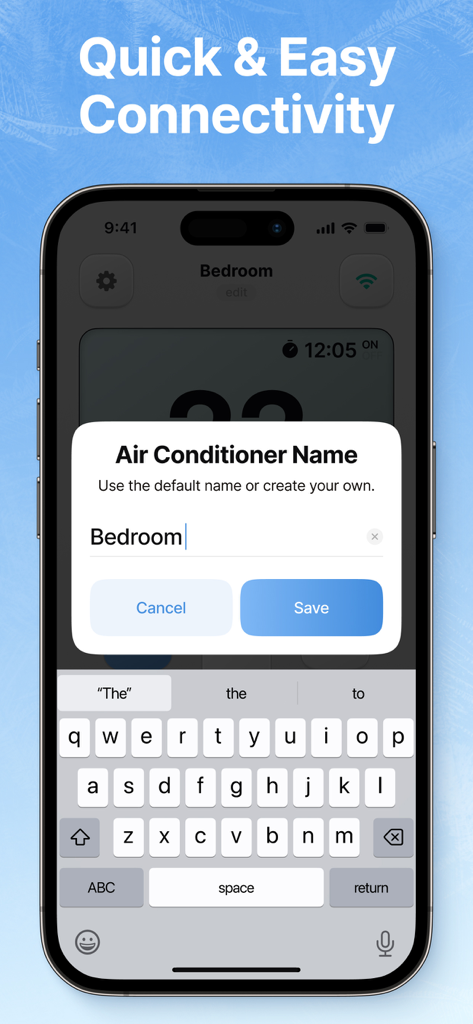
Smartphone screen showing a popup window to name an air conditioner unit in the AC Remote app
Description
Download
More Like This
Apps with similar features and user experience
Air Conditioner Controller
S.I.C.I. SOCIETA' CONSORTILE A RESPONSABILITA' LIMITATA
Universal AC Remote Control .
KUPOLDEV LP
Smart AC Remote Controller App
Faiz Ul Hassan
Universal AC Remote Control ㅤ
MSM COMPANY Sp. z o.o
Air Conditioner Pro, AC Remote
Calypso Wilde
AC Remote, Air Conditioner Pro
Matthew Clarke

AC Universal Remote Control
ALPHA TRAN TRADING AND TRANSPORTATION COMPANY LIMITED

Remote AC Universal & Control
FUJI CAC JOINT STOCK COMPANY
AC Remote & Air Conditioner
HASNA BOUJMIA
This page is not an official page of the app or its developer, but an independent editorial publication created for informational and commentary purposes. Unless expressly stated otherwise, neither the app nor its developer is affiliated with, endorsed by, sponsored by, authorized by, or otherwise officially connected with MWM, Apple, Google Play, the app publisher, or the app's developer, and nothing on this page implies that the app was developed using MWM's services. Any trademarks, logos, screenshots, and other content remain the property of their respective owners.