
This page is not an official page of the app or its developer, but an independent editorial publication created for informational and commentary purposes. Unless expressly stated otherwise, neither the app nor its developer is affiliated with, endorsed by, sponsored by, authorized by, or otherwise officially connected with MWM, Apple, Google Play, the app publisher, or the app's developer, and nothing on this page implies that the app was developed using MWM's services. Any trademarks, logos, screenshots, and other content remain the property of their respective owners.

Air Conditioner Controller
No more remote hunting. Users gain total command, turning any phone into a universal AC brain.
Downloads
500k+User Rating
Total Ratings
6.1KPublisher
Category
UtilitiesLocales
16Latest Version
1.0.1Size
64.2 MBFirst Released
Dec 22, 2024An evaluation of core functionalities designed for smart climate management.
Key Features Analysis: Air Conditioner Controller App
Universal AC Compatibility
The app provides broad compatibility, enabling users to control nearly any air conditioner brand worldwide, eliminating the need for multiple physical remotes.
Remote Control Functionality
It allows users to control their air conditioner from any location with an internet connection, ensuring their home or office is comfortable upon arrival.
Comprehensive Climate Management
This tool features full control over air conditioner settings, including temperature adjustment, operating modes (cool, heat, fan), fan speed, and power on/off functions.
Smart Scheduling and Timers
The app enables users to set custom schedules and timers for their air conditioner, automating power cycles and temperature changes to optimize comfort and energy use.
Digital Remote Replacement
This tool replaces cumbersome physical remotes, offering a digital solution that prevents issues like lost or malfunctioning controllers and declutters living spaces.
Intuitive Setup Process
It guides users through a straightforward setup process, allowing for quick selection of AC brands and seamless linking of their smartphone or tablet to the air conditioner.
Frequently Asked Questions
Everything you need to know about Air Conditioner Controller
What is the Air Conditioner Controller app?
The Air Conditioner Controller app is a mobile application for managing air conditioners. It allows users to adjust settings, set temperatures, monitor energy, schedule operations, and use remote control features from their device.
Can the Air Conditioner Controller app control multiple AC brands?
Yes, the Air Conditioner Controller app is a universal remote control. It equips users to control nearly any Air Conditioner worldwide, allowing them to discard traditional remotes.
Does the Air Conditioner Controller app allow remote control of ACs?
Yes, the Air Conditioner Controller app features a remote control that lets users operate their air conditioners from anywhere. Users can turn ACs ON/OFF and adjust settings remotely.
How can I set a timer for my AC using the Air Conditioner Controller app?
Users can set timers for their ACs through the Air Conditioner Controller app. The app allows for easy scheduling of when the air conditioner should turn on and off.
What are the main features of the Air Conditioner Controller app?
The Air Conditioner Controller app features smart AC remote control, temperature setting, operating mode switching (Cold, Heat, Dry, Fan), fan speed adjustment, and timer functions.
Is there a free trial for the Air Conditioner Controller app?
Yes, the Air Conditioner Controller app offers a limited 3-day free trial for a weekly subscription. The subscription automatically renews if not canceled before the trial ends.
How do subscriptions work in the Air Conditioner Controller app?
Subscriptions for the Air Conditioner Controller app automatically renew unless auto-renew is turned off 24 hours before the period ends. Payment is charged to the Apple ID account upon purchase confirmation.
Can I manage my subscription for the Air Conditioner Controller app?
Yes, users can manage their subscriptions and disable auto-renewal by accessing their App Store account settings after purchase. Subscriptions can be canceled at any time.
Does the Air Conditioner Controller app address user privacy?
Yes, user privacy and data security are top priorities for the Air Conditioner Controller app. A privacy policy is available for more detailed information.
How do I connect my AC to the Air Conditioner Controller app?
To connect, download and open the app, select your AC brand from the list, and allow your device to link with the air conditioner. Follow the in-app instructions to complete the setup.
The following screenshots and description are sourced directly from the app's official store listing and are the property of the app developer.
App Store
Screenshots
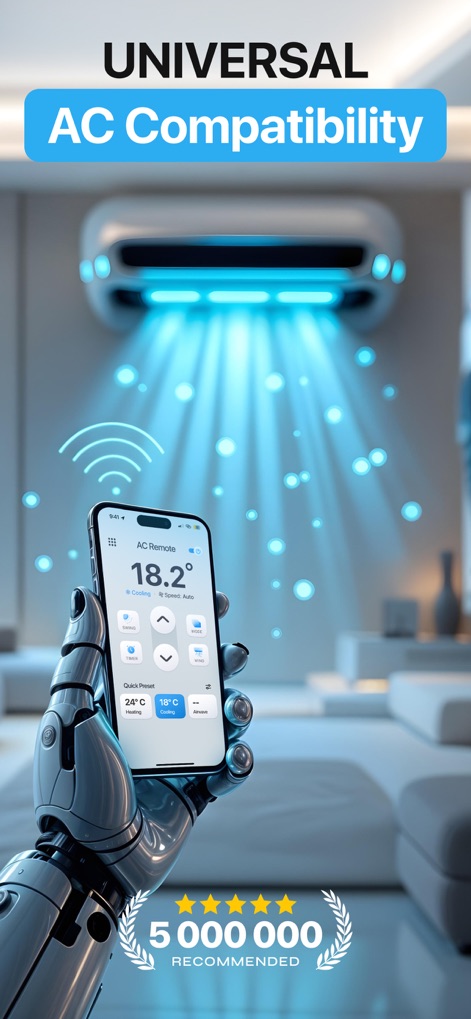
Witness the app's expansive "UNIVERSAL AC Compatibility", showcased by its ability to control various AC brands, and observe the trusted "5 000 000 RECOMMENDED" badge.
Universal Device Harmony

Explore the app's main interface, which provides instant feedback on the current temperature (e.g., "18.2° Cooling") and easy access to control functions like "Mode" and "Timer".
Intuitive Core Controls
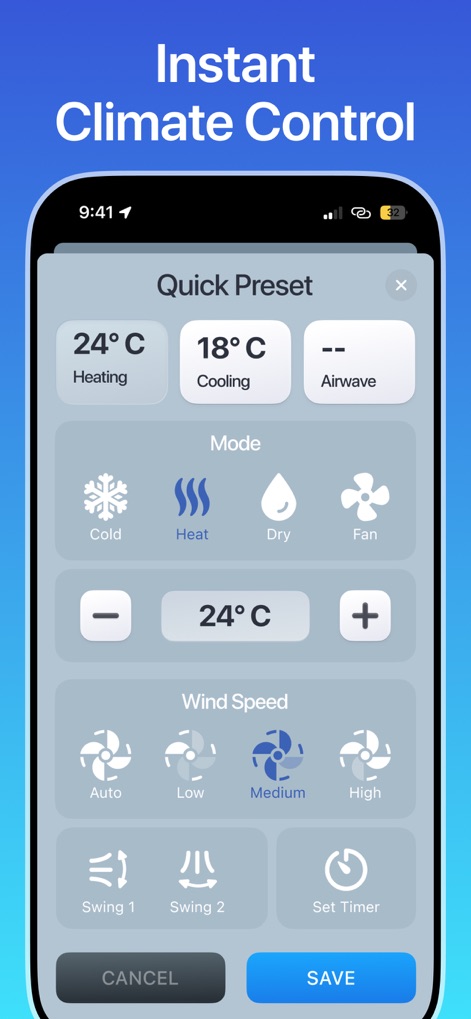
Discover the detailed climate settings pop-up, offering diverse "Mode" options (Cold, Heat, Dry, Fan) and precise "Wind Speed" selections for optimal comfort.
Refined Climate Adjustments
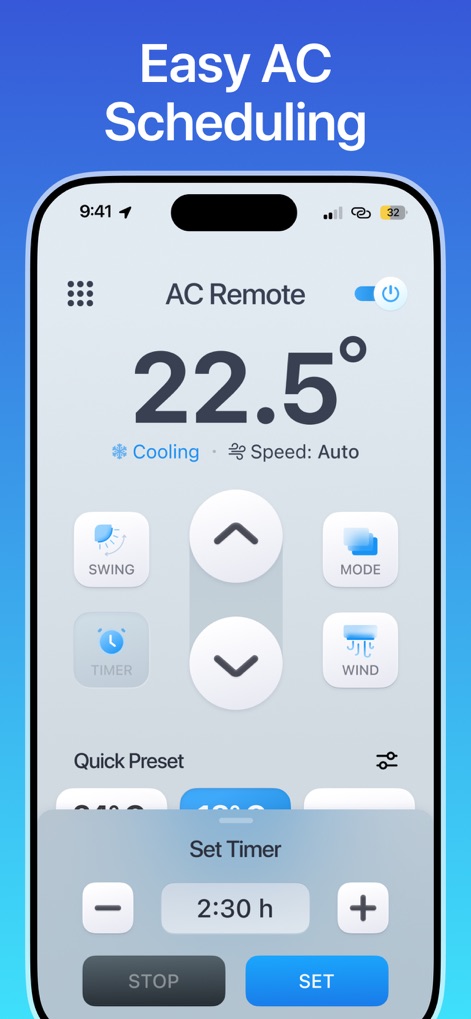
Uncover the app's streamlined scheduling capabilities, featuring an intuitive "Set Timer" overlay with clear time adjustment controls and distinct "STOP" and "SET" buttons.
Effortless Timer Management
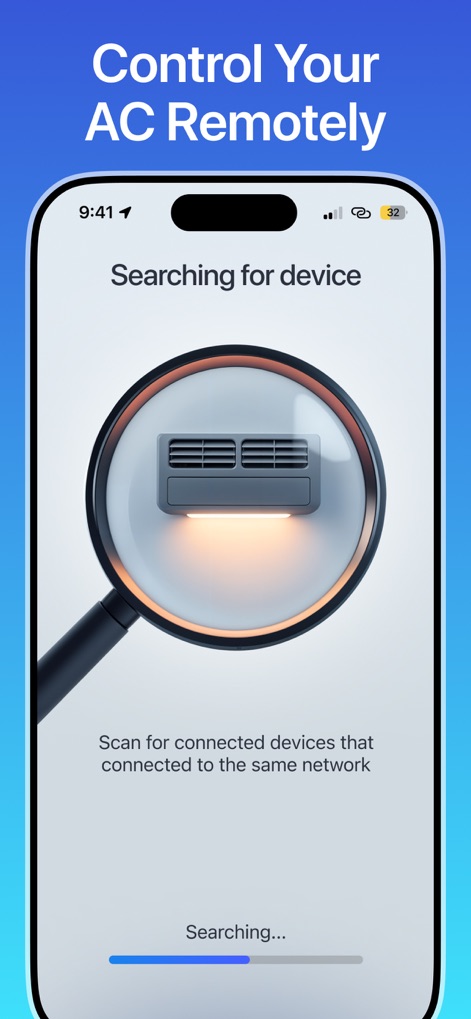
Observe the app's efficient "Searching for device" screen, illustrating its capability to automatically detect and connect to compatible AC units via network scanning.
Seamless Device Pairing
Description
Download
More Like This
Apps with similar features and user experience
Universal AC Remote Control .
KUPOLDEV LP
Smart AC Remote Controller App
Faiz Ul Hassan
AC Remote - Universal Control
PATRIC MARCO KUCK
Air Conditioner Pro, AC Remote
Calypso Wilde
Universal AC Remote Control ㅤ
MSM COMPANY Sp. z o.o
AC Remote, Air Conditioner Pro
Matthew Clarke

AC Universal Remote Control
ALPHA TRAN TRADING AND TRANSPORTATION COMPANY LIMITED

Remote AC Universal & Control
FUJI CAC JOINT STOCK COMPANY
AC Remote & Air Conditioner
HASNA BOUJMIA
This page is not an official page of the app or its developer, but an independent editorial publication created for informational and commentary purposes. Unless expressly stated otherwise, neither the app nor its developer is affiliated with, endorsed by, sponsored by, authorized by, or otherwise officially connected with MWM, Apple, Google Play, the app publisher, or the app's developer, and nothing on this page implies that the app was developed using MWM's services. Any trademarks, logos, screenshots, and other content remain the property of their respective owners.