
This page is not an official page of the app or its developer, but an independent editorial publication created for informational and commentary purposes. Unless expressly stated otherwise, neither the app nor its developer is affiliated with, endorsed by, sponsored by, authorized by, or otherwise officially connected with MWM, Apple, Google Play, the app publisher, or the app's developer, and nothing on this page implies that the app was developed using MWM's services. Any trademarks, logos, screenshots, and other content remain the property of their respective owners.

Agenda: Notes meets Calendar
The Apple Design Award-winning app that bridges the gap between what you do and when you do it. Seamlessly link notes to calendar events to drive your projects forward and stay fully prepared for every meeting.
Downloads
2M+User Rating
Total Ratings
12K+Publisher
Category
ProductivityLocales
15Latest Version
21.1Size
106.7 MBFirst Released
May 29, 2018Notes Built Around Your Schedule
Stop jumping between your calendar and your notes. Agenda seamlessly links your thoughts to your timeline, helping you stay prepared for every meeting and project milestone.
Date-Linked Context
Connect your notes directly to calendar events. Keep meeting minutes, project briefs, and action items exactly where they belong—on your schedule.
Project Momentum
Track the evolution of your work from past decisions to future goals. Our unique timeline view gives you a breadcrumb trail of your progress.
Frequently Asked Questions
Everything you need to know about Agenda: Notes meets Calendar
What is Agenda: Notes meets Calendar?
Agenda is an Apple Design Award-winning app that combines note-taking with calendar events. It helps users plan projects, prepare for meetings, and organize day-to-day tasks by linking notes directly to events.
Does Agenda app support calendar integration?
Yes, Agenda seamlessly integrates calendar events into note-taking. Users can link individual notes directly to events in their calendar, ensuring full preparation for anything scheduled.
Can I organize notes by date in Agenda: Notes meets Calendar?
Yes, Agenda allows users to attach dates to individual notes. It also features a unique timeline approach that organizes notes across past, present, and future, and users can put notes 'On the Agenda' for special status.
What text formatting options are available in Agenda notes?
Agenda's text editor supports various styles including headings, lists, tables, indented blocks, and preformatted text. This allows users to focus on content while the app handles appearance.
Does Agenda: Notes meets Calendar allow file attachments?
Yes, Agenda supports adding file attachments to notes. These attachments sync across all devices, and files can be previewed, while images display as thumbnails or full-sized.
Can I use Agenda on multiple Apple devices?
Yes, Agenda has dedicated apps for Mac, iPad, and iPhone. Notes and data sync across all these devices via iCloud or Dropbox, ensuring data is not siloed.
Is Agenda: Notes meets Calendar free to use?
Yes, Agenda is free to use without any time limits. It offers extra premium features that users can unlock via an In-App Purchase, either through a yearly subscription or a one-time lifetime purchase.
How do premium features work in Agenda: Notes meets Calendar?
Premium features in Agenda are unlocked via In-App Purchases. A yearly subscription grants access across all devices, and features unlocked while subscribed are kept forever. A one-time lifetime purchase is also available.
Can I collaborate with others on notes in Agenda?
Yes, Agenda enables users to collaborate with others on shared notes. Anyone joining can help edit the note, which is useful for family shopping lists or team meetings.
How does Agenda help with project planning?
Agenda helps plan projects by allowing users to set up notes for upcoming meetings, link them to calendar events, and organize projects into categories. It preserves past decisions, propelling projects forward.
Does Agenda allow for task management within notes?
Yes, Agenda supports task management. Users can create task lists with checkboxes within notes. The app also allows adding reminders for specific tasks directly from the note interface.
The following screenshots and description are sourced directly from the app's official store listing and are the property of the app developer.
App Store
Screenshots
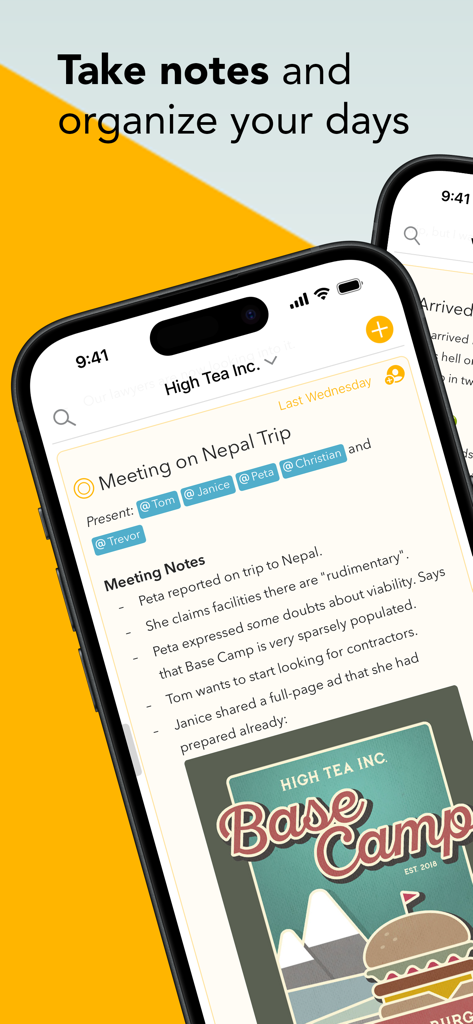
iPhone screenshot of the Agenda app displaying meeting notes for a project with tagged attendees and a date-linked timeline
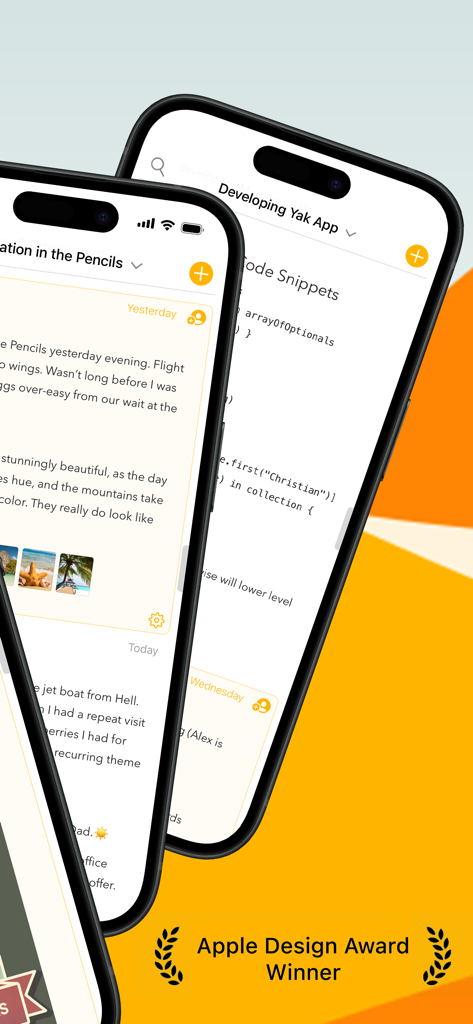
Two iPhones displaying the Agenda app interface with notes and code snippets next to an Apple Design Award badge
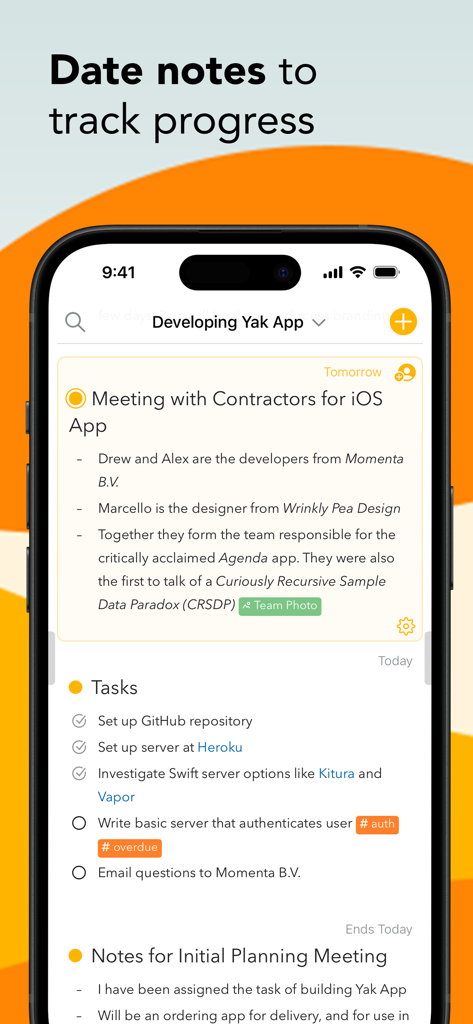
Agenda app interface showing notes and tasks organized by date to track project progress
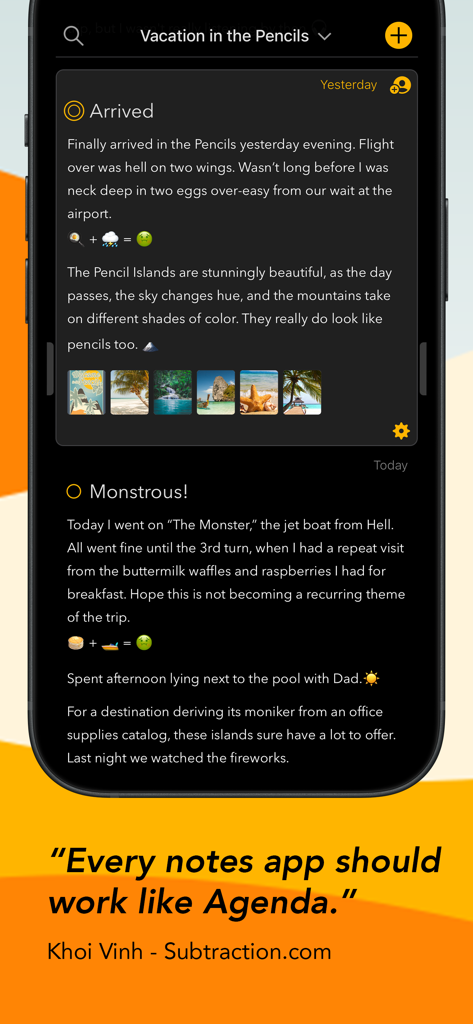
Agenda app interface on iPhone showing a dark mode note with embedded images and a testimonial from Khoi Vinh
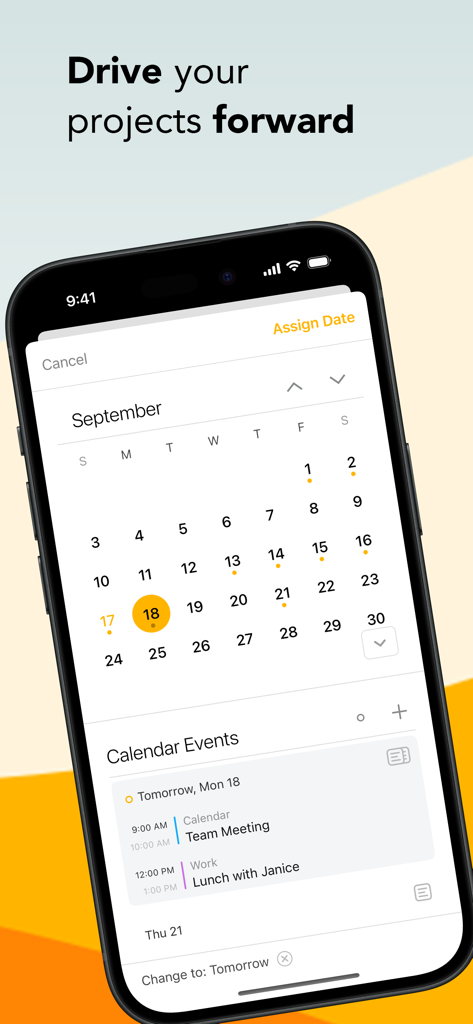
Agenda app interface on iPhone showing a calendar for project planning and daily event scheduling.
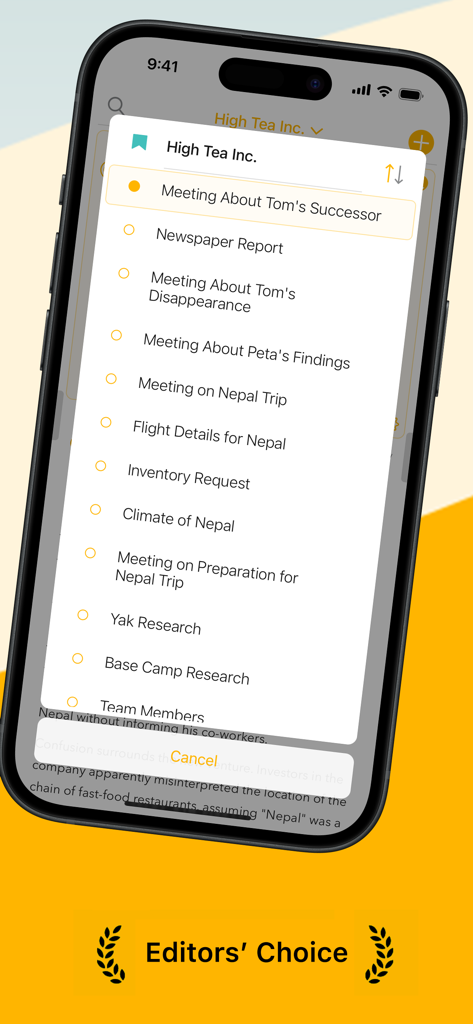
Agenda app interface on iPhone displaying a list of project meetings and notes
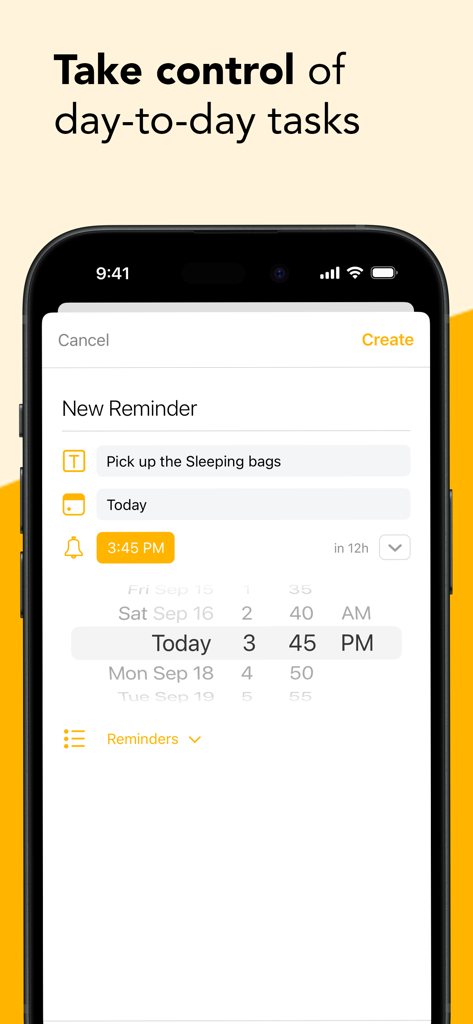
Smartphone screen of Agenda app creating a new task reminder with time and date picker
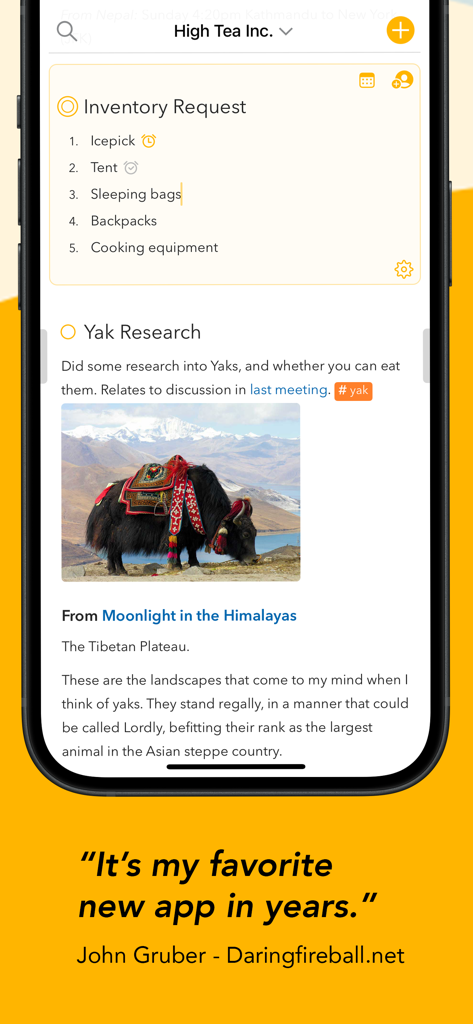
Agenda app interface on iPhone showing organized project notes with a checklist and an image.
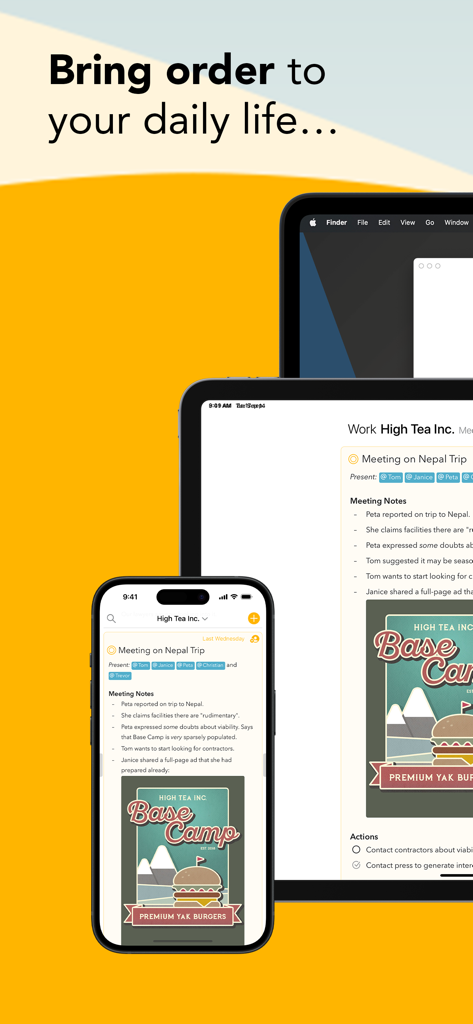
Agenda notes and calendar app interface on iPhone iPad and Mac devices
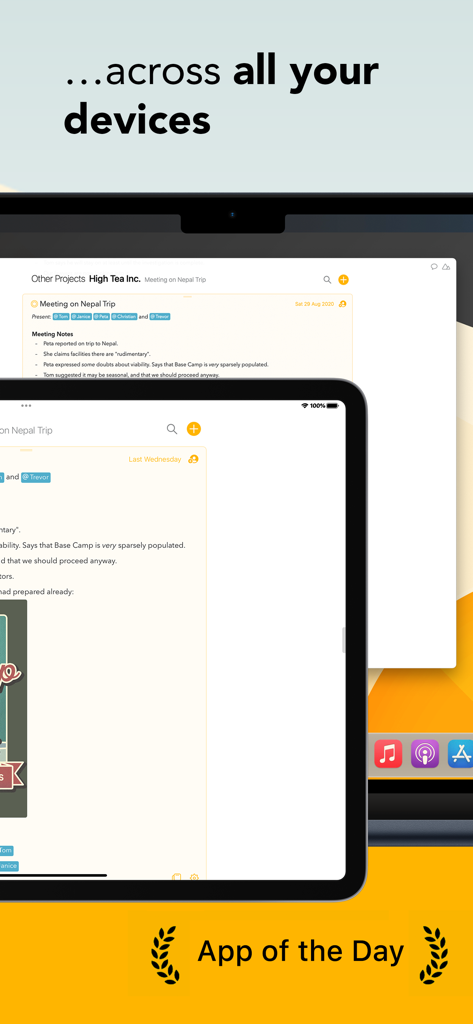
Agenda note taking app showing synchronized project notes across a Mac and an iPad with an App of the Day badge
Description
Download
More Like This
Apps with similar features and user experience

Notion: Notes, Tasks, AI
Notion Labs, Incorporated

Freenotes®: AI Notes Taking
Hangzhou Free Notes Technology Co., Ltd

Structured - Daily Planner
unorderly GmbH

Google Tasks: Get Things Done
Google LLC

TickTick:To-Do List & Calendar
Appest Limited

Noteful: Notes & PDF Markup
Noteful Technologies Ltd

Todoist: To Do List & Calendar
Doist Inc.

To do list MinimaList & Widget
Inner Grow Limited

monday.com - Work Platform
monday.com Ltd.
This page is not an official page of the app or its developer, but an independent editorial publication created for informational and commentary purposes. Unless expressly stated otherwise, neither the app nor its developer is affiliated with, endorsed by, sponsored by, authorized by, or otherwise officially connected with MWM, Apple, Google Play, the app publisher, or the app's developer, and nothing on this page implies that the app was developed using MWM's services. Any trademarks, logos, screenshots, and other content remain the property of their respective owners.