aiReader: AI Text to Speech
Download on App Store

This page is not an official page of the app or its developer, but an independent editorial publication created for informational and commentary purposes. Unless expressly stated otherwise, neither the app nor its developer is affiliated with, endorsed by, sponsored by, authorized by, or otherwise officially connected with MWM, Apple, Google Play, the app publisher, or the app's developer, and nothing on this page implies that the app was developed using MWM's services. Any trademarks, logos, screenshots, and other content remain the property of their respective owners.


Logo of aiReader: AI Text to Speech
Download on App Store

aiReader: AI Text to Speech

Turn PDFs, websites, and physical books into incredibly natural audio using cutting-edge generative AI. Reclaim your time, reduce eye strain, and master your reading list with offline MP3 exports and human-like voices.

Key Figures

Downloads

0

User Rating

4.2/5

Total Ratings

0

Publisher

Thinh Truong

Category

Productivity

Locales

1

Latest Version

26.1.6

Size

136.6 MB

First Released

May 9, 2023
Features

Maximize Your Time with AI Audio

Transform any text into high-fidelity, lifelike speech. Whether it's a 50-page PDF, a web article, or a physical book, aiReader lets you consume content effortlessly while you're on the move.

Human-Grade AI Voices

Experience the next generation of text-to-speech. Our LLM-powered voices sound remarkably natural and expressive, eliminating the robotic fatigue of traditional narrators.

Snap & Listen Technology

Turn physical paper into digital audio instantly. Use the smart OCR scanner to digitize textbooks, handouts, or notes and listen to them during your commute or gym session.

The following screenshots and description are sourced directly from the app's official store listing and are the property of the app developer.

App Store

Screenshots
aiReader: AI Text to Speech - A woman wearing headphones listening to generative AI voices using the aiReader text to speech app.
A woman wearing headphones listening to generative AI voices using the aiReader text to speech app.

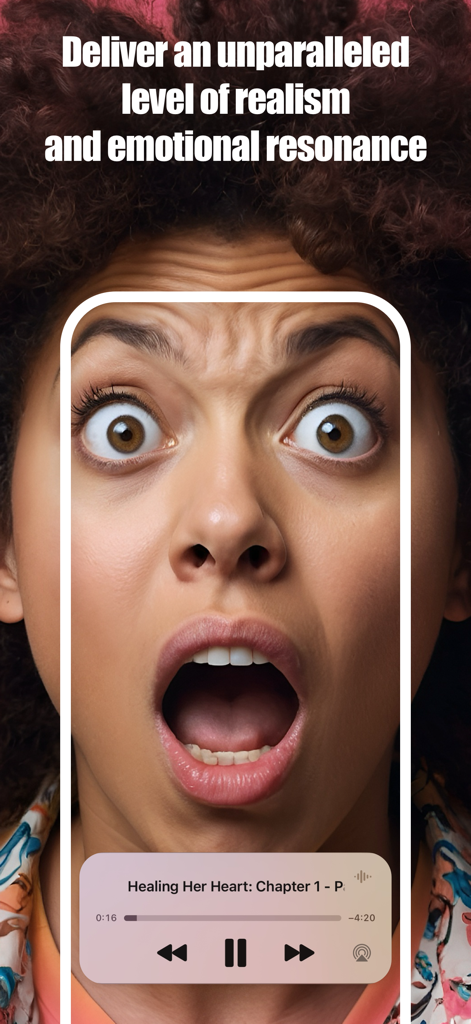
aiReader: AI Text to Speech - A smartphone displaying the aiReader audio player interface over a woman's expressive face to illustrate emotional resonance in AI voices.
A smartphone displaying the aiReader audio player interface over a woman's expressive face to illustrate emotional resonance in AI voices.

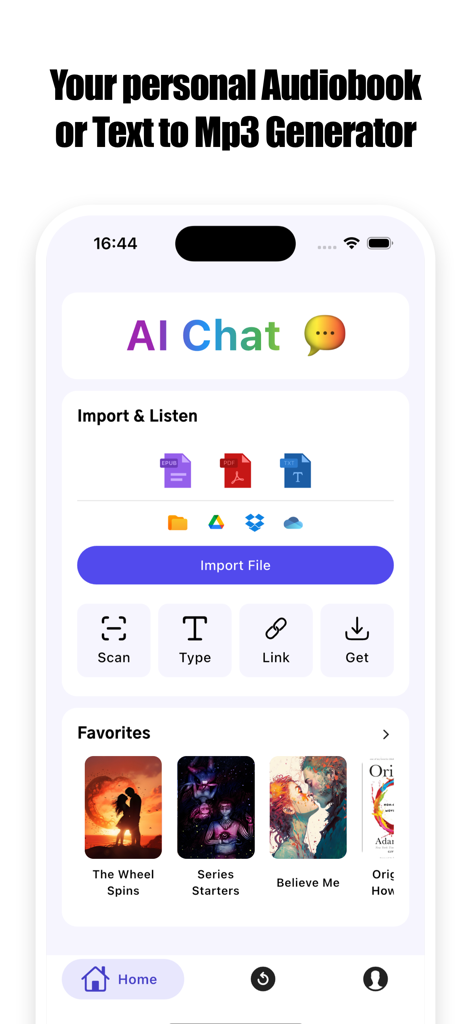
aiReader: AI Text to Speech - aiReader app home screen showing options to import files and scan documents for AI text to speech conversion.
aiReader app home screen showing options to import files and scan documents for AI text to speech conversion.

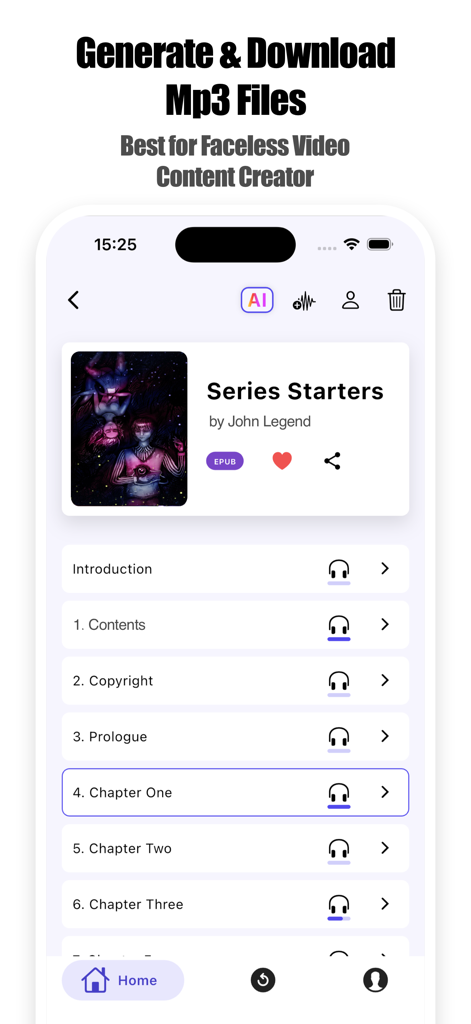
aiReader: AI Text to Speech - aiReader app interface showing book chapters with options to generate and download MP3 audio files

aiReader app interface showing book chapters with options to generate and download MP3 audio files
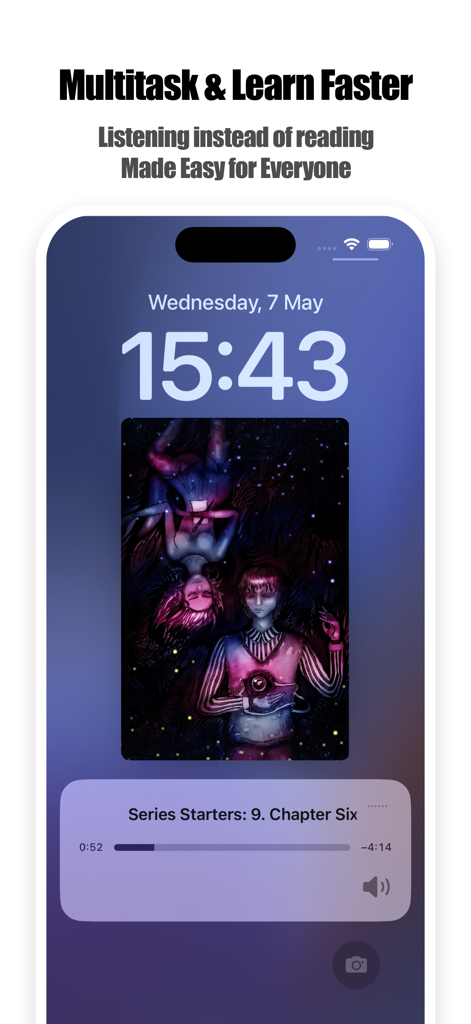
aiReader: AI Text to Speech - iPhone lock screen displaying aiReader background audio playback for multitasking and learning
iPhone lock screen displaying aiReader background audio playback for multitasking and learning

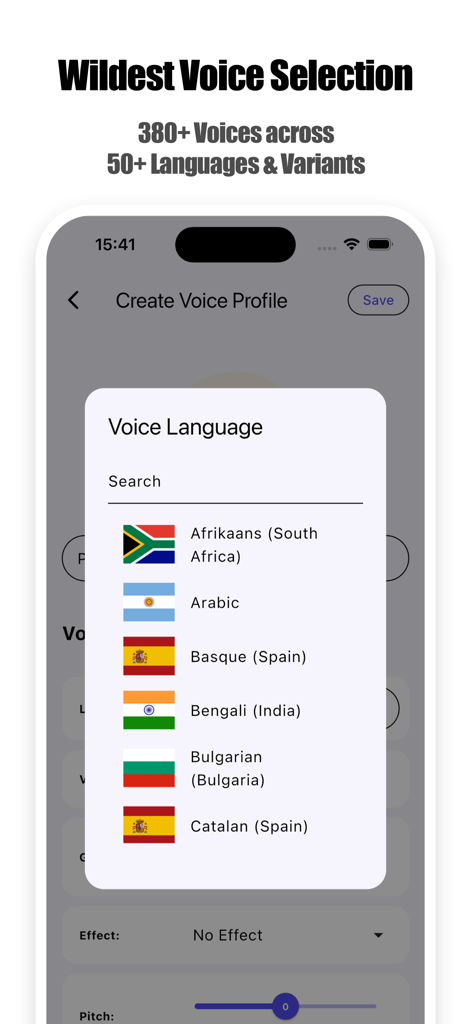
aiReader: AI Text to Speech - Interface showing 380 voices across 50 languages and variants in the aiReader app
Interface showing 380 voices across 50 languages and variants in the aiReader app

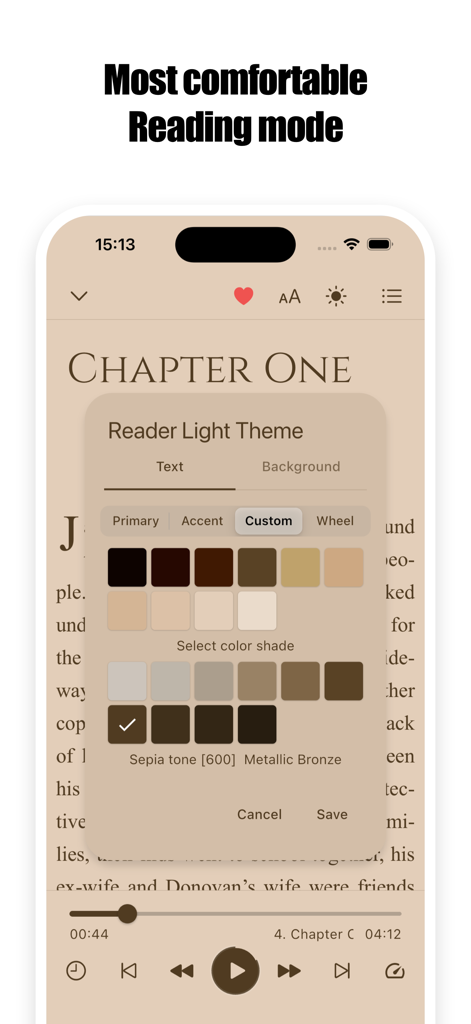
aiReader: AI Text to Speech - Interface of aiReader app showing the theme customization for a comfortable reading experience with sepia tone options.
Interface of aiReader app showing the theme customization for a comfortable reading experience with sepia tone options.

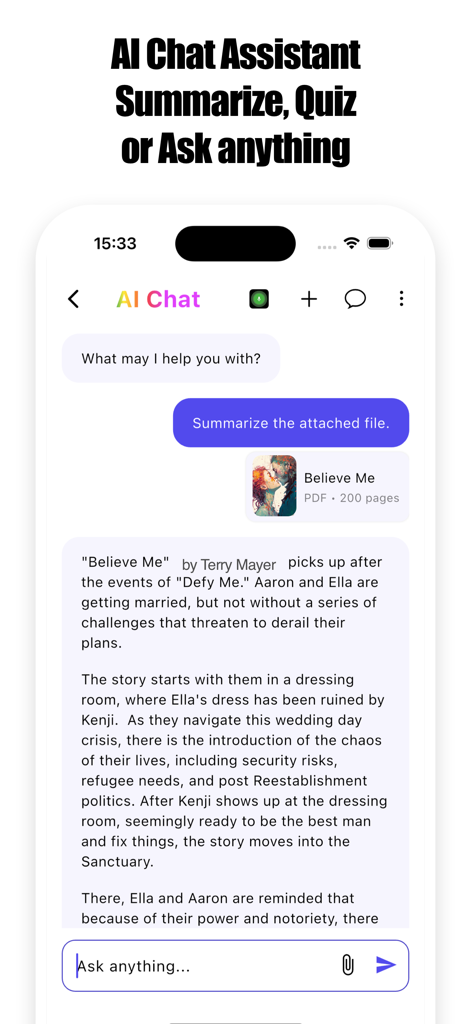
aiReader: AI Text to Speech - AI chat assistant interface in aiReader app summarizing a PDF book

AI chat assistant interface in aiReader app summarizing a PDF book

Description

aiReader converts any text – books, PDFs, websites, even photos of documents – into incredibly natural-sounding audio, MP3 file. Download MP3 files to use anywhere you want to! Listen, learn, and multitask effortlessly with our cutting-edge AI voices. As a powerful AI Voice Generator, aiReader gives your eyes a rest and unlocks a new world of productivity and enjoyment. WHY CHOOSE aiReader? REVOLUTIONARY GENERATIVE AI VOICES: —————————————————————— Experience the pinnacle of text-to-speech with our cutting-edge LLM-powered generative AI voices. These aren't just natural; they're engaging, empathetic, and deliver high-quality speeches with unparalleled realism and emotional resonance across over 50 languages and accents. Choose from a diverse range of voices to find your perfect narrator, making listening a truly immersive pleasure. READ ANYTHING, ANYWHERE: ———————————————— Books & Documents: Import and listen to ePub, PDF, TXT, and more. Easily access files from your device, iCloud, Google Drive, Dropbox, and other cloud services. Your entire library, audible. Web Articles & News: Simply share a link from Safari or use our built-in browser to have web pages read aloud. Stay informed without being glued to your screen. Scan Physical Text (OCR): Instantly digitize and listen to physical books, notes, and documents using your iPhone or iPad camera. Turn paper into voice with our smart OCR reader. CUSTOMIZE YOUR LISTENING EXPERIENCE: ——————————————————————— Adjustable Speed & Pitch: Tailor the narration speed and voice pitch to your liking for optimal comprehension and comfort. Background Playback: Continue listening while using other apps or when your screen is off – just like a podcast or audiobook. Create Playlists: Organize your audio content for seamless listening sessions, from study materials to leisure reading. BOOST PRODUCTIVITY & ACCESSIBILITY: —————————————————————— Multitask Like a Pro: Absorb information while commuting, exercising, cooking, or working. Reclaim your time! Powerful Learning Aid: Ideal for students, professionals, and lifelong learners. Enhance focus, retention, and understanding of complex materials. Accessibility Focused: An invaluable tool for individuals with dyslexia, visual impairments, ADHD, or other reading challenges, making content accessible to all. YOUR PERSONAL AUDIOBOOK & AI VOICE GENERATOR: ——————————————————————— Transform any text file into your own personal audiobook. Build your library of narrated content and enjoy your documents in audio format. OFFLINE LISTENING: ——————————— Save your generated MP3 file to listen in any other app in anytime, anywhere, even without an internet connection. Perfect for travel or areas with poor connectivity. PERFECT FOR: ——————— Students: Digest textbooks, research papers, and study notes efficiently. Professionals: Stay on top of reports, emails, and industry news on the go. Bookworms: Enjoy novels and stories in a new, immersive audio format. Language Learners: Improve pronunciation and listening skills by hearing text in over 50 supported languages. Content Creators: Proofread scripts or articles by listening to them. Anyone who wants to save time, reduce screen fatigue, and consume more content! KEY FEATURES AT A GLANCE: ———————————————— Advanced AI Text-to-Speech (TTS) with Cutting-Edge LLM & Generative Voices Powerful AI Voice Generator capabilities Supports PDF reader, ePub reader, TXT, web pages, and more OCR scanner for physical documents and books Multiple high-quality, natural and emotionally resonant voices in 50+ languages & accents Adjustable reading speed and pitch Background play support Easy import from Files, iCloud, Google Drive, Dropbox Offline listening mode Download aiReader now! Experience the future of reading with AI-powered audio that truly speaks to you. Give your eyes a break and let your ears do the reading. Privacy Policy: https://kinggoodapps.com/privacy.html Terms of Use: https://kinggoodapps.com/terms.html

Download

Download on App Store

This page is not an official page of the app or its developer, but an independent editorial publication created for informational and commentary purposes. Unless expressly stated otherwise, neither the app nor its developer is affiliated with, endorsed by, sponsored by, authorized by, or otherwise officially connected with MWM, Apple, Google Play, the app publisher, or the app's developer, and nothing on this page implies that the app was developed using MWM's services. Any trademarks, logos, screenshots, and other content remain the property of their respective owners.