
This page is not an official page of the app or its developer, but an independent editorial publication created for informational and commentary purposes. Unless expressly stated otherwise, neither the app nor its developer is affiliated with, endorsed by, sponsored by, authorized by, or otherwise officially connected with MWM, Apple, Google Play, the app publisher, or the app's developer, and nothing on this page implies that the app was developed using MWM's services. Any trademarks, logos, screenshots, and other content remain the property of their respective owners.

AirScreen Cast
Experience high-definition screen mirroring and effortless casting with zero lag. No cables, no extra hardware, and no TV app installation—just pure, wireless performance for your photos, videos, and presentations.
Downloads
540K+User Rating
Total Ratings
1K+Publisher
Category
Photo & VideoLocales
1Latest Version
1.2.8Size
7.1 MBFirst Released
Jul 12, 2022Unlock Your Big Screen Potential
Experience the ultimate freedom of wireless streaming. AirScreen Cast bridges the gap between your iOS devices and any Smart TV—no extra hardware, cables, or Apple TV box required.
Universal Connectivity
Wirelessly connect your iPhone or iPad to Samsung, LG, Sony, and more. Enjoy a seamless experience across all your home devices without the 'walled garden' restrictions.
Lag-Free Real-Time Mirroring
Stream high-definition content with zero latency. Whether you're sharing social media clips or 4K family videos, enjoy a fluid and responsive viewing experience.
Frequently Asked Questions
Everything you need to know about AirScreen Cast
What is AirScreen Cast?
AirScreen Cast is a wireless streaming receiver that integrates with AirPlay, Cast, Miracast, and DLNA. It transforms your mobile device or PC into a conduit for streaming visuals onto your large TV screen with high quality.
Which streaming protocols does AirScreen Cast support?
AirScreen Cast supports major wireless streaming protocols including AirPlay, Cast, Miracast, and DLNA. This ensures broad compatibility with various devices and smart TVs for seamless content sharing.
Can I mirror my iPhone screen to a TV with AirScreen Cast?
Yes, AirScreen Cast provides instant screen mirroring for your iPhone to a TV. It reflects your iPhone screen in real time without delay or lag, offering a fluid viewing experience.
What types of content can I cast using AirScreen Cast?
AirScreen Cast allows you to cast photos, videos, music, web content, PDF files, and PPT files from your iPhone or iPad to your TV. It also supports YouTube and iCloud media casting.
Is it necessary to install an app on my TV to use AirScreen Cast?
No, it is not necessary to install any app on your TV to use AirScreen Cast. The application connects effortlessly, providing a hassle-free and seamless streaming experience right out of the box.
What devices are compatible with AirScreen Cast?
AirScreen Cast is compatible with many smart TVs, including LG, Samsung, Sony, TCL, Xiaomi, and Hisense. It also supports Google Chromecast, various DLNA receivers, and Smart TVs with AirPlay & AirPlay 2.
How do I connect my device to a TV using AirScreen Cast?
To connect, ensure your phone and Smart TV are on the same Wi-Fi network. AirScreen Cast automatically detects compatible devices. If your TV is not listed, reboot it (power reset) and try again for connection.
Can AirScreen Cast stream content between iPhones?
Yes, AirScreen Cast includes a 'PHONE CAST' feature that allows you to stream content from one iPhone to another. This extends its utility beyond just TV casting.
Does AirScreen Cast support presenting documents like PDFs and PPTs?
Yes, AirScreen Cast supports document mirroring. You can display PDF and PPT files directly from your device or iCloud onto your TV screen, making it a powerful presentation tool.
Are there any games included with AirScreen Cast?
Yes, AirScreen Cast includes built-in games like Chess and Tic Tac Toe. It also offers a 'PAINT' feature for drawing simple sketches, providing additional entertainment functions.
The following screenshots and description are sourced directly from the app's official store listing and are the property of the app developer.
App Store
Screenshots
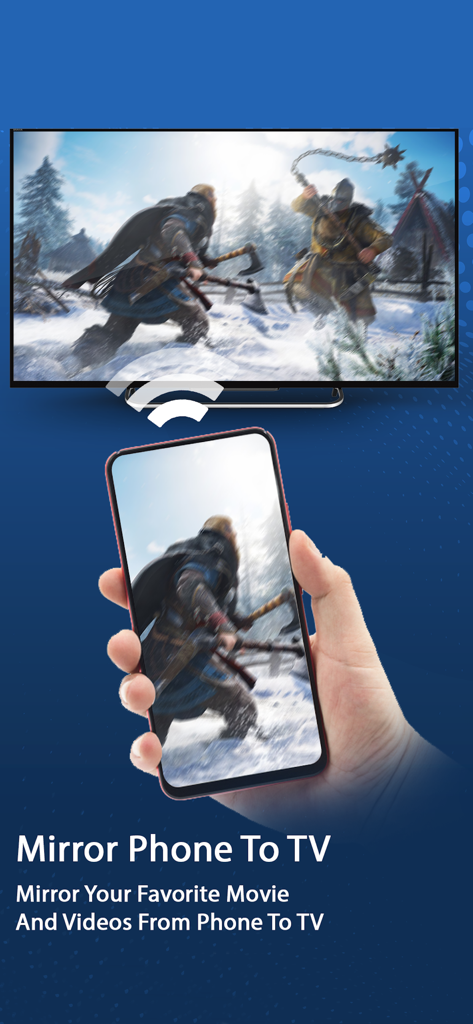
AirScreen Cast app showing how to mirror movies from an iPhone to a smart TV wirelessly
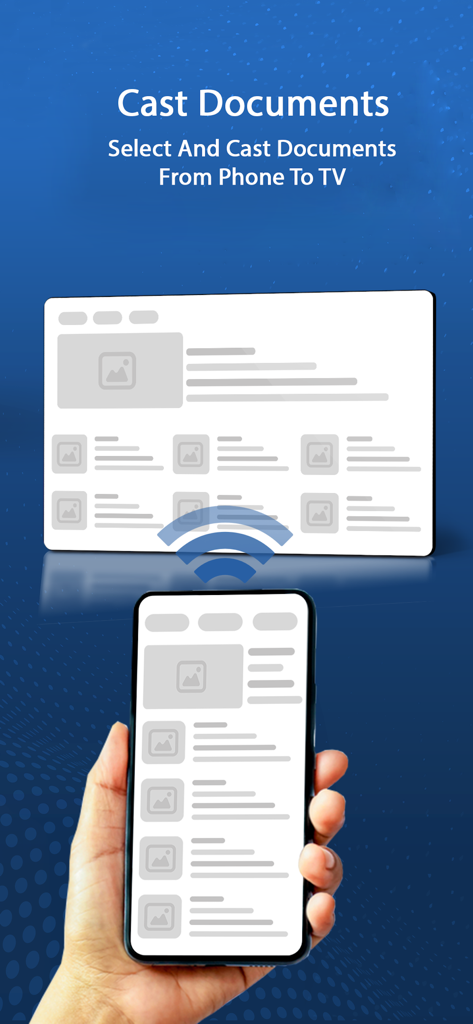
A hand holding a smartphone wirelessly casting a document to a large television screen
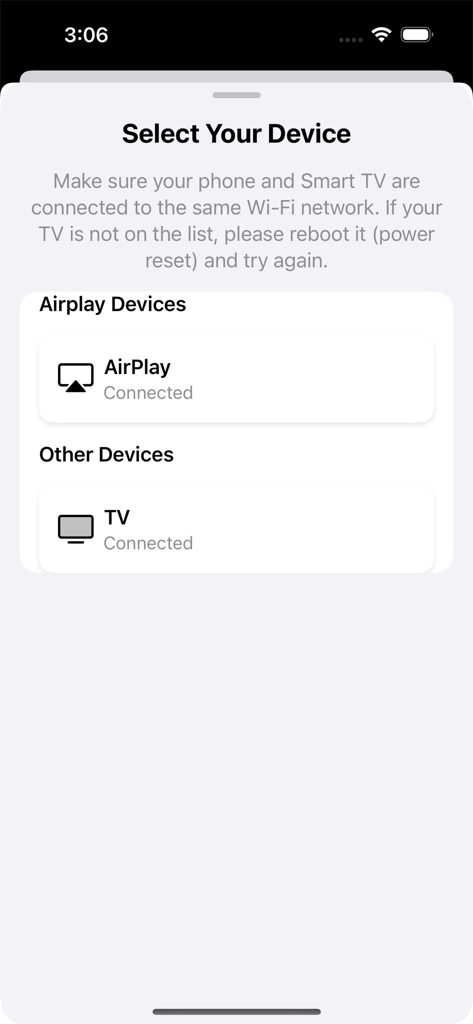
AirScreen Cast app interface for selecting a smart TV or AirPlay device to start screen mirroring.
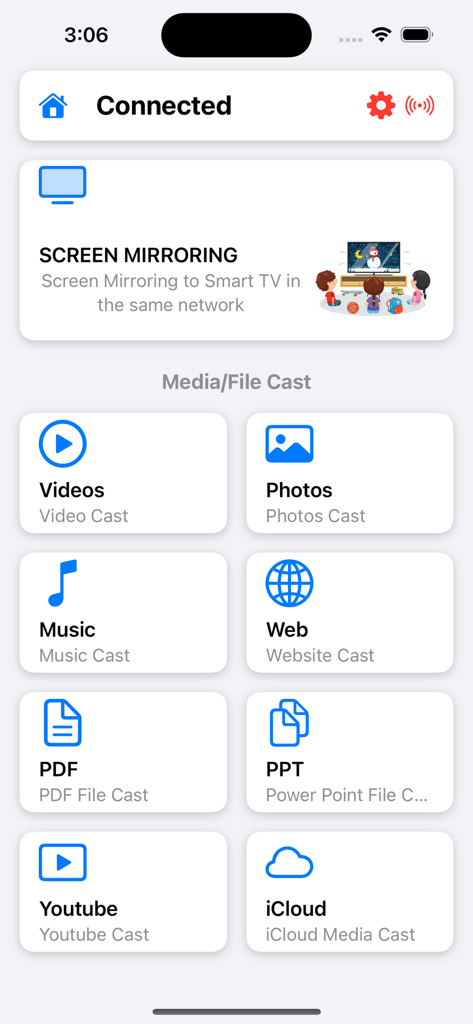
AirScreen Cast main menu showing options for screen mirroring and casting videos photos and professional documents
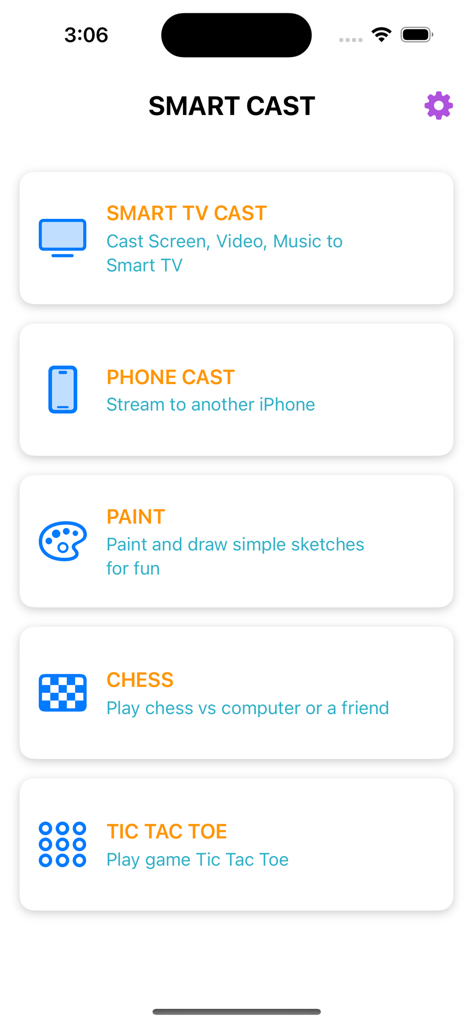
Main interface of AirScreen Cast app showing options for smart tv casting and mini games
Description
Download
More Like This
Apps with similar features and user experience

Web Video Cast | Browser to TV
InstantBits Inc

PigeonCast:Send by Google Cast
Sichuan FalconAI Technology Co., Ltd.

Screen Mirroring • Smart TV
Mihkel Pikk

Screen Mirroring | Cast to TV
Ozuna Limited

Screen Mirroring・Smart View TV
TOGGLE APPS SP Z O O

UbeCast: Music Streamer & PiP
AER SOFTWARE COMPANY LIMITED

AirDroid Cast-screen mirroring
SAND STUDIO CORPORATION LIMITED

Miracast: Screen Mirroring TV
Hainan Delta Software Co., Ltd

Screen Mirroring・Air Cast TV
Dalma Innovation Solutions d.o.o.
This page is not an official page of the app or its developer, but an independent editorial publication created for informational and commentary purposes. Unless expressly stated otherwise, neither the app nor its developer is affiliated with, endorsed by, sponsored by, authorized by, or otherwise officially connected with MWM, Apple, Google Play, the app publisher, or the app's developer, and nothing on this page implies that the app was developed using MWM's services. Any trademarks, logos, screenshots, and other content remain the property of their respective owners.