
This page is not an official page of the app or its developer, but an independent editorial publication created for informational and commentary purposes. Unless expressly stated otherwise, neither the app nor its developer is affiliated with, endorsed by, sponsored by, authorized by, or otherwise officially connected with MWM, Apple, Google Play, the app publisher, or the app's developer, and nothing on this page implies that the app was developed using MWM's services. Any trademarks, logos, screenshots, and other content remain the property of their respective owners.


AlecoAir
Effortlessly manage your air purifiers and dehumidifiers from a single app. Experience a healthier, more comfortable home for your family with easy setup and instant remote access.
Downloads
61K+User Rating
Total Ratings
700Publisher
Category
UtilitiesLocales
27Latest Version
1.0.7Size
184.9 MBFirst Released
Jan 17, 2020Master Your Home Environment
Take total control of your air quality with a seamless, smart-home experience designed for your health, comfort, and peace of mind.
Remote Climate Control
Adjust your settings from anywhere. Start your dehumidifier or purifier during your commute so you always return to a perfect environment.
Health-First Living
Create a sanctuary for your family and pets by keeping allergens and pollutants at bay with proactive, real-time device management.
Frequently Asked Questions
Everything you need to know about AlecoAir
How does the AlecoAir app allow remote control of appliances?
The AlecoAir app provides remote control functionality, enabling users to manage their home air quality appliances from any location. This ensures convenience and constant environmental monitoring.
Can users control multiple AlecoAir devices simultaneously with one app?
Yes, the AlecoAir app allows simultaneous control for multiple devices. Users can manage all their connected home air quality appliances from a single application interface.
How easy is it to connect the AlecoAir app to devices?
The AlecoAir app is designed for easy and quick connection to devices. It simplifies the setup process, allowing users to integrate new appliances rapidly into their smart home system.
What types of air quality appliances does the AlecoAir app support?
The AlecoAir app supports various air quality appliances, including air purifiers, dehumidifiers, and humidifiers. Users can add these devices manually or via auto scan.
Does the AlecoAir app display real-time indoor air quality metrics?
Yes, the AlecoAir app displays real-time indoor air quality metrics, such as PM2.5 levels, and provides an air quality rating. It also shows outdoor PM2.5 data for comparison.
Can users adjust the wind speed level for their AlecoAir appliance using the app?
Yes, users can adjust the wind speed level. The AlecoAir app provides four distinct wind speed levels: Level 1, Level 2, Level 3, and Level 4, for customized air circulation.
Does the AlecoAir app include a sleep mode function for connected devices?
Yes, the AlecoAir app includes a sleep mode function. Users can activate this setting to optimize device operation for quieter performance during sleep, directly from the app's settings.
Is there a UV switch control available within the AlecoAir app?
Yes, the AlecoAir app provides a UV Switch control. Users can toggle this function on or off directly from the app's settings menu, enhancing air purification options.
How do users reset the filter through the AlecoAir app?
Users can reset the filter directly through the AlecoAir app. The "Reset Filter" option is available within the app's settings menu, simplifying maintenance tasks for connected devices.
Does the AlecoAir app offer a countdown timer for device operation?
Yes, the AlecoAir app features a countdown timer. Users can set a specific duration, such as 2 hours shown, for their AlecoAir appliances to operate, available in the settings menu.
The following screenshots and description are sourced directly from the app's official store listing and are the property of the app developer.
App Store
Screenshots
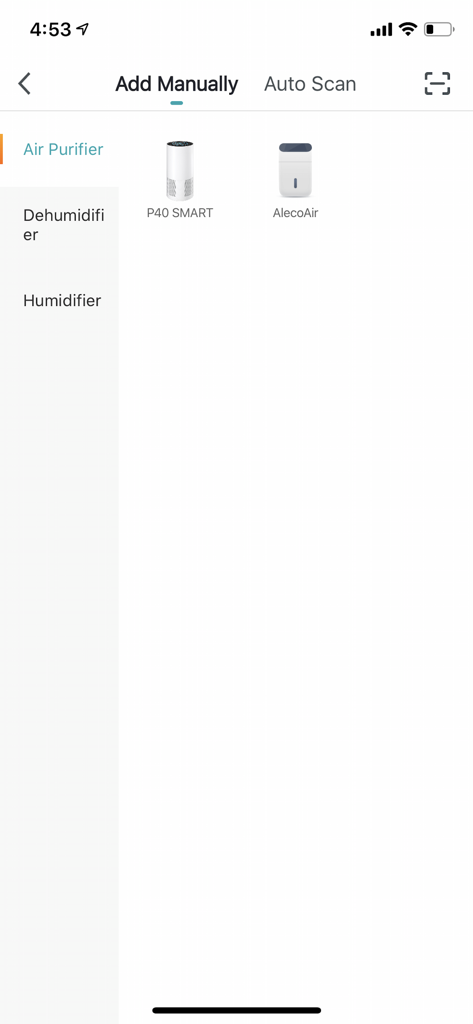
User interface of AlecoAir app for adding smart air purifiers and dehumidifiers manually
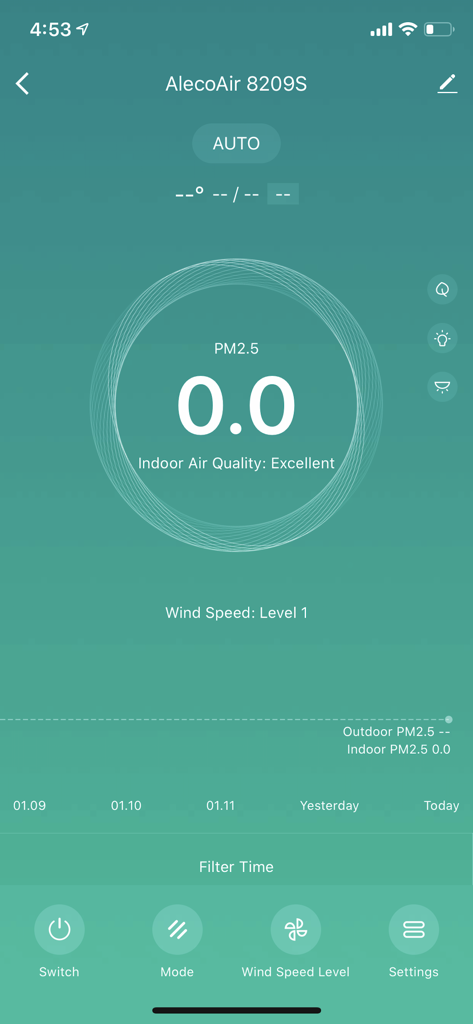
AlecoAir app interface showing excellent indoor air quality status and purifier controls
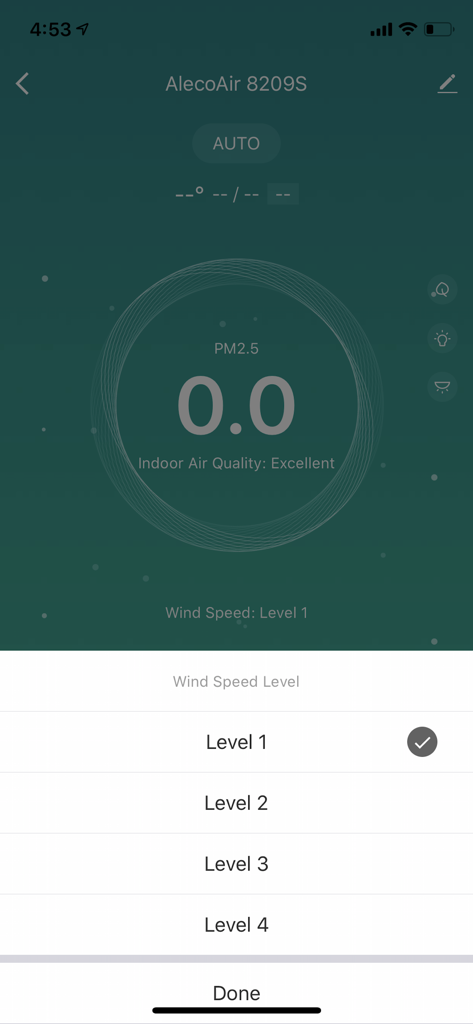
AlecoAir app interface showing excellent indoor air quality status and a wind speed level selection menu
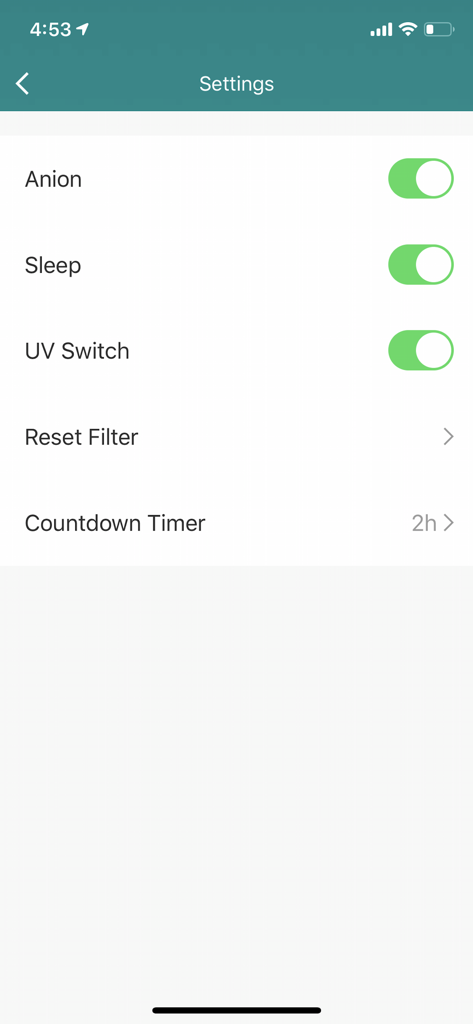
AlecoAir app settings screen showing toggles for Anion, Sleep mode, and UV switch with a countdown timer.
Description
Download
More Like This
Top-ranked apps in the same category

Google LLC

Google Chrome
Google LLC

中国移动(手机营业厅)
China Mobile Online Services Co., Ltd.

Google Authenticator
Google LLC

CNH do Brasil
Servicos e Informacoes do Brasil

Cleanup: Phone Storage Cleaner
DEEP FLOW SOFTWARE SERVICES - FZCO

gov.br
Servicos e Informacoes do Brasil

中国电信-全国统一官方服务平台
CHINA TELECOM Corporation Ltd.

Microsoft Edge: AI Browser
Microsoft Corporation
This page is not an official page of the app or its developer, but an independent editorial publication created for informational and commentary purposes. Unless expressly stated otherwise, neither the app nor its developer is affiliated with, endorsed by, sponsored by, authorized by, or otherwise officially connected with MWM, Apple, Google Play, the app publisher, or the app's developer, and nothing on this page implies that the app was developed using MWM's services. Any trademarks, logos, screenshots, and other content remain the property of their respective owners.