
This page is not an official page of the app or its developer, but an independent editorial publication created for informational and commentary purposes. Unless expressly stated otherwise, neither the app nor its developer is affiliated with, endorsed by, sponsored by, authorized by, or otherwise officially connected with MWM, Apple, Google Play, the app publisher, or the app's developer, and nothing on this page implies that the app was developed using MWM's services. Any trademarks, logos, screenshots, and other content remain the property of their respective owners.

Anglian Water MyAccount
Take the stress out of life admin. Pay bills, submit meter readings, and track your consumption in seconds—all from the palm of your hand.
Downloads
341K+User Rating
Total Ratings
2K+Publisher
Category
UtilitiesLocales
1Latest Version
1.110.0Size
38.9 MBFirst Released
Jul 11, 2024Take Full Control of Your Water Account
Manage bills, track usage, and get real-time updates—all from the palm of your hand. Effortless utility management designed for your busy lifestyle.
Smart Usage Tracking
Say goodbye to bill shock. Monitor your daily consumption and get personalized tips to save water and money every month.
Instant Bill Management
View your history and make secure payments in seconds. Set up flexible payment plans that fit your unique household budget.
Frequently Asked Questions
Everything you need to know about Anglian Water MyAccount
What is the Anglian Water MyAccount app for?
The Anglian Water MyAccount app allows users to manage their water account. It provides features like viewing bills, checking water usage, submitting meter readings, and accessing support services.
Can I view my Anglian Water bills and payments history in the app?
Yes, the Anglian Water MyAccount app allows users to view their current bills, upcoming payments, and a complete history of past bills and payments.
How can I make a payment for my Anglian Water bill using the app?
Users can make card payments via the Anglian Water MyAccount app. The app supports Apple Pay and accepts debit and credit cards from Visa and Mastercard.
Does the Anglian Water MyAccount app track my water usage?
Yes, the Anglian Water MyAccount app provides a detailed view of your water usage. It includes a history graph and offers water-saving tips to help manage consumption.
How do I submit my meter reading with the Anglian Water MyAccount app?
The Anglian Water MyAccount app allows users to submit their meter readings directly. This ensures that billing is accurate and based on up-to-date usage data.
Can I update my account details through the Anglian Water MyAccount app?
Yes, the Anglian Water MyAccount app allows users to quickly update their personal information and manage their account details directly from the app.
Does the Anglian Water MyAccount app provide support for moving house?
Yes, the Anglian Water MyAccount app provides options to easily close or transfer your account if you are moving in or out of a property.
How do I access extra support services via the Anglian Water MyAccount app?
The Anglian Water MyAccount app allows users to sign up for the Priority Services Register. This provides tailored services and support for eligible households.
How do new users register for the Anglian Water MyAccount app?
New users must download the Anglian Water MyAccount app and follow the registration process within the application. Existing MyAccount users use their current login details.
What payment plans can I set up using the Anglian Water MyAccount app?
The Anglian Water MyAccount app allows users to set up or modify a payment plan. This includes setting up a Direct Debit for managing bills.
The following screenshots and description are sourced directly from the app's official store listing and are the property of the app developer.
App Store
Screenshots
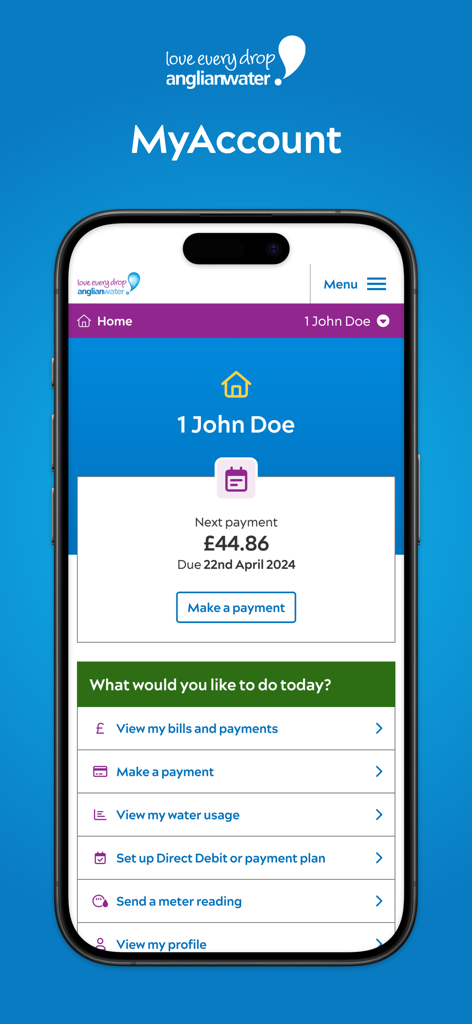
Home screen of the Anglian Water MyAccount app showing account balance and utility management menu
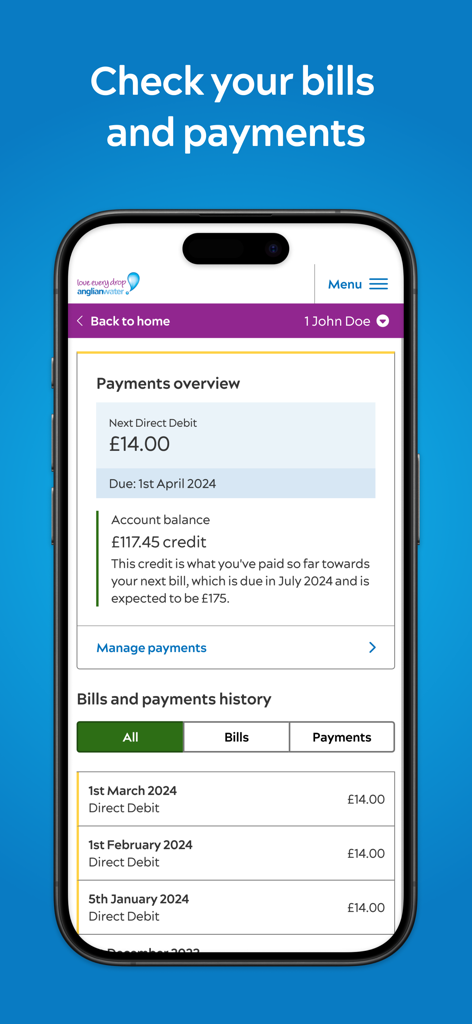
Anglian Water MyAccount app interface showing payments overview and billing history
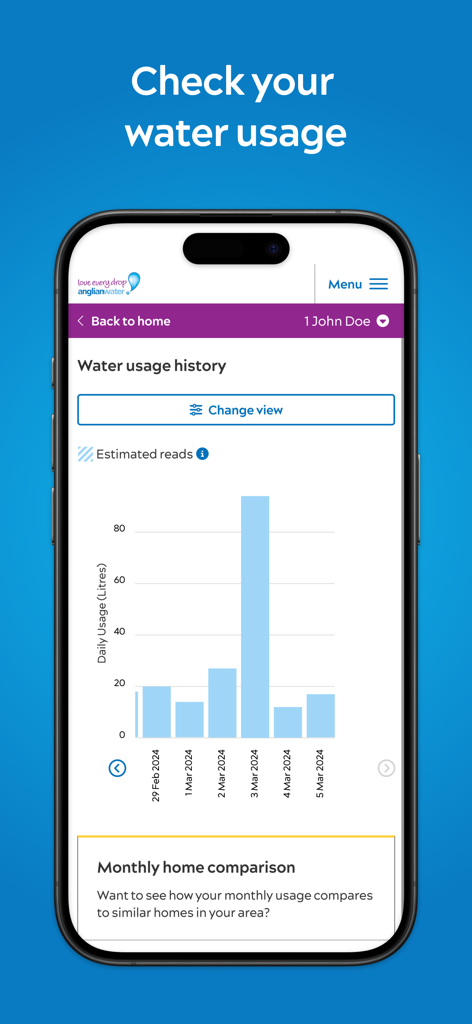
Daily water usage history bar chart in the Anglian Water MyAccount mobile app
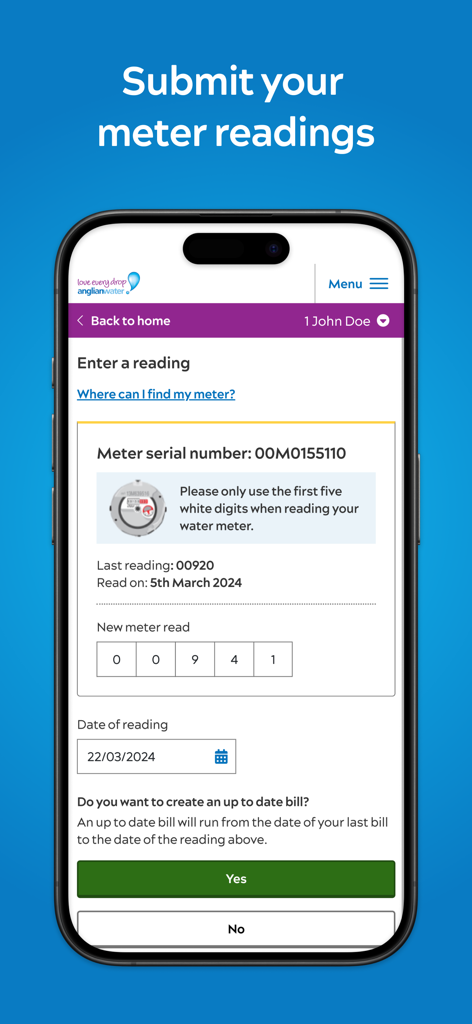
Interface of the Anglian Water MyAccount app showing the form to submit a new water meter reading.
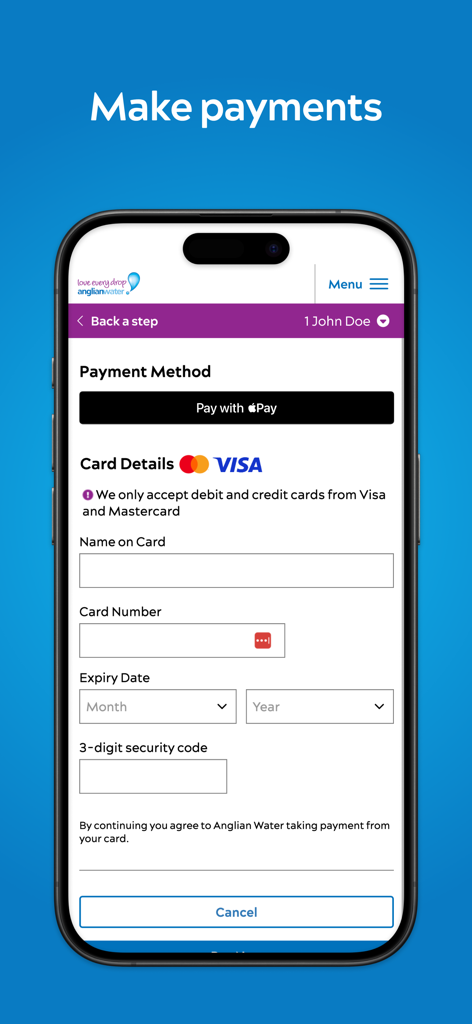
Anglian Water MyAccount app payment screen with card details form
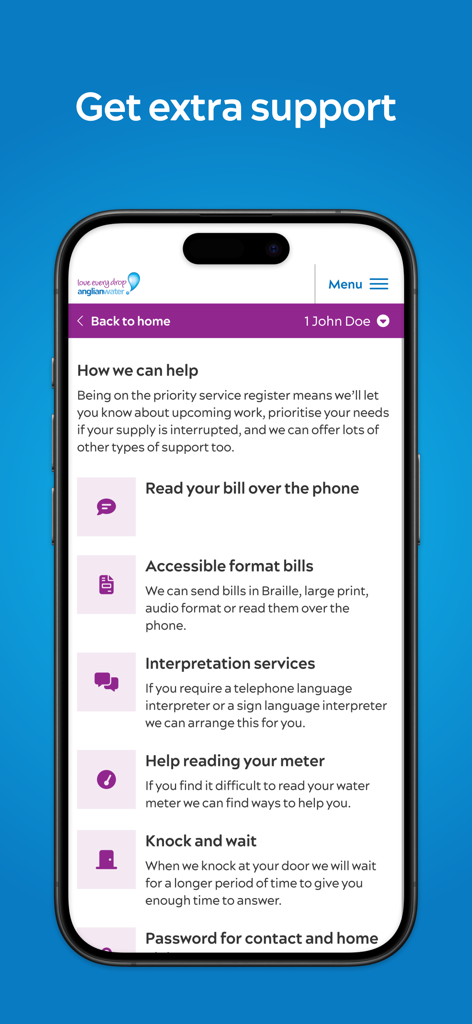
Anglian Water MyAccount app screen showing priority support services such as accessible bills and interpretation
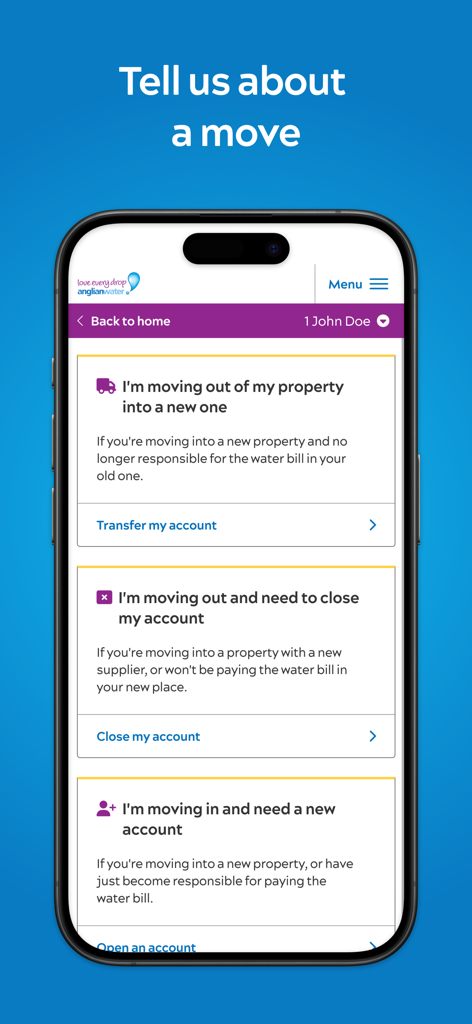
Anglian Water MyAccount mobile app screen displaying options to transfer close or open an account when moving property.
Description
Download
More Like This
Apps with similar features and user experience

Octopus Energy
Octopus Energy Ltd
PLN Mobile
PLN (PERSERO), PT
Neoenergia SA
Neoenergia SA

Duke Energy
Duke Energy Corporation

Dominion Energy
Dominion Resources Services, Inc.

E.ON NEXT
E.ON NEXT LIMITED

Sahl سهل - Payments Made Easy
Egypt Pay

YASNO Mobile
D.SOLUTIONS LLC

PSE&G
Public Service Enterprise Group Incorporated
This page is not an official page of the app or its developer, but an independent editorial publication created for informational and commentary purposes. Unless expressly stated otherwise, neither the app nor its developer is affiliated with, endorsed by, sponsored by, authorized by, or otherwise officially connected with MWM, Apple, Google Play, the app publisher, or the app's developer, and nothing on this page implies that the app was developed using MWM's services. Any trademarks, logos, screenshots, and other content remain the property of their respective owners.