
This page is not an official page of the app or its developer, but an independent editorial publication created for informational and commentary purposes. Unless expressly stated otherwise, neither the app nor its developer is affiliated with, endorsed by, sponsored by, authorized by, or otherwise officially connected with MWM, Apple, Google Play, the app publisher, or the app's developer, and nothing on this page implies that the app was developed using MWM's services. Any trademarks, logos, screenshots, and other content remain the property of their respective owners.


みんなの縦型カレンダー
The simplest way to coordinate group schedules, share tasks, and save memories in one intuitive vertical timeline. Ditch the clutter and keep your family or group perfectly in sync.
Downloads
257K+User Rating
Total Ratings
13K+Publisher
Category
ProductivityLocales
1Latest Version
6.6.6Size
116.8 MBFirst Released
May 14, 2020Organize Your World, Side-by-Side
The simple, shared vertical calendar designed to keep busy families and groups perfectly in sync without the mental load.
Intuitive Vertical Timeline
Stop squinting at cluttered boxes. View multiple schedules side-by-side in a clean, linear flow that makes sense at a glance.
Real-Time Group Sync
Keep everyone on the same page with instant push notifications for every update and easy sharing via a private access code.
Frequently Asked Questions
Everything you need to know about みんなの縦型カレンダー
What is みんなの縦型カレンダー?
みんなの縦型カレンダー is a vertical calendar application. It facilitates easy sharing of schedules among family, friends, and groups, offering features such as push notifications for changes and a history function for quick input.
How can I share a calendar with others using みんなの縦型カレンダー?
Users share calendars by copying a unique sharing code from the menu and sending it to others. Recipients then input this code into their みんなの縦型カレンダー app to access the shared calendar.
What is the maximum number of shared calendars in みんなの縦型カレンダー?
Users can confirm and share a maximum of five calendars within みんなの縦型カレンダー. The app's left-side menu allows switching, adding, or deleting these calendars.
Does みんなの縦型カレンダー provide notifications for schedule updates?
Yes, みんなの縦型カレンダー sends push notifications to all shared users when any schedule is added, edited, or deleted. Notification settings are configurable per calendar or globally.
Can I view weather forecasts in みんなの縦型カレンダー?
Yes, みんなの縦型カレンダー displays a one-week weather forecast directly from the Japan Meteorological Agency. This integration assists users in planning their events more effectively.
Is there a messaging feature within みんなの縦型カレンダー for shared users?
Yes, みんなの縦型カレンダー includes a message function. It enables shared calendar users to send messages to the group, which trigger push notifications and support color customization and sender identification.
How does みんなの縦型カレンダー handle data backup?
みんなの縦型カレンダー performs server-side backups of data. Users restore their calendar data using an account code, ensuring recovery in case of device loss or model changes.
Does みんなの縦型カレンダー support dark mode?
Yes, みんなの縦型カレンダー offers a dark mode. This feature aims to reduce eye strain for users and conserve device battery power.
Does みんなの縦型カレンダー provide a way to quickly input recurring schedules?
Yes, みんなの縦型カレンダー features a history function. Schedules previously entered can be quickly re-inputted with a single tap from the history, streamlining the scheduling process.
What is the monthly photo upload limit in みんなの縦型カレンダー?
Users of みんなの縦型カレンダー can upload a maximum of 15 photos per month. Premium subscribers have an increased limit, allowing them to register up to 50 photos monthly.
Can I use a widget with みんなの縦型カレンダー?
Yes, みんなの縦型カレンダー provides a widget feature. Users can check their latest schedules directly from their home screen without opening the app.
The following screenshots and description are sourced directly from the app's official store listing and are the property of the app developer.
App Store
Screenshots
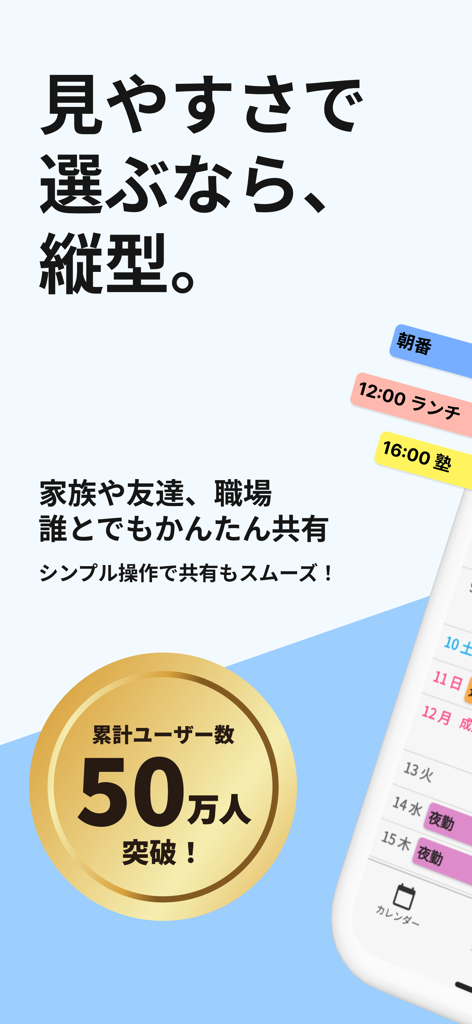
Promotional screen for the Vertical Calendar app showing a vertical timeline schedule and a 500,000 user milestone badge.
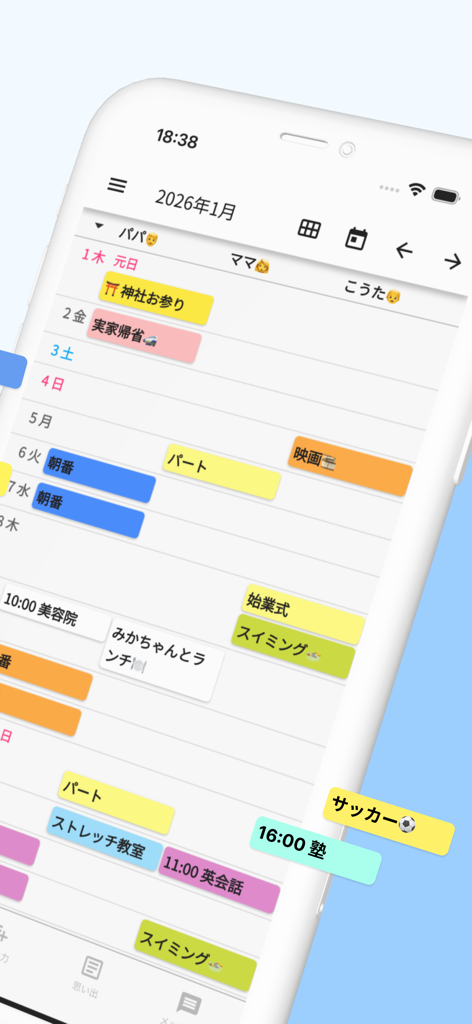
Shared family schedule on the Everyones Vertical Calendar app with color coded events in a vertical layout
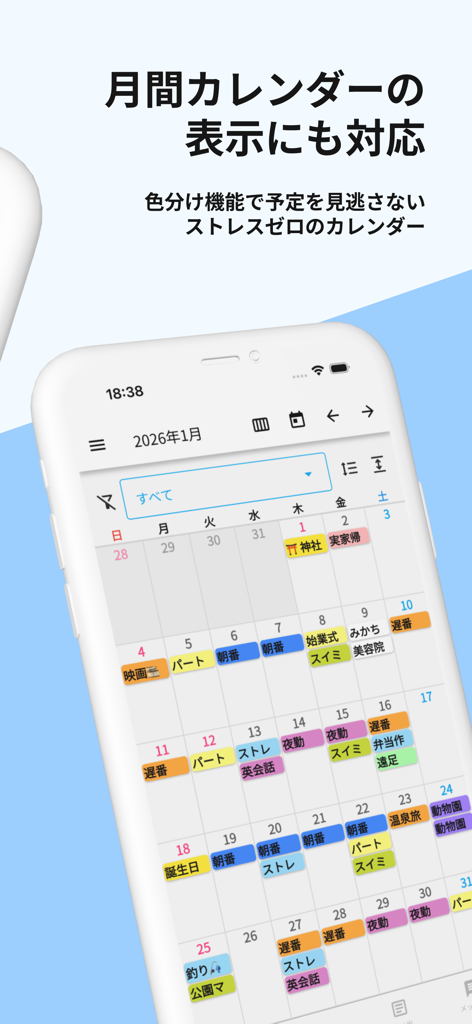
A smartphone displaying a monthly calendar view with various color-coded schedule entries
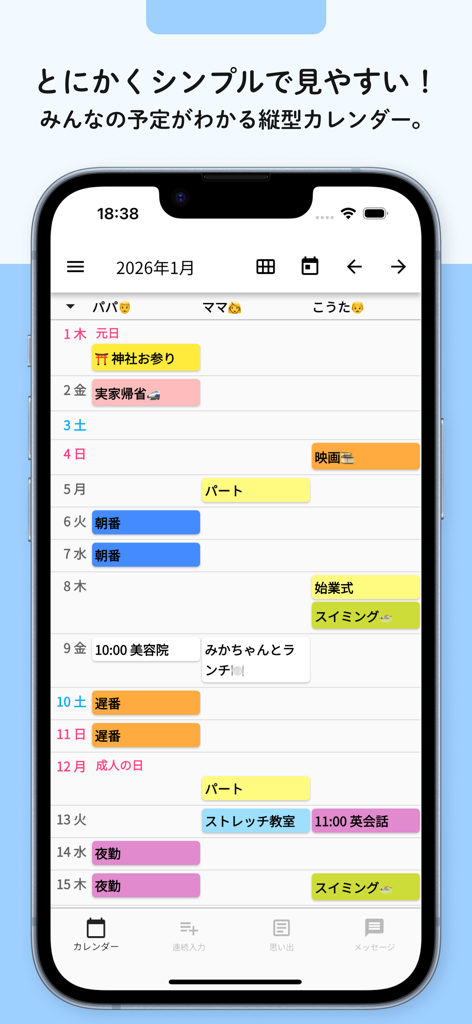
Screenshot of the Everyones Vertical Calendar app showing a shared family schedule in a vertical layout with color coded task blocks
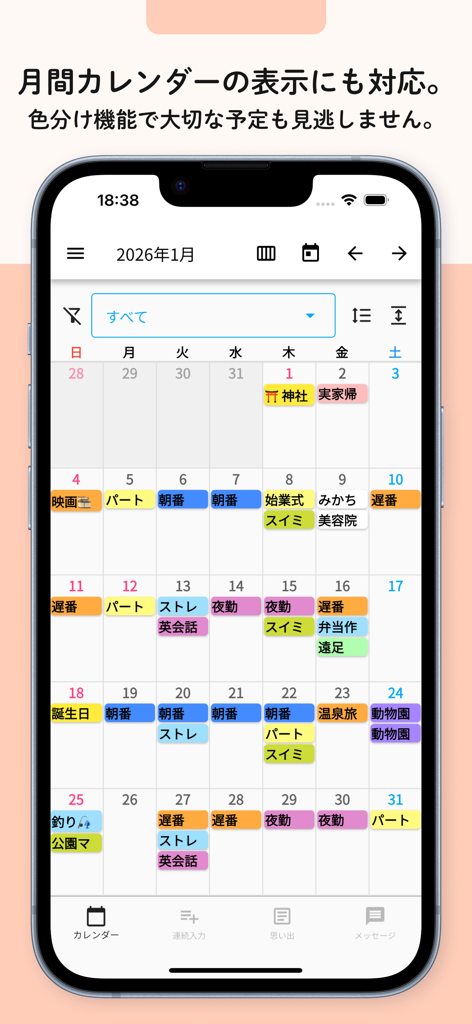
A smartphone screen displaying a monthly grid calendar view with colorful activity labels for easy organization
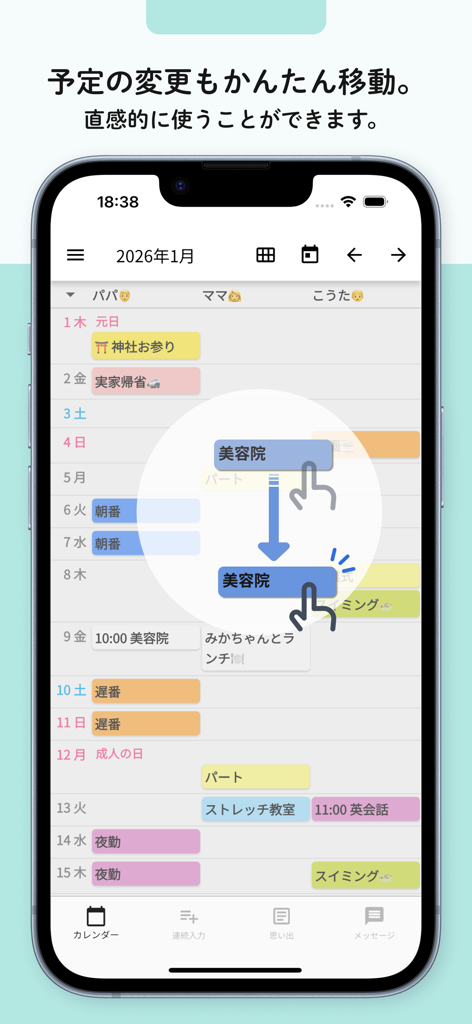
A vertical calendar app showing a user dragging a schedule block to intuitively reschedule an appointment
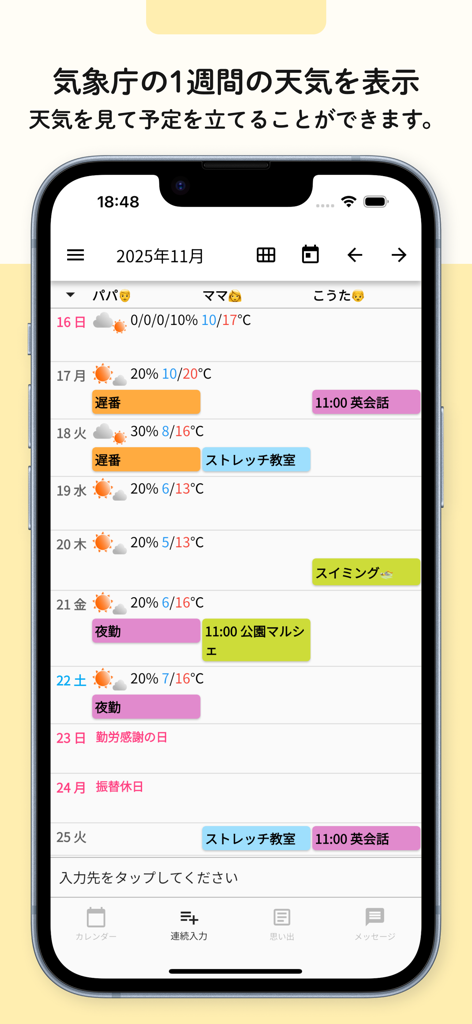
A mobile screen showing a vertical calendar with side-by-side family schedules and integrated weekly weather forecasts.
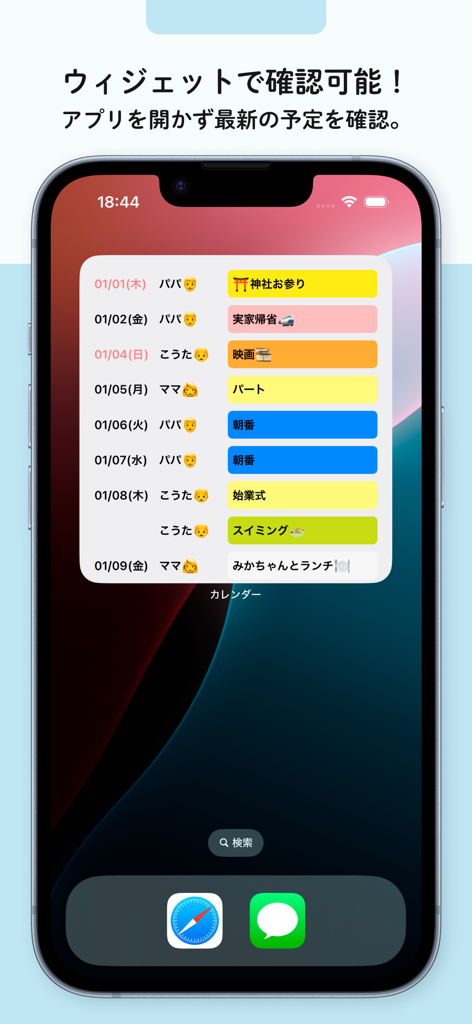
iPhone home screen displaying the Everyone's Vertical Calendar widget with a shared family schedule.
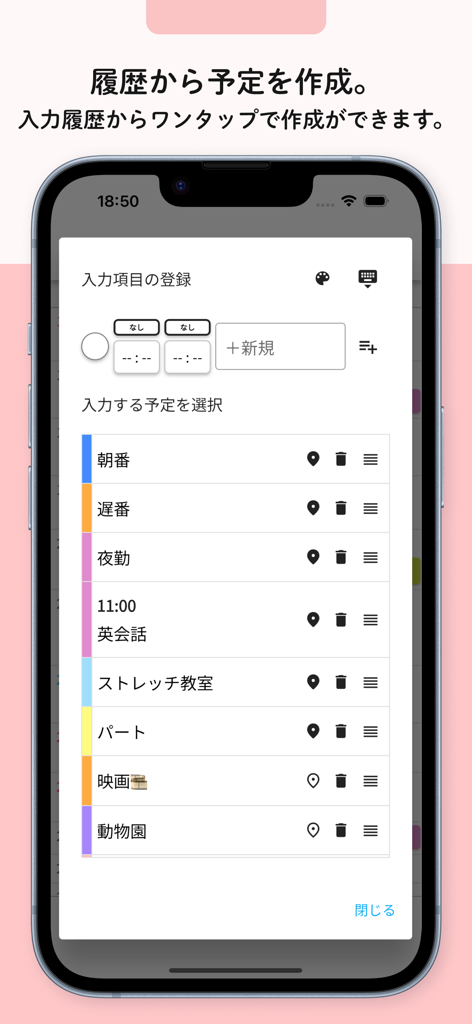
Quick schedule entry screen showing event history in the Everyone's Vertical Calendar app
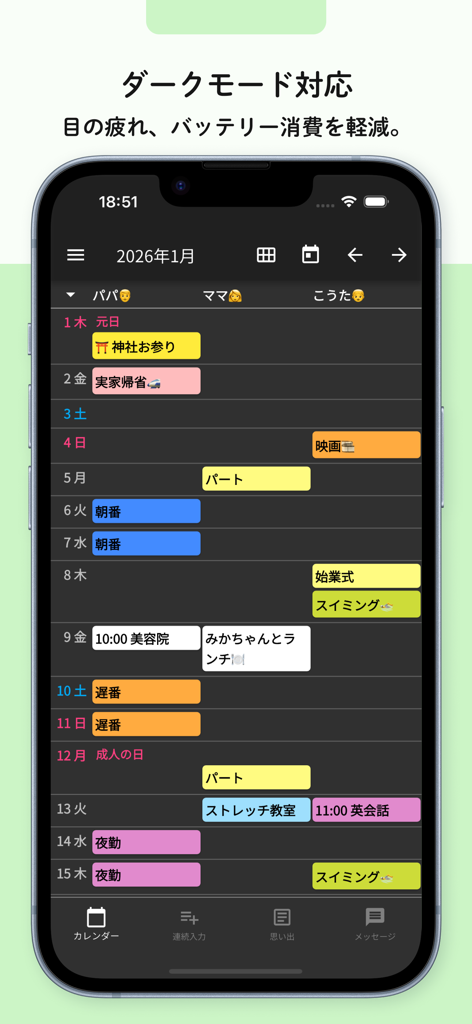
A shared vertical calendar app interface in dark mode displaying side-by-side schedules for multiple family members
Description
Download
More Like This
Apps with similar features and user experience

Howbout: shared calendar
Howbout Ltd.

Teamup Calendar
Teamup Solutions AG

TimeTree: Shared Calendar
TimeTree, Inc.

Cupla: Shared Couples Calendar
Cupla Limited

Chouseisan
Mixtend Inc.

OurCal: Group Calendar Share
ONIN LTD.

게더링 : 함께 쓰는 공유 캘린더
HUSTLERS Corp

不揪?- 儲存、分享課表
HSIN-CHE CHUNG

Palu - Handwriting Calendar -
MetaMoJi Corporation
This page is not an official page of the app or its developer, but an independent editorial publication created for informational and commentary purposes. Unless expressly stated otherwise, neither the app nor its developer is affiliated with, endorsed by, sponsored by, authorized by, or otherwise officially connected with MWM, Apple, Google Play, the app publisher, or the app's developer, and nothing on this page implies that the app was developed using MWM's services. Any trademarks, logos, screenshots, and other content remain the property of their respective owners.