
This page is not an official page of the app or its developer, but an independent editorial publication created for informational and commentary purposes. Unless expressly stated otherwise, neither the app nor its developer is affiliated with, endorsed by, sponsored by, authorized by, or otherwise officially connected with MWM, Apple, Google Play, the app publisher, or the app's developer, and nothing on this page implies that the app was developed using MWM's services. Any trademarks, logos, screenshots, and other content remain the property of their respective owners.

Downloads
56K+User Rating
Total Ratings
1K+Publisher
Category
UtilitiesLocales
1Latest Version
1.0.1Size
26.9 MBFirst Released
Sep 30, 2025极简同步,数据迁移从未如此简单
专为在美华人打造,打破系统与语言隔阂,让您的照片、视频及重要资料在手机间丝滑传递,开启无忧换机体验。
一键扫码,告别繁琐
无需复杂设置,通过二维码即刻建立连接。全中文界面设计,让老人和孩子也能在几秒钟内轻松上手。
无线疾速,无需数据线
摆脱缠绕的数据线,利用先进直连技术实现高速传输。无论是海量照片还是高清视频,都能瞬间完成迁移。
Frequently Asked Questions
Everything you need to know about 手机同步传输-同步转移数据文件
How does the "手机同步传输" app transfer data?
The "手机同步传输" app transfers data wirelessly using Wi-Fi or QR code scanning. Users select old and new phone roles to initiate the direct migration of files without cables.
What types of data can "手机同步传输" migrate between devices?
The "手机同步传输" app migrates various data types, including photos, videos, audio, and contacts. Users can preview these files before starting the transfer process.
Is data transfer with "手机同步传输" secure and private?
Yes, data transfer with the "手机同步传输" app is secure and private. It uses a direct phone-to-phone connection, ensuring that data does not pass through the internet.
Does "手机同步传输" support Android devices for data migration?
No, the "手机同步传输" app exclusively supports Apple devices for data migration. The receiving phone must be an Apple device for the transfer to proceed.
How does the subscription and payment process work for "手机同步传输"?
Users pay for "手机同步传输" subscriptions via their iTunes account. Payment is processed upon purchase confirmation, and accounts are billed for renewal 24 hours before the current period expires.
How do I cancel my subscription for the "手机同步传输" app?
Users cancel their "手机同步传输" subscription by accessing "iTunes Store 与 App Store", clicking "App ID", navigating to "账户设置", and selecting "订阅" to choose cancellation.
Does "手机同步传输" allow syncing of WeChat or QQ chat history?
Yes, the "手机同步传输" app includes specific features for WeChat sync and QQ sync, enabling the transfer of chat records between devices.
Is an internet connection required for data transfer with "手机同步传输"?
No, an active internet connection is not required for the direct data transfer. The "手机同步传输" app facilitates direct phone-to-phone connection via local Wi-Fi or QR code scanning.
Can users preview files before initiating a transfer with "手机同步传输"?
Yes, the "手机同步传输" app allows users to clearly preview the content they intend to transfer. This ensures important data is not overlooked during migration.
The following screenshots and description are sourced directly from the app's official store listing and are the property of the app developer.
App Store
Screenshots
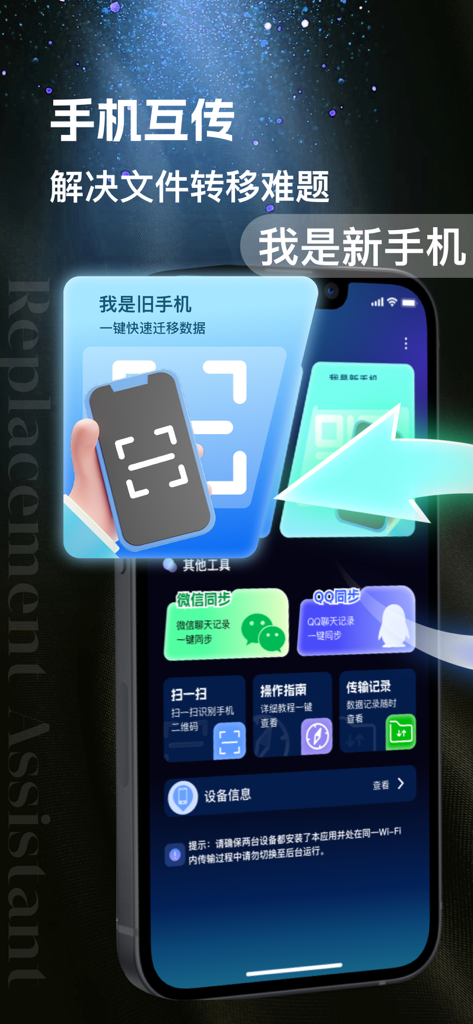
Interface of a Chinese mobile data transfer app showing phone migration options and QR code connection
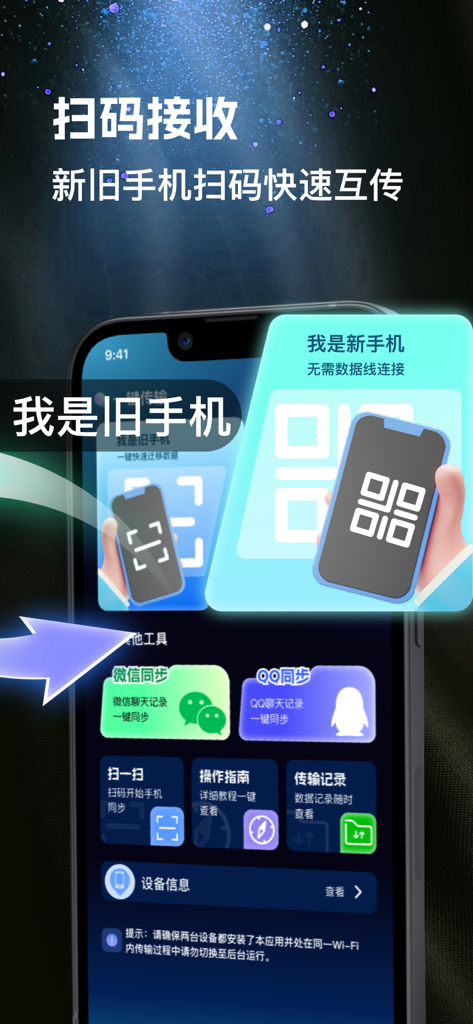
Smartphone screen showing a data transfer app with QR code scanning to sync files between old and new phones
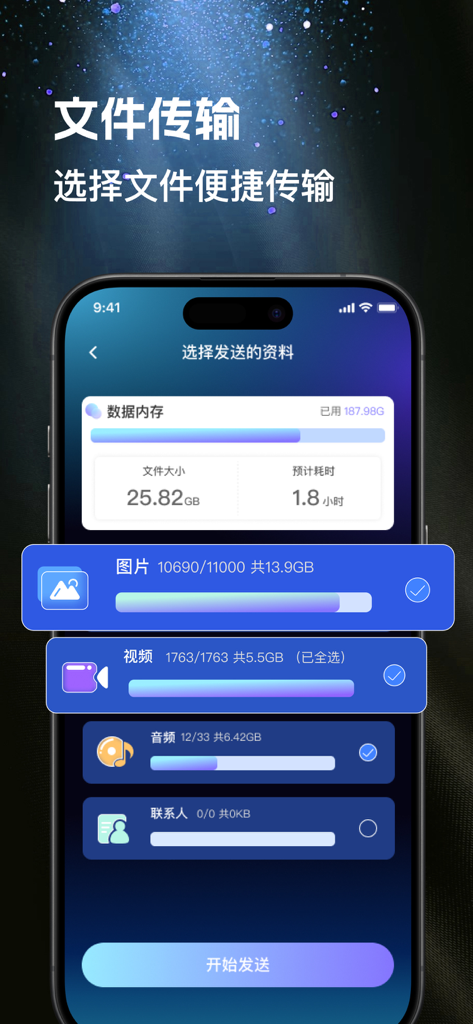
Mobile sync transfer app interface showing categories like photos and videos for data migration
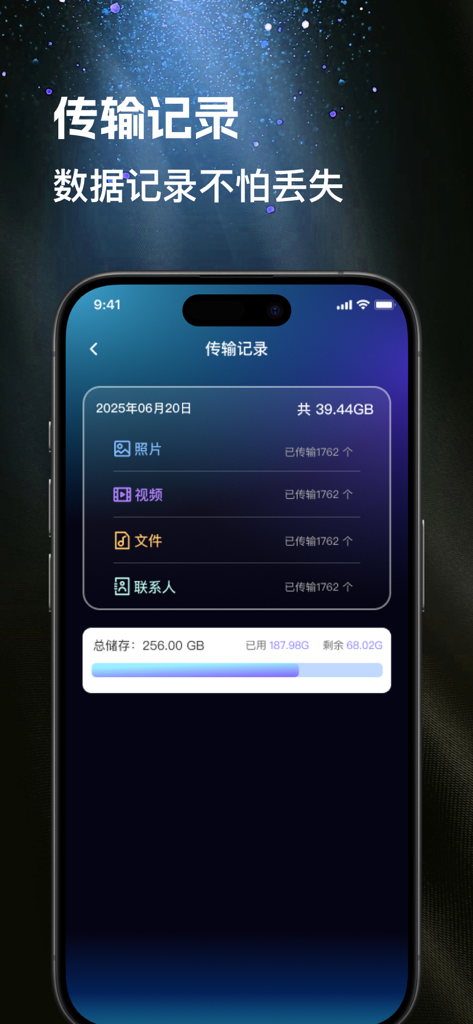
A mobile app screen displaying transfer history for photos, videos, files, and contacts with storage usage details.
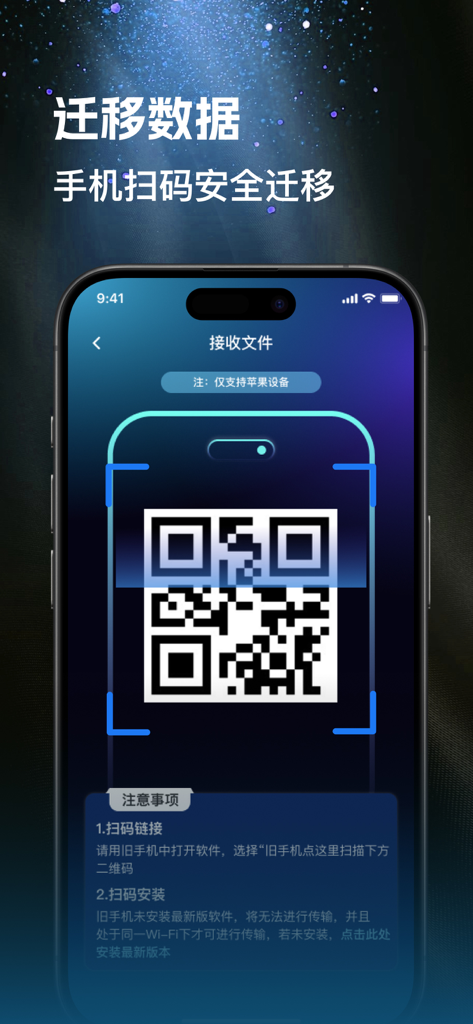
Smartphone screen displaying a QR code for secure mobile data migration in a Chinese language utility app.
Description
Download
More Like This
Apps with similar features and user experience
Smart Switch - Copy My Data
学斌 林

Data Transfer - Copy My Data
Simple Health Limited

互传 - 快速换机数据迁移智能助手
家呈 郭

手机克隆 - 新旧手机资料免流量快速迁移
福林 胡

Copy My Data - Smart Transfer
Red Sky Labs, SOCIEDAD LIMITADA
Copy My Data - Mobile Transfer
KHD Plaza LLC

Phone Clone - Smart Switch .
俊杰 刘

Smart Switch: Data Transfer
Zadore Tracy
Smart Switch: Copy & Move Data
JW Marketing group s.r.o.
This page is not an official page of the app or its developer, but an independent editorial publication created for informational and commentary purposes. Unless expressly stated otherwise, neither the app nor its developer is affiliated with, endorsed by, sponsored by, authorized by, or otherwise officially connected with MWM, Apple, Google Play, the app publisher, or the app's developer, and nothing on this page implies that the app was developed using MWM's services. Any trademarks, logos, screenshots, and other content remain the property of their respective owners.